2.2K ·GitHub
Что это такое?
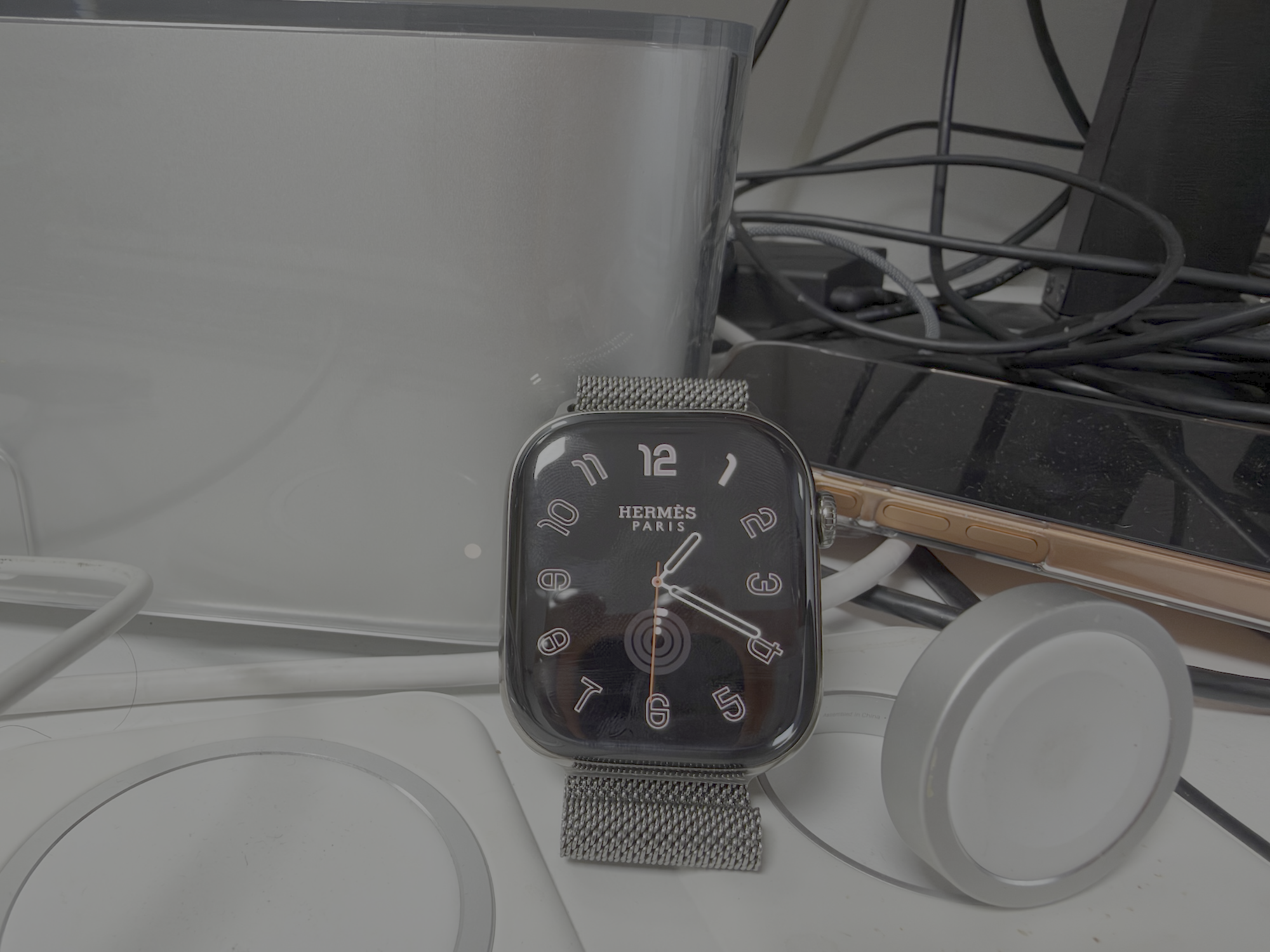
 Инструмент, который включает циферблаты Hermès на любых Apple Watch и позволяет установить фирменные циферблаты Hermès, которые Apple обычно ограничивает.
Это устанавливается на мой iPhone или на Apple Watch?На оба: сначала установите IPA через Sideloadly, затем сопутствующее приложение появится в приложении Watch на iPhone, а для завершения настройки запустите приложение на самих Apple Watch.
На оба: сначала установите IPA через Sideloadly, затем сопутствующее приложение появится в приложении Watch на iPhone, а для завершения настройки запустите приложение на самих Apple Watch.Как это запустить?Либо скачайте IPA из Releases и установите его через Sideloadly, либо соберите сами: откройте HermesEnabler2.xcodeproj в Xcode и запустите проект, выбрав Apple Watch в качестве устройства назначения.
Либо скачайте IPA из Releases и установите его через Sideloadly, либо соберите сами: откройте HermesEnabler2.xcodeproj в Xcode и запустите проект, выбрав Apple Watch в качестве устройства назначения.Нужно ли сначала установить Xcode или Sideloadly?Sideloadly нужен для варианта с IPA; Xcode нужен только если собираете из исходного кода. В любом случае нужны Apple Watch, сопряжённые с iPhone.
Sideloadly нужен для варианта с IPA; Xcode нужен только если собираете из исходного кода. В любом случае нужны Apple Watch, сопряжённые с iPhone.Будет ли это работать на моей версии watchOS?Нет, не на каждой версии. Поддерживается только watchOS от 27.0 до 27.3 beta 1, поэтому проверьте версию на часах перед установкой.
Нет, не на каждой версии. Поддерживается только watchOS от 27.0 до 27.3 beta 1, поэтому проверьте версию на часах перед установкой.Работает только на Apple Watch?Цель — Apple Watch, а для установки используется приложение Watch на iPhone; само приложение работает на часах и настраивается со стороны iPhone.
Цель — Apple Watch, а для установки используется приложение Watch на iPhone; само приложение работает на часах и настраивается со стороны iPhone.Можно ли использовать это свободно?Проект распространяется под лицензией MIT, но в README предупреждают, что использовать его нужно на свой страх и риск, и отмечают, что в проект включён код из Gester.
Проект распространяется под лицензией MIT, но в README предупреждают, что использовать его нужно на свой страх и риск, и отмечают, что в проект включён код из Gester.В чём основная функция?Она разблокирует циферблаты Hermès, чтобы их можно было установить на модели Apple Watch, которые иначе их не получили бы, в пределах поддерживаемого диапазона watchOS.
Она разблокирует циферблаты Hermès, чтобы их можно было установить на модели Apple Watch, которые иначе их не получили бы, в пределах поддерживаемого диапазона watchOS.Откуда взят код?В README сказано, что в проект включён код из Gester, и он указан в разделе Credits.
В README сказано, что в проект включён код из Gester, и он указан в разделе Credits.Есть ли перевод на другие языки?Да, README переведён на английский, корейский, упрощённый и традиционный китайский, японский, испанский, французский, немецкий и португальский языки.
Да, README переведён на английский, корейский, упрощённый и традиционный китайский, японский, испанский, французский, немецкий и португальский языки.Какие есть похожие проекты?PromiseKit, AltStore, WQFiles, iOS-GPS-Spoofer, firebase-ios-sdk, omarchy-apple-dev, SwiftyJSON, ipadn
PromiseKit, AltStore, WQFiles, iOS-GPS-Spoofer, firebase-ios-sdk, omarchy-apple-dev, SwiftyJSON, ipadn