 MuTracer



What is this?
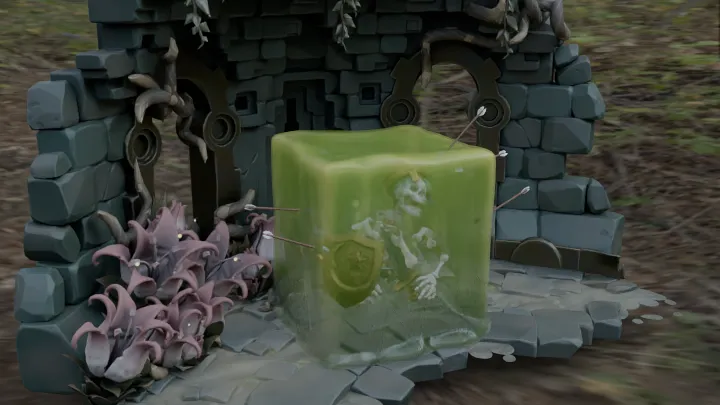
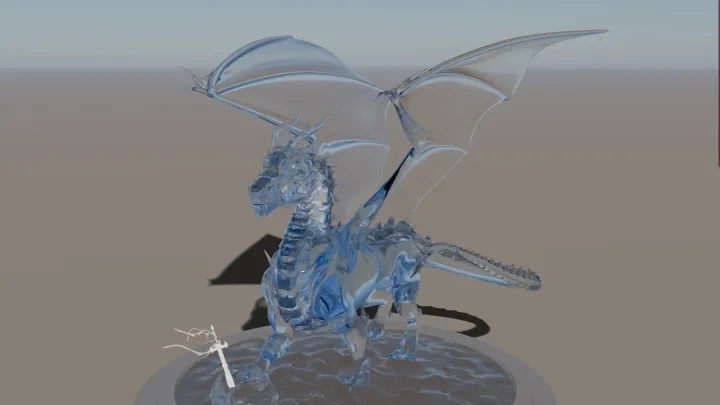
 MuTracer is a physically based path tracer for the web: it renders scenes with WebGPU (falling back to WebGL 2) using OpenPBR materials, TinyBVH acceleration and built-in denoising.
MuTracer is a physically based path tracer for the web: it renders scenes with WebGPU (falling back to WebGL 2) using OpenPBR materials, TinyBVH acceleration and built-in denoising.Is this a standalone renderer or a library I embed?It is a JavaScript/TypeScript library you install and embed in a web page, shipped as an ESM build with TypeScript declarations plus a UMD bundle, rather than a standalone app.
It is a JavaScript/TypeScript library you install and embed in a web page, shipped as an ESM build with TypeScript declarations plus a UMD bundle, rather than a standalone app.How do I add it to a web project?Build or load a Three.js scene as usual and let THREESync keep MuTracer synced to it while RenderLoop renders progressively each frame, or describe meshes, materials, lights and the camera directly with MuTracer's own scene classes.
Build or load a Three.js scene as usual and let THREESync keep MuTracer synced to it while RenderLoop renders progressively each frame, or describe meshes, materials, lights and the camera directly with MuTracer's own scene classes.Do I need Three.js to use it?No - MuTracer has its own scene model - but Three.js (for GLTFLoader + THREESync) and gl-matrix (for matrix math) are needed if you want to load glTF scenes or reuse Three.js materials and lights.
No - MuTracer has its own scene model - but Three.js (for GLTFLoader + THREESync) and gl-matrix (for matrix math) are needed if you want to load glTF scenes or reuse Three.js materials and lights.Is the API stable yet?No, it is still pre-1.0, so APIs can change between minor releases.
No, it is still pre-1.0, so APIs can change between minor releases.Does it require WebGPU, or can it run without it?WebGPU is recommended and required for features like OIDN denoising and HDR output, but it automatically falls back to WebGL 2 (which needs the EXT_color_buffer_float extension) on browsers without WebGPU support.
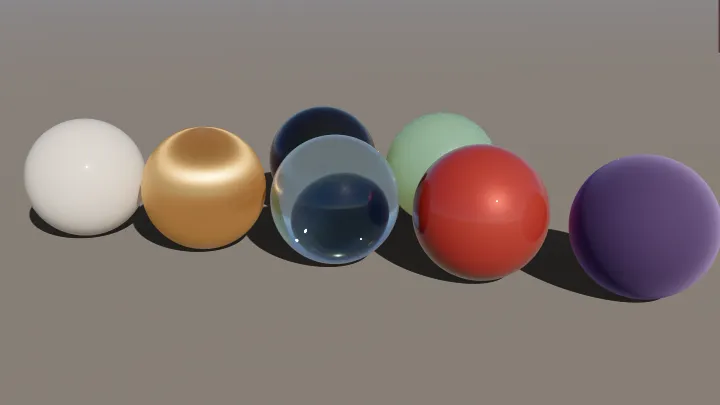
WebGPU is recommended and required for features like OIDN denoising and HDR output, but it automatically falls back to WebGL 2 (which needs the EXT_color_buffer_float extension) on browsers without WebGPU support.What is OpenPBR and why does it matter here?OpenPBR 1.1 is the physically based surface model MuTracer implements, covering F82 metals, anisotropic GGX specular and coat, thin-film interference, dispersive transmission with absorption, and subsurface scattering - giving accurate materials out of the box.
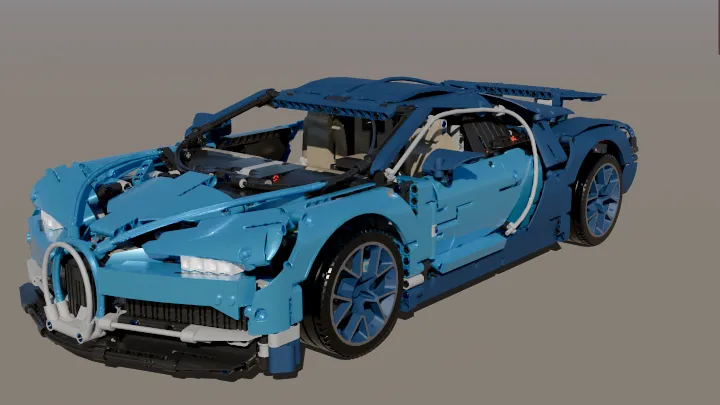
OpenPBR 1.1 is the physically based surface model MuTracer implements, covering F82 metals, anisotropic GGX specular and coat, thin-film interference, dispersive transmission with absorption, and subsurface scattering - giving accurate materials out of the box.Can it handle heavy, high-poly scenes?Yes - a two-level BVH built with binned SAH in parallel Workers (a TinyBVH port or its WebAssembly builder) lets it path trace interactively; a 4.6M-triangle Bugatti Chiron model renders at 1920x1080, 64spp in about 12 seconds on an Apple M4 Max.
Yes - a two-level BVH built with binned SAH in parallel Workers (a TinyBVH port or its WebAssembly builder) lets it path trace interactively; a 4.6M-triangle Bugatti Chiron model renders at 1920x1080, 64spp in about 12 seconds on an Apple M4 Max.Is denoising included?Yes, it offers albedo- and normal-guided denoising using Intel Open Image Denoise on WebGPU, or a joint non-local means filter that works on both WebGPU and WebGL 2.
Yes, it offers albedo- and normal-guided denoising using Intel Open Image Denoise on WebGPU, or a joint non-local means filter that works on both WebGPU and WebGL 2.Can I export the final render?Yes, converge() produces a deterministic, variance-adaptive final frame with tone mapping (AgX, ACES, Cineon, Reinhard, linear), color grading, bloom, depth of field and transparent backgrounds, and these effects also apply during PNG export.
Yes, converge() produces a deterministic, variance-adaptive final frame with tone mapping (AgX, ACES, Cineon, Reinhard, linear), color grading, bloom, depth of field and transparent backgrounds, and these effects also apply during PNG export.What are similar projects?natural-disasters, filament, wgpu, crosstl, engine, Babylon.js, three.js, f3d
natural-disasters, filament, wgpu, crosstl, engine, Babylon.js, three.js, f3dWhich topics is it in?pbr, wgpu, real-time-rendering, webgl2, graphics-programming, webgpu, computer-graphics, threejs, rendering, wasm, 3d, performance
pbr, wgpu, real-time-rendering, webgl2, graphics-programming, webgpu, computer-graphics, threejs, rendering, wasm, 3d, performance