 MuTracer


MuTracer is a physically based path tracer for the web.
It renders on WebGPU and falls back to WebGL 2, with OpenPBR materials,
TinyBVH acceleration and denoising built in.
Try the
viewer. MuTracer is a 0.x library;
APIs may change between minor releases.
- WebGPU first, WebGL 2 as fallback: unidirectional progressive path
tracing with next-event estimation and multiple importance sampling over
rect, disk, cylinder, sphere, spot (with IES profiles), directional and HDR environment
lights. Without WebGPU, the same code renders on WebGL 2.
- OpenPBR 1.1 surface: F82 metals, anisotropic GGX specular and coat,
fuzz, thin-film interference, dispersive transmission with absorption and
volume scattering, subsurface scattering, emission and ray-marched
height-field displacement. Author procedural or image-based materials with
Material Graphs.
- Experimental caustics (WebGPU): light tracing for directly visible
receivers and photon mapping for receivers seen through glass or water. See
the caustics guide.
- Interactive with millions of triangles: a two-level BVH whose BLASes are
built with binned SAH in parallel Workers (a JavaScript port of TinyBVH, or
the TinyBVH WebAssembly builder with SBVH and CWBVH layouts). Moving
instances only refits the TLAS. See performance.
- Low-noise sampling and denoising: Owen-scrambled Sobol or blue-noise
ZSobol sequences. Albedo- and normal-guided denoising with Intel Open Image
Denoise (WebGPU) or a joint non-local means filter (WebGPU and WebGL 2),
while the image converges or on the final frame.
- Incremental Three.js sync:
THREESync converts standard and physical
materials, lights, instancing, skinning and morph targets, and picks up
transform, material and light edits on every update without reconverting
the scene.
- Offline-quality output: deterministic
converge() with variance-driven
adaptive sampling (WebGPU); AgX, ACES, Cineon, Reinhard and linear tone
mapping, color grading, bloom, thin-lens depth of field, shadow catchers and
transparent backgrounds.
Gallery
Rendered live in the browser. Click an image to open the scene in the viewer.
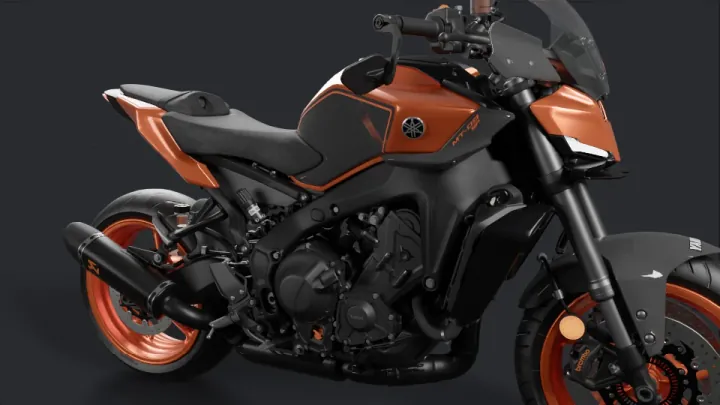
Yamaha MT-09 · metal and coat · VTX, CC-BY-NC-SA 4.0 |
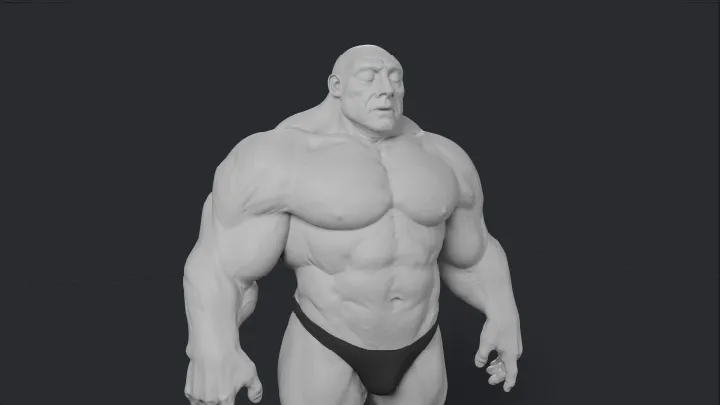
Super Human · subsurface skin · Davyd Vidiger, CC-BY 4.0 |
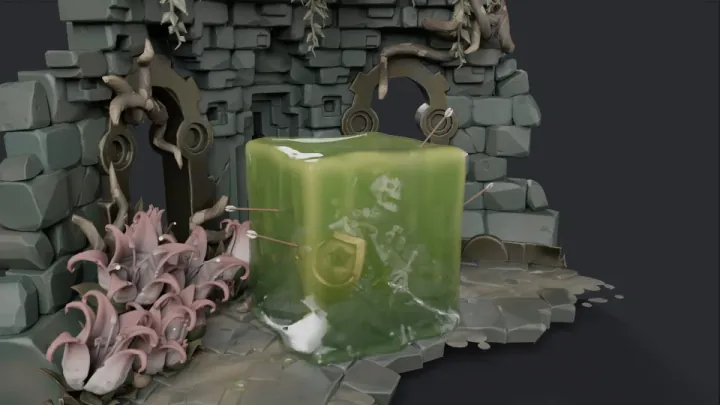
Gelatinous Cube · transmission · glenatron, CC-BY-NC 4.0 |
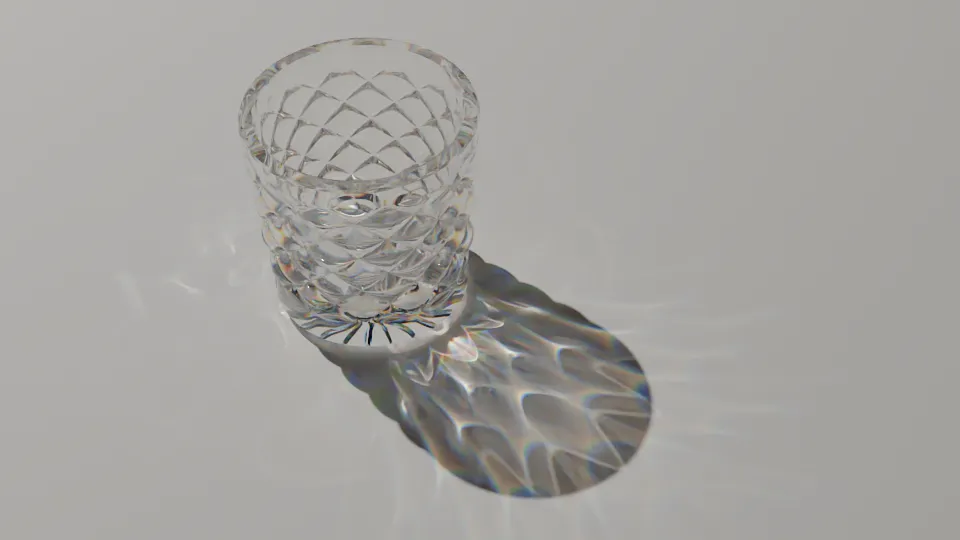
Crystal Lens · dispersion · Yi Shen, CC0 |
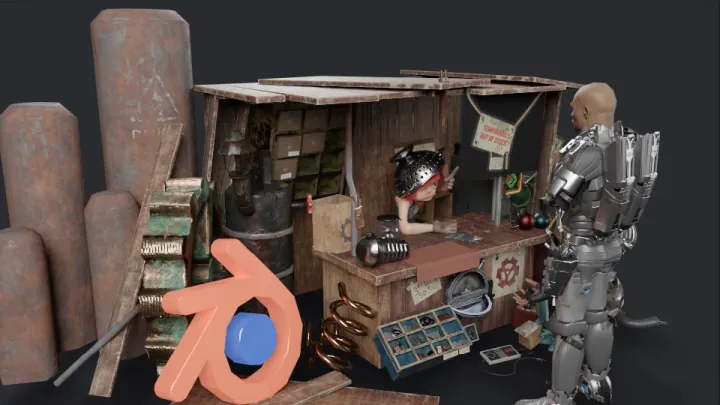
Blender Cover Remix · characters · bandinopla, CC-BY 4.0 |
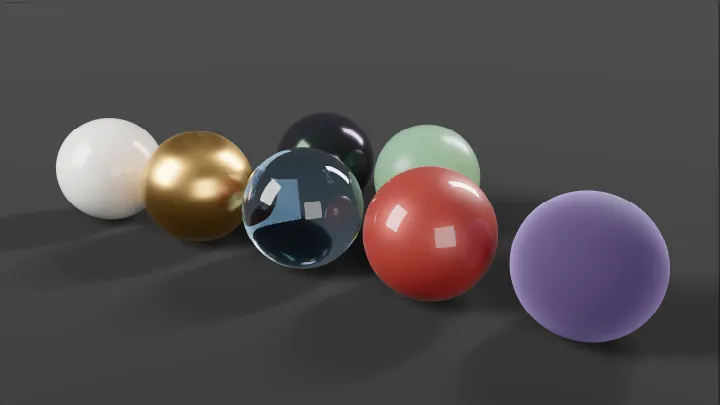
Material spheres · OpenPBR layers · procedural, CC0 |
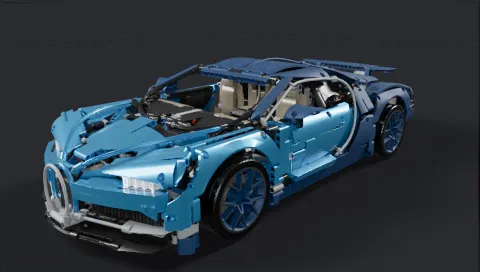
The LEGO Technic Bugatti Chiron
(VTX, CC-BY-NC-SA 4.0)
is a heavy scene that path traces interactively in the viewer:
|
Bugatti Chiron |
| Rendered triangles |
4.6 M (2.5 M unique, 341 geometries in 560 meshes) |
| Materials |
35 |
| Download |
12.8 MB .glb |
| BVH build, 1 thread |
1.7 s (built-in builder) / 1.0 s (TinyBVH WebAssembly) |
| BVH build, 4 workers (default) |
0.50 s (built-in builder) / 0.28 s (TinyBVH WebAssembly) |
| 1920 × 1080, 64 spp |
12.1 s path tracing, 12.4 s with OIDN denoising |
Measured on an Apple M4 Max: rendering in Chrome with WebGPU at the viewer's
default settings (6 bounces), BVH builds on CPU threads excluding worker startup.
Install
npm install @meimu/mutracer
For the Three.js example, install three and import THREESync from
@meimu/mutracer/three. TypeScript users of the adapter also need matching
@types/three declarations. The MuTracer scene example uses gl-matrix for matrix math.
The package is ESM with TypeScript declarations (lib/main.js). A UMD build
with a MuTracer global is at dist/mutracer.umd.js; deploy its dist/assets/
alongside it. See loading and deployment.
Quick start
With Three.js
Build or load a Three.js scene as usual and let THREESync keep MuTracer in
sync with it. RenderLoop renders progressively and calls the sync each frame.
import * as THREE from 'three';
import { GLTFLoader } from 'three/examples/jsm/loaders/GLTFLoader.js';
import { OrbitControls } from 'three/examples/jsm/controls/OrbitControls.js';
import { Engine, RenderLoop } from '@meimu/mutracer';
import { THREESync } from '@meimu/mutracer/three';

const canvas = document.querySelector('canvas')!;

const scene = new THREE.Scene();
scene.add((await new GLTFLoader().loadAsync('model.glb')).scene);

const camera = new THREE.PerspectiveCamera(40, canvas.width / canvas.height, .1, 100);
camera.position.set(0, 2, 6);
const controls = new OrbitControls(camera, canvas);

const engine = new Engine({ canvas });
const sync = new THREESync(engine, { scene, camera, controls });
const loop = new RenderLoop(engine, { sync });
loop.start();
Custom Three.js materials and lights can use convertMaterial / convertLight
in the same sync options; see Three.js integration.
With MuTracer scene classes
Describe meshes, materials, lights and the camera directly with MuTracer.
import { mat4 } from 'gl-matrix';
import {
  Camera, EnvironmentLight, Mesh, OpenPBRMaterial, RectLight, Engine, RenderLoop,
  Texture, createPlaneGeometry, createSphereGeometry, type Scene
} from '@meimu/mutracer';

const canvas = document.querySelector('canvas')!;

const red = new OpenPBRMaterial({ baseColor: [0.8, 0.1, 0.1], specularRoughness: 0.3 });

const ball = new Mesh(createSphereGeometry(64, 32), red);
mat4.fromTranslation(ball.transform, [0, 1, 0]);

const floor = new Mesh(createPlaneGeometry(), new OpenPBRMaterial());
mat4.fromScaling(floor.transform, [5, 1, 5]);

// Rect lights emit along their local -Z axis.
const light = new RectLight({ size: [2, 2], color: [1, 1, 1], intensity: 5 });
mat4.fromTranslation(light.transform, [0, 4, 0]);
mat4.rotateX(light.transform, light.transform, -Math.PI / 2);

// A constant grey sky as a 1x1 float environment map.
const sky = new Texture({ data: new Float32Array([0.3, 0.3, 0.3, 1]), width: 1, height: 1 });

const scene: Scene = {
  meshes: [ball, floor],
  lights: [light, new EnvironmentLight({ map: sky })]
};

const camera = new Camera({ projection: 'perspective', fov: 40, near: .1, far: 100 });
camera.position = [0, 2, 6];
camera.lookAt([0, 1, 0]);

const engine = new Engine({ canvas });
engine.on('error', error => console.error(error));
engine.scene = scene;
engine.camera = camera;
const loop = new RenderLoop(engine);
loop.start();
For many copies of one geometry, use InstancedMesh
with shared materials and a Float32 matrix array. THREESync converts Three.js
instancing into the same batches automatically. See the instancing example.
Rendering options
Enable denoising on an individual result:
loop.final.setDenoiser({ type: 'jnlm' }); // required type; call again to change it
loop.final.setDenoiser({ type: 'oidn', model: 'standard' }); // WebGPU; custom weightsUrl also supported
// Third-party WebGPU filters: { type: 'custom', denoiser: yourCallerOwnedDenoiser }.
Borrow WebGPU output with render.getOutputTexture('hdr') or render.getOutputTexture('display'), or add
a display overlay through engine.display.addPostProcess(pass). Passes also
run during PNG export; see the overlay example and texture lifetime.
Batch quality or display edits use Object.assign(loop.final, settings) or
Object.assign(engine.display, settings), typed with RenderSettings or
DisplaySettings; see the setting defaults.
RenderLoop provides preview and final results. For custom frame control, use
Engine / Render / Display directly with a fallback, or a fixed-size
invisible render for export. See independent render results.
Documentation
| Guide |
Contents |
| Getting started |
Scene model, render loop, lights, export |
| Scene updates |
Editing a rendering scene, animation, update costs |
| API reference |
Engine, Display and Render options, methods and scene types |
| Materials |
OpenPBR inputs, textures, alpha, bevel, displacement |
| Three.js |
THREESync, supported materials and lights, userData keys |
| Denoising |
JNLM and OIDN denoisers, OIDN weights hosting, denoising while converging |
| Sampling |
Patterns, dimensions and progressive budgets |
| BVH |
BVH builders, TinyBVH layouts, worker preparation |
| Performance |
Tuning checklist |
llms.txt |
Compact usage guide for coding agents |
The examples cover a procedural scene, a Three.js/glTF scene and
an OpenPBR gallery with denoising and PNG export. Run them with:
npm install
npm run dev
Browser support
- WebGPU (recommended): any browser with WebGPU, such as current Chrome,
Edge and Safari. Required for OIDN denoising, HDR output and
the options marked WebGPU in the API reference.
- WebGL 2 fallback: requires
EXT_color_buffer_float. Pass
backend: 'webgl' to force it.
The first frame compiles large shaders, which can take several seconds on some
platforms; refine() reports the progress through its return status.
Contributing
Pull requests are not accepted at the moment; please open an
issue instead. See
CONTRIBUTING.md for development setup, required checks
and GPU validation.
License
MuTracer is released under the MIT License. It includes third-party
code and data under MIT, Apache-2.0 and CC0 licenses; see
THIRD_PARTY_NOTICES.md.
For host WebGPU integration, supply your own GPUDevice.
Render on an OffscreenCanvas in a Worker with the worker integration guide.

 MuTracer 是一个面向网页的基于物理的路径追踪渲染器:它使用 WebGPU 渲染场景(不支持时回退到 WebGL 2),支持 OpenPBR 材质、TinyBVH 加速和内置降噪。