 hotpath - Rust Performance, CPU & Memory Profiler



1.9K ·GitHub
Что это?
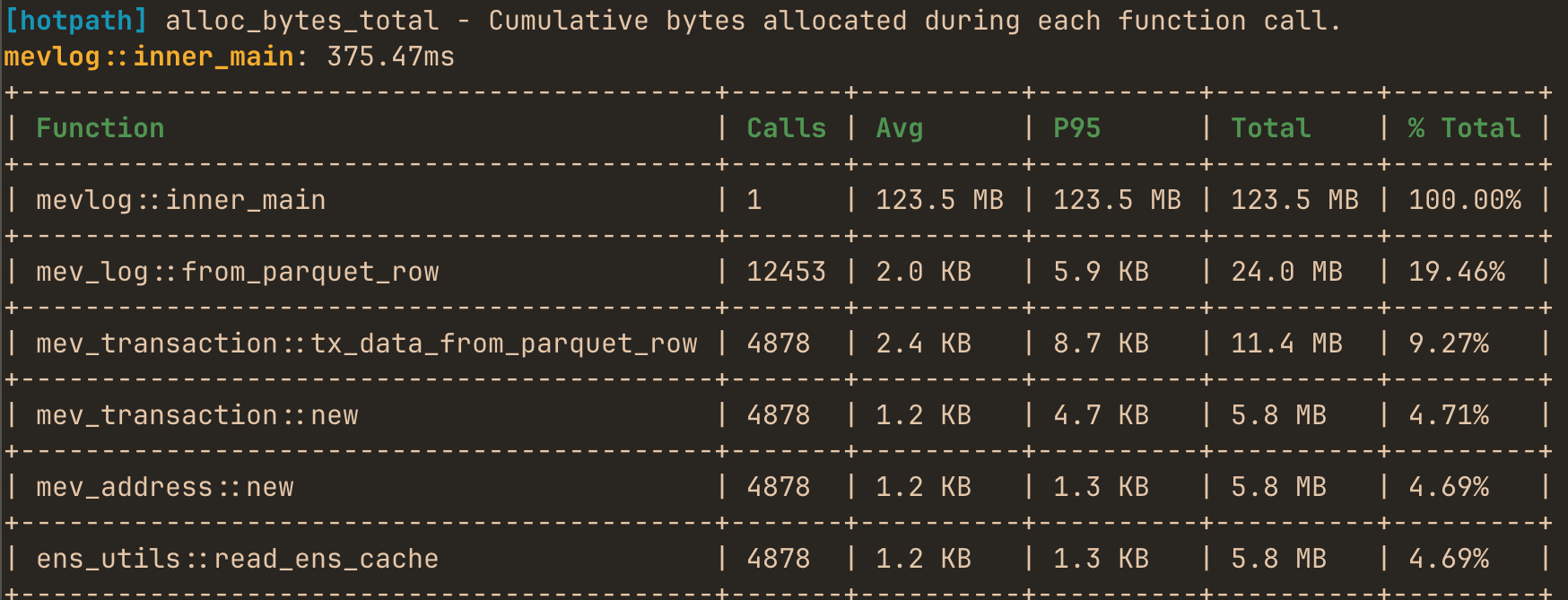
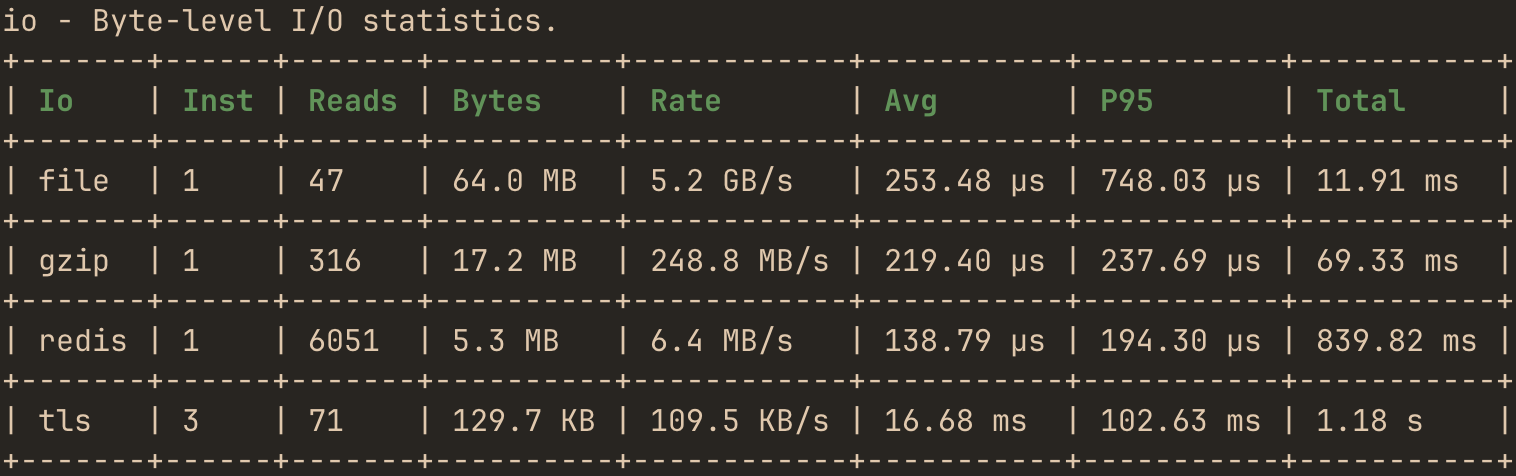
 hotpath-rs — это профилировщик производительности для Rust, который показывает, где именно ваш код тратит время, грузит CPU и выделяет память, охватывая асинхронное выполнение, вызовы SQL/HTTP, потоки ввода-вывода и конкуренцию за блокировки.
hotpath-rs — это профилировщик производительности для Rust, который показывает, где именно ваш код тратит время, грузит CPU и выделяет память, охватывая асинхронное выполнение, вызовы SQL/HTTP, потоки ввода-вывода и конкуренцию за блокировки.Это Rust-библиотека для моего проекта или отдельный инструмент?Это прежде всего библиотека: вы добавляете её как Cargo-зависимость с feature-флагом и помечаете функции макросами #[hotpath::main] и #[hotpath::measure]. В комплекте также идут сопутствующий hotpath CLI для настройки и живая TUI-панель, плюс MCP-сервер для AI-агентов.
Это прежде всего библиотека: вы добавляете её как Cargo-зависимость с feature-флагом и помечаете функции макросами #[hotpath::main] и #[hotpath::measure]. В комплекте также идут сопутствующий hotpath CLI для настройки и живая TUI-панель, плюс MCP-сервер для AI-агентов.Как запустить его в своём проекте?Рекомендуемый способ — установить hotpath CLI и выполнить 'hotpath init' в своём репозитории: это запустит вашего AI-агента для кодинга (Claude Code, Codex или OpenCode), который сам добавит зависимость и инструментирует код. Как вариант, добавьте крейт hotpath в Cargo.toml вручную и сами примените макросы #[hotpath::main]/#[hotpath::measure].
Рекомендуемый способ — установить hotpath CLI и выполнить 'hotpath init' в своём репозитории: это запустит вашего AI-агента для кодинга (Claude Code, Codex или OpenCode), который сам добавит зависимость и инструментирует код. Как вариант, добавьте крейт hotpath в Cargo.toml вручную и сами примените макросы #[hotpath::main]/#[hotpath::measure].Нужен ли AI-агент для кодинга, чтобы воспользоваться автоматической настройкой?Только для рекомендуемой настройки с помощью AI, которая требует curl и один из CLI — claude, codex или opencode — в PATH. Ручная установка требует лишь правки Cargo.toml и макросов профилирования, агент не нужен.
Только для рекомендуемой настройки с помощью AI, которая требует curl и один из CLI — claude, codex или opencode — в PATH. Ручная установка требует лишь правки Cargo.toml и макросов профилирования, агент не нужен.Добавляет ли профилирование накладные расходы, если оставить его в сборке?Нет — все зависимости опциональны, а макросы превращаются в no-op, пока фича-флаг hotpath явно не включён, так что при отключении нет никаких затрат ни на этапе компиляции, ни во время выполнения. Учтите, что проект ещё в активной разработке, поэтому внутренности вроде форматов JSON-отчётов и деталей TUI/MCP могут меняться между релизами.
Нет — все зависимости опциональны, а макросы превращаются в no-op, пока фича-флаг hotpath явно не включён, так что при отключении нет никаких затрат ни на этапе компиляции, ни во время выполнения. Учтите, что проект ещё в активной разработке, поэтому внутренности вроде форматов JSON-отчётов и деталей TUI/MCP могут меняться между релизами.Для кого это создано?Он нацелен на Rust-разработчиков (и их агентов для кодинга), которым нужно диагностировать медленные функции, утечки памяти, асинхронные узкие места или медленные вызовы SQL/HTTP, а не на обычных пользователей приложений.
Он нацелен на Rust-разработчиков (и их агентов для кодинга), которым нужно диагностировать медленные функции, утечки памяти, асинхронные узкие места или медленные вызовы SQL/HTTP, а не на обычных пользователей приложений.Можно попробовать hotpath, ничего не устанавливая?Да, в README предлагается TUI-демо, доступное по SSH и не требующее установки.
Да, в README предлагается TUI-демо, доступное по SSH и не требующее установки.Что делает встроенный MCP-сервер?Он поднимает MCP-сервер (Model Context Protocol), чтобы AI-агенты могли напрямую запрашивать живые данные профилирования: тайминги, использование памяти и асинхронные метрики.
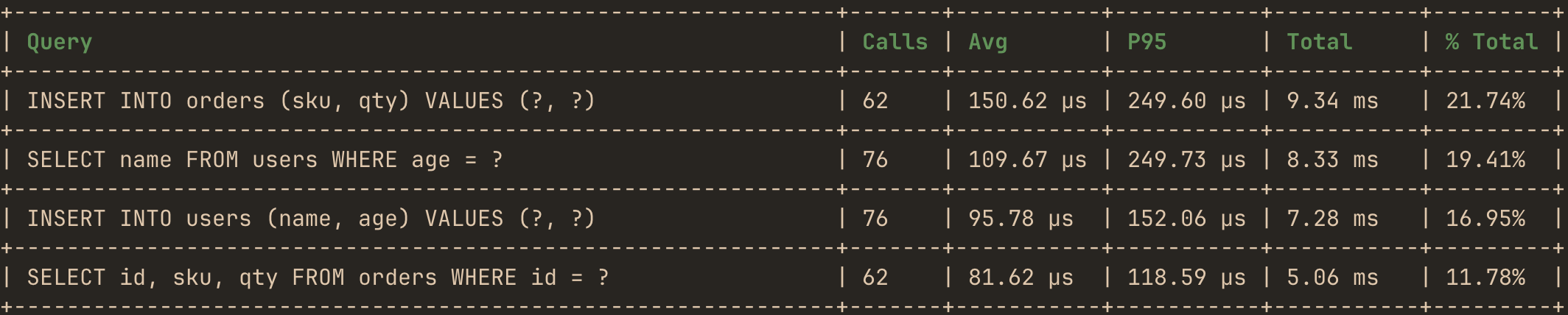
Он поднимает MCP-сервер (Model Context Protocol), чтобы AI-агенты могли напрямую запрашивать живые данные профилирования: тайминги, использование памяти и асинхронные метрики.Какие SQL- и HTTP-библиотеки он умеет профилировать?Он профилирует SQL-запросы для sqlx и Diesel, вызовы HTTP-клиентов reqwest и ureq, а также маршруты HTTP-сервера axum, с метриками задержек и ошибок по каждому эндпоинту.
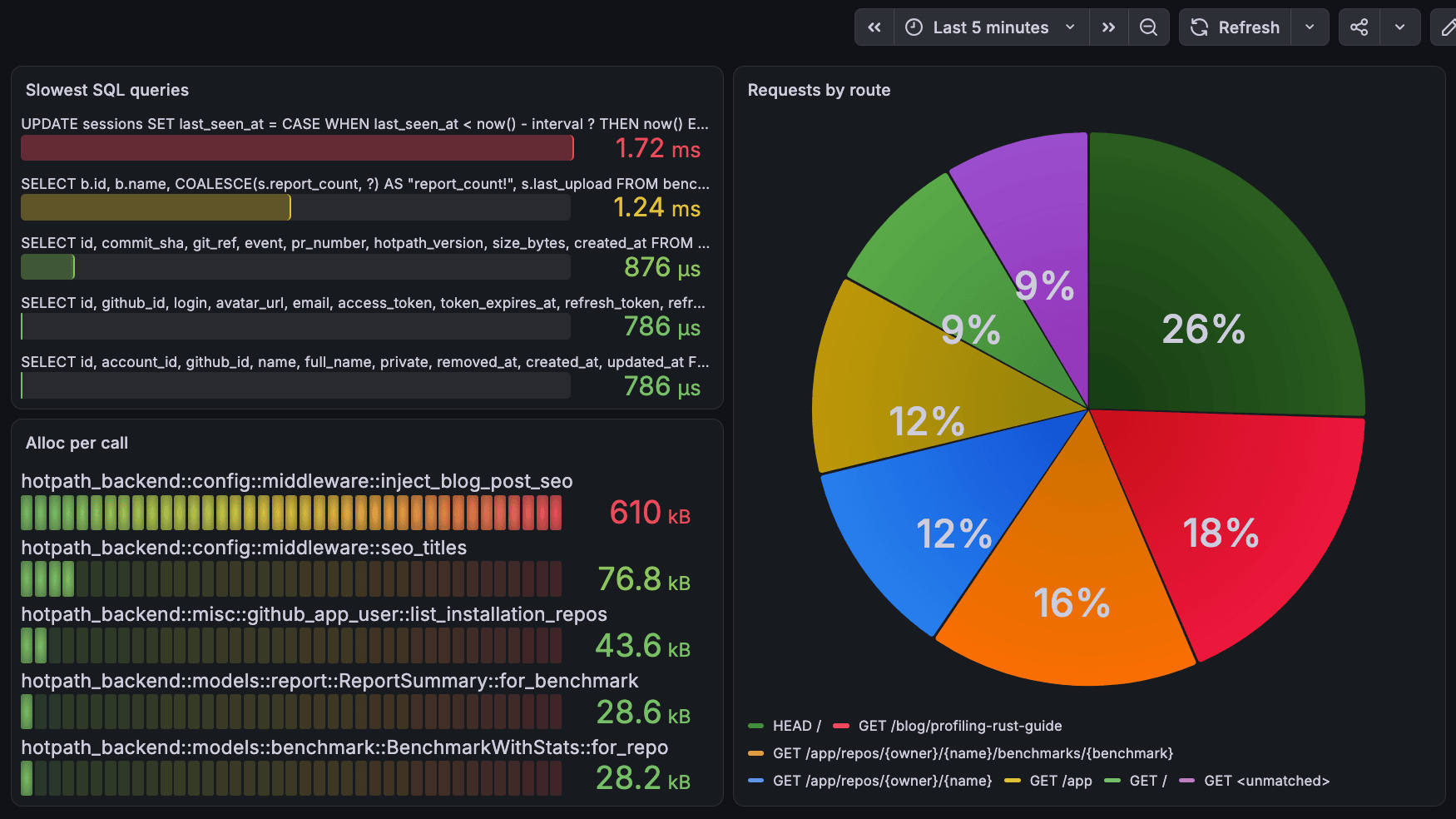
Он профилирует SQL-запросы для sqlx и Diesel, вызовы HTTP-клиентов reqwest и ureq, а также маршруты HTTP-сервера axum, с метриками задержек и ошибок по каждому эндпоинту.Может ли он интегрироваться с моей существующей системой мониторинга?Да, hotpath экспортирует метрики профилирования в Prometheus и позволяет строить дашборды Grafana, чтобы собрать все сигналы производительности в одном месте.
Да, hotpath экспортирует метрики профилирования в Prometheus и позволяет строить дашборды Grafana, чтобы собрать все сигналы производительности в одном месте.What are similar projects?openobserve, pgbot, scalene, claude-code, bifrost, grafana, memray, 3d-asset-server
openobserve, pgbot, scalene, claude-code, bifrost, grafana, memray, 3d-asset-serverWhich topics is it in?profiler, grafana, cpu, metrics, prometheus, concurrency, async, debugging, agent-skill, high-performance, memory, redis
profiler, grafana, cpu, metrics, prometheus, concurrency, async, debugging, agent-skill, high-performance, memory, redis