







What is this?
 An open-source, high-performance AI gateway that unifies 23+ LLM providers behind a single OpenAI-compatible API, with automatic failover, load balancing, semantic caching, and budget controls built in.
An open-source, high-performance AI gateway that unifies 23+ LLM providers behind a single OpenAI-compatible API, with automatic failover, load balancing, semantic caching, and budget controls built in.Is this a hosted service I sign up for, or something I run myself?It is software you run yourself: deploy it as a standalone HTTP gateway with a Web UI, embed it in Go apps via the SDK, or point it at existing calls as a drop-in replacement.
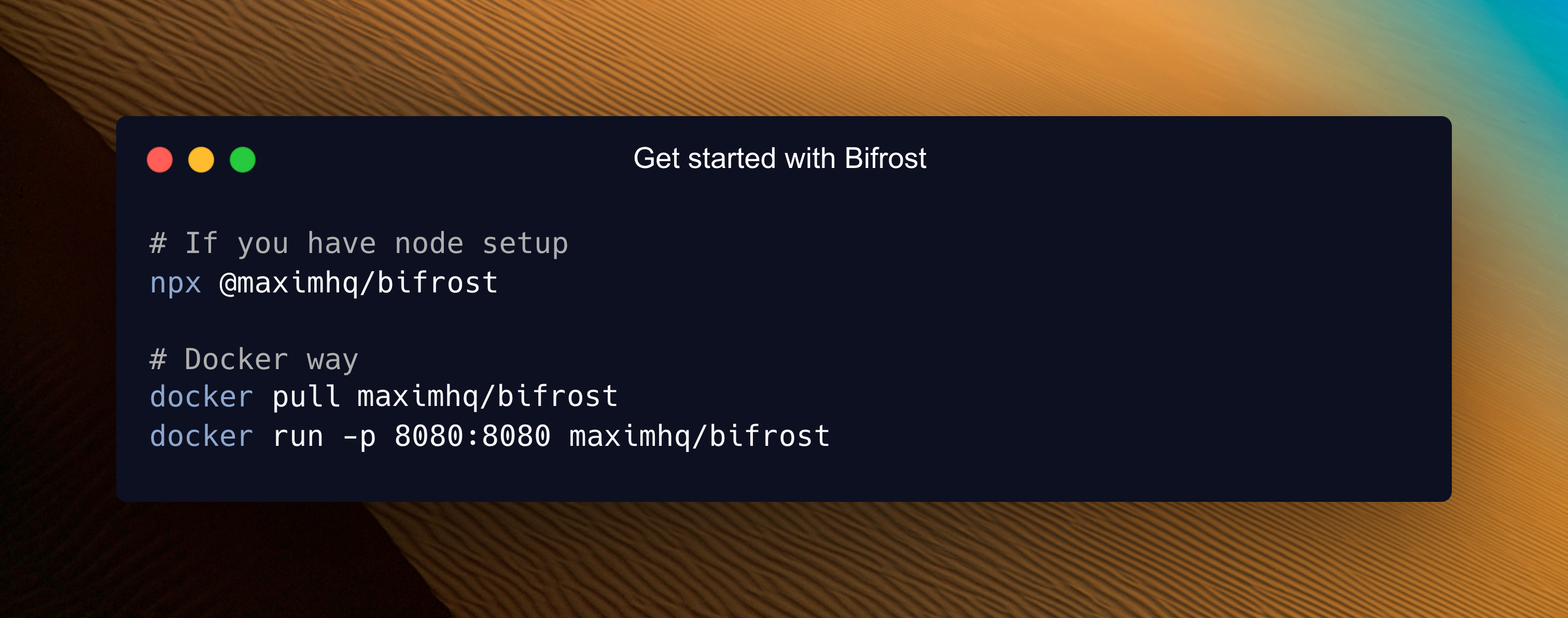
It is software you run yourself: deploy it as a standalone HTTP gateway with a Web UI, embed it in Go apps via the SDK, or point it at existing calls as a drop-in replacement.How do I get it running?Three steps: start the Bifrost gateway, configure providers in the Web UI, and make your first API call. The README claims zero to production-ready in under a minute with zero configuration.
Three steps: start the Bifrost gateway, configure providers in the Web UI, and make your first API call. The README claims zero to production-ready in under a minute with zero configuration.Will it work with my existing OpenAI code, or do I have to rewrite it?It is a drop-in replacement — you swap OpenAI/Anthropic/GenAI APIs with one line of code. Native integrations exist for the OpenAI, Anthropic, AWS Bedrock, Google GenAI, LiteLLM, and LangChain SDKs with zero code changes.
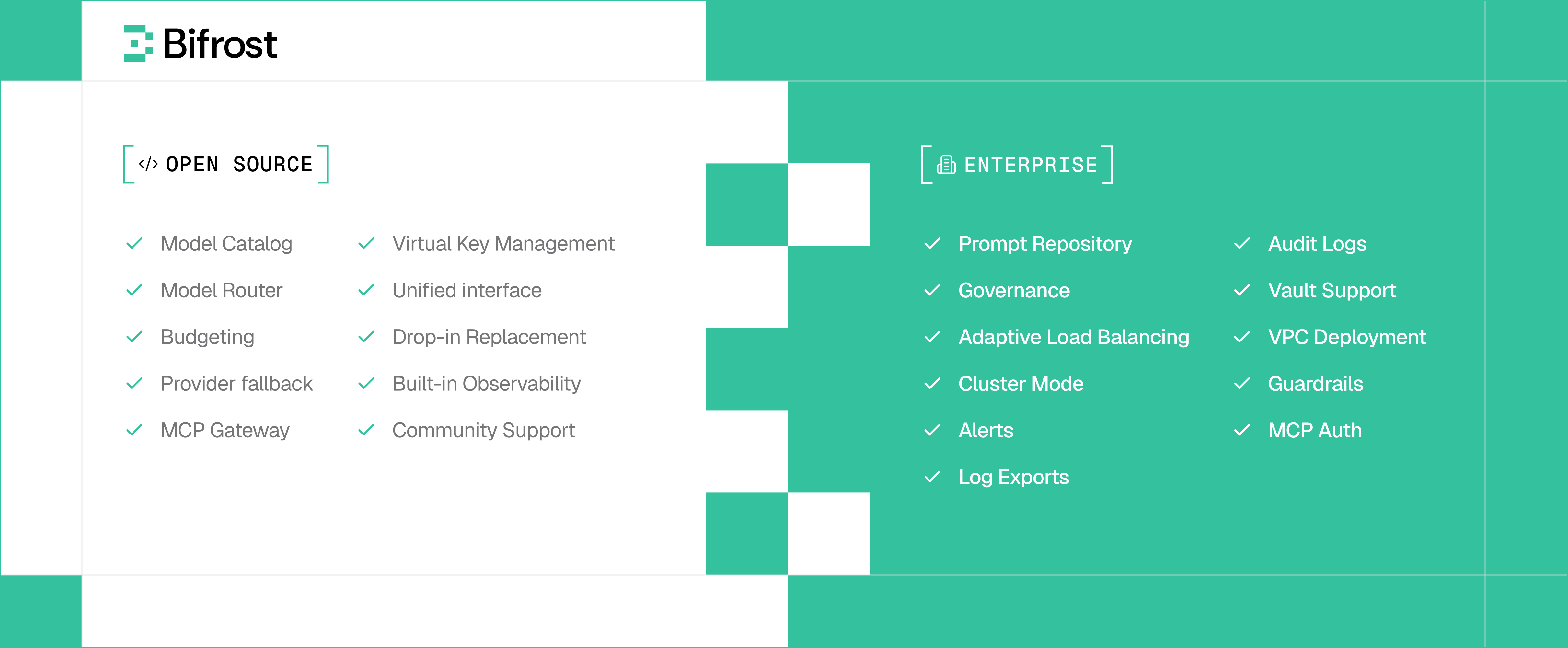
It is a drop-in replacement — you swap OpenAI/Anthropic/GenAI APIs with one line of code. Native integrations exist for the OpenAI, Anthropic, AWS Bedrock, Google GenAI, LiteLLM, and LangChain SDKs with zero code changes.Is everything open source, or are some features reserved for the enterprise edition?The core gateway is free under Apache 2.0. Enterprise deployments add adaptive load balancing, clustering, guardrails, and the MCP gateway for teams running production AI at scale.
The core gateway is free under Apache 2.0. Enterprise deployments add adaptive load balancing, clustering, guardrails, and the MCP gateway for teams running production AI at scale.What can the MCP integration do?Model Context Protocol support lets your models call external tools such as the filesystem, web search, and databases. Bifrost can also act as an MCP gateway itself, which the README lists among enterprise capabilities.
Model Context Protocol support lets your models call external tools such as the filesystem, web search, and databases. Bifrost can also act as an MCP gateway itself, which the README lists among enterprise capabilities.Does it cache repeated requests to cut costs?Yes — semantic caching stores responses based on semantic similarity, so similar requests can be served from cache, reducing both cost and latency.
Yes — semantic caching stores responses based on semantic similarity, so similar requests can be served from cache, reducing both cost and latency.Does it handle images and audio, not just text?Yes. Text, images, and audio are supported, including streaming, all behind a single common interface.
Yes. Text, images, and audio are supported, including streaming, all behind a single common interface.How do I keep an eye on it in production?It ships native Prometheus metrics, distributed tracing, and comprehensive logging, and the Web UI includes real-time monitoring and analytics.
It ships native Prometheus metrics, distributed tracing, and comprehensive logging, and the Web UI includes real-time monitoring and analytics.What are similar projects?busbar, gateway, ThinkWatch-Lite, casbin-gateway, litellm, tyk, mlflow, router
busbar, gateway, ThinkWatch-Lite, casbin-gateway, litellm, tyk, mlflow, routerWhich topics is it in?failover, llm-router, secret-management, llm-observability, mcp-gateway, ai-governance, llm-proxy, model-router, guardrails, rate-limiting, cost-tracking, tracing
failover, llm-router, secret-management, llm-observability, mcp-gateway, ai-governance, llm-proxy, model-router, guardrails, rate-limiting, cost-tracking, tracing