ai-phone
An AI phone agent that runs on your computer.
Documentation ·
Architecture ·
AGPL-3.0
Installation
| Requirement |
Details |
| Platform |
macOS on Apple Silicon. Intel Macs, Linux and Windows are not currently supported. |
| Memory |
16 GB recommended for the default 4B model; 32 GB for 9B. Setup also offers a smaller 2B model for 8 GB systems. |
| Dependencies |
Git, Homebrew and uv. The installer handles Python packages and the native SIP library. |
| Storage |
Several GB for model downloads, depending on the models selected. Setup checks available disk space. |
| Phone connection |
A SIP address for direct calls; a Telnyx, Twilio or SignalWire account, or another SIP trunk, for telephone numbers. Carrier charges apply. |
git clone https://github.com/oxnw/ai-phone.git
cd ai-phone
./scripts/install.sh
The installer adds ai-phone to ~/.local/bin. If it prints a PATH command, run that command in this terminal
and add it to your shell’s startup file for future terminals. Then start setup:
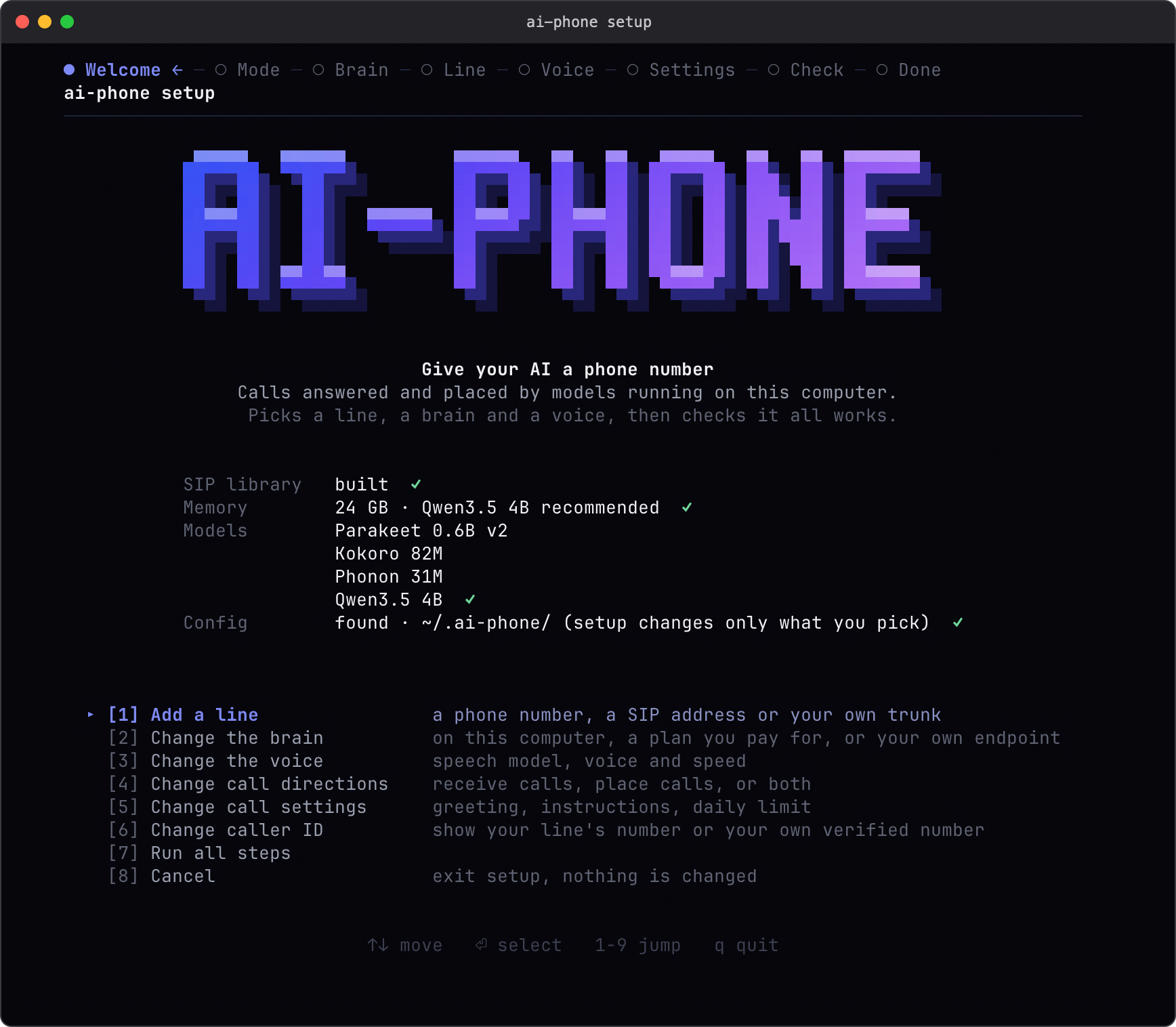
ai-phone setup
To add the command to an existing installation, rerun ./scripts/install.sh from your updated checkout.
Keep the checkout and its .venv in place; the command uses them from any directory.
Setup lets you choose incoming calls, outgoing calls, or both, then configures the model, line and voice.
It recommends a local model based on detected RAM and downloads the required weights.
Use ai-phone setup --plain for plain prompts. For SignalWire, buy a number in its portal first, then
connect it in setup; see the SignalWire guide.
The current speech backends use MLX on Apple Silicon, even when a cloud model handles the conversation.
Supporting Linux or Windows would require different speech backends and changes to installation and platform
integration. The platform requirement applies to the computer running ai-phone; callers can use any phone or SIP client.
Usage
Start the daemon after setup:
ai-phone run
Keep it running while you want to receive calls. For outgoing calls only, start it when needed and stop it
with Ctrl-C afterward. Setup does not install a background service.
From another terminal, give the phone agent instructions for a call:
ai-phone call +15555550100 --json \
  --prompt "Ask whether they have a table for two at eight tonight."
Replace the example number with the number you want to call. The command returns the transcript when the call
ends. Every outgoing call starts with an AI disclosure. Incoming calls use the greeting and instructions you
set during setup. English and one call at a time are currently supported.
For a free local test, enable incoming calls, select A SIP address in setup, and keep the name agent:
pjsua --local-port 5070 sip:[email protected]
Run setup again to change the voice, model, call directions or caller ID, then restart the daemon.
Agent integration
An agent with shell access can use relay mode to control each turn:
ai-phone call +15555550100 --relay --json
ai-phone say "Hi, I'd like to book a table for two." --json
ai-phone listen --json
ai-phone say "Eight o'clock, please." --json
ai-phone hangup --say "Thank you. Goodbye." --json
With no active call, listen --json waits for an incoming call and handles it in relay mode.
Each command with --json returns one JSON object on stdout; call also sends progress events to stderr.
An unanswered relay turn times out after 25 seconds by default. See the command reference
for call IDs, transcript retrieval, timeouts and exit codes.
Models
| Component |
Options |
| Speech recognition |
Parakeet, running locally through MLX. |
| Language model |
A local MLX model, your Claude Code or Codex subscription, or an OpenAI-compatible endpoint. |
| Voice |
Phonon with its bundled English voice, or Kokoro with American and British voices and adjustable speed. |
Speech recognition and synthesis stay local. A remote language model receives the call's text, instructions and
conversation history. An external agent's cloud provider also sees any transcripts passed to it. Phone audio
travels over SIP/RTP; carrier charges and subscription limits apply.
Documentation
Install and setup have been checked from a fresh clone. Local call and interruption tests have run.
Basic calls between SignalWire and Telnyx US numbers exchanged speech in both directions; see the
verification details and remaining checks. Long-running SignalWire
registration and end-to-end agent acceptance checks remain pending.
The latest published local benchmark (27 October 2026) measured 1.50 s median first-audible response under
heavy memory pressure; it missed the one-second target. Full conditions and
earlier results are documented.
License
AGPL-3.0-or-later. The bundled PJSIP interface files use
GPLv2-or-later; see the license notes.

 ai-phone 是一个运行在你自己电脑上的 AI 电话代理,它利用本地语音识别和语音合成,加上可配置的语言模型,接听和拨打 SIP 电话。