Tesseract.js is a javascript library that gets words in almost any language out of images. (Demo)
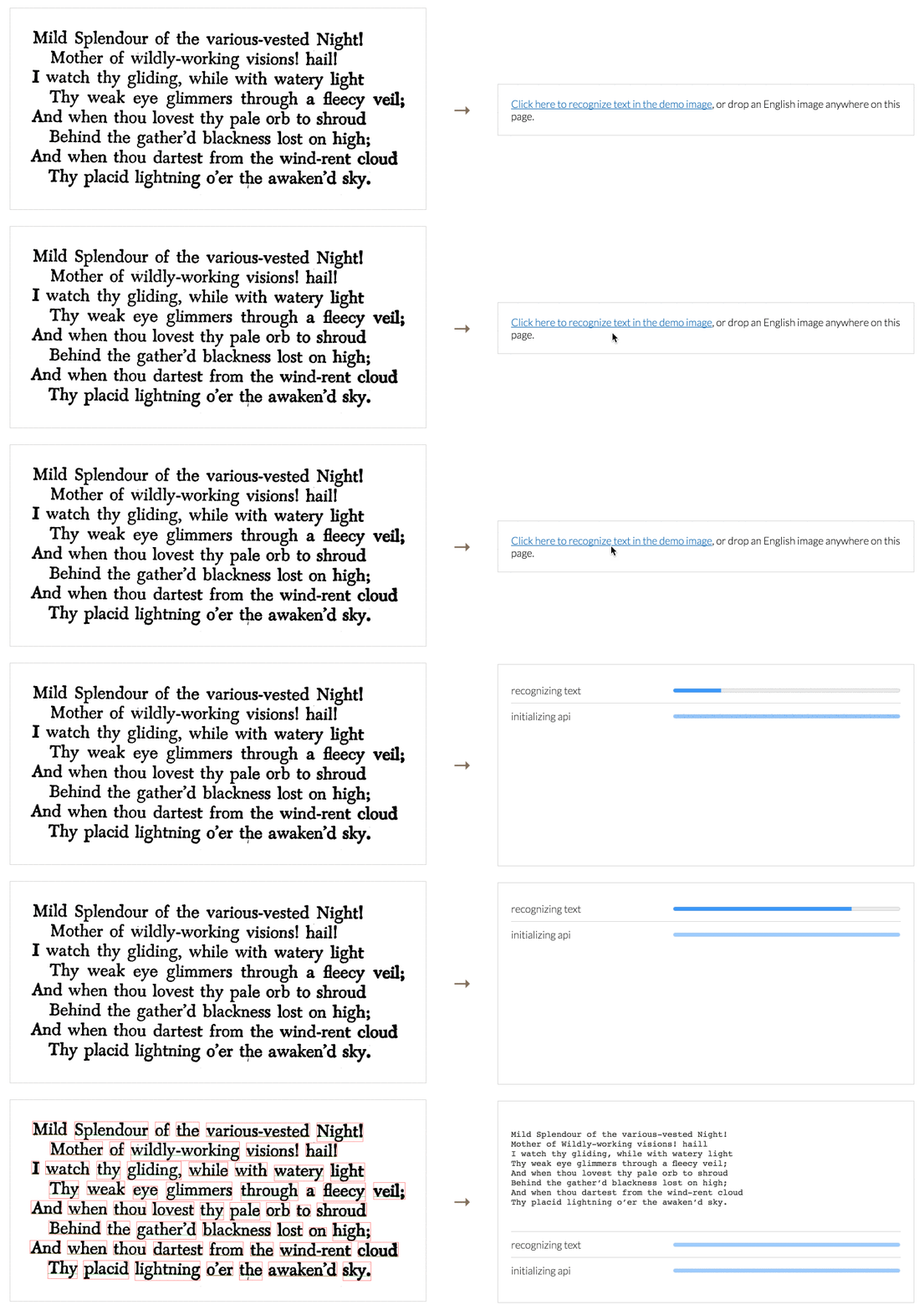
Image Recognition
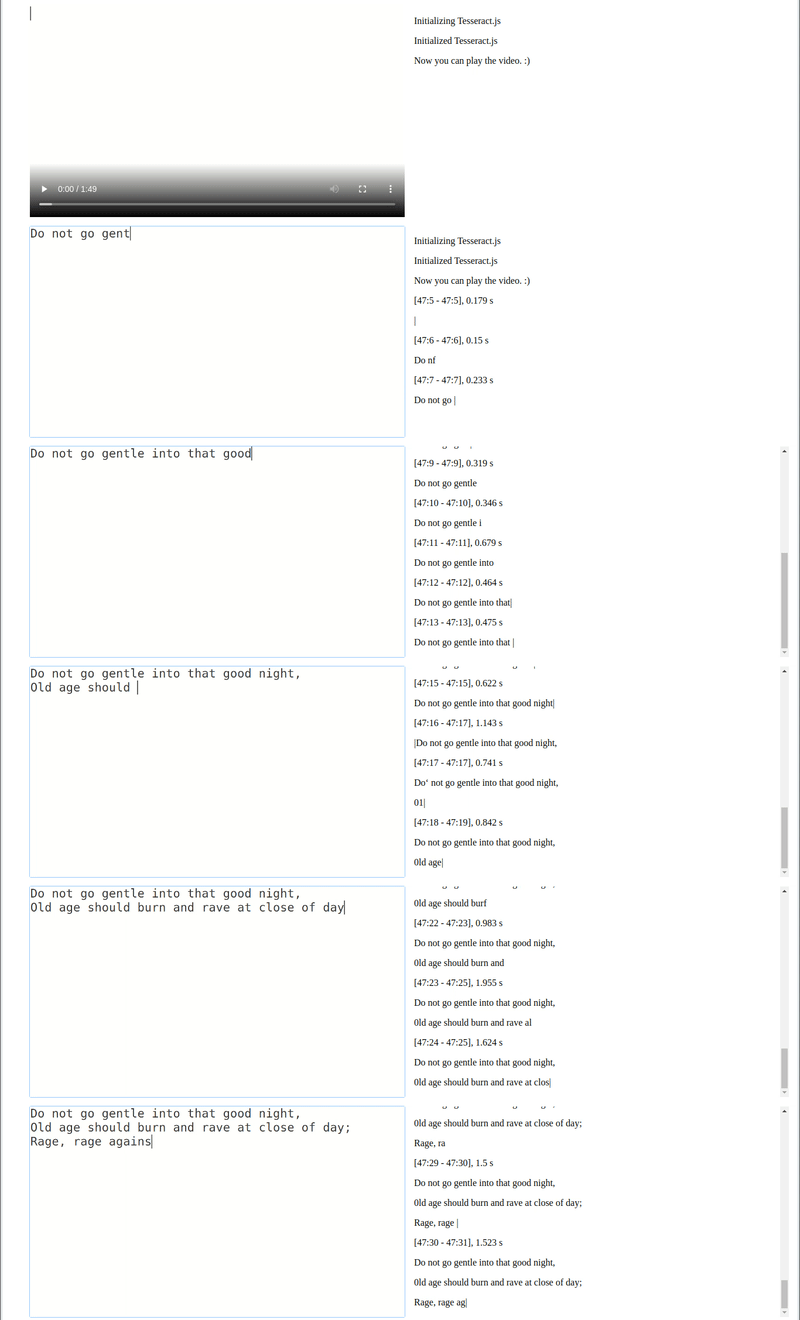
Video Real-time Recognition
Tesseract.js works in the browser using webpack, esm, or plain script tags with a CDN and on the server with Node.js.
After you install it, using it is as simple as:
When recognizing multiple images, users should create a worker once, run worker.recognize for each image, and then run worker.terminate() once at the end (rather than running the above snippet for every image).
Installation
Tesseract.js works with a <script> tag via local copy or CDN, with webpack via npm and on Node.js with npm/yarn.
After including the script the Tesseract variable will be globally available and a worker can be created using Tesseract.createWorker.
Alternatively, an ESM build (used with import syntax) can be found at https://cdn.jsdelivr.net/npm/tesseract.js@5/dist/tesseract.esm.min.js.
Node.js
Tesseract.js v7 requires Node.js v16 or newer. (Tesseract.js v6 requires Node.js v14 or newer.)
# For latest version
npm install tesseract.js
yarn add tesseract.js

# For old versions
npm install [email protected]
yarn add [email protected]
Project Scope
Tesseract.js aims to bring the Tesseract OCR engine (a separate project) to the browser and Node.js, and works by wrapping a WebAssembly port of Tesseract. This project does not modify core Tesseract features. Most notably, Tesseract.js does not support PDF files and does not modify the Tesseract recognition model to improve accuracy.
If your project requires features outside of this scope, consider the Scribe.js library. Scribe.js is an alternative library created to accommodate common feature requests that are outside of the scope of this repo. Scribe.js includes improvements to the Tesseract recognition model and supports extracting text from PDF documents, among other features. For more information see Scribe.js vs. Tesseract.js.
If you have a project or example repo that uses Tesseract.js, feel free to add it to this list using a pull request. Examples submitted should be well documented such that new users can run them; projects should be functional and actively maintained.
Major changes in v6
Version 6 changes are documented in this issue. Highlights are below.
Fixed memory leak in previous versions
Overall reductions in runtime and memory usage
Breaking changes:
All outputs formats other than text are disabled by default.
To re-enable the hocr output (for example), set the following: worker.recognize(image, {}, { hocr: true })
Minor changes to the structure of the JavaScript object (blocks) output
Version 4 includes many new features and bug fixes--see this issue for a full list. Several highlights are below.
Added rotation preprocessing options (including auto-rotate) for significantly better accuracy
Processed images (rotated, grayscale, binary) can now be retrieved
Improved support for parallel processing (schedulers)
Breaking changes:
createWorker is now async
getPDF function replaced by pdf recognize option
Contributing
Development
To run a development copy of Tesseract.js do the following:
# First we clone the repository
git clone https://github.com/naptha/tesseract.js.git
cd tesseract.js

# Then we install the dependencies
npm install

# And finally we start the development server
npm start
















 Tesseract.js 是一个纯 JavaScript 的 OCR(图片文字识别)库,可以从图片中提取文字,支持 100 多种语言。它运行的是编译为 WebAssembly 的 Tesseract 引擎。