






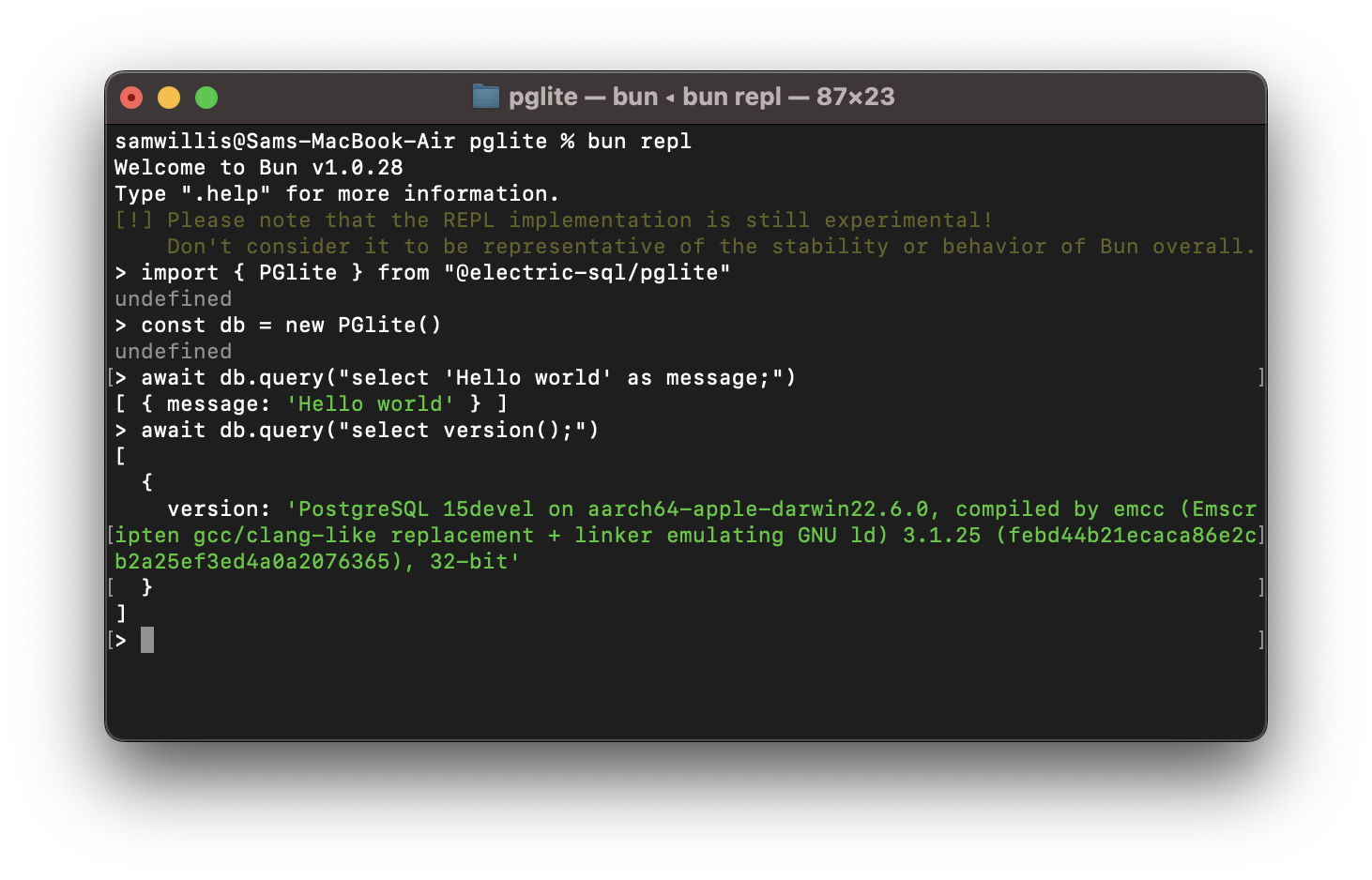

What is this?
 PGlite is Postgres compiled to WebAssembly and packaged as a TypeScript client library, so a real Postgres database runs directly in the browser, Node.js, Bun or Deno - no other dependencies needed.
PGlite is Postgres compiled to WebAssembly and packaged as a TypeScript client library, so a real Postgres database runs directly in the browser, Node.js, Bun or Deno - no other dependencies needed.Is this a separate Postgres server I install, or a library I import into my code?It is a client library you import into your JavaScript or TypeScript app, with Postgres running inside your own process as WASM - there is no separate server or Linux VM involved.
It is a client library you import into your JavaScript or TypeScript app, with Postgres running inside your own process as WASM - there is no separate server or Linux VM involved.How do I add it to my project?Install it with your usual package manager, or import it from a CDN such as JSDelivr, then create an instance in code for an in-memory database.
Install it with your usual package manager, or import it from a CDN such as JSDelivr, then create an instance in code for an in-memory database.Do I need to install Postgres or any other dependencies first?Nothing else is required - the WASM Postgres ships inside the library itself, which is only 3mb gzipped.
Nothing else is required - the WASM Postgres ships inside the library itself, which is only 3mb gzipped.Can multiple clients connect to it at the same time?No - PGlite is single user and single connection, so only one client can talk to it at a time.
No - PGlite is single user and single connection, so only one client can talk to it at a time.Is it free to use in commercial projects?Yes - it is dual-licensed under the Apache 2.0 and PostgreSQL License terms, and you can pick whichever you prefer.
Yes - it is dual-licensed under the Apache 2.0 and PostgreSQL License terms, and you can pick whichever you prefer.How does Postgres run inside a browser without a virtual machine?Postgres was compiled to WebAssembly with Emscripten. Because WASM programs cannot fork processes, PGlite is built on Postgres's single-user mode, with an I/O pathway that lets JavaScript talk to it.
Postgres was compiled to WebAssembly with Emscripten. Because WASM programs cannot fork processes, PGlite is built on Postgres's single-user mode, with an I/O pathway that lets JavaScript talk to it.Is it a good fit for local-first or real-time apps?Yes - that is exactly the positioning: Electric pitches PGlite for building reactive, realtime, local-first apps directly on Postgres, with browser data persisting locally in indexedDB.
Yes - that is exactly the positioning: Electric pitches PGlite for building reactive, realtime, local-first apps directly on Postgres, with browser data persisting locally in indexedDB.Which extensions does it ship besides pgvector and PostGIS?The repo's build scripts also package pgmq (message queues), pgTAP (testing) and pg_uuidv7 as WASM extension builds.
The repo's build scripts also package pgmq (message queues), pgTAP (testing) and pg_uuidv7 as WASM extension builds.Which topics is it in?pgvector, embedded-database, deno, reactive, postgres, webassembly, bun, vector-database, embedded, wasm, sql, real-time
pgvector, embedded-database, deno, reactive, postgres, webassembly, bun, vector-database, embedded, wasm, sql, real-time