









44.6K ·GitHub
What is this?
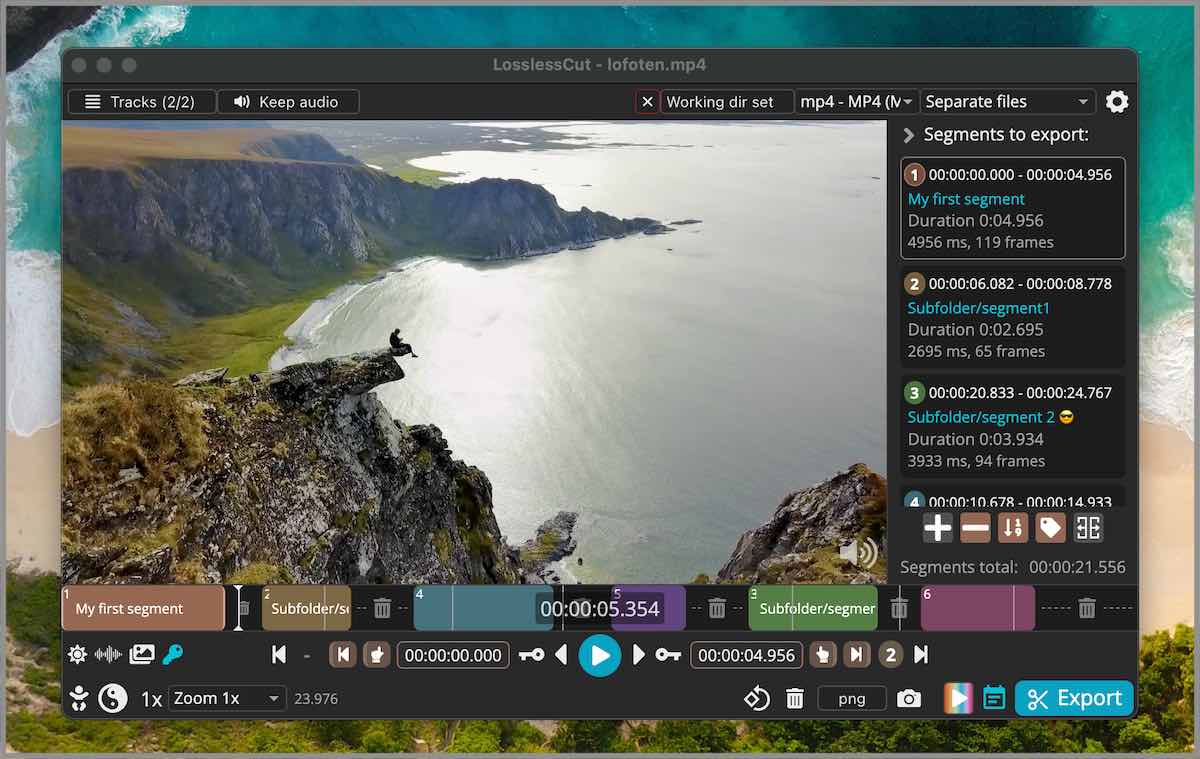
 LosslessCut is a cross-platform FFmpeg GUI for extremely fast, lossless cutting, trimming, merging and remuxing of video and audio files without re-encoding.
LosslessCut is a cross-platform FFmpeg GUI for extremely fast, lossless cutting, trimming, merging and remuxing of video and audio files without re-encoding.Is this a video editor or just a trimming tool?It's a desktop GUI app built on Electron/FFmpeg, more like a cutting and remuxing tool than a full editor - it does lossless cuts, track management and metadata editing, not re-encoding or effects.
It's a desktop GUI app built on Electron/FFmpeg, more like a cutting and remuxing tool than a full editor - it does lossless cuts, track management and metadata editing, not re-encoding or effects.Do I need to install FFmpeg separately?No, FFmpeg and ffprobe binaries are bundled with the app release, fetched per-platform during the build process.
No, FFmpeg and ffprobe binaries are bundled with the app release, fetched per-platform during the build process.Does it work with any video format?Playback relies on Chromium's HTML5 video player, so only certain formats (MP4, MOV, WebM, Matroska, OGG, WAV with H264/AV1/VP8/VP9/H265 etc.) play natively; unsupported files can be converted to a low-quality proxy for preview, but the actual cut still happens losslessly on the original file.
Playback relies on Chromium's HTML5 video player, so only certain formats (MP4, MOV, WebM, Matroska, OGG, WAV with H264/AV1/VP8/VP9/H265 etc.) play natively; unsupported files can be converted to a low-quality proxy for preview, but the actual cut still happens losslessly on the original file.Can it do batch/mass export of multiple files?Not yet - the README explicitly notes 'no mass/batch export' as a current limitation of the fast multi-file workflow.
Not yet - the README explicitly notes 'no mass/batch export' as a current limitation of the fast multi-file workflow.Can I automate cuts instead of using the GUI?Yes, there's a basic CLI and an HTTP API for scripting cuts, plus an advanced JS-based expression language for segment queries and mutations.
Yes, there's a basic CLI and an HTTP API for scripting cuts, plus an advanced JS-based expression language for segment queries and mutations.Can I import a list of cut points from another tool?Yes, you can import/export segments as MP4/MKV chapter marks, text files, YouTube chapters, CSV, CUE, or XML (DaVinci, Final Cut Pro) edit decision lists.
Yes, you can import/export segments as MP4/MKV chapter marks, text files, YouTube chapters, CSV, CUE, or XML (DaVinci, Final Cut Pro) edit decision lists.Can it download videos directly, like from a URL?Yes, it supports losslessly downloading videos over HTTP, including HLS .m3u8 streams.
Yes, it supports losslessly downloading videos over HTTP, including HLS .m3u8 streams.What are similar projects?filmcraft, shotcut, FFmpeg-Builds, OpenCut, mpv, Recordly, shrimply, ffmpeg-libav-tutorial
filmcraft, shotcut, FFmpeg-Builds, OpenCut, mpv, Recordly, shrimply, ffmpeg-libav-tutorialWhich topics is it in?lossless, video-editor, codec, player, gpl, raspberry-pi, video-processing, ffmpeg, editor, audio, electron, video
lossless, video-editor, codec, player, gpl, raspberry-pi, video-processing, ffmpeg, editor, audio, electron, video