


What is this?
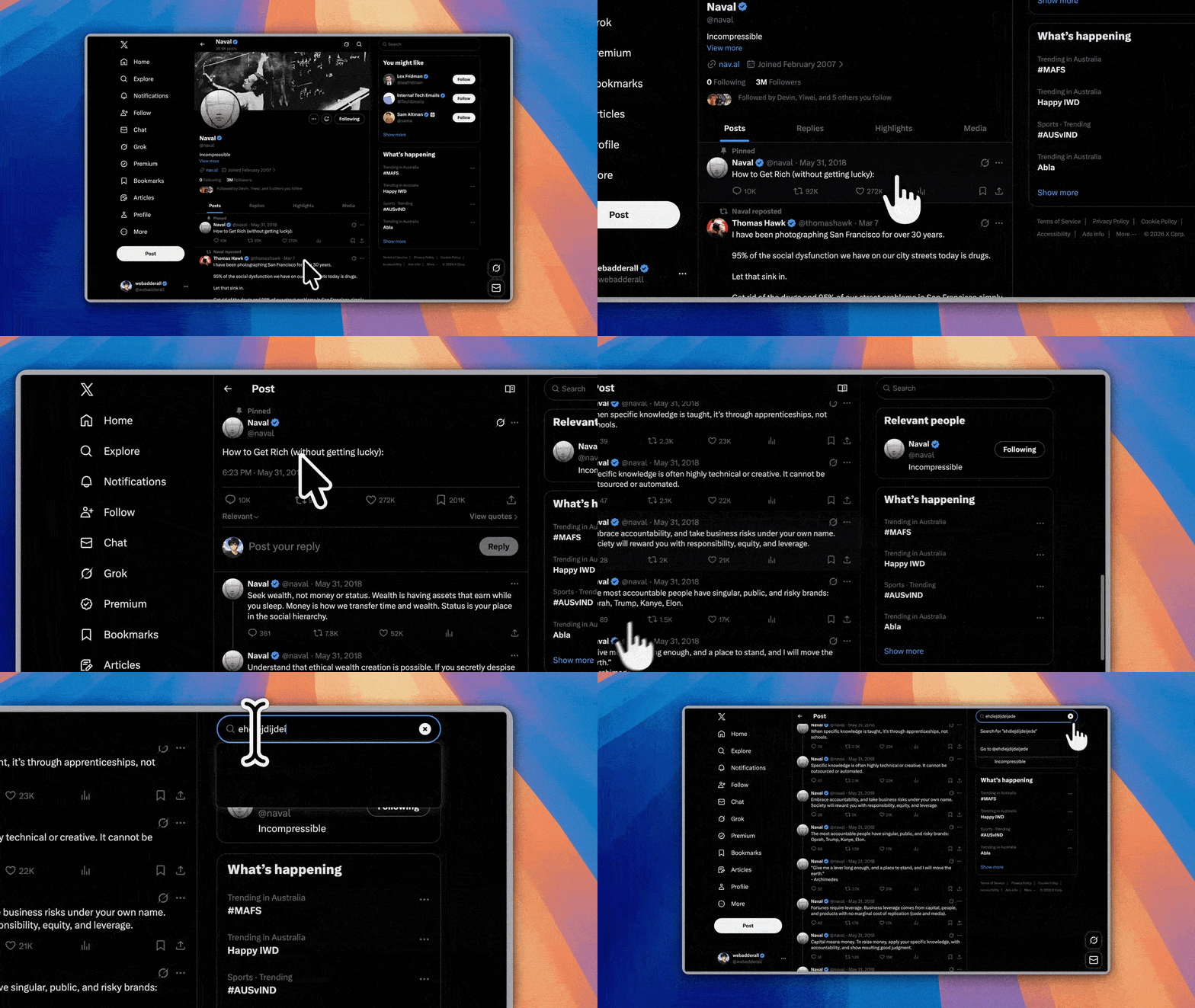
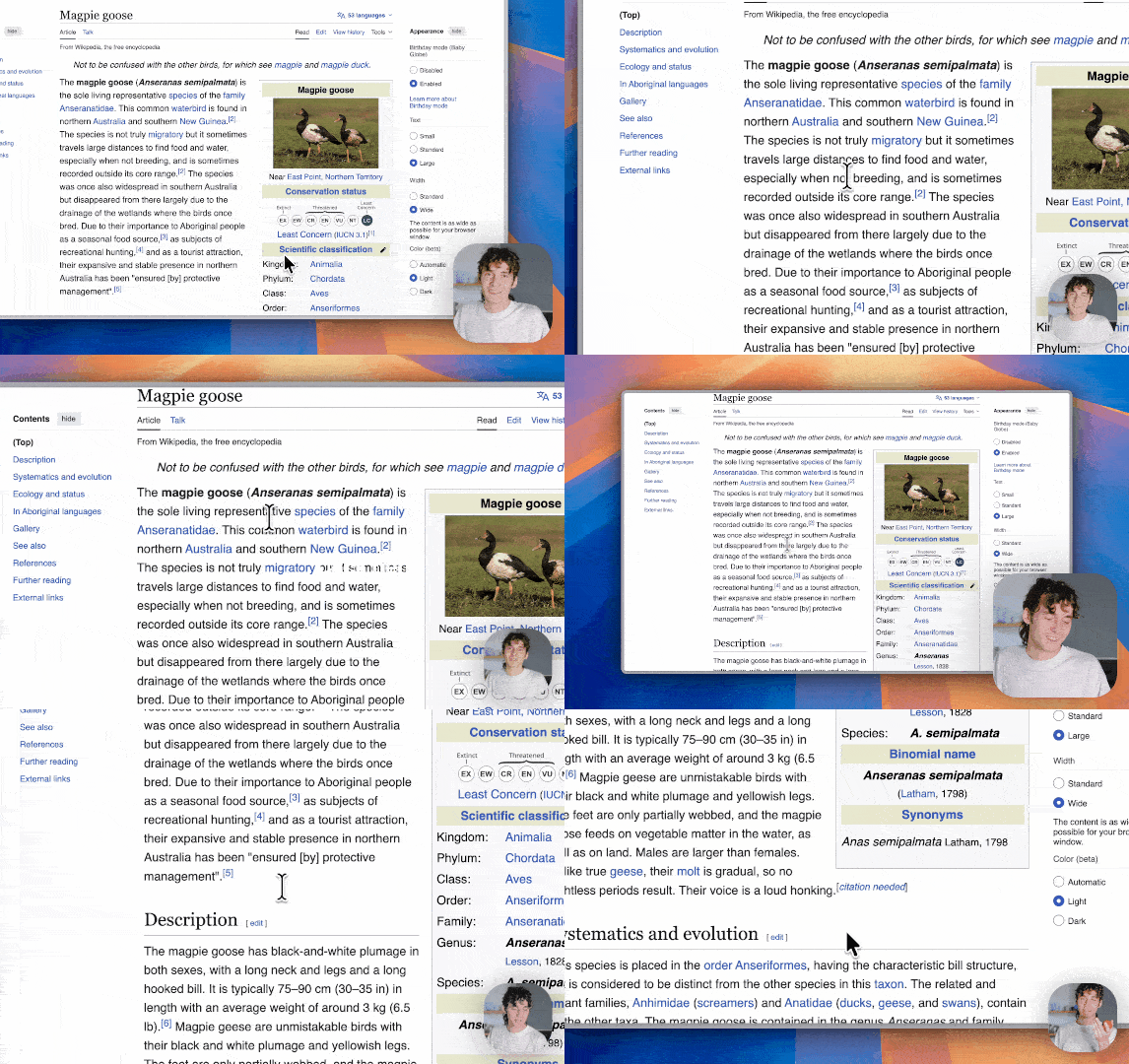
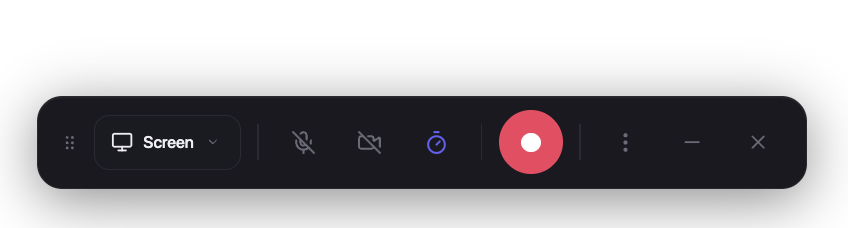
 Recordly is an open-source desktop app for recording and editing screen captures with motion-driven presentation tools built in — auto-zooms, cursor polish, and styled frames — made for walkthroughs, demos, and product videos.
Recordly is an open-source desktop app for recording and editing screen captures with motion-driven presentation tools built in — auto-zooms, cursor polish, and styled frames — made for walkthroughs, demos, and product videos.So it's an app I install on my computer, not a website?Exactly — a desktop app built on Electron with platform-specific capture helpers. It runs on macOS 14.0+, Windows 10 Build 19041+, and modern Linux distros.
Exactly — a desktop app built on Electron with platform-specific capture helpers. It runs on macOS 14.0+, Windows 10 Build 19041+, and modern Linux distros.How do I get it on my machine?Download a prebuilt release from GitHub, or on Arch Linux/Manjaro install recordly-bin from the AUR. You can also build from source with npm (npm run build:mac, build:win, or build:linux).
Download a prebuilt release from GitHub, or on Arch Linux/Manjaro install recordly-bin from the AUR. You can also build from source with npm (npm run build:mac, build:win, or build:linux).Does my OS need anything specific for recording to work well?Yes: macOS needs 14.0+ for ScreenCaptureKit audio capture, Windows wants Build 19041+ for the native Windows Graphics Capture helper, and Linux system audio usually requires PipeWire.
Yes: macOS needs 14.0+ for ScreenCaptureKit audio capture, Windows wants Build 19041+ for the native Windows Graphics Capture helper, and Linux system audio usually requires PipeWire.Will my real mouse cursor stay hidden in the recording?It depends on the OS: macOS excludes it cleanly via ScreenCaptureKit, Windows needs 19041+ and the native helper, and on Linux cursor hiding is not supported at all — exports can show both the real cursor and Recordly's styled overlay.
It depends on the OS: macOS excludes it cleanly via ScreenCaptureKit, Windows needs 19041+ and the native helper, and on Linux cursor hiding is not supported at all — exports can show both the real cursor and Recordly's styled overlay.Is it really free, and is there a catch in the license?It's free, but licensed under AGPL 3.0 — a strong copyleft license: if you modify it and offer it as a service, you must release your source changes under the same terms.
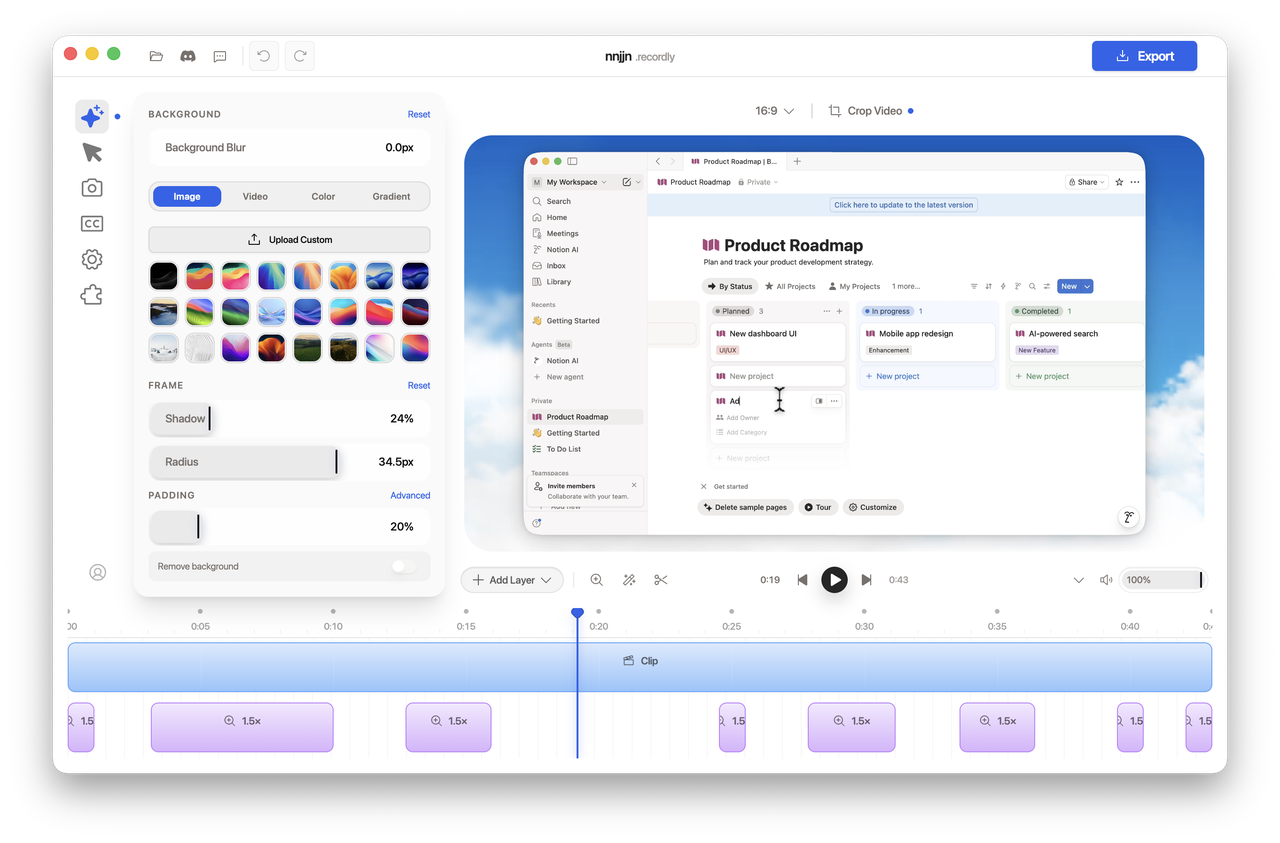
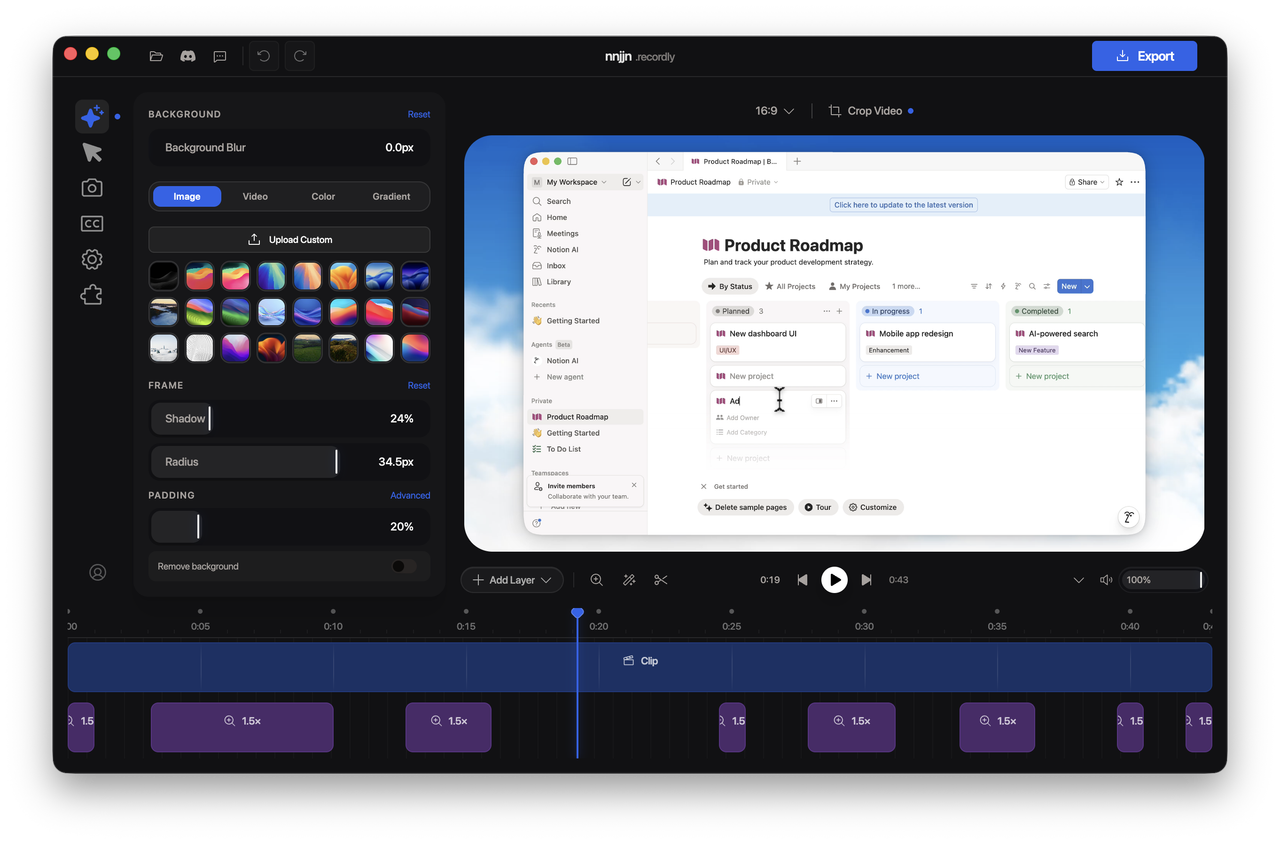
It's free, but licensed under AGPL 3.0 — a strong copyleft license: if you modify it and offer it as a service, you must release your source changes under the same terms.What does it do to make videos look polished on its own?It suggests zooms based on cursor activity, smooths the cursor with effects like motion blur and click bounce, and frames the result with wallpapers, gradients, blur, padding, and shadows. You can also add a webcam bubble overlay that can react to zoom.
It suggests zooms based on cursor activity, smooths the cursor with effects like motion blur and click bounce, and frames the result with wallpapers, gradients, blur, padding, and shadows. You can also add a webcam bubble overlay that can react to zoom.Can I edit the recording after I stop capturing?Yes — the drag-and-drop timeline handles trims, zoom regions, speed-up and slow-down regions, text and image annotations, extra audio, and cropping. Work is saved as .recordly project files you can reopen later.
Yes — the drag-and-drop timeline handles trims, zoom regions, speed-up and slow-down regions, text and image annotations, extra audio, and cropping. Work is saved as .recordly project files you can reopen later.What formats can I export to?MP4 for standard video and GIF for lightweight sharing and loops, with quality selection, GIF frame rate and loop options, size presets, and aspect ratio / output dimension controls.
MP4 for standard video and GIF for lightweight sharing and loops, with quality selection, GIF frame rate and loop options, size presets, and aspect ratio / output dimension controls.Can I add new features to Recordly?Yes — there's a community Marketplace with extensions anyone can build and publish: cursor click sounds, device frames, browser mockups, wallpapers, render hooks, settings panels, and more.
Yes — there's a community Marketplace with extensions anyone can build and publish: cursor click sounds, device frames, browser mockups, wallpapers, render hooks, settings panels, and more.What are similar projects?openscreen, Captura, ScreenToGif, caplo, screenity, ShareX, Kap, scrcpy
openscreen, Captura, ScreenToGif, caplo, screenity, ShareX, Kap, scrcpyWhich topics is it in?pixijs, screencast, screen-recorder, video-editor, webcam, screen-recording, gif, screen-capture, video-editing, video-processing, electron, agpl
pixijs, screencast, screen-recorder, video-editor, webcam, screen-recording, gif, screen-capture, video-editing, video-processing, electron, agpl