



46.9K ·GitHub
What is this?
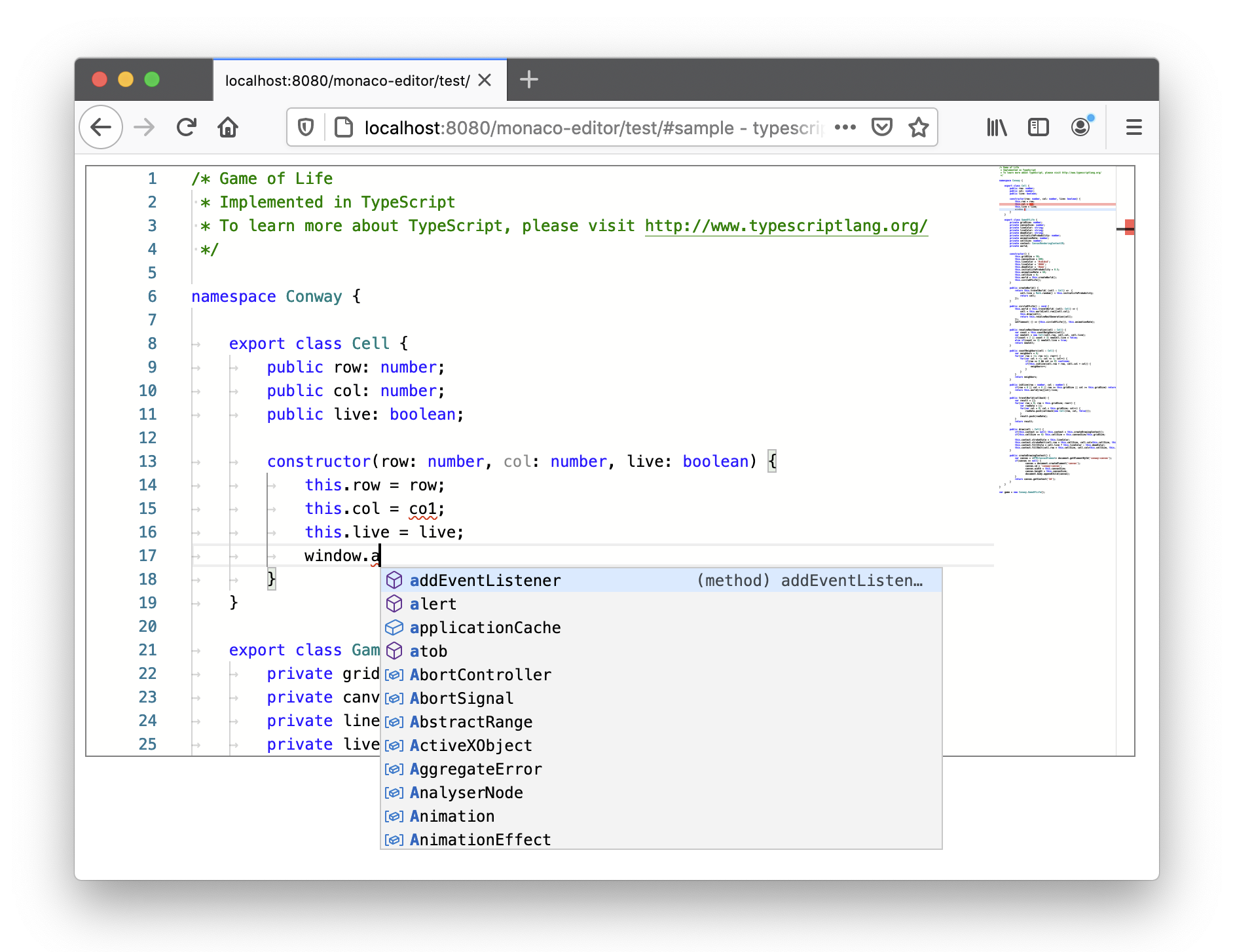
 Monaco Editor is the browser-based code editor that powers VS Code, packaged as a JavaScript library for embedding editors in web apps.
Monaco Editor is the browser-based code editor that powers VS Code, packaged as a JavaScript library for embedding editors in web apps.Is it a library I embed in my pages, or a ready-made app?A library, not an app: you embed it in your own page, where an editor view gets attached to the DOM and the API is specified by monaco.d.ts typings.
A library, not an app: you embed it in your own page, where an editor view gets attached to the DOM and the API is specified by monaco.d.ts typings.How do I add it to a project?Install the npm package and integrate the ESM build with a bundler like webpack; the repo links complete integration samples and an ESM integration guide.
Install the npm package and integrate the ESM build with a bundler like webpack; the repo links complete integration samples and an ESM integration guide.Any gotchas before I wire it up?A couple: pages opened via file:// cannot create the web workers language services need, so serve the editor over http(s), and the old AMD build is deprecated.
A couple: pages opened via file:// cannot create the web workers language services need, so serve the editor over http(s), and the old AMD build is deprecated.Does it work in mobile browsers?No. The README explicitly says mobile browsers and mobile web app frameworks are not supported; it targets desktop web browsers.
No. The README explicitly says mobile browsers and mobile web app frameworks are not supported; it targets desktop web browsers.Is it actually the same editor VS Code uses?It is generated straight from VS Code's sources, with shims so the code runs in a web browser, but its version numbers are unrelated to VS Code releases.
It is generated straight from VS Code's sources, with shims so the code runs in a web browser, but its version numbers are unrelated to VS Code releases.Will my VS Code extensions work in it?No. Extensions do not run in Monaco in the browser; the exception is an extension fully based on the LSP whose language server is authored in JavaScript.
No. Extensions do not run in Monaco in the browser; the exception is an extension fully based on the LSP whose language server is authored in JavaScript.The README mentions models, editors and providers: what are those?A model is a file that has been opened: it holds the text content, its language and edit history, identified by a URI. An editor is the visible view of a model, and providers add smart features like completion and hovers.
A model is a file that has been opened: it holds the text content, its language and edit history, identified by a URI. An editor is the visible view of a model, and providers add smart features like completion and hovers.Can I reuse existing TextMate grammars for highlighting?Not out of the box: Monaco does not support TextMate grammars; the README suggests combining it with vscode-oniguruma and vscode-textmate to get TM grammar support.
Not out of the box: Monaco does not support TextMate grammars; the README suggests combining it with vscode-oniguruma and vscode-textmate to get TM grammar support.What are similar projects?graphiql, toast, language-server-protocol, NvChad, rust-analyzer, ace, jsoneditor, codemirror5
graphiql, toast, language-server-protocol, NvChad, rust-analyzer, ace, jsoneditor, codemirror5Which topics is it in?monaco-editor, playground, autocomplete, esm, code-editor, lsp, syntax-highlighting, localization, webpack, ide, microsoft, vscode
monaco-editor, playground, autocomplete, esm, code-editor, lsp, syntax-highlighting, localization, webpack, ide, microsoft, vscode