What is this?
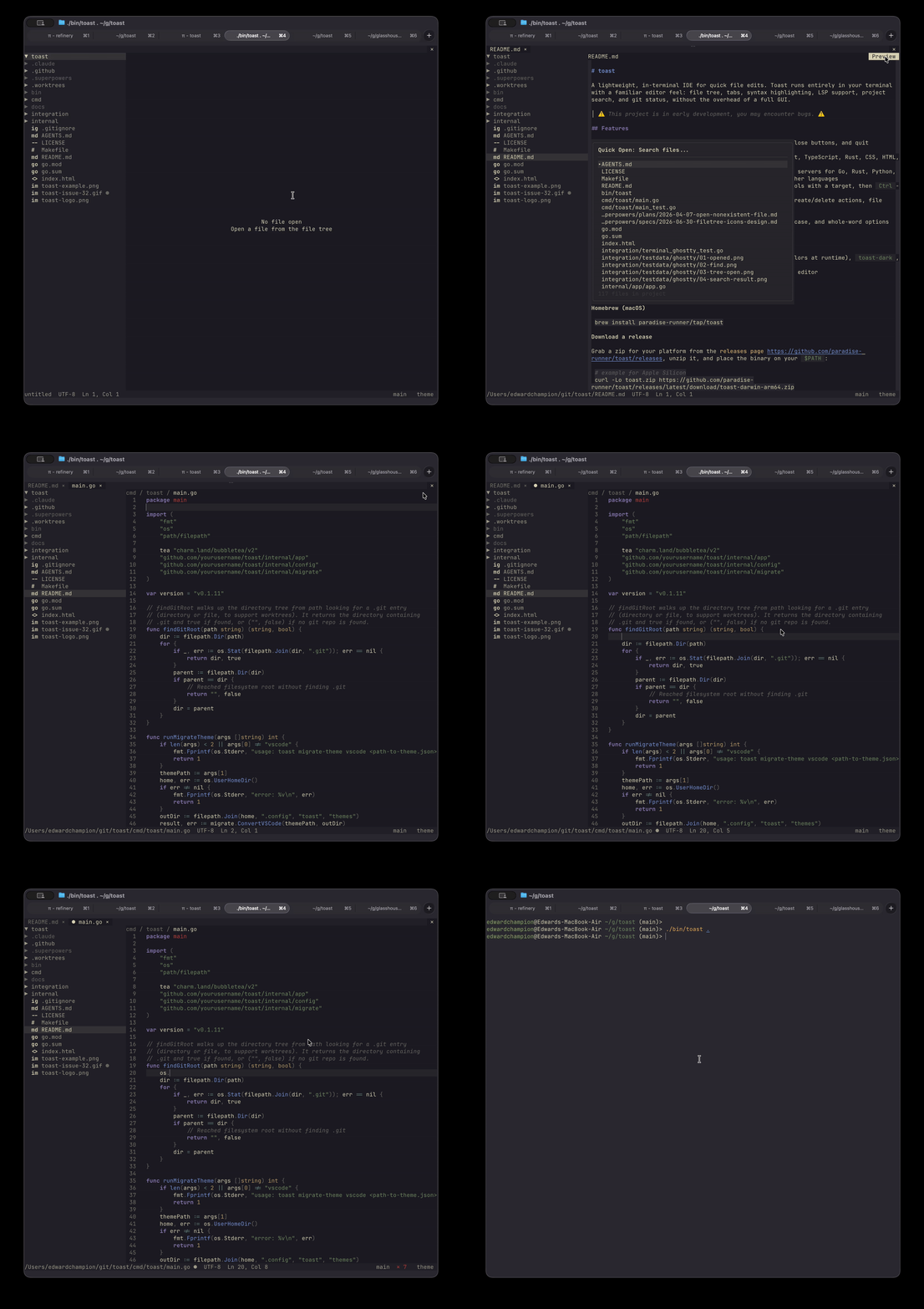
 Toast is a batteries-included IDE that runs right in your terminal, written in Go: managed language servers, an integrated file tree, multiple file tabs, and themes all ship out of the box.
Toast is a batteries-included IDE that runs right in your terminal, written in Go: managed language servers, an integrated file tree, multiple file tabs, and themes all ship out of the box.How is it different from just using vim or emacs?Unlike vim, nvim, or emacs — where you build the editor up from config — Toast is one binary that works immediately, aimed at developers who'd rather not spend hours tweaking before writing code.
Unlike vim, nvim, or emacs — where you build the editor up from config — Toast is one binary that works immediately, aimed at developers who'd rather not spend hours tweaking before writing code.How do I get it running?Install via Homebrew on macOS, or grab a release zip for your platform from the releases page, unzip it, and put the binary on your $PATH. Building from source requires Go 1.25.2+.
Install via Homebrew on macOS, or grab a release zip for your platform from the releases page, unzip it, and put the binary on your $PATH. Building from source requires Go 1.25.2+.Do I have to install language servers or ripgrep myself first?No manual LSP setup: Toast offers to install missing servers for Go, Rust, Python, JavaScript, TypeScript, and Markdown, with an extensible config for other languages. Project-wide search is powered by ripgrep.
No manual LSP setup: Toast offers to install missing servers for Go, Rust, Python, JavaScript, TypeScript, and Markdown, with an extensible config for other languages. Project-wide search is powered by ripgrep.Is it stable enough for daily work?Expect some bugs — the project is in early development. The terminal version is the primary, best-tested way to run Toast; the bundled macOS app is experimental and buggier.
Expect some bugs — the project is in early development. The terminal version is the primary, best-tested way to run Toast; the bundled macOS app is experimental and buggier.Will it run on Linux and Windows, or is it macOS-only?The terminal version is cross-platform — release zips ship per platform. macOS additionally gets Homebrew and a standalone Toast.app built separately for Apple Silicon and Intel Macs.
The terminal version is cross-platform — release zips ship per platform. macOS additionally gets Homebrew and a standalone Toast.app built separately for Apple Silicon and Intel Macs.Does it have AI features or phone home with telemetry?Neither — the README comparison table lists No AI features and No telemetry as Toast checkmarks, in contrast to vscode and zed.
Neither — the README comparison table lists No AI features and No telemetry as Toast checkmarks, in contrast to vscode and zed.Which languages get highlighting and language-server smarts?Tree-sitter syntax highlighting covers Go, Python, JavaScript, TypeScript, Rust, CSS, HTML, YAML, Bash, and Markdown. Managed language servers (offered for on-demand install) cover Go, Rust, Python, JavaScript, TypeScript, and Markdown via harper, and other languages can be added through config.
Tree-sitter syntax highlighting covers Go, Python, JavaScript, TypeScript, Rust, CSS, HTML, YAML, Bash, and Markdown. Managed language servers (offered for on-demand install) cover Go, Rust, Python, JavaScript, TypeScript, and Markdown via harper, and other languages can be added through config.I'd rather not live in the terminal — is there a desktop app?Yes: macOS releases ship Toast.app, which runs toast inside its own libghostty terminal window with a native menu bar and dock icon — no terminal, Homebrew, or Go required. It is not code-signed yet, so first launch needs a right-click Open in Finder or clearing the quarantine flag with xattr.
Yes: macOS releases ship Toast.app, which runs toast inside its own libghostty terminal window with a native menu bar and dock icon — no terminal, Homebrew, or Go required. It is not code-signed yet, so first launch needs a right-click Open in Finder or clearing the quarantine flag with xattr.How much can I customize — keybindings, themes, autosave?Quite a lot, all through ~/.config/toast/config.json: every default keybinding can be overridden, autosave switches between auto mode (writes after 300 ms of inactivity by default) and manual save, and themes include system, toast-dark, and toast-light plus a VSCode theme importer and custom theme files.
Quite a lot, all through ~/.config/toast/config.json: every default keybinding can be overridden, autosave switches between auto mode (writes after 300 ms of inactivity by default) and manual save, and themes include system, toast-dark, and toast-light plus a VSCode theme importer and custom theme files.How do I get around a codebase in Toast?Ctrl+P fuzzy-opens files, Ctrl+Shift+F runs project-wide search via ripgrep, and Ctrl+F does in-file find and replace with match-case and whole-word options. For navigation, hold Ctrl and hover to underline a symbol, then Ctrl-click (or press F12) to jump to its definition.
Ctrl+P fuzzy-opens files, Ctrl+Shift+F runs project-wide search via ripgrep, and Ctrl+F does in-file find and replace with match-case and whole-word options. For navigation, hold Ctrl and hover to underline a symbol, then Ctrl-click (or press F12) to jump to its definition.What are similar projects?gitlogue, telescope.nvim, helix, micro, NvChad, awesome-neovim, atom, monaco-editor
gitlogue, telescope.nvim, helix, micro, NvChad, awesome-neovim, atom, monaco-editorWhich topics is it in?terminal-app, terminal-ui, fuzzy-search, autocomplete, tree-sitter, code-editor, lsp, text-editor, syntax-highlighting, themes, ide, homebrew
terminal-app, terminal-ui, fuzzy-search, autocomplete, tree-sitter, code-editor, lsp, text-editor, syntax-highlighting, themes, ide, homebrew