






12.3K ·GitHub
What is this?
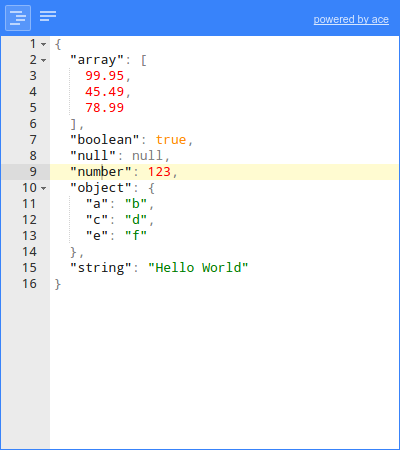
 A web-based tool to view, edit, format, and validate JSON right in the browser, instead of wrangling raw text.
A web-based tool to view, edit, format, and validate JSON right in the browser, instead of wrangling raw text.Is this a standalone app, or a library I embed in my own web application?It's a component for your own web application, not a hosted app: load it as a CommonJS module, an AMD module, or a plain JavaScript file.
It's a component for your own web application, not a hosted app: load it as a CommonJS module, an AMD module, or a plain JavaScript file.How do I add it to a web page?Add the built jsoneditor.min.js and jsoneditor.min.css from the dist folder to your page, or point the URLs at a CDN copy.
Add the built jsoneditor.min.js and jsoneditor.min.css from the dist folder to your page, or point the URLs at a CDN copy.Do I need to wire up other libraries alongside it?Nothing to wire up yourself: Ace (code editor), ajv (schema validation), and jsonrepair are bundled as npm dependencies, so the two built files are enough.
Nothing to wire up yourself: Ace (code editor), ajv (schema validation), and jsonrepair are bundled as npm dependencies, so the two built files are enough.Will it work in every browser I throw at it?It targets the browser: Chrome, Firefox, Safari, and Edge are the officially supported browsers.
It targets the browser: Chrome, Firefox, Safari, and Edge are the officially supported browsers.Is it free to use in commercial projects?Free and open source under the permissive Apache 2.0 license; commercial users have a social, not legal, expectation to help fund maintenance.
Free and open source under the permissive Apache 2.0 license; commercial users have a social, not legal, expectation to help fund maintenance.What editing modes does it offer?Three: a tree editor for clicking through structured data, a code editor built on Ace for text editing, and a plain text editor.
Three: a tree editor for clicking through structured data, a code editor built on Ace for text editing, and a plain text editor.Besides editing, what else can it do with my JSON?It validates against JSON Schema via the bundled ajv, can repair broken JSON through jsonrepair, and supports JMESPath queries via jmespath.
It validates against JSON Schema via the bundled ajv, can repair broken JSON through jsonrepair, and supports JMESPath queries via jmespath.Where did the project come from?It started as the core component of a popular web application and was open sourced from there; the GitHub repo dates back to 2012.
It started as the core component of a popular web application and was open sourced from there; the GitHub repo dates back to 2012.What are similar projects?ace, editor.md, codemirror5, twinkleplop, monaco-editor, trix, validator.js, editor.js
ace, editor.md, codemirror5, twinkleplop, monaco-editor, trix, validator.js, editor.jsWhich topics is it in?commonjs, watch, code-editor, validation, amd, syntax-highlighting, editor, javascript-library, json, browser, web-app, web-development
commonjs, watch, code-editor, validation, amd, syntax-highlighting, editor, javascript-library, json, browser, web-app, web-development