


MCPJungle README

项目的 README,来自 github.com/mcpjungle/MCPJungle。合并为一个 markdown 文件:README.md。

MCPJungle

Run all your MCP servers behind one endpoint

Documentation GHCR Discord

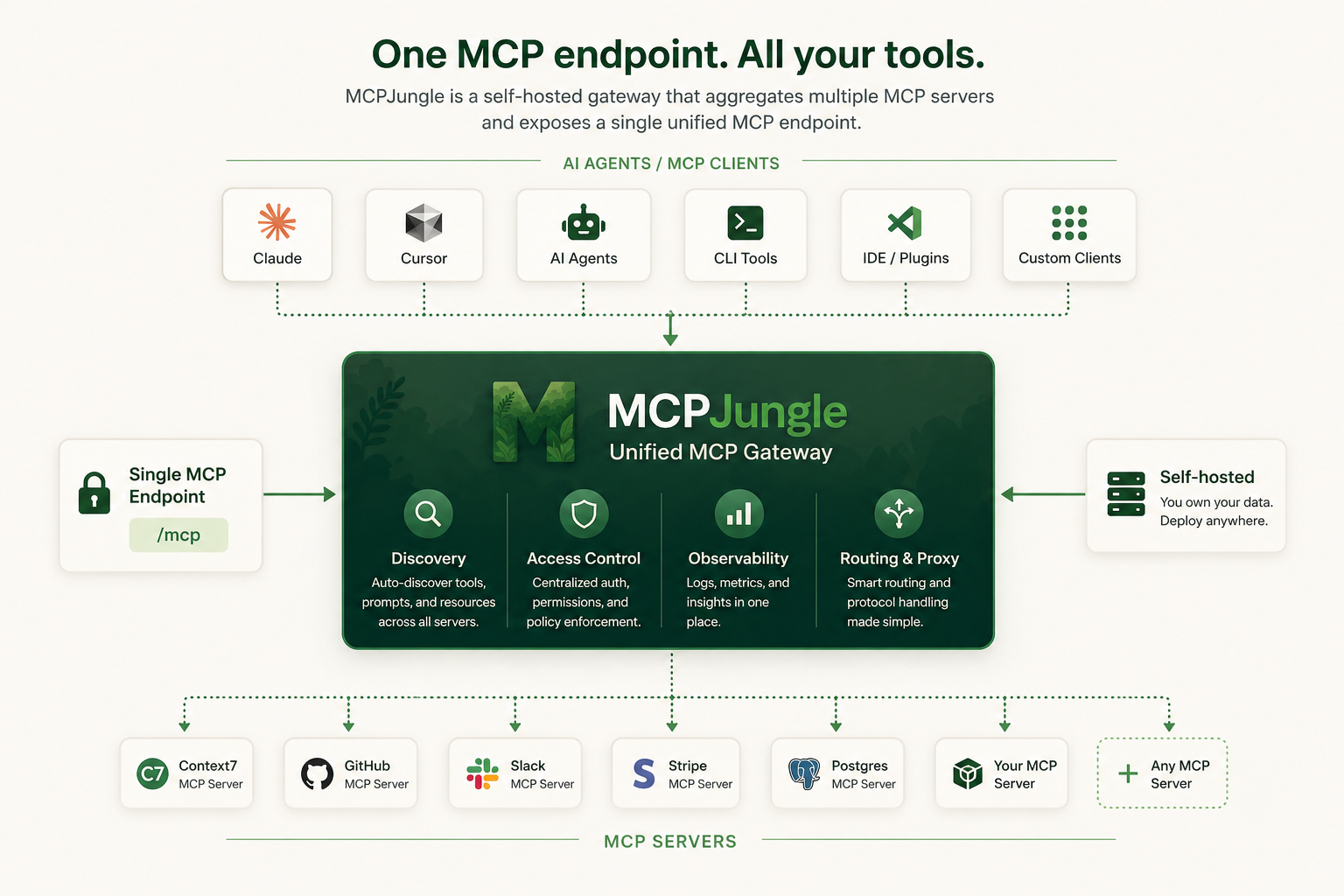
MCPJungle is a self-hosted MCP gateway for developers and teams who want to manage multiple MCP servers without scattered client configurations, duplicated setup, or inconsistent access control.

Use it locally to keep your personal MCP setup clean, or run it as shared infrastructure for a team with centralized discovery, access control, and observability.

diagram

Instead of wiring every MCP server into every AI client, register your servers once in MCPJungle and let Claude, Cursor, Codex, or your own Agents connect to a single MCP endpoint.

Why MCPJungle?

MCP is powerful, but managing many MCP servers gets messy fast.

Without a gateway:

MCPJungle gives you a single control point:

Start with a local setup. Scale to a shared team gateway when you need it.

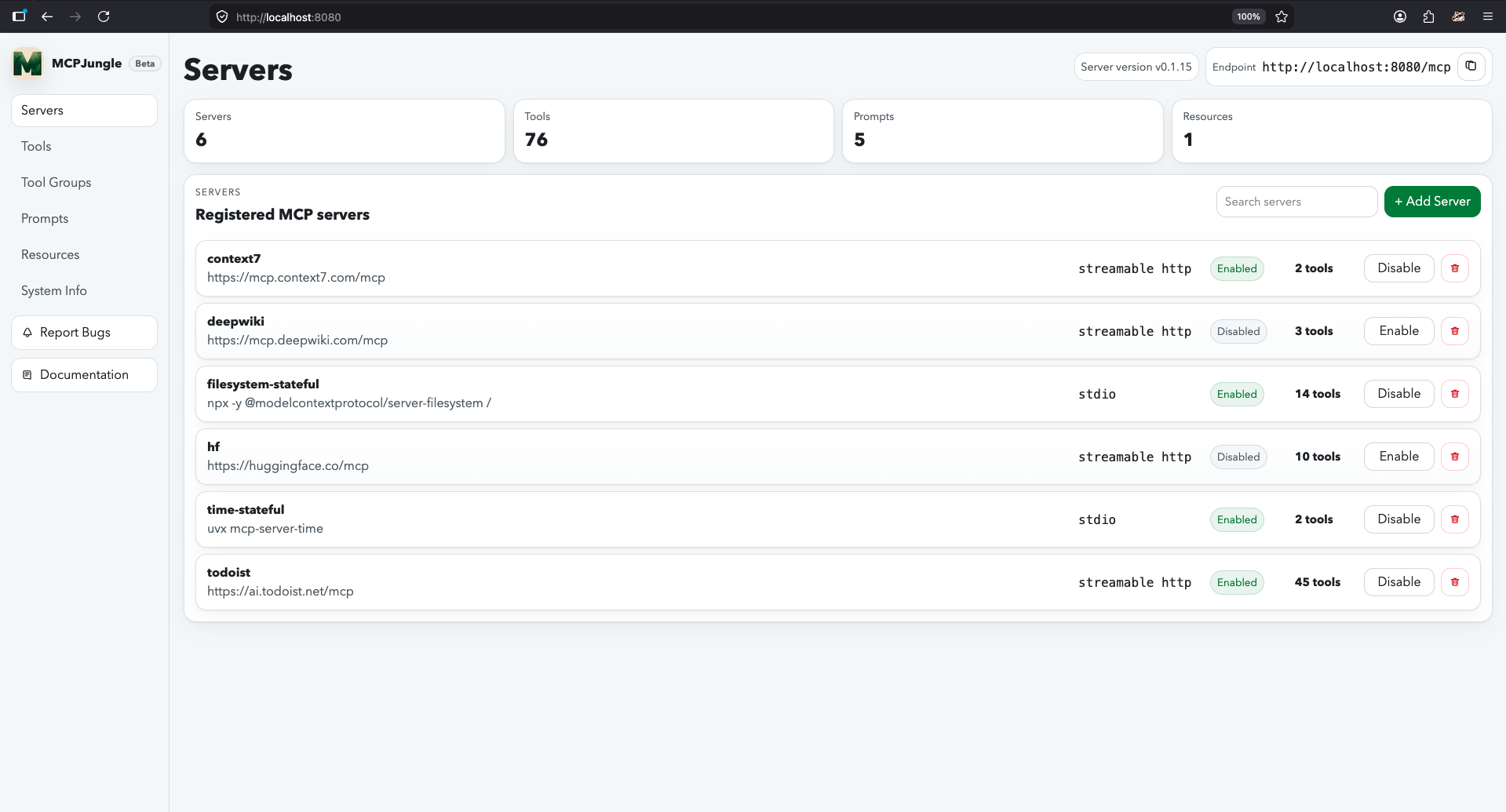
MCPJungle dashboard UI

Documentation

Mcpjungle documentation has a new home: https://docs.mcpjungle.com.

Please prefer the docs site over this README for the latest guides, reference, and operational details.

Your AI Clients can also access the docs using its MCP server https://docs.mcpjungle.com/mcp!

Quickstart

This quickstart guide will show you how to:

  1. Start the mcpjungle server locally using docker compose
  2. Add an MCP server in mcpjungle
  3. Connect your Claude Desktop to mcpjungle to access your MCP tools

Start the server

Fetch the docker-compose.yaml and start the mcpjungle server:

curl -O https://raw.githubusercontent.com/mcpjungle/MCPJungle/refs/heads/main/docker-compose.yaml
docker compose up -d

This exposes mcpjungle's streamable http mcp server at http://localhost:8080/mcp by default.

Add an MCP server

  1. Download the mcpjungle CLI on your local machine either using brew or directly from the Releases Page.
brew install mcpjungle/mcpjungle/mcpjungle
  1. Add the context7 MCP server to mcpjungle using the CLI:
mcpjungle register --name context7 --url https://mcp.context7.com/mcp

You should see output similar to this:

register-context7

Connect to mcpjungle

In your Claude Desktop, add the configuration for mcpjungle MCP server:

{
  "mcpServers": {
    "mcpjungle": {
      "command": "npx",
      "args": [
        "mcp-remote",
        "http://localhost:8080/mcp",
        "--allow-http"
      ]
    }
  }
}

Once you have added the configuration, try asking claude something simple:

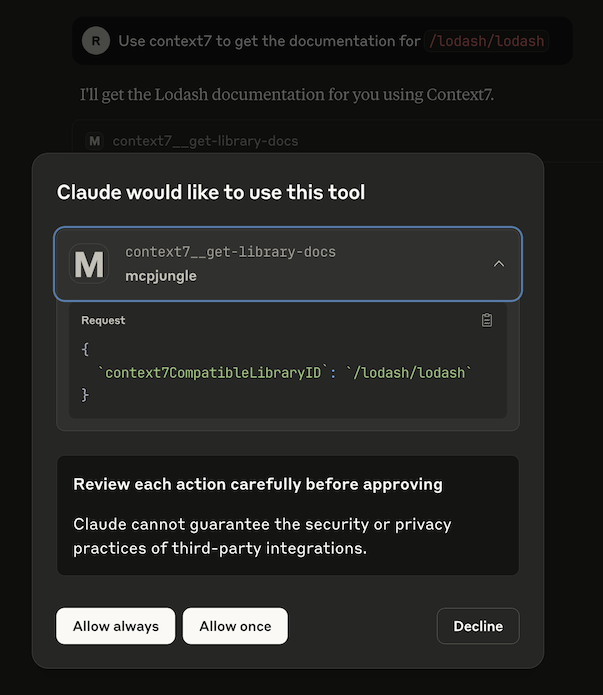
Use context7 to get the documentation for `/lodash/lodash`

Claude will then attempt to call the context7__get-library-docs tool via MCPJungle, which will return the documentation for the Lodash library.

claude calls context7 tool via mcpjungle

You now have a working MCP setup with a single unified endpoint!

Next, explore the complete documentation at docs.mcpjungle.com and the public roadmap.

MCPJungle (mcpjungle/MCPJungle)

正在搜索数据库…

这是什么?MCPJungle 是一个自托管的 MCP 网关。你可以一次性把所有 MCP 服务器都注册到它上面,Claude、Cursor 或你自己的智能体等客户端只需连接到一个 MCP 端点,而不必分别连接每个服务器。
它是服务器、命令行工具,还是我可以导入代码的库?它是你自己运行的服务器,通过一个单独的命令行工具(CLI)进行管理。你不需要把它当作库导入到代码中。
怎么把它跑起来?获取 docker-compose.yaml,用 docker compose 启动服务器。它通过 streamable HTTP 提供一个 MCP 端点。然后安装 CLI,添加一个 MCP 服务器(README 中以 context7 为例),再把 mcpjungle 添加到你的 Claude Desktop 配置中。
开始之前需要准备什么?需要 Docker,用来通过 docker compose 运行服务器;还需要 mcpjungle CLI,可以用 brew 安装,也可以从 Releases Page 下载。README 没有列出其他前置条件。
有哪些需要注意的地方?README 表示文档网站是最新的信息来源,所以请访问 docs.mcpjungle.com 查看当前的指南和运维细节,不要只依赖这个 README。
它是只给我自己用,还是给整个团队用?两者都可以。你可以先搭建个人本地环境,让 MCP 配置保持整洁;之后也可以把它作为团队共享的基础设施运行,获得集中式的发现、访问控制和可观测性。
我能限制某个客户端能看到哪些工具吗?可以。可选的工具分组只会向特定客户端暴露它应该看到的工具,因此同一个共享网关可以为不同权限范围的客户端提供服务。
它只管理工具,还是也管理提示词和资源?它为你注册的所有 MCP 服务器提供统一的工具、提示词和资源发现功能,你不必逐个检查每个服务器。
为什么要在 MCP 服务器前面加一个网关?没有网关的话,每个 AI 客户端都需要单独配置 MCP,访问控制要么重复设置,要么缺失。使用单一的控制点能让配置更容易复现,也能保持访问权限的一致性。
作者
mcpjungle
大小
30.8 MB
星标
1.6K
时长
1年
提交 · 90 天