



What is this?
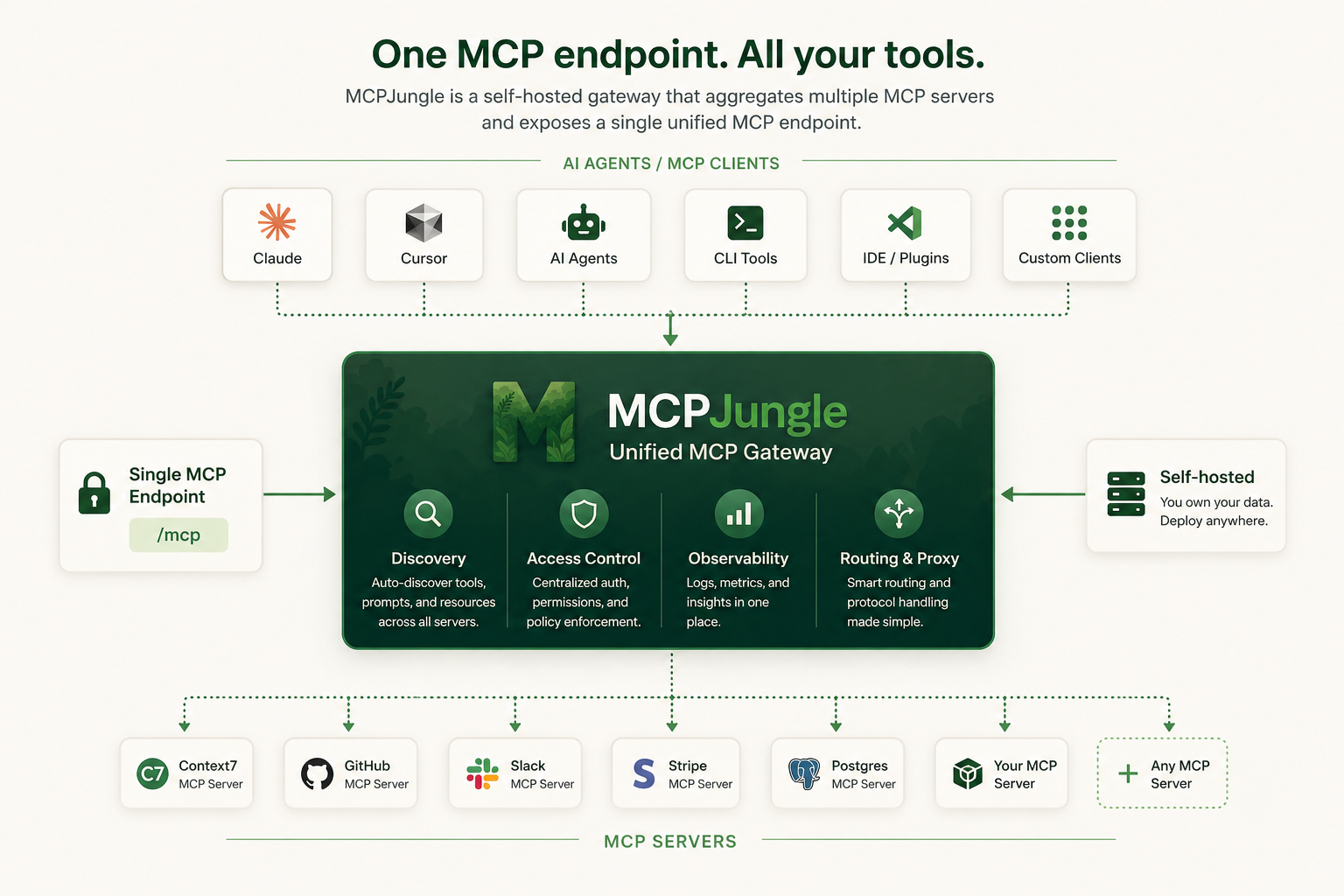
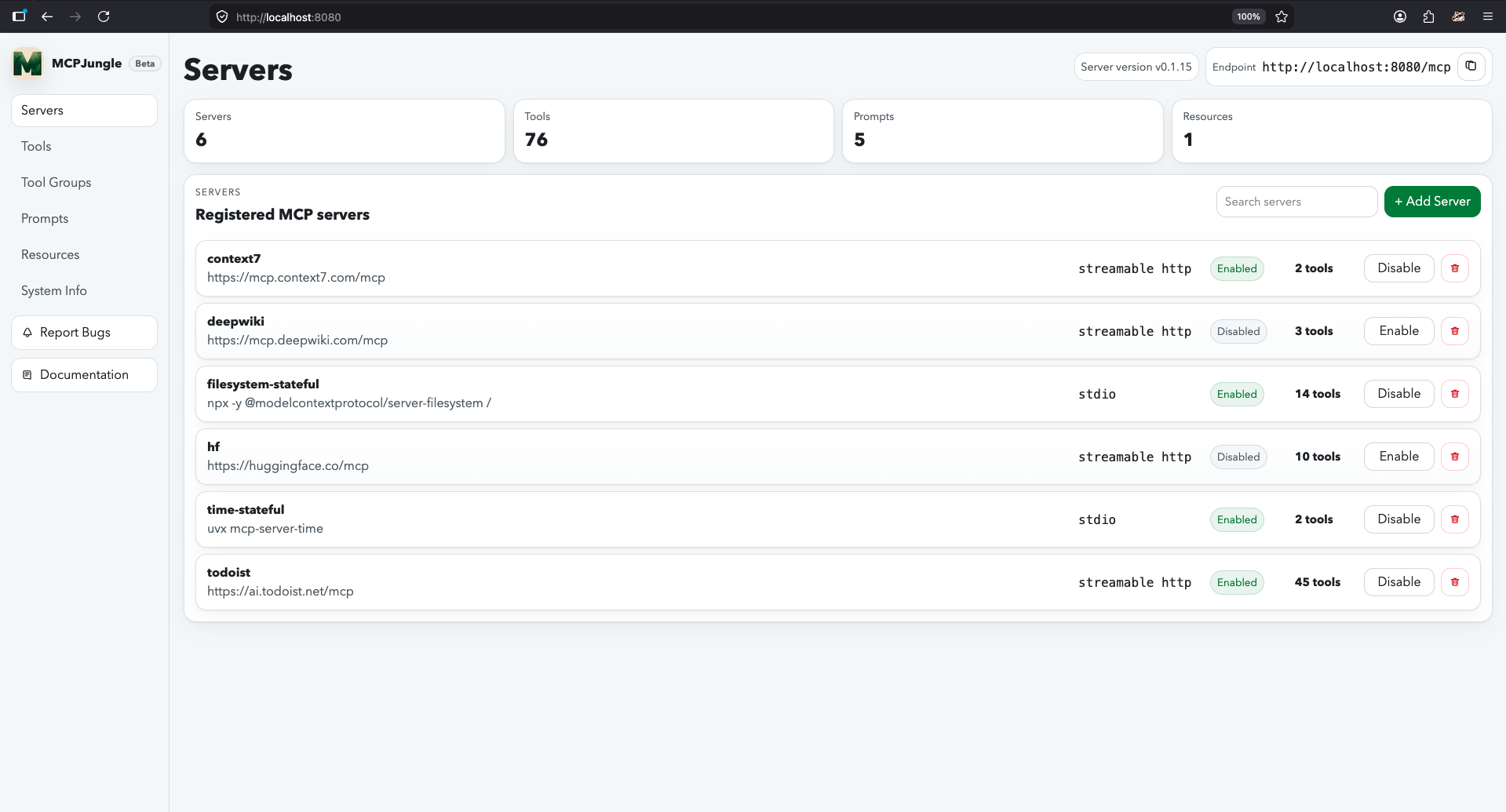
 MCPJungle is a self-hosted MCP gateway. You register all your MCP servers in it once, and clients like Claude, Cursor, or your own agents connect to a single MCP endpoint instead of to each server separately.
Is it a server, a CLI, or a library I import into code?It's a server you run yourself, managed with a separate CLI. You don't import it into your code as a library.
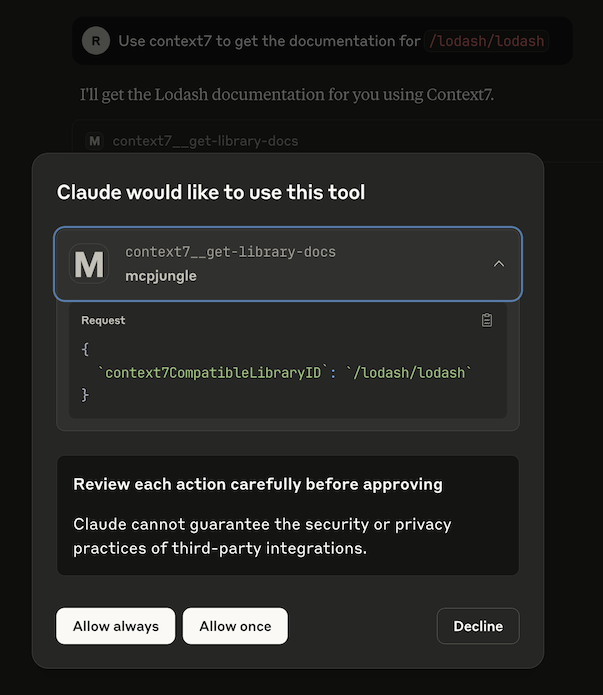
It's a server you run yourself, managed with a separate CLI. You don't import it into your code as a library.How do I get it running?Fetch the docker-compose.yaml and start the server with docker compose. It exposes an MCP endpoint over streamable HTTP. Then install the CLI, add an MCP server (the README uses context7 as the example), and add mcpjungle to your Claude Desktop config.
Fetch the docker-compose.yaml and start the server with docker compose. It exposes an MCP endpoint over streamable HTTP. Then install the CLI, add an MCP server (the README uses context7 as the example), and add mcpjungle to your Claude Desktop config.What do I need before starting?Docker, to run the server with docker compose, and the mcpjungle CLI, installed with brew or downloaded from the Releases Page. The README lists no other prerequisites.
Docker, to run the server with docker compose, and the mcpjungle CLI, installed with brew or downloaded from the Releases Page. The README lists no other prerequisites.What should I watch out for?The README says the docs site is the up-to-date source, so check docs.mcpjungle.com for current guides and operational details instead of relying on this README alone.
The README says the docs site is the up-to-date source, so check docs.mcpjungle.com for current guides and operational details instead of relying on this README alone.Is it for just me or for a whole team?Both. You can start with a personal local setup to keep your MCP configuration clean, then run it as shared team infrastructure with centralized discovery, access control, and observability.
Both. You can start with a personal local setup to keep your MCP configuration clean, then run it as shared team infrastructure with centralized discovery, access control, and observability.Can I limit which tools a given client sees?Yes. Optional tool groups expose only the tools a specific client should see, so one shared gateway can serve different clients with different scopes.
Yes. Optional tool groups expose only the tools a specific client should see, so one shared gateway can serve different clients with different scopes.Does it manage prompts and resources, or only tools?It provides unified discovery for tools, prompts, and resources across all the MCP servers you register, so you don't have to check each server separately.
It provides unified discovery for tools, prompts, and resources across all the MCP servers you register, so you don't have to check each server separately.Why put a gateway in front of MCP servers at all?Without one, every AI client needs its own MCP configuration and access control gets duplicated or missing. A single control point makes the setup easier to reproduce and keeps access consistent.
Without one, every AI client needs its own MCP configuration and access control gets duplicated or missing. A single control point makes the setup easier to reproduce and keeps access consistent.What are similar projects?executor, casbin-gateway, busbar, bifrost, litellm, davinci-resolve-mcp, overmind, modelcontextprotocol
executor, casbin-gateway, busbar, bifrost, litellm, davinci-resolve-mcp, overmind, modelcontextprotocolWhich topics is it in?claude-desktop, mcp-gateway, access-control, ai-gateway, infrastructure, observability, model-context-protocol, cursor, developers, mcp-server, go, mcp
claude-desktop, mcp-gateway, access-control, ai-gateway, infrastructure, observability, model-context-protocol, cursor, developers, mcp-server, go, mcp