

381 ·GitHub
这是什么?
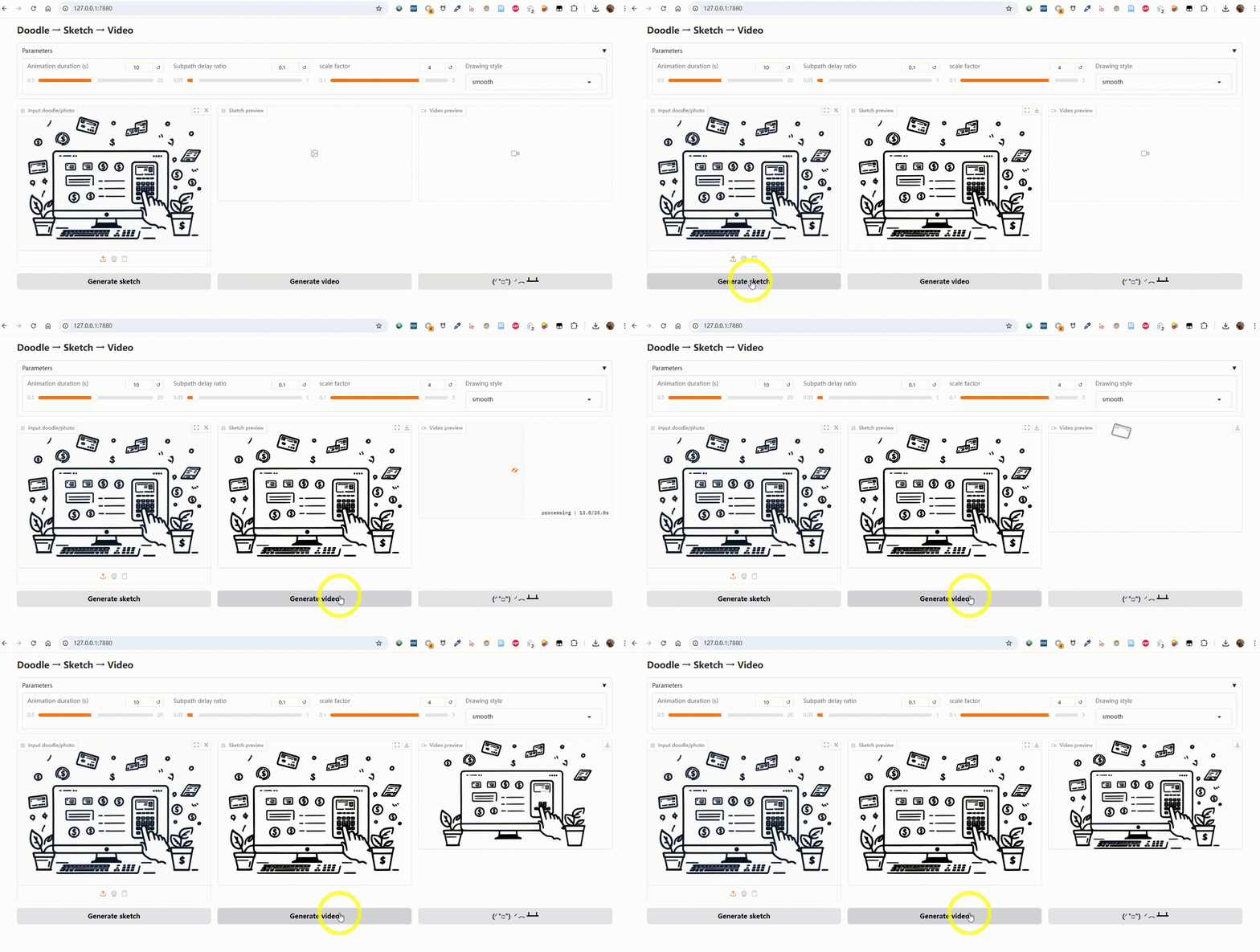
 Sketch2Motion 把照片、涂鸦或草图转换成手绘风格的动画 MP4 视频,就好像有人正在一笔一笔手动画出来一样。
Sketch2Motion 把照片、涂鸦或草图转换成手绘风格的动画 MP4 视频,就好像有人正在一笔一笔手动画出来一样。这是供我导入的库,还是独立应用?它是一个带 Gradio 网页界面、在本地运行的独立工具;并不打算作为库来导入。
它是一个带 Gradio 网页界面、在本地运行的独立工具;并不打算作为库来导入。怎么让它跑起来?克隆仓库,安装 Python 依赖,然后启动 Gradio 应用并在浏览器里打开。
克隆仓库,安装 Python 依赖,然后启动 Gradio 应用并在浏览器里打开。除了 Python 还需要装什么?需要 Python 3.9+,加上 Python 包 Gradio 和 Manim,以及系统 PATH 中可用的 ffmpeg 和 Potrace,用于渲染和描摹。
需要 Python 3.9+,加上 Python 包 Gradio 和 Manim,以及系统 PATH 中可用的 ffmpeg 和 Potrace,用于渲染和描摹。安装上有什么需要留意的坑?ffmpeg 和 Potrace 必须单独安装并加入 PATH(无法通过 pip 自动带上),这是 Windows 上安装失败的一个常见原因。
ffmpeg 和 Potrace 必须单独安装并加入 PATH(无法通过 pip 自动带上),这是 Windows 上安装失败的一个常见原因。谁会用它?想把静态图画或照片变成可分享的 “正在绘制” 动画、又不想手工做矢量动画的艺术家、爱好者和内容创作者。
想把静态图画或照片变成可分享的 “正在绘制” 动画、又不想手工做矢量动画的艺术家、爱好者和内容创作者。它在 Windows、macOS 和 Linux 上都能用吗?能,README 给出了在 Windows、macOS 和 Linux 上安装 ffmpeg 和 Potrace 的说明。
能,README 给出了在 Windows、macOS 和 Linux 上安装 ffmpeg 和 Potrace 的说明。动画里能保留原始颜色吗?可以,有一个可选的保色管线,把图像量化为最多 16 种颜色,用 Potrace 分别描摹每个颜色层,再渲染出彩色的绘画动画。
可以,有一个可选的保色管线,把图像量化为最多 16 种颜色,用 Potrace 分别描摹每个颜色层,再渲染出彩色的绘画动画。可以选择哪些动画风格和格式?你可以调整时长、子路径延迟比例、缩放比例,选择绘画风格(linear、smooth、thereandback、wiggle),还能以横屏 16:9 或竖屏 9:16 渲染。
你可以调整时长、子路径延迟比例、缩放比例,选择绘画风格(linear、smooth、thereandback、wiggle),还能以横屏 16:9 或竖屏 9:16 渲染。把最后一帧放到开头有什么用意?工具会自动把最终画好的那一帧加在视频开头,制造一个短暂的停顿,让动画的开场显得更精致。
工具会自动把最终画好的那一帧加在视频开头,制造一个短暂的停顿,让动画的开场显得更精致。从技术上看,输出到底是什么?图像先被描摹成 SVG 矢量图形(内嵌背景色),然后用 Manim 的动画引擎渲染成 MP4。
图像先被描摹成 SVG 矢量图形(内嵌背景色),然后用 Manim 的动画引擎渲染成 MP4。What are similar projects?WanGP, magic-animate, goku-image-to-svg-tool, storycast, IOPaint, reelmimic, 3dicon, onetake
WanGP, magic-animate, goku-image-to-svg-tool, storycast, IOPaint, reelmimic, 3dicon, onetakeWhich topics is it in?image-to-video, gradio, image-editing, image, webui, svg, ffmpeg, video-generation, i18n, image-processing, video, animation
image-to-video, gradio, image-editing, image, webui, svg, ffmpeg, video-generation, i18n, image-processing, video, animation