

381 ·GitHub
What is this?
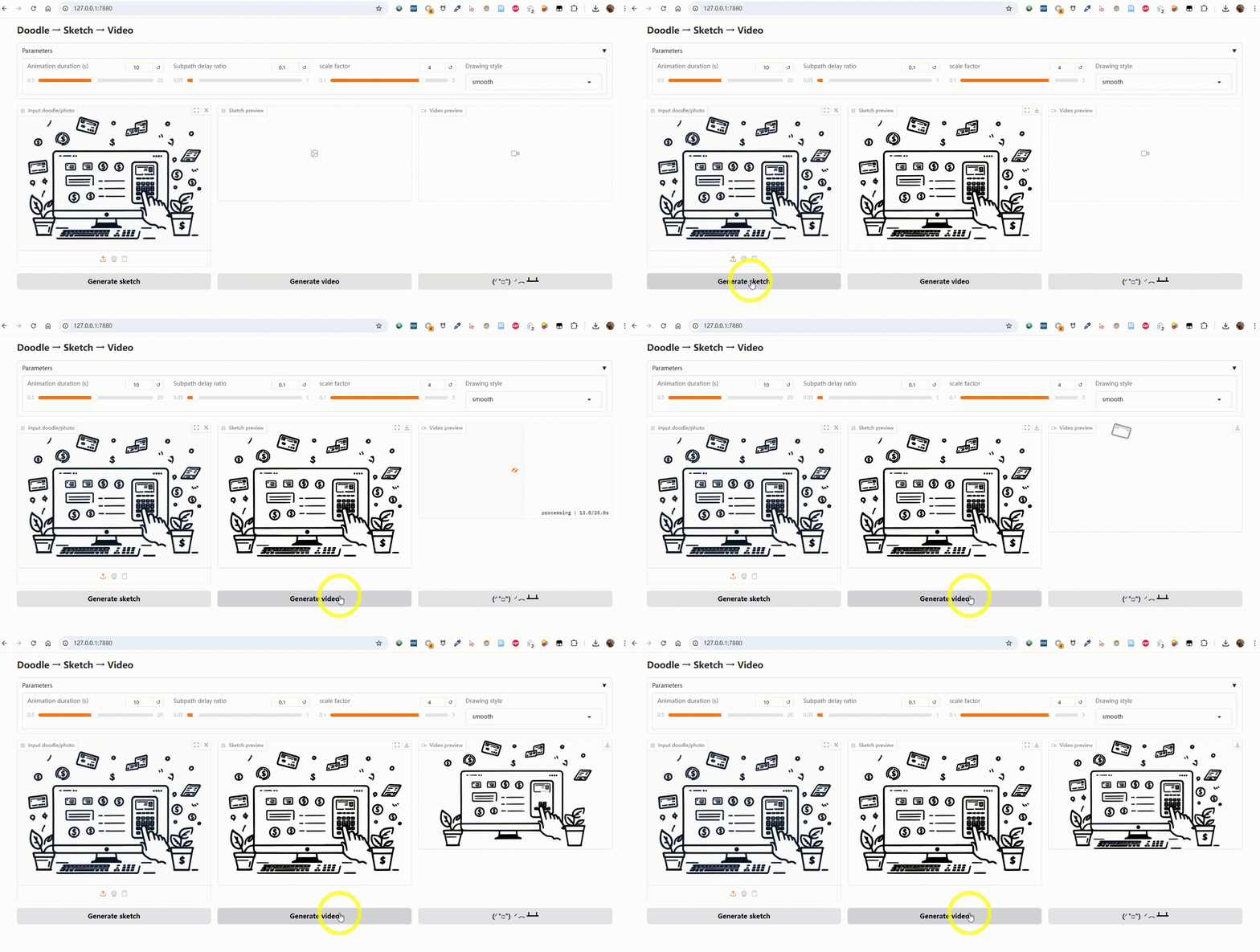
 Sketch2Motion converts a photo, doodle, or sketch into an animated drawing-style MP4 video, as if someone were drawing it by hand.
Sketch2Motion converts a photo, doodle, or sketch into an animated drawing-style MP4 video, as if someone were drawing it by hand.Is this a library I import or a standalone app?It is a standalone tool with a Gradio web interface you run locally; it is not meant to be imported as a library.
It is a standalone tool with a Gradio web interface you run locally; it is not meant to be imported as a library.How do I get it running?Clone the repo, install Python dependencies, then launch the Gradio app and open it in your browser.
Clone the repo, install Python dependencies, then launch the Gradio app and open it in your browser.What do I need installed besides Python?You need Python 3.9+, plus Gradio and Manim as Python packages, and ffmpeg and Potrace available in your system PATH for rendering and tracing.
You need Python 3.9+, plus Gradio and Manim as Python packages, and ffmpeg and Potrace available in your system PATH for rendering and tracing.Any install pitfalls to watch for?ffmpeg and Potrace must be separately installed and added to PATH (not pulled in automatically via pip), which is a common source of setup failures on Windows.
ffmpeg and Potrace must be separately installed and added to PATH (not pulled in automatically via pip), which is a common source of setup failures on Windows.Who would use this?Artists, hobbyists, or content creators who want to turn a static drawing or photo into a shareable 'being drawn' animation without manual vector animation work.
Artists, hobbyists, or content creators who want to turn a static drawing or photo into a shareable 'being drawn' animation without manual vector animation work.Does it work on Windows, macOS, and Linux?Yes, the README gives install instructions for ffmpeg and Potrace on Windows, macOS, and Linux.
Yes, the README gives install instructions for ffmpeg and Potrace on Windows, macOS, and Linux.Can I keep the original colors in the animation?Yes, there is an optional color-preserving pipeline that quantizes the image into up to 16 colors, traces each color layer with Potrace separately, and renders a colored drawing animation.
Yes, there is an optional color-preserving pipeline that quantizes the image into up to 16 colors, traces each color layer with Potrace separately, and renders a colored drawing animation.What animation styles and formats can I choose?You can adjust duration, subpath delay ratio, zoom scale, and pick a drawing style (linear, smooth, thereandback, wiggle), and render in landscape 16:9 or portrait 9:16.
You can adjust duration, subpath delay ratio, zoom scale, and pick a drawing style (linear, smooth, thereandback, wiggle), and render in landscape 16:9 or portrait 9:16.What is the point of prepending the last frame?The tool automatically adds the final drawn frame at the start of the video, creating a brief pause that gives the animation a more polished intro.
The tool automatically adds the final drawn frame at the start of the video, creating a brief pause that gives the animation a more polished intro.What does the output actually look like technically?Images are traced into SVG vector graphics (with embedded background color) and then rendered into an MP4 using Manim's animation engine.
Images are traced into SVG vector graphics (with embedded background color) and then rendered into an MP4 using Manim's animation engine.What are similar projects?WanGP, magic-animate, goku-image-to-svg-tool, storycast, IOPaint, reelmimic, 3dicon, onetake
WanGP, magic-animate, goku-image-to-svg-tool, storycast, IOPaint, reelmimic, 3dicon, onetakeWhich topics is it in?image-to-video, gradio, image-editing, image, webui, svg, ffmpeg, video-generation, i18n, image-processing, video, animation
image-to-video, gradio, image-editing, image, webui, svg, ffmpeg, video-generation, i18n, image-processing, video, animation