Before I go to bed, I tell my agents:
good night, have fun






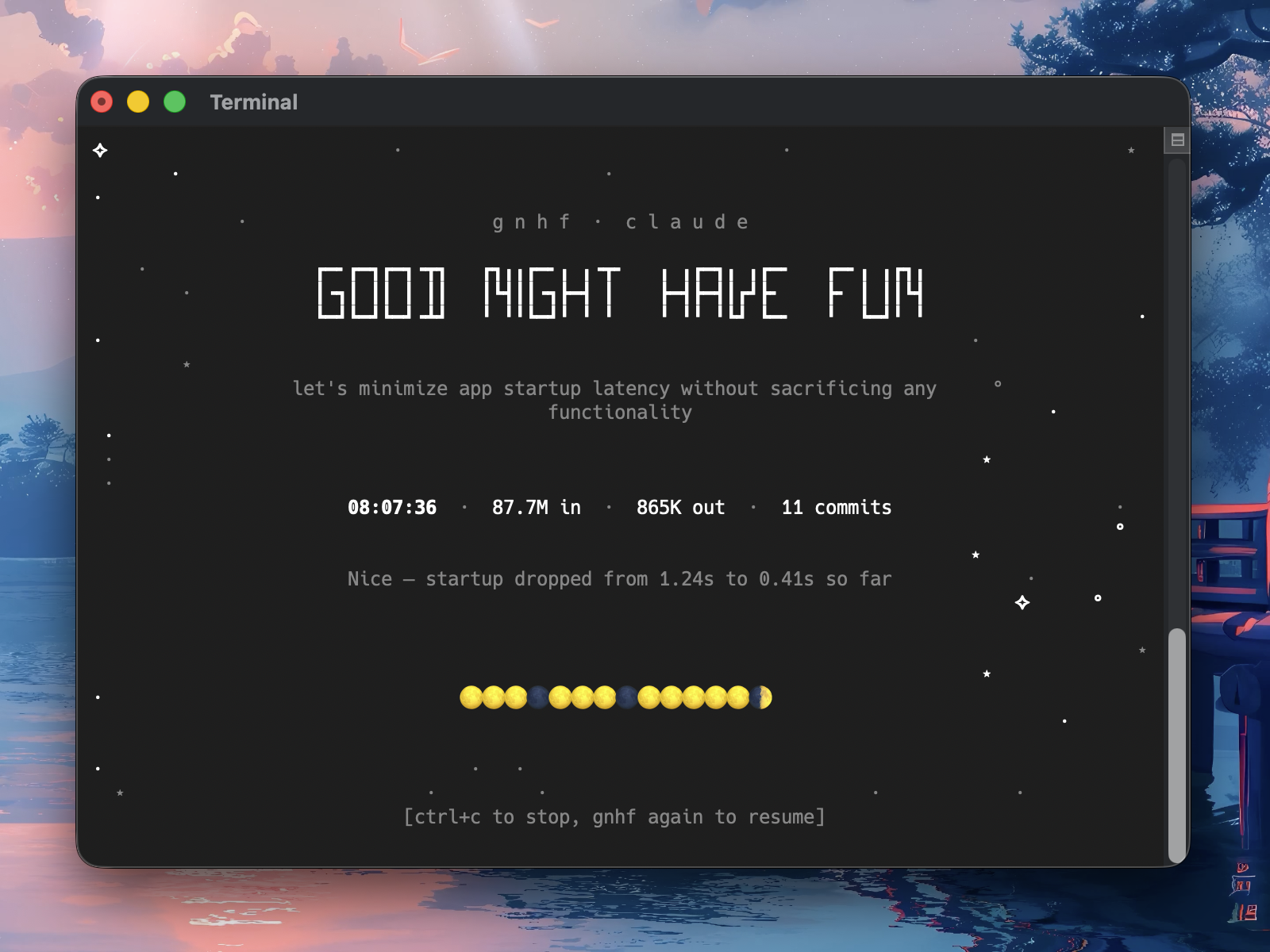
Never wake up empty-handed.
gnhf is a ralph, autoresearch-style orchestrator that keeps your agents running while you sleep - each iteration makes one small, committed, documented change towards an objective.
You wake up to a branch full of clean work and a log of everything that happened.
- Dead simple - one command starts an autonomous loop that runs until you request stop or a configured runtime cap is reached
- Long running - each iteration is committed on success and rolled back on failure, with sensible retries; How It Works has the full failure-handling rules
- Live terminal title - interactive runs keep your terminal title updated with live status, token totals, and commit count, then clear or restore it on exit depending on terminal support; token totals prefixed with
~ are estimates
- Exit summary - every run ends with a permanent summary covering elapsed time, branch, iterations, tokens, branch diff stats, local notes/log paths, and review commands
- Agent-agnostic - works with the popular coding agent CLIs plus any ACP target out of the box; see Agents for the roster
Quick Start
$ gnhf "reduce complexity of the codebase without changing functionality"
# have a good sleep
$ gnhf "reduce complexity of the codebase without changing functionality" \
    --max-iterations 10 \
    --max-tokens 5000000
# have a good nap
# Run multiple agents on the same repo simultaneously using worktrees
$ gnhf --worktree "implement feature X" &
$ gnhf --worktree "add tests for module Y" &
$ gnhf --worktree "refactor the API layer" &
# Commit directly on the current branch and push after each successful iteration
$ gnhf --current-branch --push "keep improving this app"
Run gnhf from inside a Git repository with a clean working tree. If you are starting from a plain directory, run git init first.
gnhf supports macOS, Linux, and Windows.
Install
npm
npm install -g gnhf
From source
git clone https://github.com/kunchenguid/gnhf.git
cd gnhf
corepack enable
pnpm install
pnpm run build
pnpm link --global
Agent Skill
The npm package includes an agent-facing skill at skills/gnhf/SKILL.md. Agents that support local skills can copy or reference this file to learn how to run GNHF in Hands-Off mode for bounded overnight work, or Companion mode when the outer agent should steer and review a long-running GNHF run.
After installing from npm, the skill is available under the installed package directory. From a source checkout, use skills/gnhf/SKILL.md directly.
How It Works
                    ┌─────────────┐
                    │  gnhf start │
                    └──────┬──────┘
                           ▼
                ┌──────────────────────┐
                │  validate clean git  │
                │  create or use branch │
                │  write prompt.md     │
                └──────────┬───────────┘
                           ▼
              ┌────────────────────────────┐
              │  build iteration prompt    │◄──────────────┐
              │  (inject notes.md context) │               │
              └────────────┬───────────────┘               │
                           ▼                               │
              ┌────────────────────────────┐               │
              │  invoke your agent         │               │
              │  (non-interactive mode)    │               │
              └────────────┬───────────────┘               │
                           ▼                               │
                    ┌─────────────┐                        │
                    │  success?   │                        │
                    └──┬──────┬───┘                        │
                  yes  │      │  no                        │
                       ▼      ▼                            │
              ┌──────────┐  ┌───────────┐                  │
              │  commit  │  │ reset or  │                  │
              │  append  │  │  repair   │                  │
              │ notes.md │  │           │                  │
              │maybe wait│  │ maybe wait│                  │
              └────┬─────┘  └─────┬─────┘                  │
                   │              │                        │
                   │   ┌──────────┘                        │
                   ▼   ▼                                   │
              ┌────────────┐    yes   ┌──────────┐         │
              │ 3 consec.  ├─────────►│  abort   │         │
              │ failures   │          └────▲─────┘         │
              │ or perm.   ├───────────────┘               │
              │ error?     │                               │
              └─────┬──────┘                               │
                 no │                                      │
                    └──────────────────────────────────────┘
- Incremental commits - each successful iteration is a separate unsigned git commit, so you can cherry-pick or revert individual changes without GPG or SSH signing prompts blocking the run; if
git commit fails, gnhf preserves the uncommitted work and asks the next agent iteration to repair it
- Failure handling - failed iterations are rolled back with
git reset --hard except commit failures, which preserve uncommitted work for repair; agent-reported failures proceed to the next iteration immediately, retryable hard agent errors use exponential backoff, and permanent agent errors such as Claude low credit balance abort immediately and print the run log path. Complete no-op iterations are reported as failures and count toward the consecutive-failure abort limit. If the run exits with a pending commit failure, the exit summary warns that uncommitted changes were left for repair.
- Usage-limit waits - gnhf waits out an exhausted usage window (e.g. the subscription 5-hour window) instead of running through it, in both forms it takes. When Claude rejects requests, the iteration is rolled back but not counted as a failure; gnhf reads the reset time from the agent's rate-limit event, waits until shortly after the window resets, then retries the same iteration automatically, so overnight runs resume on their own. Pass
--fallback-model <model> with --agent claude to retry the first rejected iteration on that model instead; without the flag, gnhf never changes models. If no reset time is reported for a rejection, it retries on a bounded escalating interval instead. When usage credits are enabled the provider serves the request and bills the overage rather than rejecting it. A billed iteration that succeeded keeps its committed work and is counted normally; one that failed is rolled back and counted as a failure like any other. Either way gnhf then waits for the reset before starting the next iteration, so the run stops spending credits without throwing away finished work. If the reported reset time has already passed, the included window is back and the run simply continues - if the provider is still billing, the next iteration reports it again with a fresh reset time. If no reset time comes with it at all, or one so far out that gnhf cannot sleep through it in a single wait, gnhf aborts the run rather than keep buying iterations by probing. Use --max-rate-limit-wait to set a total wait leash for the run; if the next wait would exceed it, gnhf aborts cleanly. Ctrl+C during the wait works as usual.
- Runtime caps -
--max-iterations stops before the next iteration begins, --max-tokens can abort mid-iteration once reported usage reaches the cap across input, output, cache-read, and cache-write tokens, and --stop-when ends the loop after an iteration whose agent output reports the natural-language condition is met unless a commit failure needs repair first; resumed runs reuse the saved stop condition unless you pass a new value, or --stop-when "" to clear it; pending commit-failure repair work is preserved and other uncommitted work is rolled back, and in the interactive TUI the final state remains visible until you press Ctrl+C to exit
- Iteration finalization - agents are expected to finish validation, stop any background processes they started, and only then emit the final JSON result for the iteration
- Graceful interrupts - in the interactive TUI, the first Ctrl+C requests a graceful stop and lets the current iteration finish (or ends backoff early), the second Ctrl+C force-stops immediately, and
SIGTERM also force-stops immediately
- Exit summary - after shutdown cleanup, gnhf prints a permanent stdout summary with the final branch, elapsed time, iteration and token totals, branch diff stats, notes/debug-log paths, and review commands
- Shared memory - the agent reads
notes.md (built up from prior iterations) to communicate across iterations
- Local run metadata - gnhf stores prompt, notes, stop conditions, commit-message convention metadata, and a final
end-state.json sidecar with the exit status, stop condition, agent error, and counters under .gnhf/runs/, and ignores it locally, so your branch only contains intentional work
- Resume support - run
gnhf while on an existing gnhf/ branch to pick up where a previous run left off; if you provide a different prompt, gnhf asks whether to update the saved prompt and continue with the existing history, start a new branch, or quit. New runs whose generated branch already exists use a numeric suffix such as gnhf/<slug>-1.
Live Branch Mode
Pass --current-branch to run on the branch you are already on instead of creating a gnhf/ branch.
Pass --push to push the current branch after each successful iteration.
Together, --current-branch --push is useful for loose projects where you want a deployed or locally watched branch to update throughout the run.
- Re-running the same prompt with
--current-branch resumes the existing .gnhf/runs/<runId>/ history on a clean working tree and continues iteration numbering.
- Push failures abort the run after preserving the successful local commit.
- gnhf never force-pushes or auto-pulls for this mode.
--push also works with the default gnhf/ branch mode and sets origin as the upstream when needed.- Do not combine
--current-branch with --worktree; gnhf exits with an error because those modes choose different working directories.
Worktree Mode
Pass --worktree to run each agent in an isolated git worktree. This lets you launch multiple agents on the same repo simultaneously - each gets its own working directory and branch without interfering with the others or your main checkout.
<repo>/                              ← your repo (unchanged)
<repo>-gnhf-worktrees/
  ├── <run-slug-1>/                  ← worktree for agent 1
  └── <run-slug-2>/                  ← worktree for agent 2
- Worktrees with commits are preserved after the run so you can review, merge, or cherry-pick the work. gnhf prints the path and cleanup command.
- Re-running the same prompt with
--worktree resumes a preserved matching worktree when possible; otherwise gnhf creates a suffixed worktree such as <run-slug>-1 if the original name is unavailable.
- Worktrees with no commits are automatically removed on exit unless a pending commit failure left uncommitted work to inspect or repair.
- Known limitation: on Linux, when sleep prevention re-execs gnhf under
systemd-inhibit, a worktree with no commits is left in place instead of being removed; remove it manually with git worktree remove. Tracked as gnhf-reexec-worktree-leak-l1.
--worktree must be run from a non-gnhf branch (typically main).
CLI Reference
| Command |
Description |
gnhf "<prompt>" |
Start a new run with the given objective |
gnhf |
Resume a run (when on an existing gnhf/ branch) |
echo "<prompt>" | gnhf |
Pipe prompt via stdin |
cat prd.md | gnhf |
Pipe a large spec or PRD via stdin |
If you run gnhf on an existing gnhf/ branch with a different prompt, gnhf asks whether to update prompt.md and continue the existing run history, start a new branch, or quit. When the prompt came from stdin, that confirmation is read from the controlling terminal, so it must be available.
Flags
| Flag |
Description |
Default |
--agent <agent> |
Agent to use: a native agent name or acp:<target-or-command>; see Agents |
config file (claude) |
--model <model> |
Model for the agent; overrides agentModel.<agent> from the config file |
config file |
--max-iterations <n> |
Abort after n total iterations |
unlimited |
--max-tokens <n> |
Abort after n total input+output+cache tokens |
unlimited |
--max-rate-limit-wait <duration> |
Abort after this much total Claude usage-limit wait (30m, 2h, or 0) |
24h safety cap |
--stop-when <cond> |
End when the agent reports this condition, after any commit-failure repair; persists across resume |
unlimited |
--prevent-sleep <mode> |
Prevent system sleep during the run (on/off or true/false) |
config file (on) |
--worktree |
Run in a separate git worktree (enables multiple agents concurrently) |
false |
--current-branch |
Run on the current branch instead of creating a gnhf/ branch |
false |
--push |
Push the current branch after each successful iteration |
false |
--meteor-frequency <n> |
Set TUI meteor frequency from 0 to 5 (0 disables meteors) |
3 |
--version |
Show version |
|
Configuration
Config lives at ~/.gnhf/config.yml.
If the file does not exist yet, gnhf creates it on first run with its defaults.
A supplied --agent is written as the default agent.
With the default configuration, it has this exact content:
# Agent to use by default: native agent name or acp:<target-or-command>
agent: claude

# Custom paths to native agent binaries (optional)
# Paths may be absolute, bare executable names on PATH,
# ~-prefixed, or relative to this config directory.
# Note: rovodev overrides must point to an acli-compatible binary.
# agentPathOverride:
#   claude: /path/to/custom-claude
#   codex: /path/to/custom-codex
#   copilot: /path/to/custom-copilot
#   pi: /path/to/custom-pi
#   cursor: /path/to/custom-cursor-agent

# Native agent CLI arg overrides (optional)
# ACP targets do not support path or arg overrides.
# agentArgsOverride:
#   codex:
#     - -m
#     - gpt-5.4
#     - -c
#     - model_reasoning_effort="high"
#     - --full-auto
#   copilot:
#     - --model
#     - gpt-5.4
#   pi:
#     - --provider
#     - openai-codex
#     - --model
#     - gpt-5.5
#     - --thinking
#     - high
#   cursor:
#     - --model
#     - composer-2.5

# Models for supported native agents (optional)
# Values are forwarded to the CLI except opencode, which receives
# its model in the request body.
# agentModel:
#   claude: sonnet
#   codex: gpt-5.4
#   opencode: fireworks-ai/accounts/fireworks/models/qwen3p6-plus

# Custom ACP target commands (optional)
# Maps acp:<target> names to spawn commands. Useful for naming a
# local or beta build of an ACP agent.
# acpRegistryOverrides:
#   my-fork: "/usr/local/bin/my-claude-code-fork --acp"
#   staging: "node /opt/staging/agent.mjs"

# Commit message convention (optional)
# Defaults to: gnhf <iteration>: <summary>
# Use Conventional Commits semantic-release headers:
# commitMessage:
#   preset: conventional

# Abort after this many consecutive failures
maxConsecutiveFailures: 3

# Prevent the machine from sleeping during a run
preventSleep: true
CLI flags override config file values. --prevent-sleep accepts on/off as well as true/false; the config file always uses a boolean.
The iteration, token, and rate-limit-wait caps are runtime-only flags and are not persisted in config.yml; --stop-when is persisted per run for resume, but not in config.
`

 gnhf 是一个面向 AI 编程代理的通宵编排工具:睡前给它一个目标,它就会自主循环运行,每一轮迭代都朝目标做出一个小的、已提交、有记录的改动。早上醒来,你会得到一个干净的工作分支和一份记录了全部过程的日志。