
















-0078D4?style=for-the-badge&logo=windows&logoColor=white)


-FCC624?style=for-the-badge&logo=linux&logoColor=black)
88.7K ·GitHub
What is this?
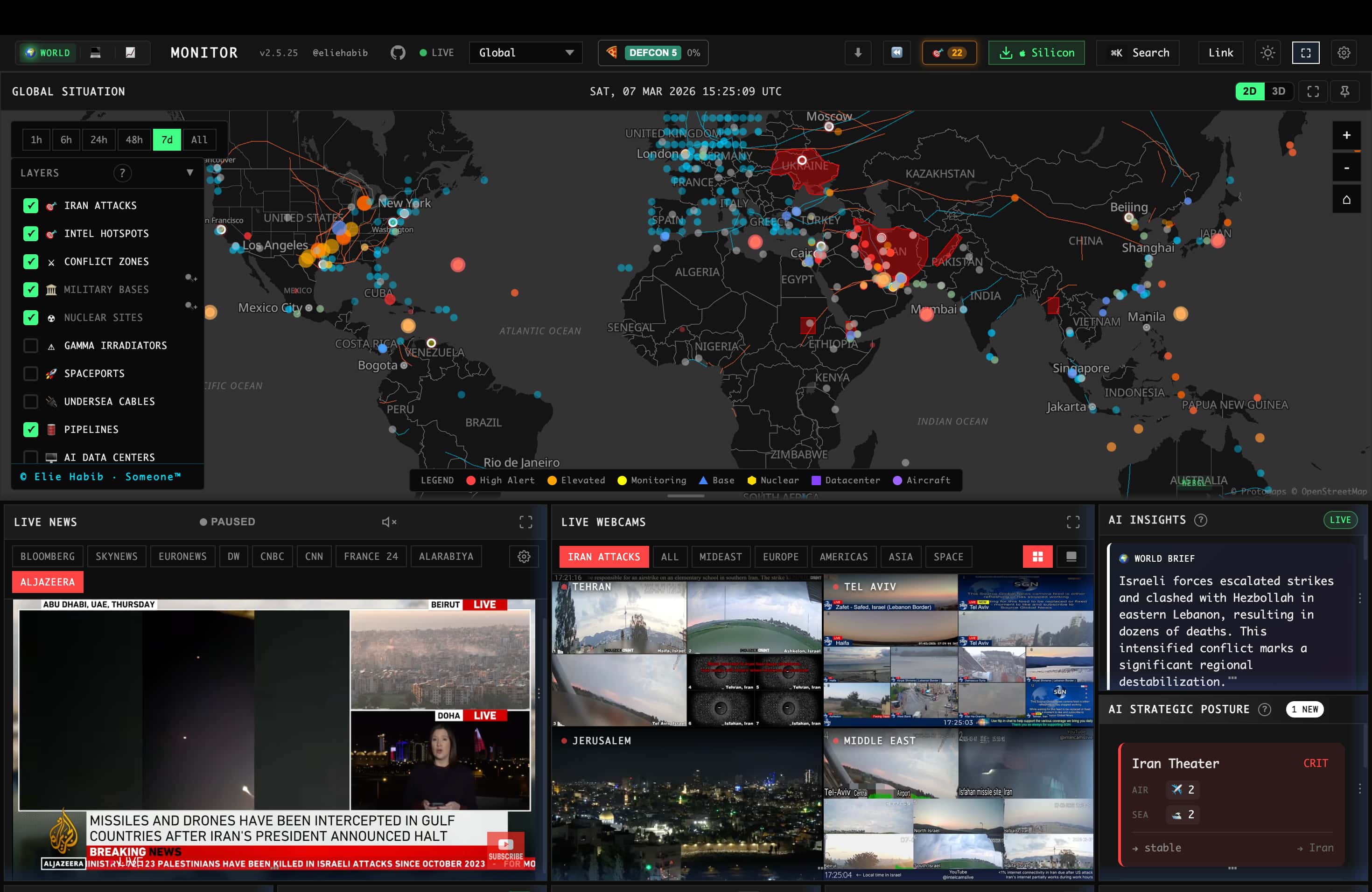
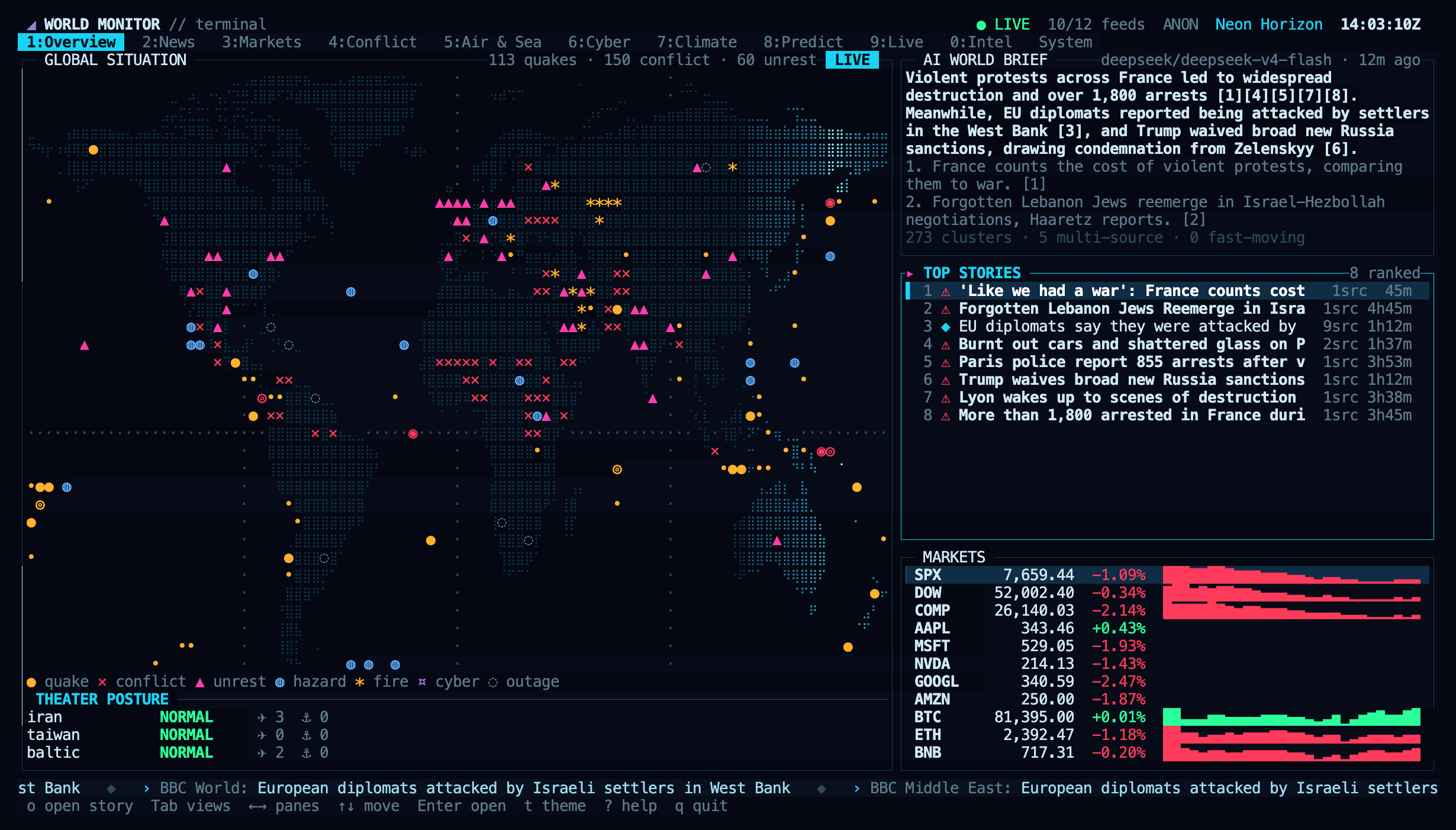
 World Monitor is a real-time global intelligence dashboard that aggregates and AI-synthesizes news, geopolitical signals, and infrastructure data into one situational-awareness interface.
World Monitor is a real-time global intelligence dashboard that aggregates and AI-synthesizes news, geopolitical signals, and infrastructure data into one situational-awareness interface.Is this a web dashboard or a desktop app?Both — it runs as a web dashboard with multiple site variants (world, tech, finance, commodity, happy, energy) and also ships as a native desktop app built with Tauri 2 for macOS, Windows, and Linux.
Both — it runs as a web dashboard with multiple site variants (world, tech, finance, commodity, happy, energy) and also ships as a native desktop app built with Tauri 2 for macOS, Windows, and Linux.How do I get it running?Clone the repo, start the dev server, and open localhost:3000 (port overridable via DEVPORT); the app works right away with no environment variables, though some feature-specific data sources need extra credentials from .env.example.
Clone the repo, start the dev server, and open localhost:3000 (port overridable via DEVPORT); the app works right away with no environment variables, though some feature-specific data sources need extra credentials from .env.example.Do I need an API key to use it?No — World Monitor can run entirely on a local Ollama model with no API keys, though it also supports plugging in Groq or OpenRouter for AI features.
No — World Monitor can run entirely on a local Ollama model with no API keys, though it also supports plugging in Groq or OpenRouter for AI features.Is this just for browsing, or can developers and agents use it too?It's built for both: besides the web/desktop UI there's an MCP server, a REST API with an OpenAPI spec, an official CLI, and zero-dependency SDKs for Python, Ruby, and Go for scripts and AI agents.
It's built for both: besides the web/desktop UI there's an MCP server, a REST API with an OpenAPI spec, an official CLI, and zero-dependency SDKs for Python, Ruby, and Go for scripts and AI agents.Which platforms does the desktop app support?One Tauri binary covers Windows, macOS (Apple Silicon and Intel), and Linux (AppImage), and you switch between site variants in-app rather than downloading separate builds.
One Tauri binary covers Windows, macOS (Apple Silicon and Intel), and Linux (AppImage), and you switch between site variants in-app rather than downloading separate builds.What's the catch with the AGPL license?The code is AGPL-3.0-only, so self-hosting, forking, and even commercial/SaaS use are allowed only if you comply with its copyleft and source-sharing obligations; private proprietary use or official branding needs a separate commercial license.
The code is AGPL-3.0-only, so self-hosting, forking, and even commercial/SaaS use are allowed only if you comply with its copyleft and source-sharing obligations; private proprietary use or official branding needs a separate commercial license.What is the Country Instability Index (CII)?CII is World Monitor's own scoring system with live instability scores, risk bands, and roughly 24-hour movement tracked for 31 Tier-1 countries.
CII is World Monitor's own scoring system with live instability scores, risk bands, and roughly 24-hour movement tracked for 31 Tier-1 countries.How does the map rendering work?It uses a dual map engine — a 3D globe (globe.gl + Three.js) and a WebGL flat map (deck.gl + MapLibre GL) — sharing the same map-layer catalog.
It uses a dual map engine — a 3D globe (globe.gl + Three.js) and a WebGL flat map (deck.gl + MapLibre GL) — sharing the same map-layer catalog.Where does flight-tracking data come from?Flight data is supplied by Wingbits, described in the project as an advanced ADS-B flight data solution.
Flight data is supplied by Wingbits, described in the project as an advanced ADS-B flight data solution.Can I switch between the finance, tech, and other variants without reinstalling?Yes — all site variants and the desktop app are built from one codebase and one Tauri binary, so you switch variants (tech, finance, commodity, energy, happy) directly in-app.
Yes — all site variants and the desktop app are built from one codebase and one Tauri binary, so you switch variants (tech, finance, commodity, energy, happy) directly in-app.What are similar projects?Crucix, wigolo, executor, QuantDinger, turnstone, 3d-asset-server, evenfire, open-webui
Crucix, wigolo, executor, QuantDinger, turnstone, 3d-asset-server, evenfire, open-webuiWhich topics is it in?news-aggregator, news, opensource, openapi, osint, webgl, tauri, finance, local-llm, model-context-protocol, ollama, sdk
news-aggregator, news, opensource, openapi, osint, webgl, tauri, finance, local-llm, model-context-protocol, ollama, sdk