plMail
Self-hosted mail with a calendar beside it. Connect the mailboxes you already have — IMAP, Gmail,
Outlook — and read them side by side in one inbox, on a server you own.




Installing on Docker, Linux, WSL2, macOS or a NAS · every feature in detail · connecting Gmail and
Outlook, with the exact permissions to tick · how the internals work.
Also on the wiki and in docs/ — all three
are built from the same files.
📱 Apps for your phone
Both connect to your own plMail server.
What it is
A mail client you host yourself. It connects to the mailboxes you already have — IMAP, Gmail,
Outlook — syncs them into your own PostgreSQL database, and gives them one inbox, one search box and
one set of labels in the browser.
It is not a mail server: it doesn't receive mail from the internet or host your domain. Because
everything is synced locally, search runs against your database, and your mail stays readable when a
provider doesn't.
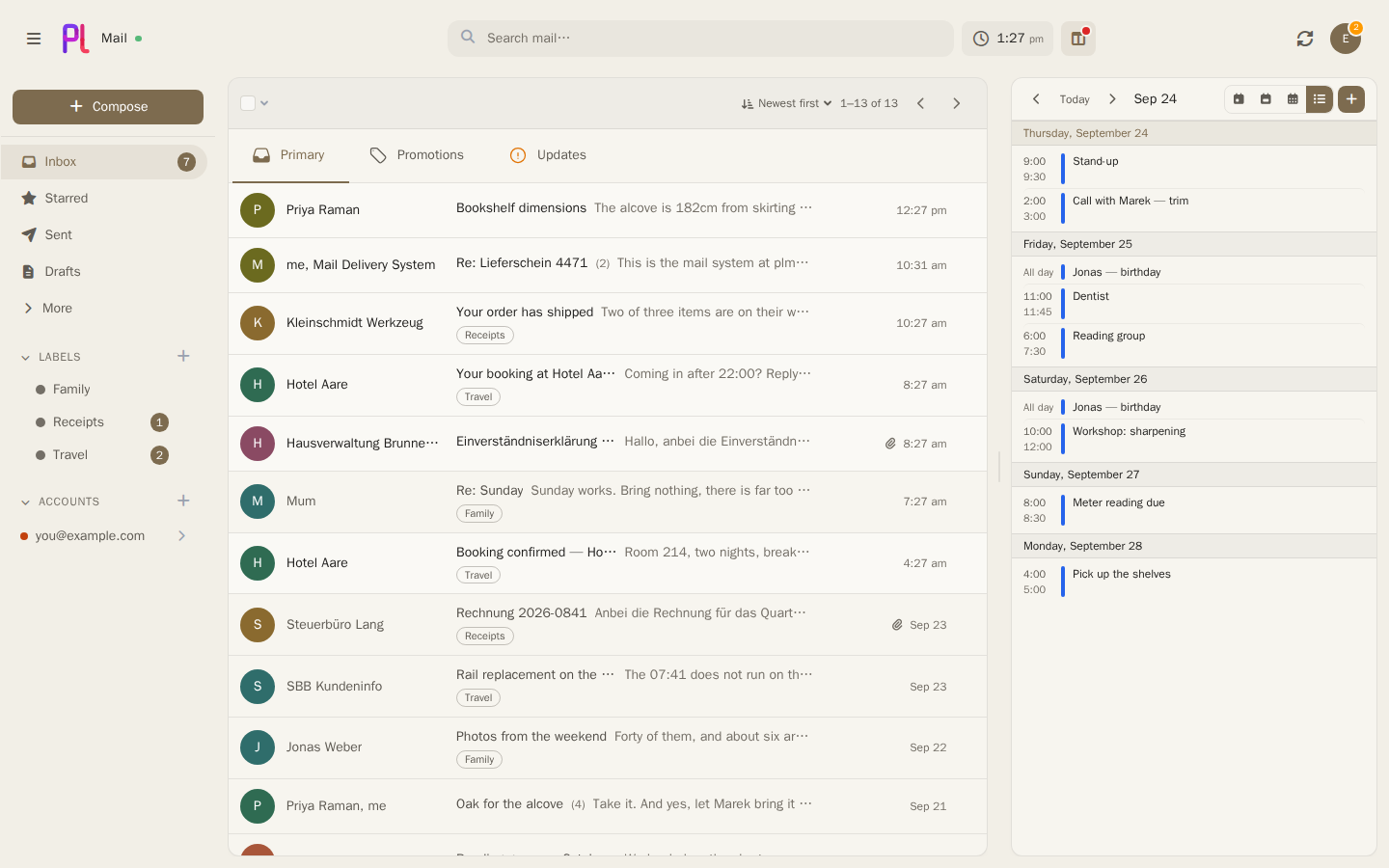
Highlights
- Every account in one place — IMAP, Gmail and Outlook side by side, sending aliases included.
Credentials are encrypted before they touch the database.
- New mail arrives on its own — IMAP IDLE, Gmail and Outlook push, browser notifications.
- Search that means it — full text plus
from:, subject:, label:, has:, before: and
friends, completed as you type. Every hit shows the words it matched on, marked, in a window of
the message around them. What the words found comes first; what the model merely thought looked
similar follows, labelled, and never pushes a real match off the page.
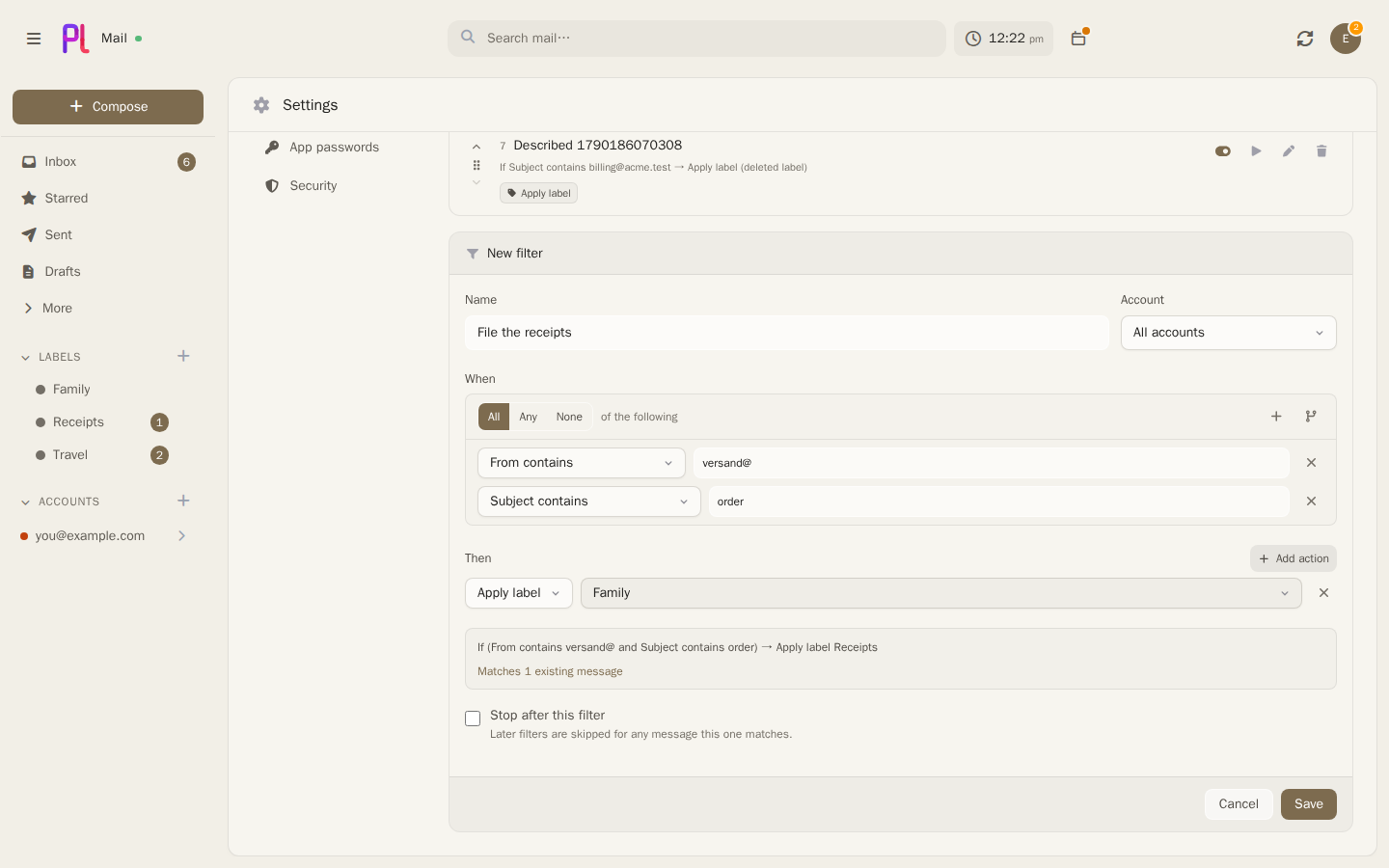
- Filters as a tree — any/all/none, nested, restated in plain English and counted against real
mail before you save. Apply one to mail that arrived before it existed.
- Filed where you drop it — drag a conversation onto a folder, a label or one of the inbox tabs,
several at once if they are ticked. A folder moves it and a label just adds itself, so dropping on
"Receipts" does not take the mail out of your inbox; Starred stars it and Unread — an
optional list of every unread conversation, whatever folder it is in — marks it unread, both where
it lies. Only the targets that will accept it light up, and a tab you choose by hand stays chosen
when the next message in the thread arrives.
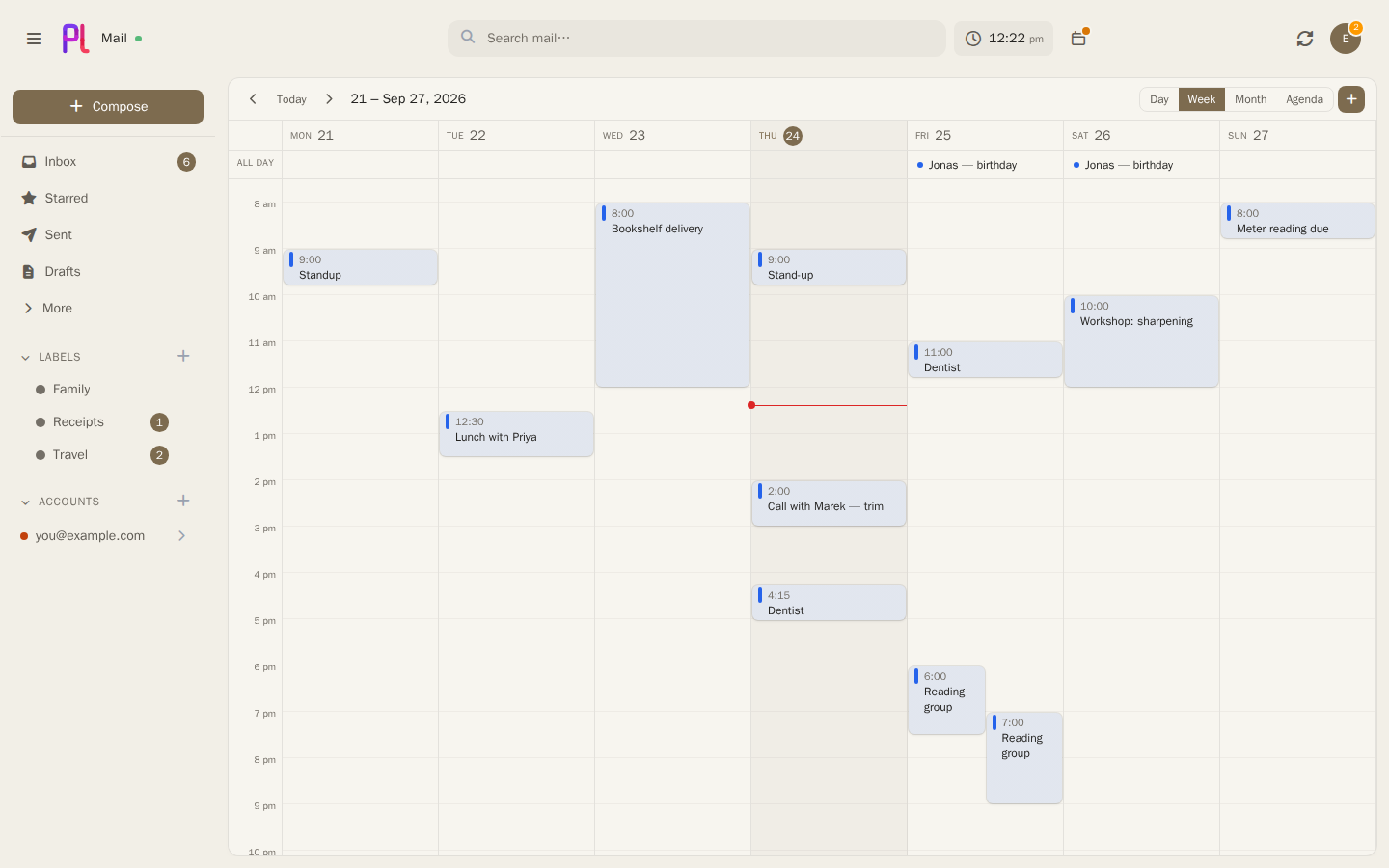
- A calendar beside the mail — two-way sync with Google, Microsoft and CalDAV, a drag-to-move
week grid that pans rather than squeezes on a phone, invitations answered in place and landing in
the calendar as you answer them, share and booking links. The time is always in view — on the Happening Soon button, under the name, or at
the foot of the sidebar with the next thing coming up.
- Files where you keep them — attach from and save to Drive, Photos, OneDrive, Dropbox,
Nextcloud, Immich and Paperless-ngx.
- A language model, if you want one — point plMail at an Ollama box on your own network and it
can search by meaning, draft replies, summarise a thread and sort mail into tabs. A long thread is
summarised from as much of it as fits, and says so; ask for the whole conversation and it runs as a
job with a context window to match. What it has been told about how you write is editable in the
composer, for one attempt at a time. Off by default, each of the four switched on separately, and
nothing ever leaves your network.
- You decide what sorts your mail — header rules that answer the same way every time, or the
model reading each message; and on Gmail, whether either of them is allowed to disagree with
Google. Change your mind and the mailbox re-sorts itself in the background. Every message's
Details panel shows what all three said and which one won, and a Report button tells your
administrator when it got it wrong.
- It tells you when something breaks — a sign-in that has expired, a calendar that stopped
syncing, push that lapsed, work the queue gave up on. Each with what it means for your mail and
the smallest thing that fixes it. A Google sign-in dying every week gets named for what it is —
Google expires tokens for an app still in Testing — and warned about before the next one.
- And when there is something newer — follow releases or the main branch, and the
administrators hear about each new build once: on their devices and at the top of the admin area,
with what changed since the one they run.
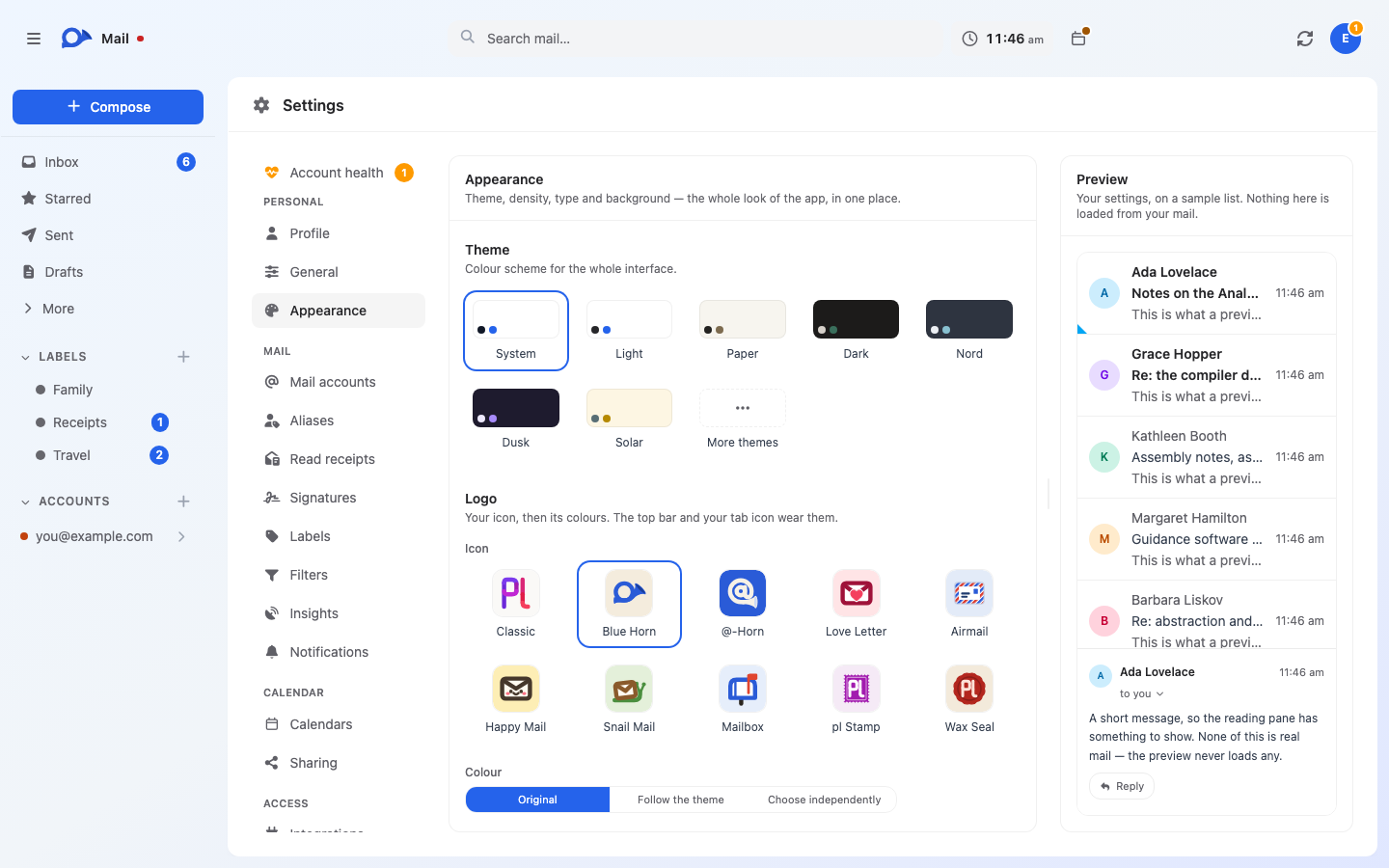
- Yours — two-factor auth, per-app JMAP passwords, 41 themes, ten icons for the tab and the
phone's home screen, English, German and Pirate.
A look around
|
|
 |
 |
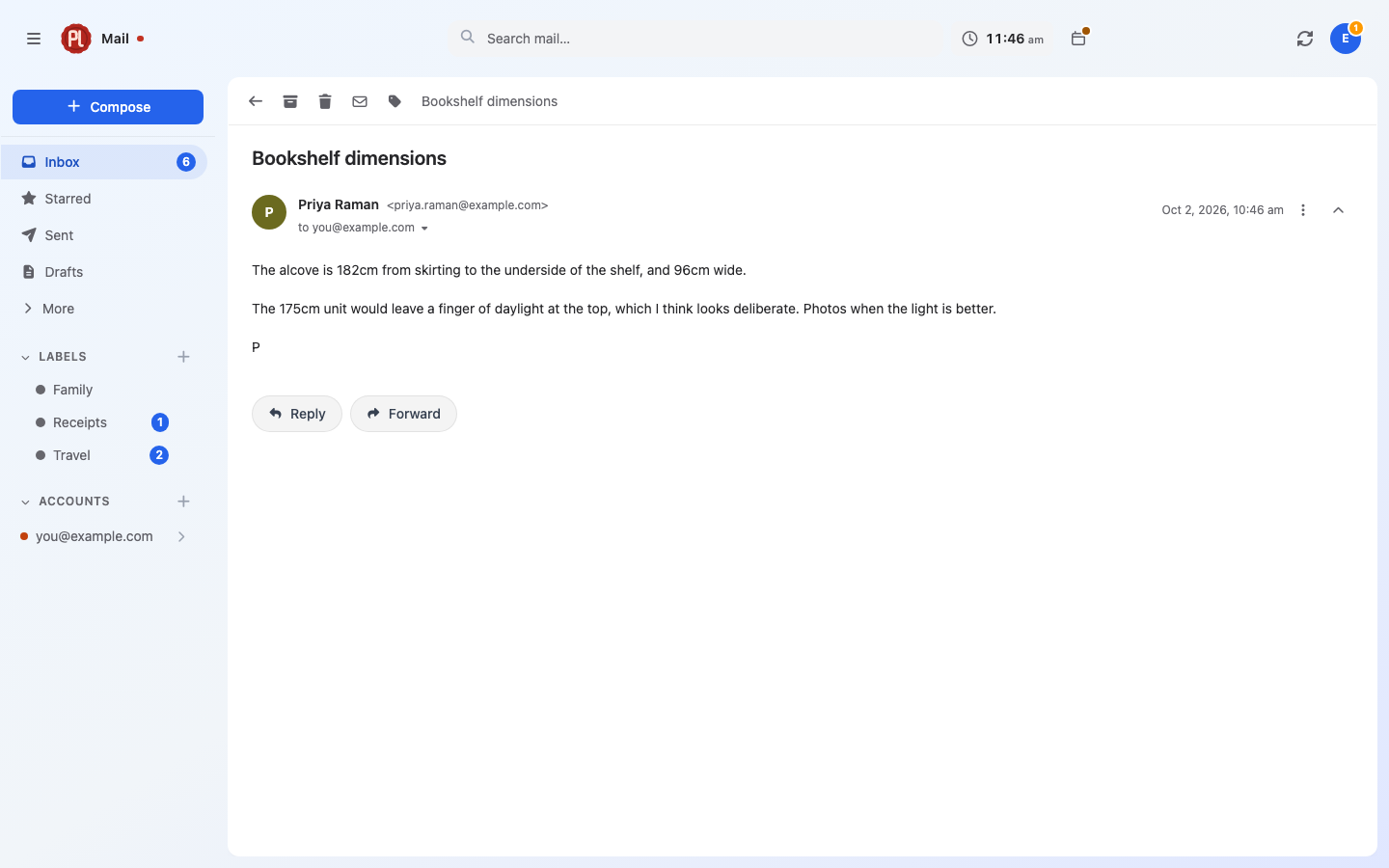
| Threads — replies collapse into one conversation. |
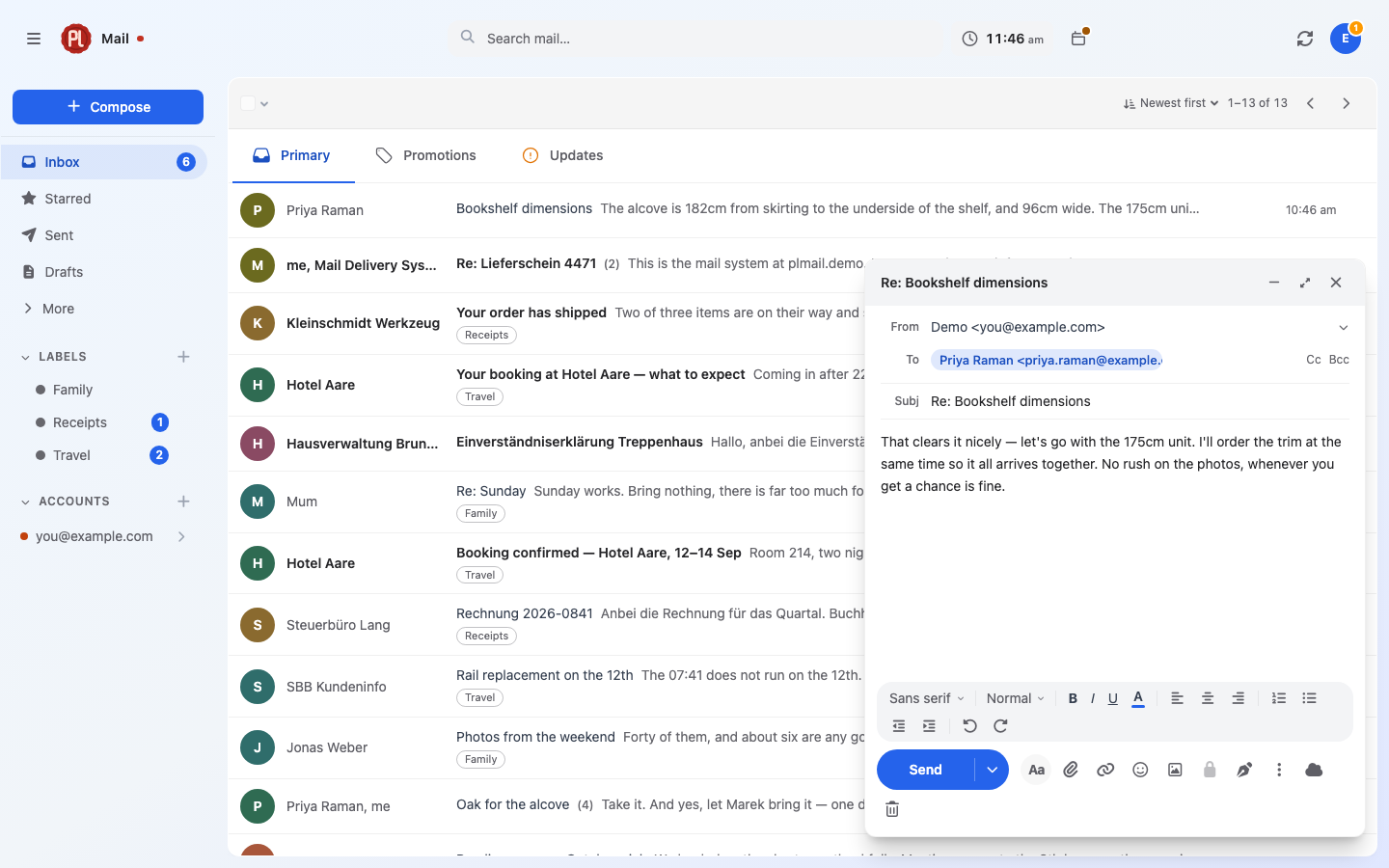
Compose — rich text, autocomplete, undo send. |
 |
 |
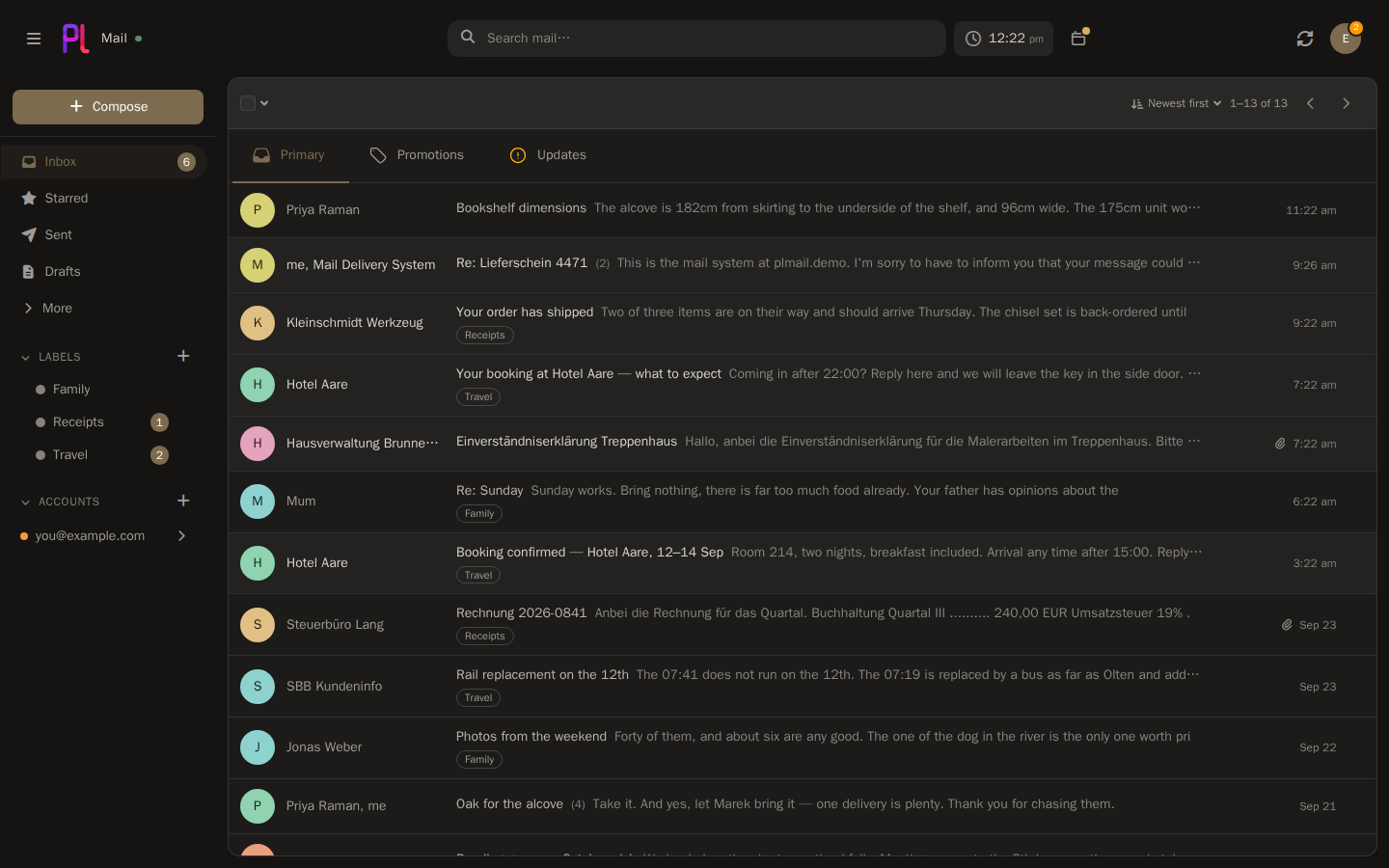
| Themes — 41 of them, light and dark. |
Calendar — docked beside the mail, or its own page. |
 |
 |
| Filters — counted before you save. |
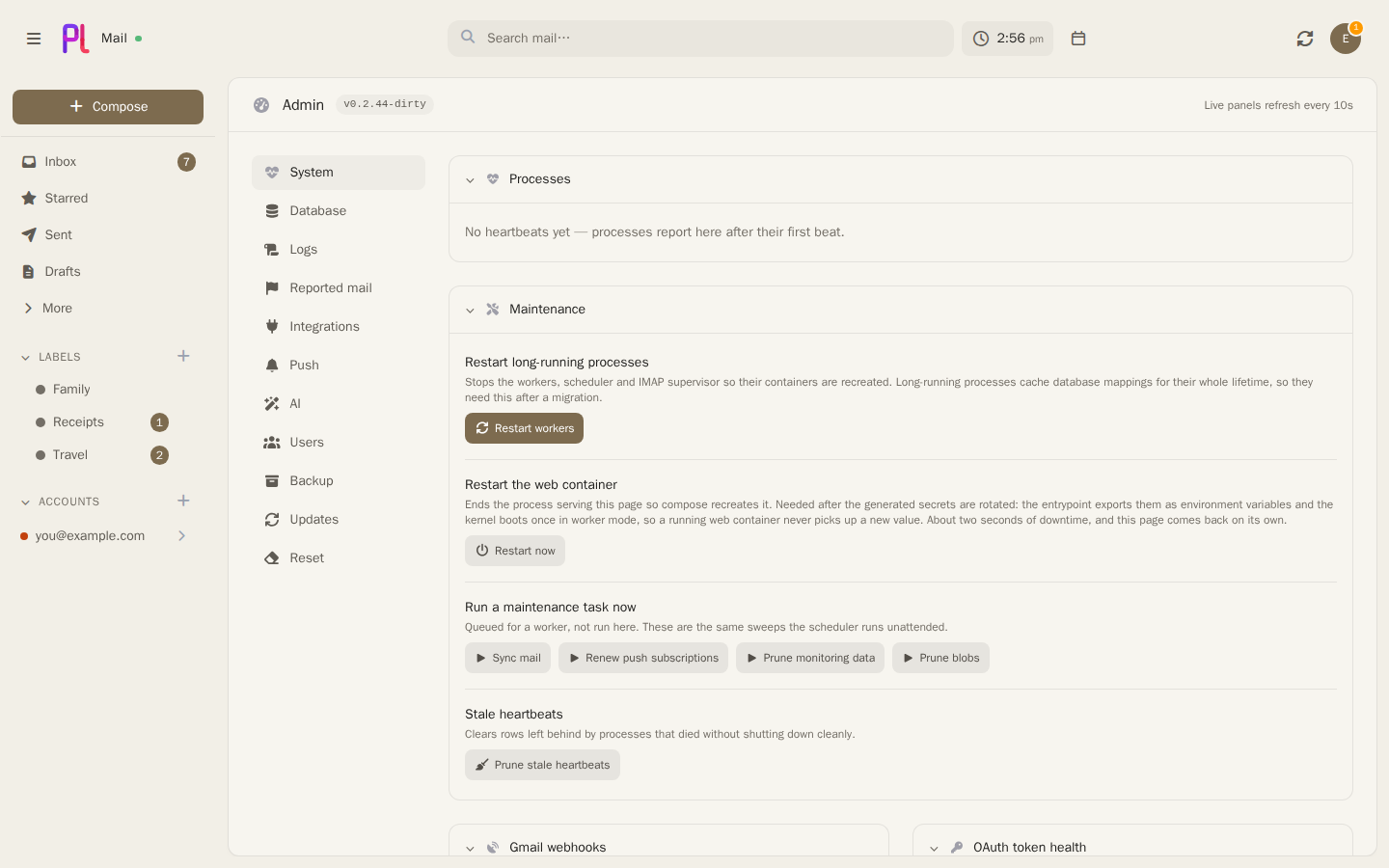
Admin — workers, push health, logs, queue. |
 |
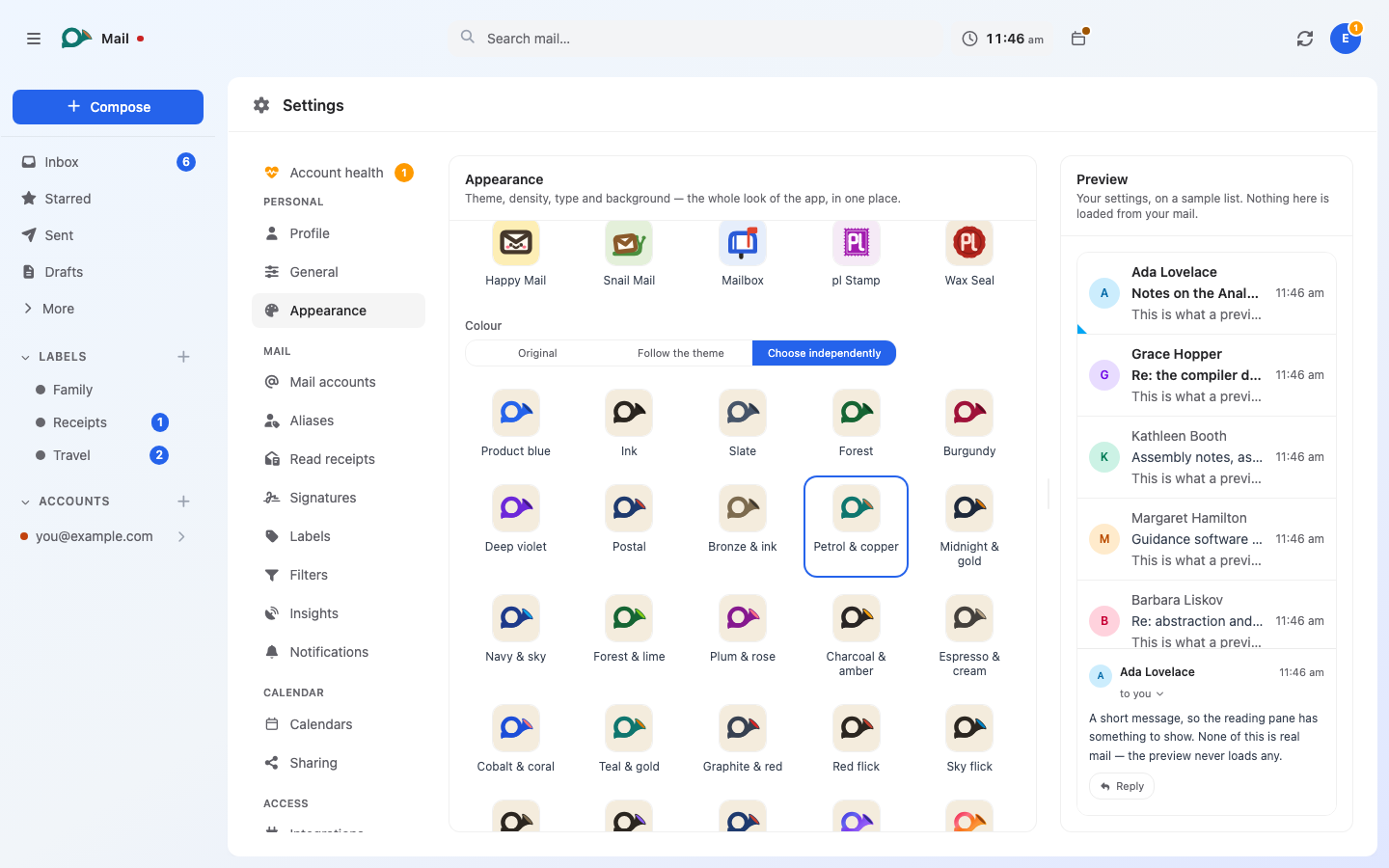 |
| Icons — ten of them, a blue horn among them. |
Colourways — each icon in its own colours, or any of 32. |
Screenshots use demo data — none of the accounts, senders or messages shown are real.
Install
Images are published for linux/amd64 and linux/arm64. Nothing to fill in first: the secrets are
generated on first start, and the public address is asked for on the setup screen.
Docker
git clone https://github.com/karatektus/pl_mail.git
cd pl_mail
docker compose up -d
Open https://localhost and create your account. From another machine, open
https:// and the server's address instead; the browser warns about the self-signed certificate
once and lets you continue.
TrueNAS
plMail is in the TrueNAS app catalogue. Apps → Discover Apps, search for plMail, and
install it. The form asks for one thing, a database password; everything else has a default that
works.
Reach it on port 30519, and put a reverse proxy in front of it if it should be reachable from
outside. Updates arrive through the catalogue like any other app's.
Then
Add an IMAP mailbox in Settings → Mail accounts and you're done. Gmail and Outlook need OAuth
credentials from Google or Microsoft first — the handbook walks through both, including the
optional Pub/Sub topic for instant Gmail delivery.
Back up two things, separately: the PostgreSQL data and var/secrets/generated.env. The
database holds your mail; the key inside that file unlocks the credentials in it. Keeping them
apart is the point — and losing the key means the stored mailbox passwords are gone.
Contributing
Bug reports and pull requests welcome — see CONTRIBUTING.md for the dev setup,
the test suites and the console commands.
License
AGPL-3.0.

 plMail 是一个自托管、Gmail 风格的邮件客户端,连接你已有的 IMAP、Gmail 和 Outlook 邮箱,把它们同步到你自己的 PostgreSQL 数据库,并在浏览器中为你提供统一的收件箱、搜索框和一套标签。