


What is this?
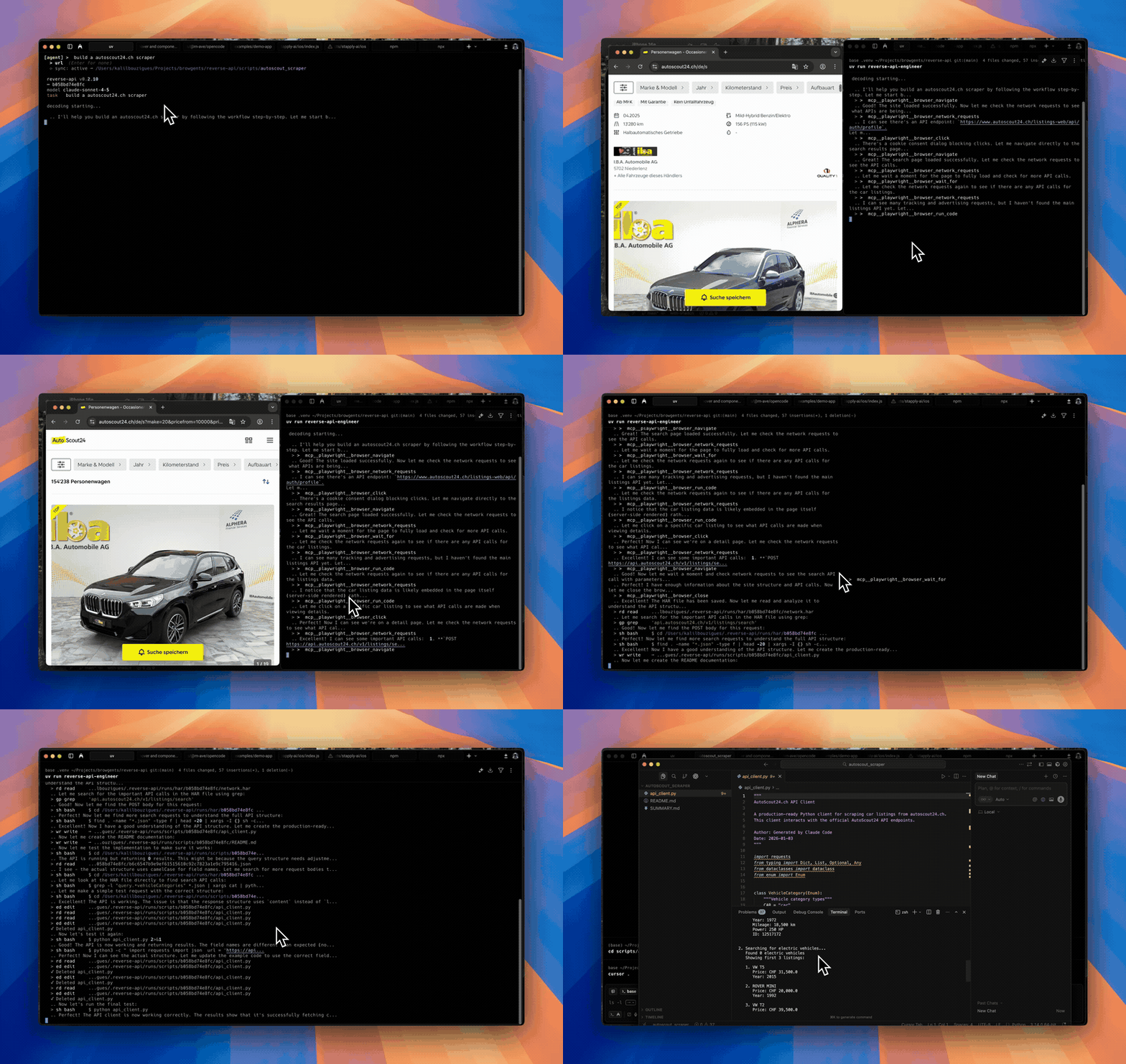
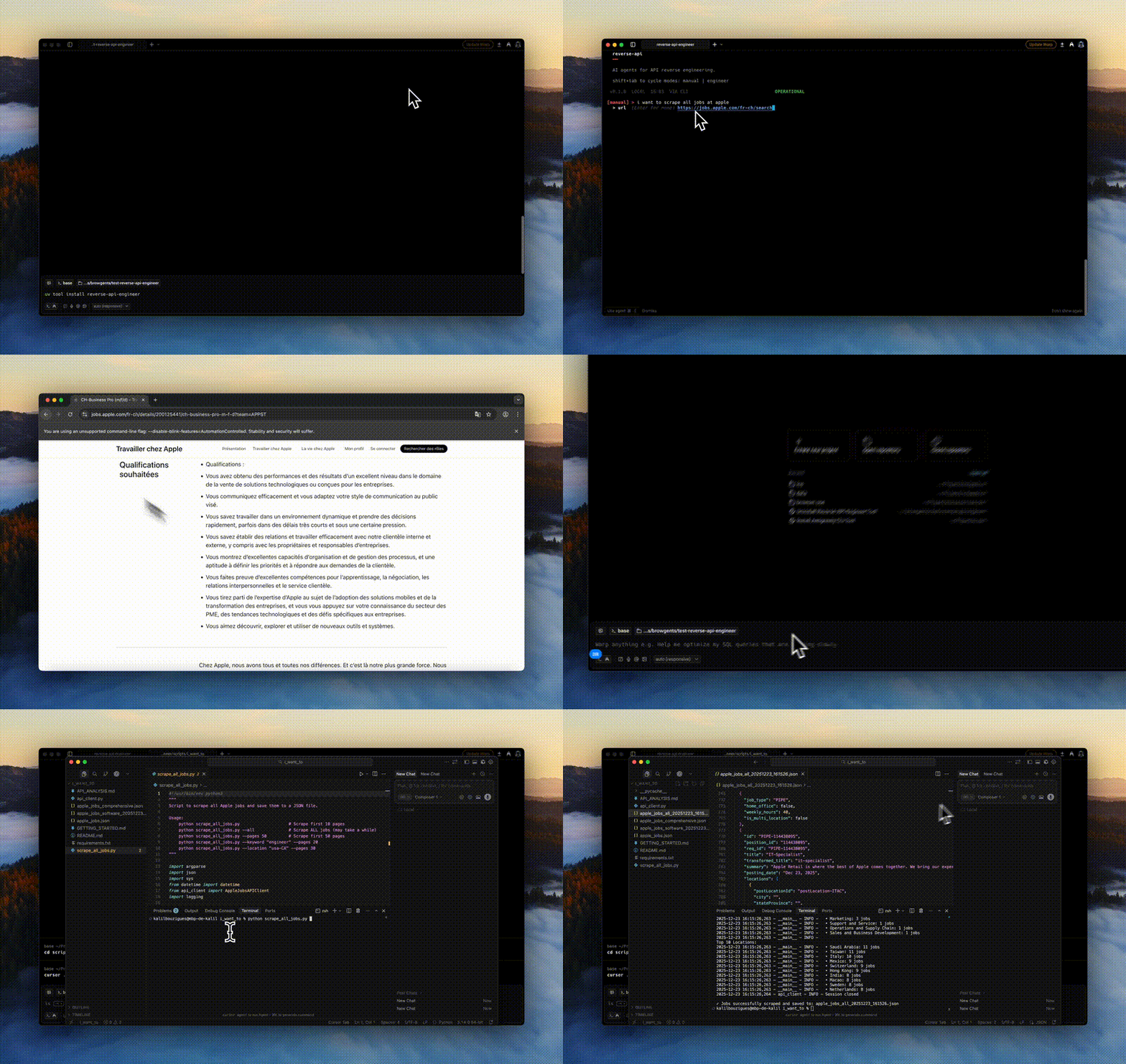
 Reverse API Engineer is an agent that browses a website (manually or via an AI-driven browser), captures the network traffic it makes, and uses an AI model to generate a working typed API client from the endpoints it actually used.
Reverse API Engineer is an agent that browses a website (manually or via an AI-driven browser), captures the network traffic it makes, and uses an AI model to generate a working typed API client from the endpoints it actually used.Is this a browser extension or a standalone tool?It is a Python command-line application, not a browser extension or library; it launches its own interactive CLI that can drive a local Playwright browser or an AI agent-controlled browser session.
It is a Python command-line application, not a browser extension or library; it launches its own interactive CLI that can drive a local Playwright browser or an AI agent-controlled browser session.How do I get it running?Install the Python package (Python 3.11+ required), then launch the CLI and cycle between modes with Shift+Tab — 'manual' for driving the browser yourself or 'agent' for letting an AI drive it autonomously.
Install the Python package (Python 3.11+ required), then launch the CLI and cycle between modes with Shift+Tab — 'manual' for driving the browser yourself or 'agent' for letting an AI drive it autonomously.Do I need an API key or any extra tooling?Agent mode needs an API key for your configured model (Claude Sonnet/Opus/Haiku by default, or an SDK like OpenCode, Cursor, Ollama, or GitHub Copilot) plus Node.js for npx-launched browser tooling. Manual mode additionally needs the '[manual]' extra and 'playwright install chromium'.
Agent mode needs an API key for your configured model (Claude Sonnet/Opus/Haiku by default, or an SDK like OpenCode, Cursor, Ollama, or GitHub Copilot) plus Node.js for npx-launched browser tooling. Manual mode additionally needs the '[manual]' extra and 'playwright install chromium'.Are there any install pitfalls I should know about?The underlying cryptography dependency dropped support for Intel macOS and 32-bit Windows, so only Linux, Apple Silicon macOS, or 64-bit Windows installs are supported; sites with aggressive bot detection may also block capture or force manual interaction.
The underlying cryptography dependency dropped support for Intel macOS and 32-bit Windows, so only Linux, Apple Silicon macOS, or 64-bit Windows installs are supported; sites with aggressive bot detection may also block capture or force manual interaction.Which output languages can it generate a client in?It can produce an API client in Python, JavaScript, TypeScript, Go, Java, C#, PHP, Ruby, C, or PowerShell, selected per run.
It can produce an API client in Python, JavaScript, TypeScript, Go, Java, C#, PHP, Ruby, C, or PowerShell, selected per run.Can it work with a free local model instead of a paid API?Yes, through OpenCode it can drive an already-installed Ollama daemon, listing only models that support tool calling and 64k+ context, with no silent downloads.
Yes, through OpenCode it can drive an already-installed Ollama daemon, listing only models that support tool calling and 64k+ context, with no silent downloads.What exactly does it capture while browsing a site?It records the full network traffic from the browsing session into a HAR file, which the chosen model then reads to write the client code for the endpoints actually used.
It records the full network traffic from the browsing session into a HAR file, which the chosen model then reads to write the client code for the endpoints actually used.Can it scrape data directly instead of just generating code?Yes, a 'collector' mode has the agent gather structured data as JSON/CSV using web search and fetch instead of producing a reusable API client.
Yes, a 'collector' mode has the agent gather structured data as JSON/CSV using web search and fetch instead of producing a reusable API client.What are similar projects?oc, camofox-browser, assay, Agent-Reach, bb-browser, cli-printing-press, headroom, cli
oc, camofox-browser, assay, Agent-Reach, bb-browser, cli-printing-press, headroom, cliWhich topics is it in?codegen, api-client, scraping, openapi, github-copilot, code-generation, playwright, web-scraping, browser-automation, reverse-engineering, ollama, cursor
codegen, api-client, scraping, openapi, github-copilot, code-generation, playwright, web-scraping, browser-automation, reverse-engineering, ollama, cursor