nanoui
Desktop and mobile apps in Zig, with native UI drawn on the GPU or a web frontend.
Meet Nano. Transparent PNG · Original paper illustration
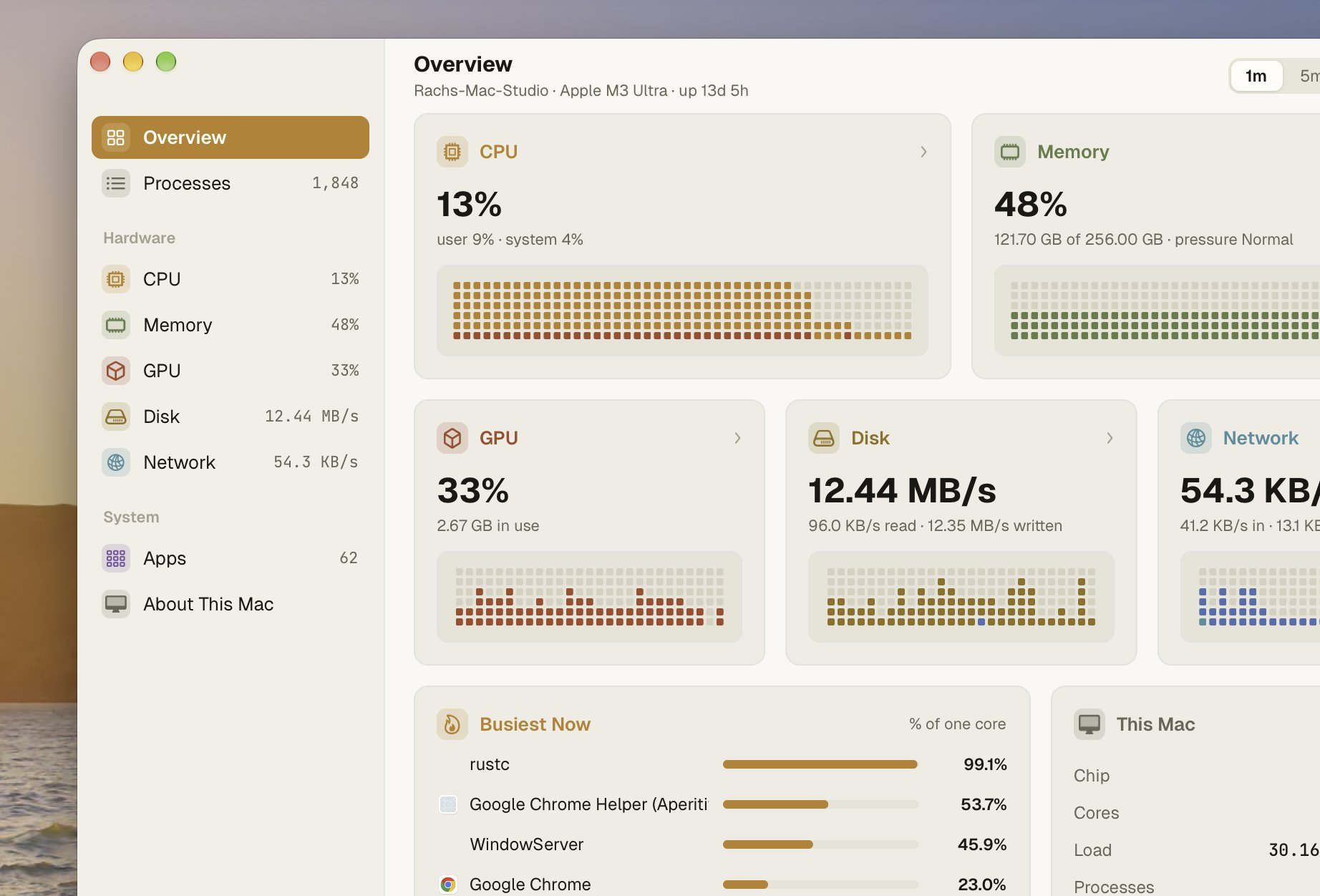
Want to see it in use? nanoterm is a terminal with a coding agent, nanomon an activity monitor, nanostudio a screen recorder, nanofly a live flight tracker, nanomail a JMAP mail client, nanolight a cross-platform launcher, nanodocs a Markdown & HTML studio and agent shelf, nanobrowser a browser engine in Zig, and nanocua a computer-use MCP app.






Get started ·
Native UI ·
Web pages ·
Testing ·
Platforms ·
Apps ·
Performance ·
Credits ·
Discord
Each window shows one of two kinds of interface:
- Native UI, written in Zig alone and drawn by nanoui: no HTML, no
JavaScript, no webview. It has flexbox layout, text in a glyph atlas,
animations, and views you can test without a window. On macOS and iOS it
draws with Metal and CoreText, in one instanced draw call per frame; on
Linux and Android with OpenGL (or its CPU renderer); on Windows with
Direct3D 11.
- A web page in the system webview (WKWebView on macOS and iOS, WebView2
on Windows, WebKitGTK on Linux). The
frontend calls Zig through a JavaScript client generated from your Zig
types, with TypeScript declarations.
Apps are single binaries. Nothing polls, so an idle app uses no CPU.
Get started
git clone --recursive https://github.com/justrach/nanoui
cd nanoui
zig build run-gallery    # the native UI tour
zig build run-hello      # the webview example
zig build test           # unit and widget tests
You need Zig 0.17.0, plus the macOS SDK on a Mac (Xcode or the Command Line
Tools). Linux apps need GTK 3, and WebKitGTK for web pages, only at run time.
--recursive also fetches the apps, which live in their own repositories as
submodules under apps/. To fetch them after a plain clone, run
git submodule update --init.
A new app: nui
nui makes an app that builds, and checks it without opening a window,
for people and for coding agents alike. It never asks anything, and every
command takes --json.
nui start my-app          # build.zig, a view, its test and an AGENTS.md; then it builds
cd my-app
nui test                  # the view's tests, rendered offscreen
nui snapshot --out shot.png --script "click:Increment"   # the app as a PNG, no window
nui run                   # its window
nui doctor                # Zig 0.17, and GTK 3 on Linux
Each release has nui for macOS, Linux and Windows; zig build nui builds
it into zig-out/bin. nui start pins nanoui at the release nui came
with (--nanoui REF for another, --local PATH for a checkout). The app's
AGENTS.md tells an agent the commands and rules: check the look with
nui snapshot, the behavior with ui.Tester.
To add nanoui to a project of your own instead:
zig fetch --save git+https://github.com/justrach/nanoui#v0.13.0
Releases are tagged vMAJOR.MINOR.PATCH, as mygo's are, and each is listed
under Releases with what
changed. While nanoui is 0.x, a minor release may change the API; a patch
release won't.
Native UI
const Counter = struct {
    n: i64 = 0,

    fn view(s: *Counter, c: *ui.Context) void {
        const col = ui.div(c).column().sizeFull().center().gap(16);
        defer col.end();
        ui.textf(c, .{ .size = 56, .weight = .bold }, "{d}", .{s.n});
        if (ui.button(c, "Increment", .{ .variant = .primary }).clicked) s.n += 1;
    }
};

pub fn main(init: std.process.Init) !void {
    const app = try nanoui.App.create(init, .{ .name = "Counter" });
    defer app.destroy();
    var state: Counter = .{};
    _ = try app.newWindow(.{ .title = "Counter", .content = .{ .view = .init(&state, Counter.view) } });
    try app.run();
}
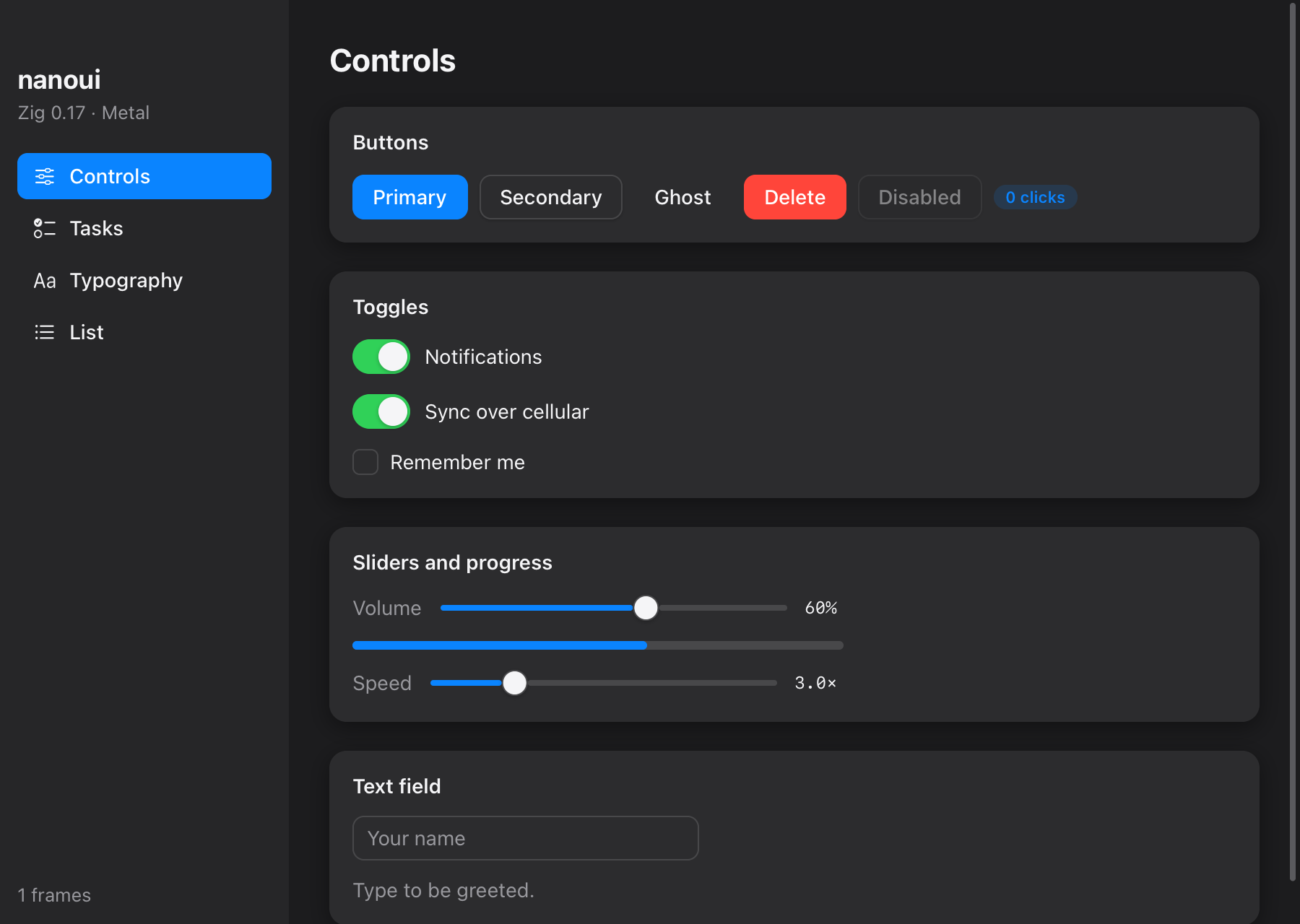
The gallery example, zig build run-gallery.
Views are immediate mode: a function of your state, run on every event.
Widgets answer from the previous frame's layout. When an interaction changes
state, the frame is built again before it's drawn, so the screen never lags
the state.
What's in the toolkit
- Layout: rows, columns, cards and scroll views, with flexbox grow,
shrink, absolute placement, and maximum sizes.
- Elements: GPUI-style method chains, such as
ui.div(c).row().gap(8).bg(...).
- Lists: a virtualized list (
ui.list) that builds only the rows in view.
- Text: wrapping, monospace, weights and rich spans, with text that can
be selected and copied like a terminal's; lines too long for their box
end in an ellipsis or fade out (
.truncate); fonts an app bundles are
found by family like installed ones (ui.registerFont).
- Controls: buttons, checkboxes, toggles, sliders, progress bars,
segmented controls, badges, and text fields (IME on macOS, iOS and Linux).
- Images: pictures decoded once and packed into an atlas.
- SVG: icons and marks from SVG files (
ui.svg), drawn by nanoui at
the screen's density on every platform and tinted to follow the theme:
paths, shapes, fills, strokes, transforms and inherited styles.
- Look: light and dark themes that follow the system, eased animations,
Gaussian shadows, and Liquid Glass.
- Pointer: hover that follows ancestry as CSS's
:hover does, double
clicks, and pointer tracking for graphs (c.wants_moves).
Liquid Glass
.glass(.{}) fills a box with Liquid Glass, the material of macOS 26 and
later, in place of a background. Whatever was painted under the box shows
through it: frosted, bent near its edges as through the rim of a lens, and
lit along a hairline rim. That includes content scrolling under a toolbar
placed over it with absolute().
const bar = ui.div(c).absolute().offset(20, 20).w(420).h(56).row().itemsCenter().px(16).rounded(28).glass(.{});
defer bar.end();
ui.text(c, "On glass", .{ .weight = .semibold });
ui.spacer(c);
// A prominent button: glass tinted with the accent.
const tap = ui.div(c).px(16).py(8).rounded(16).glass(.{ .tint = th.accent }).control();
defer tap.end();
ui.text(c, "Tap", .{ .color = th.accent_text });
Regular glass frosts and lightens what shows through, or darkens it in dark
mode, so text on it reads over anything. .style = .clear barely frosts it,
for glass over photos and video. nanoui draws the glass itself, after mygo's
glass plugin and its measurements of AppKit's NSGlassEffectView. Each pane
averages and blurs what's under it, then shades it on the GPU, and the CPU
renderer computes the same pixels. It looks the same on Linux and Windows,
and a test checks the two renderers agree.
.glass(.{ .style = .sidebar }) adds progressive blur at the top and bottom
and a subtle reflection of content on its right. Paint the content first,
extending beneath the sidebar, then overlay the pane and its controls.
blur sets the maximum blur (8 points), edge_blur its fade distance
(64 points; 0 for uniform blur), and reflection its strength (0–1,
default 0.16; 0 disables it). The Gallery's Glass page demonstrates it.
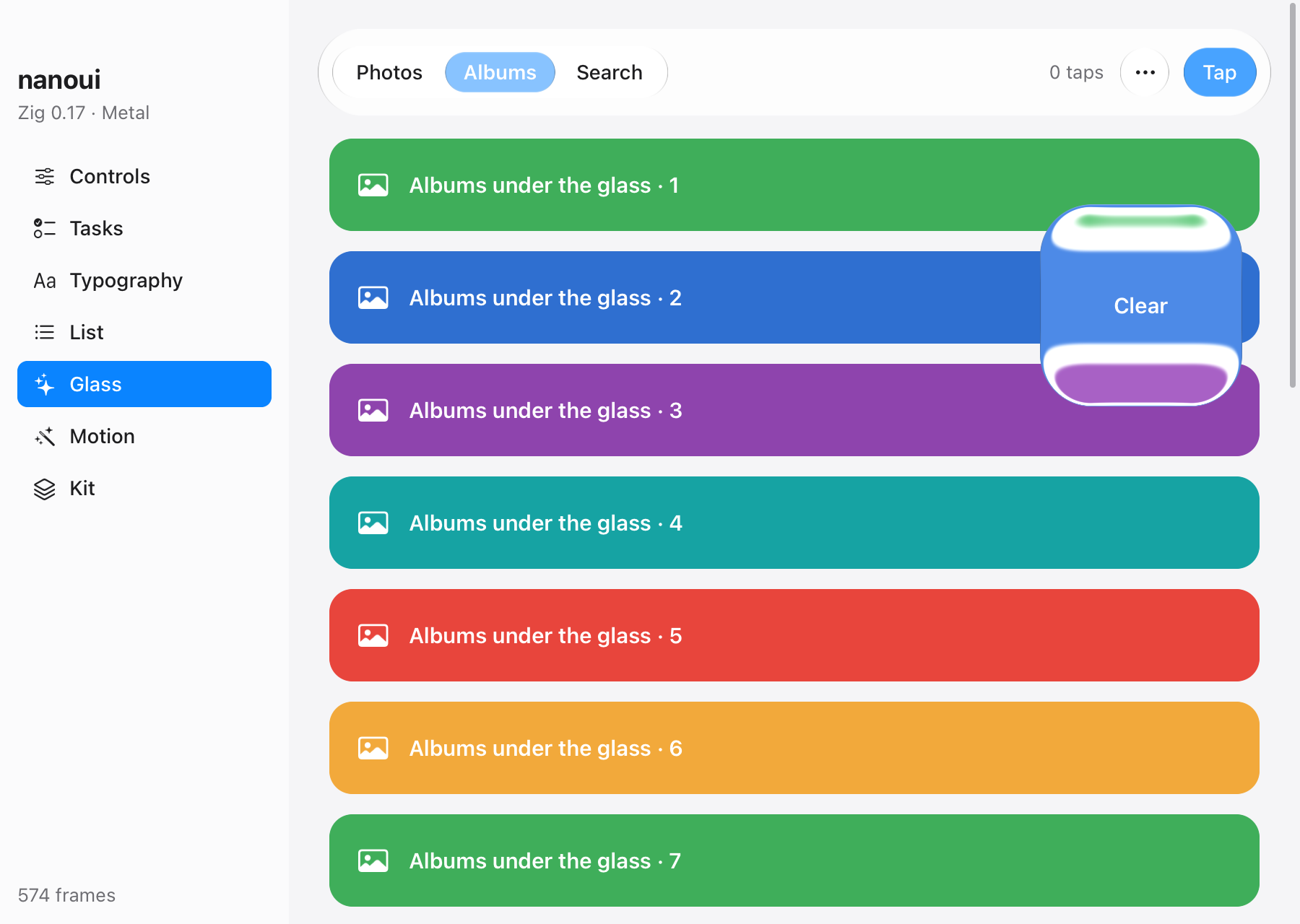
The gallery's Glass page.
Motion
ui.motion animates boxes the way gpui-motion does: every frame, you say
where a box should be, and motion takes it there.
- Transitions: a spring, or a tween with an easing.
- Interruptible: a target that changes midway is taken from where the box
is, and a spring keeps its speed.
- Presence: boxes enter from
initial, and leave to exit before
they're removed.
- Gestures:
hover and press are targets too.
- Lists: items can be staggered.
- Layout animation: boxes the layout moves glide to their new place.
- Shared elements: boxes that share a key glide across parents (
share).
- Drag and snap: a box follows the pointer, then springs to a point.
- Scroll-linked values: a scroller's progress drives another number.
- Animated text: letters or words enter, staggered.
- Keyframes: they loop, or play there and back.
Motion keeps its state in the frame's context, by box, so there are no
objects to hold. It draws frames only while something moves, and jumps
straight to the end when the system asks for reduced motion.
const f = ui.motion.frame(c, .{
    .target = .{ .width = if (open) 320 else 180, .background = if (open) th.accent else th.surface },
    .initial = .{ .y = 12, .opacity = 0 },
    .press = .{ .scale = 0.96 },
    .transition = .{ .spring = ui.motion.Spring.bouncy },
});
const card = ui.div(c).p(16).control().motion(f);
defer card.end();
if (card.clicked()) open = !open;

// A toast that comes and goes: drawn while it shows, and while it leaves.
if (ui.motion.present(c, "toast", saved, .{ .initial = .{ .y = 24, .opacity = 0 }, .exit = .{ .opacity = 0 } })) |t| {
    const toast = ui.div(c).px(16).py(12).rounded(12).bg(th.text).motion(t);
    defer toast.end();
    ui.text(c, "Saved", .{ .color = th.background });
}
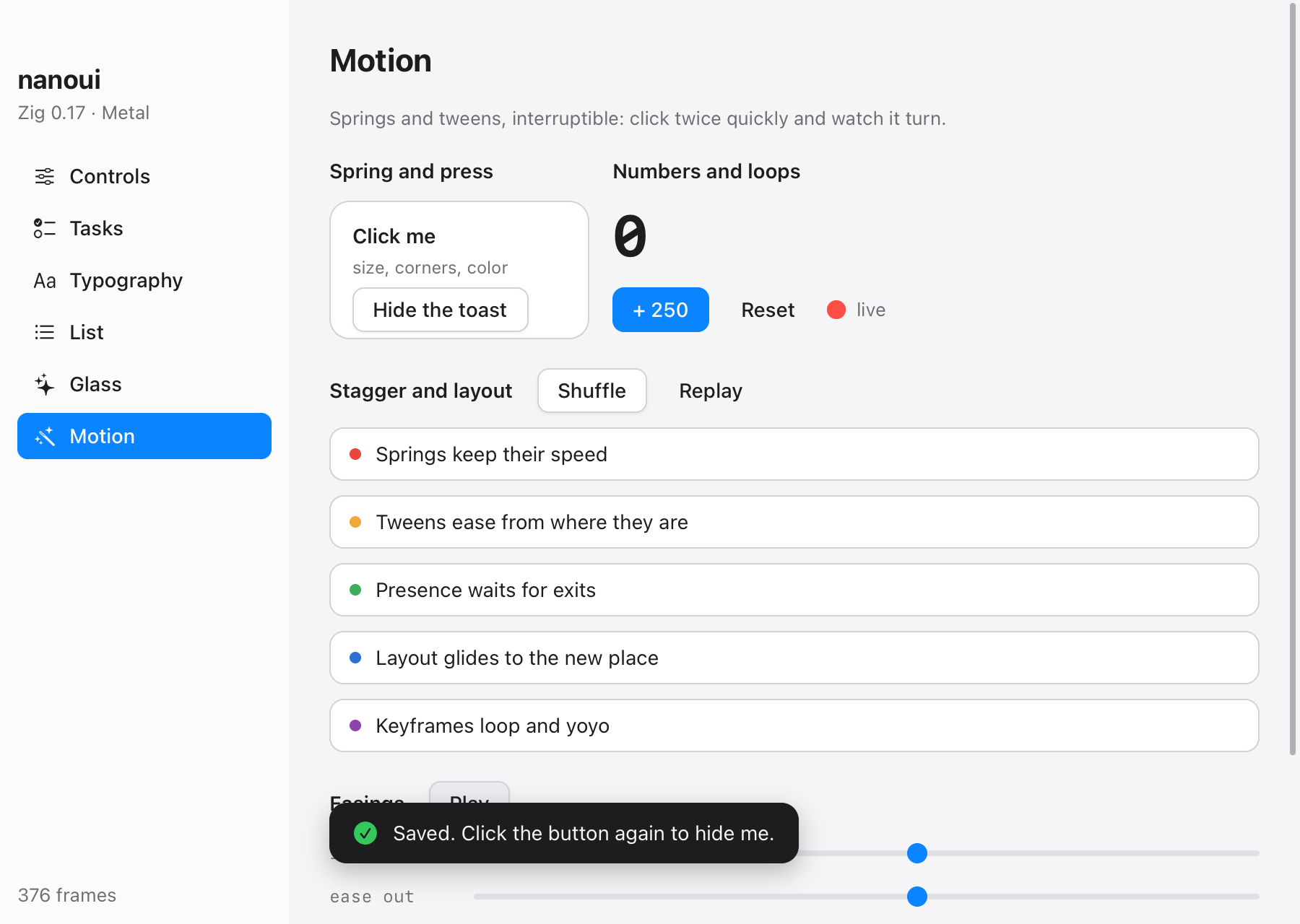
The gallery's Motion page.
Kit
nanoui.kit is a set of components after GPUI Kit, drawn by nanoui and
moved by ui.motion:
- Buttons in its variants (primary, danger, ghost, outline, link, …) and
sizes, with icons, loading and tooltips.
- Display: tags, badges, avatars and stacks of them, alerts, skeletons,
spinners, progress bars and rings, and timeline rows
with a decorative rail beside ordinary native content.
- Overlays: tooltips, popovers, menus, dialogs, sheets and toasts. They
open on layers over the page, go where they fit, and close on Escape or a
click elsewhere.
- Navigation: tabs whose marker slides, breadcrumbs, pagination, and
accordions that open to their content's height.
- Forms: radio groups, selects you can move through with the arrow keys,
number inputs, and labelled fields with hints and errors.
const kit = nanoui.kit;

if (kit.button(c, "Delete", .{ .variant = .danger, .icon = "trash" }).clicked) confirm = true;
if (kit.dialog(c, "confirm", &confirm, .{ .title = "Delete project?", .ok = "Delete", .ok_variant = .danger })) |d| {
    ui.text(c, "Its files and history go too.", .{});
    if (d.end() == .ok) toaster.push(.{ .status = .danger, .title = "Deleted" });
}
_ = kit.tabs(c, &.{ "Overview", "Activity", "Settings" }, &tab, .{ .variant = .segmented });
toaster.view(c); // last: toasts over everything
Overlays are made of two new box properties: layer draws a box above the
page and unclipped, and fixed places it from the window's corner.
Context.state keeps a widget's small state between frames.
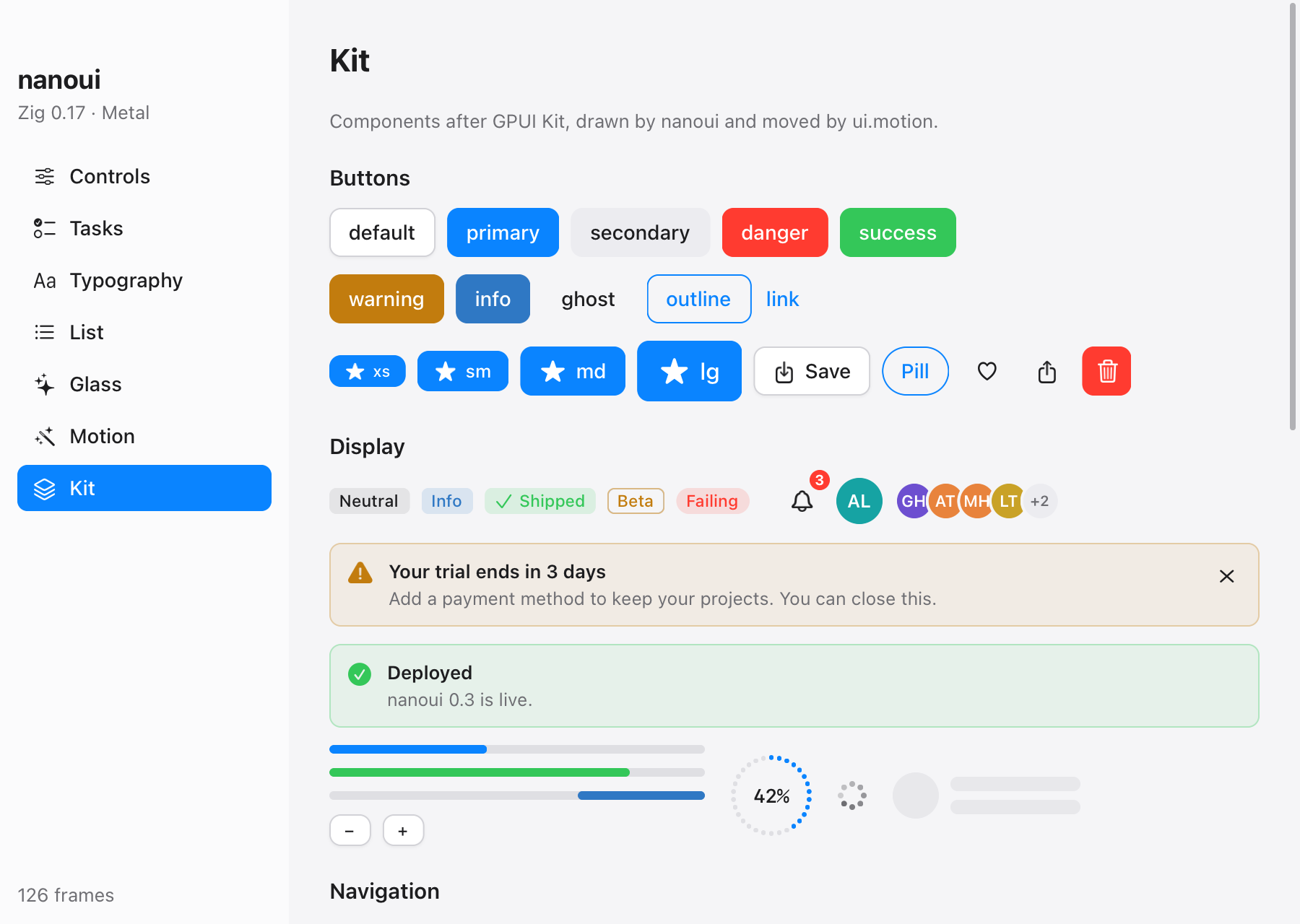
The gallery's Kit page.
Web pages
const Greeter = struct {
    pub const nanoui_params = .{ .greet = .{"name"} };

    pub fn greet(_: *Greeter, call: *nanoui.Call, name: []const u8) ![]const u8 {
        return std.fmt.allocPrint(call.arena, "Hello, {s}!", .{name});
    }
};

const Tick = nanoui.Event("tick", struct { uptime: u64 });

// in main:
try app.bind(&greeter);
try app.registerEvent(Tick);
_ = try app.newWindow(.{ .title = "Hello", .content = .{ .page = .{ .url = "/", .assets = &assets } } });
import { Greeter, onTick } from "/nanoui.js"; // generated, served by the app

document.body.textContent = await Greeter.greet("Ada");
onTick(({ uptime }) => console.log(uptime));
zig build gen writes nanoui.d.ts:
export declare const Greeter: { greet(name: string): Promise<string> };
export declare function onTick(listener: (payload: TickPayload) => void): () => void;
Methods may return error unions; an error rejects the page's promise with
the error's name. Assets are served from the nanoui://localhost/ scheme.
Elements styled --app-region: drag move frameless windows.
Testing without a window
var t: ui.Tester = undefined;
try t.init(gpa, .init(&state, Counter.view), .{});
defer t.deinit();
try t.clickText("Increment");
try std.testing.expect(t.hasText("1"));
try t.screenshot("/tmp/counter.png"); // rendered offscreen by the Metal renderer
The real apps run headless too:
zig-out/bin/gallery --nanoui-snapshot=shot.png --nanoui-script="click:Tasks;type:Hi;key:enter"
zig-out/bin/hello --nanoui-eval='nanoui.call("Greeter.greet","Ada").then(v => { nanoui.log(v); nanoui.window.close() })'
--nanoui-wait=SECONDS runs the event loop first, drawing the view as it
goes, so what an app loads as it draws (pictures, a map's tiles, replies)
is there in the snapshot.
nanoui loads what each platform has instead of linking it, so every platform
builds from any machine (iOS from a Mac with Xcode, for its SDK; Android with
Android's SDK and NDK). On a Mac, zig build -Dtarget=x86_64-linux-gnu or
-Dtarget=x86_64-windows-gnu makes a Linux or Windows binary.
|
macOS |
iOS |
Android |
Linux |
Windows |
| windows, input, timers |
AppKit |
UIKit: screens over each other, touch, keyboards |
NativeActivity: screens over each other, touch, keyboards, Back |
GTK 4, else GTK 3 (loaded with dlopen); layer_shell windows are Wayland layer surfaces (gtk4-layer-shell) |
Win32 |
| text |
CoreText |
CoreText |
nanoui's TrueType reader, Android's fonts |
nanoui's TrueType reader (src/ui/tt/) |
the same |
| rendering |
Metal |
Metal |
OpenGL ES 3; CPU without it |
OpenGL in a GtkGLArea: desktop GL 3.3 or OpenGL ES 3, whichever GTK gives; CPU only with NANOUI_RENDERER=cpu |
CPU, shown by Direct3D 11 (a DXGI flip swap chain; GDI without it) |
| icons |
SF Symbols |
SF Symbols |
line icons drawn by nanoui (src/ui/icons.zig) |
the same |
the same |
SVG (ui.svg) |
drawn by nanoui (src/ui/svg.zig) |
the same |
the same |
the same |
the same |
| pages (webview) |
WKWebView |
not yet |
not yet |
WebKitGTK (loaded with dlopen; docs) |
WebView2 |
| menus |
the menu bar |
a keyboard's shortcuts |
a keyboard's shortcuts |
accelerators |
accelerators |
HTTP (nanoui.http) |
NSURLSession |
NSURLSession |
http-zig, names looked up by Android |
http-zig: HTTP/2 over TLS, a thread per request |
the same |
| input methods that compose text |
NSTextInputClient: marked text, the text around the caret, the edit menu |
UITextInput: marked text (pinyin), autocorrect, ⌘C ⌘X ⌘V |
not yet: a software keyboard types keys |
GTK's input method, its preedit |
not yet: only what arrives as WM_CHAR |
| accessibility |
VoiceOver: the same tree as iOS (ui.access): controls, text, headings, boxes that take clicks, nanoui.kit; announcements, Increase Contrast |
VoiceOver: controls, text, headings, boxes that take clicks (ui.access); Dynamic Type, Increase Contrast |
not yet |
not yet |
not yet |
The CPU renderer matches the Metal one pixel for pixel, and a test compares
them; others compare the OpenGL renderer with the CPU one, with OpenGL 3.3
and with OpenGL ES 3, in a context without a window. On Linux, OpenGL is
required for native UI: when GTK cannot create a context, the window closes
instead of falling back to the CPU. NANOUI_RENDERER=cpu asks for the CPU
renderer explicitly (a shaped window uses it too, to read its shape).
zig build test -Dportable=true runs the Linux and Windows text and
renderer on a Mac. Linux is also tested in a container
(tools/linux.Dockerfile: GTK 3 and 4, WebKitGTK, fonts, a virtual display).
On Linux nanoui loads GTK 4 when it's installed and GTK 3 otherwise;
NANOUI_GTK=3 asks for GTK 3. Both work the same: GTK 4's event
controllers, draw function, clipboard and dialogs stand in for GTK 3's
event signals and waiting calls (src/linux/surface_gtk4.zig). A window
made with layer_shell is not a window among windows but a Wayland layer
surface — a panel, a bar or a launcher, in a layer above (or below) them,
placed by its anchors — through gtk4-layer-shell, installed separately,
which nanoui loads ahead of GTK 4 so the library's libwayland shim is the
one the symbol lookups find (Options.layer_shell, src/linux/gtk.zig).
On Windows, frames reach the screen through a Direct3D 11 device (hardware, else WARP)
and a flip-sequential swap chain, so resizing stays smooth and content
stays anchored (src/windows/d3d.zig).
iOS
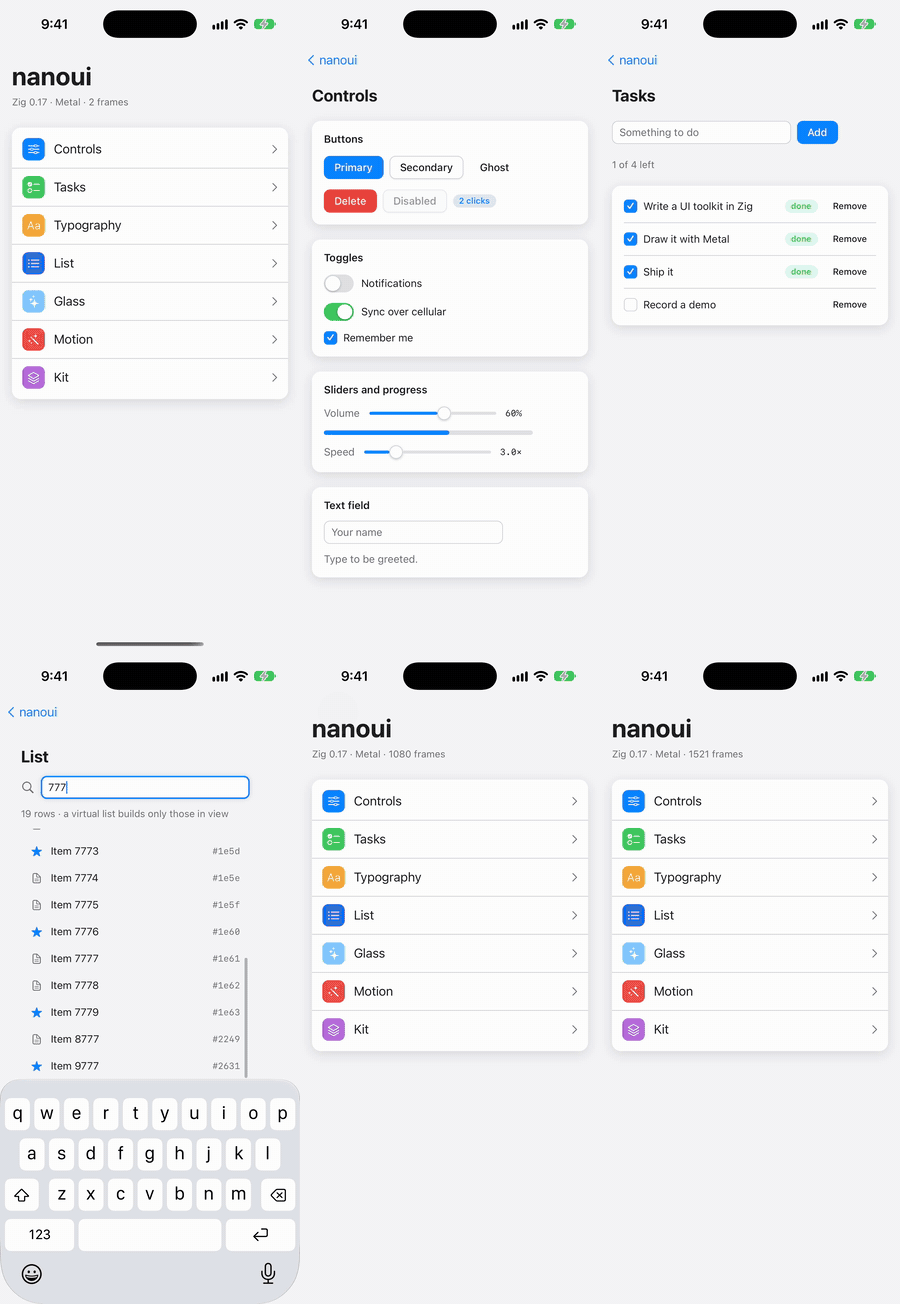
The gallery on an iPhone (MP4). It's the same
Zig view as on the Mac. When the window is narrow it shows its pages as a list
and pushes each one in. The app played this itself:
xcrun simctl launch booted dev.nanoui.gallery "--nanoui-play=tap:Tasks;tap:Something to do;type:Record a demo;tap:Add"
xcrun simctl io booted recordVideo demo.mov
--nanoui-play takes the same steps as --nanoui-script (tap, type, key,
scroll, wait) and plays them in the running app at a person's pace, with a
dot where each finger lands. It works on macOS too. The Simulator can record
its screen but can't tap, so this is how you make demo videos.
Native UI runs on iOS with the Mac's renderer and text, Metal and CoreText;
src/ios/ puts them on UIKit. The first window fills the screen, and
windows shown after it cover it until they close or hide; a window over
another needs its own way to close (no swipe down). A finger is the
pointer: it presses and drags, and scrolls what it moves up or down over,
flinging as iOS's scroll views do. Two fingers pinch: their spread and
movement come to the view as input.zoom and input.pan (a trackpad's
pinch does on the Mac). Holding on text selects its word, with handles, the
loupe and the edit menu. A hardware keyboard's keys and shortcuts work as on
the Mac, held keys repeat, and a focused text field brings up the software
keyboard. Views are laid out inside the safe area, clear of the status bar,
the home indicator and the keyboard; a window made with .full_bleed = true
spans the screen and keeps its content clear itself with
ui.div(c).safeArea().
zig build $(sh tools/ios/zig-lib.sh) -Dtarget=aarch64-ios-simulator               # zig-out/ios/Counter.app, Gallery.app
zig build $(sh tools/ios/zig-lib.sh) run-gallery -Dtarget=aarch64-ios-simulator   # in the booted Simulator
zig build $(sh tools/ios/zig-lib.sh) run-gallery -Dtarget=aarch64-ios-simulator --watch   # again on every save
With --watch, each save builds the app, installs it and launches it
again in the Simulator in a few seconds, its output in the same terminal.
A release build (-Doptimize=ReleaseSmall) is stripped of its local
symbols as it is bundled: the counter is about 300 KB, the gallery about
500 KB, the renderer, text and widgets in them.
You need Xcode for the iOS SDK. Zig 0.17.0's std can't build programs for
iOS as it ships: it takes iOS for a system that can replace its process
image (std.process.can_replace). tools/ios/zig-lib.sh makes Zig's lib
folder again out of links to it, with that one line fixed, and prints the
--zig-lib flag that uses it (nothing, once Zig is fixed), which goes
first after zig build.
Devices, signing, app icons, extensions and iOS versions are in
docs/ios.md.
Windows show pages too, in WKWebView, with the same typed IPC as the Mac's.
WebKit loads with the first page, so an app without one doesn't pay for it.
On an iPad, an app built with .multiple_windows can have several windows
beside each other (docs/ios.md).
Android
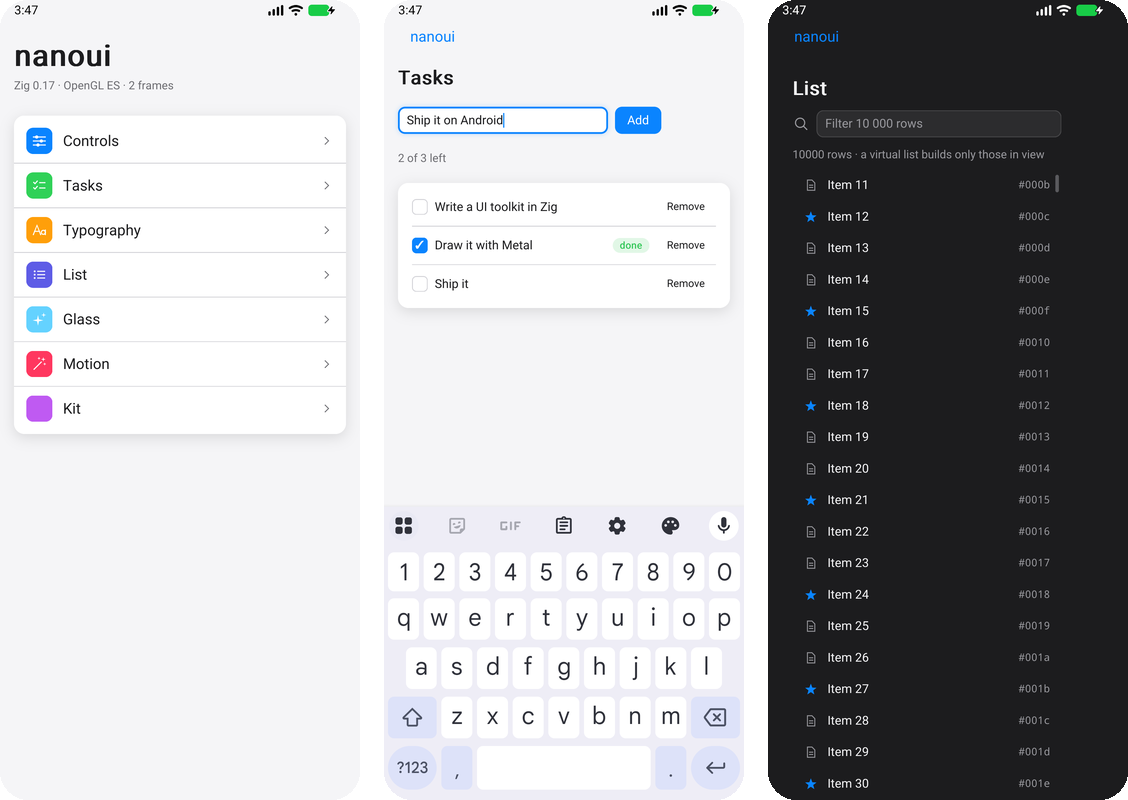
Native UI runs on Android with Linux's text and renderer, nanoui's TrueType
reader on Android's fonts and OpenGL ES 3 (or the CPU), on the NDK's
NativeActivity (src/android/). There's no Java of nanoui's own: the app's
main runs on a thread of its own with a looper, and Java's classes are
called through JNI where Android has no C interface (the clipboard, links,
dialogs, the software keyboard, the insets). As on iOS, the first window
fills the screen and windows shown after it cover it; a finger presses,
scrolls and flings, two pinch, and views are laid out clear of the bars,
the cutout and the keyboard. Back is Escape for the top window's view
first (a menu, a sheet or a page closes), then closes the top window, and
on the last one sends the app to the background. A mouse hovers, clicks
and scrolls; dark mode, rotation and density follow the system.
zig build -Dtarget=aarch64-linux-android               # zig-out/android/Counter.apk, Gallery.apk
sh tools/android/emulator.sh                           # an emulator without a window
zig build run-gallery -Dtarget=aarch64-linux-android   # installed and run there (or on a phone), its log here
What you need, an app's build.zig, and what isn't there yet:
docs/android.md.
Apps
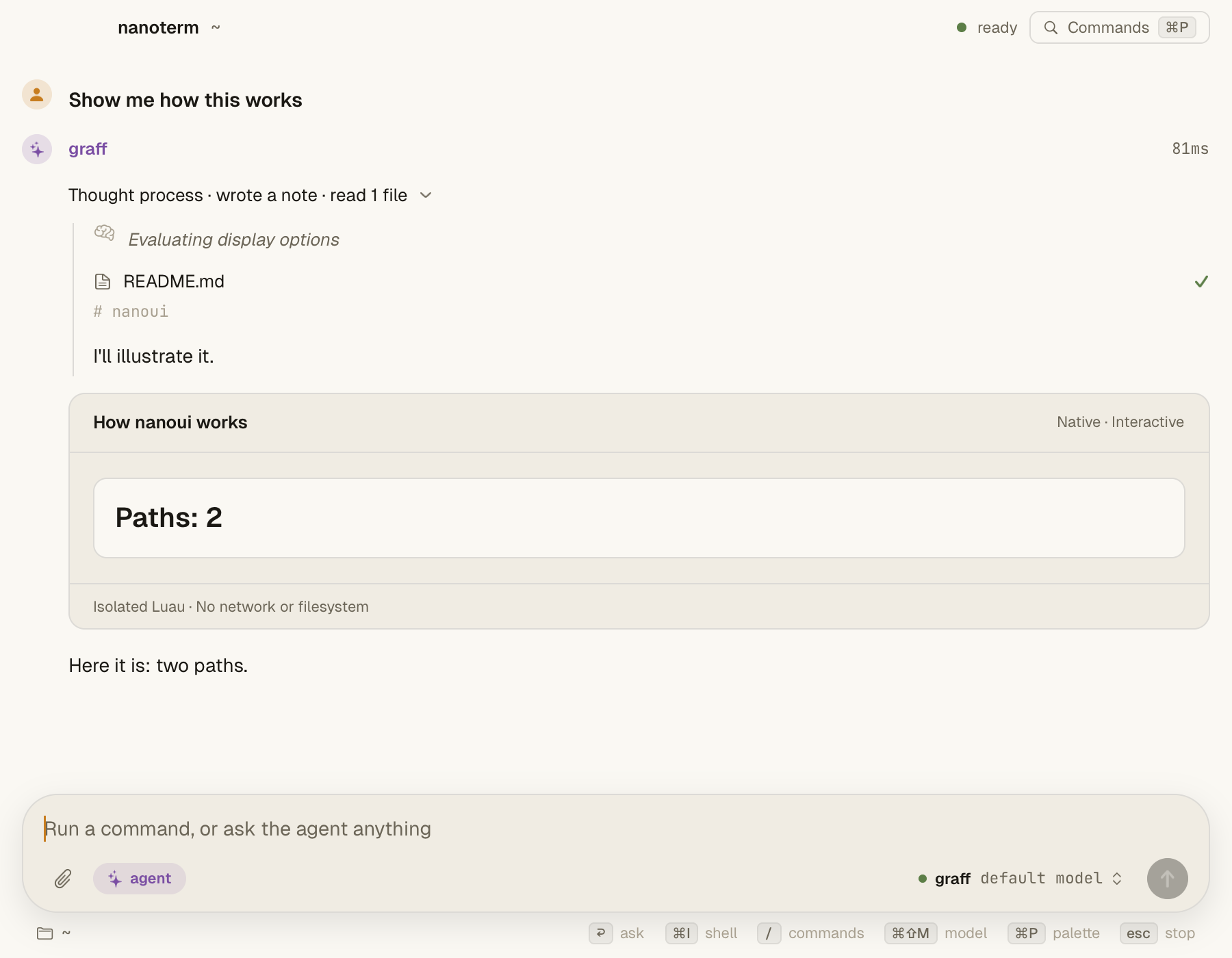
- nanoterm: a terminal of blocks, in the manner of Warp, with a coding agent (graff or Claude Code) over ACP. It has native visuals, a ⌘P launcher, and SSH sessions where the agent works on the remote host.
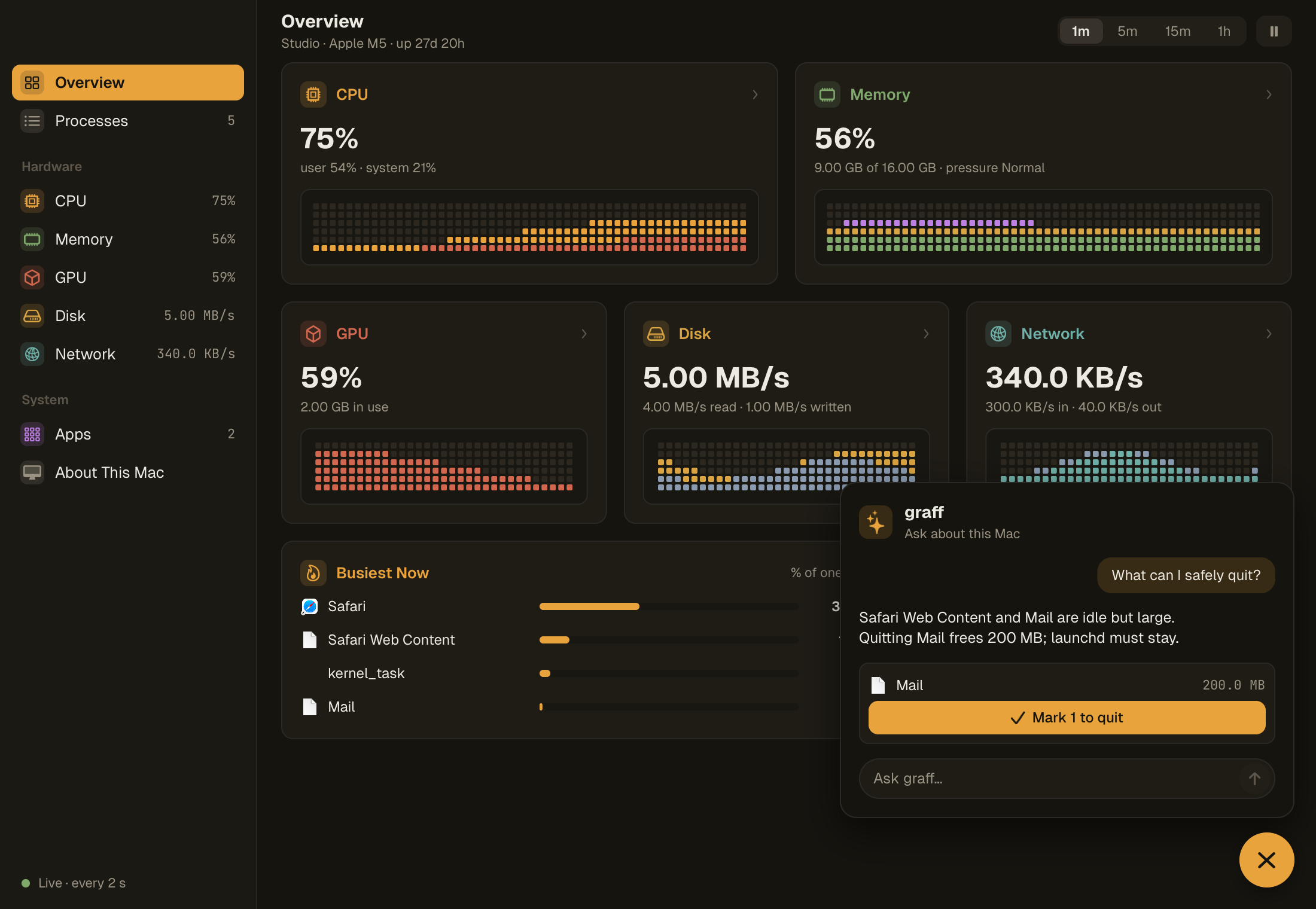
- nanomon: an activity monitor in Codegraff colors, with cell graphs of CPU, memory, GPU, disk and network. You can quit several processes at once, and a graff bubble suggests what to quit.
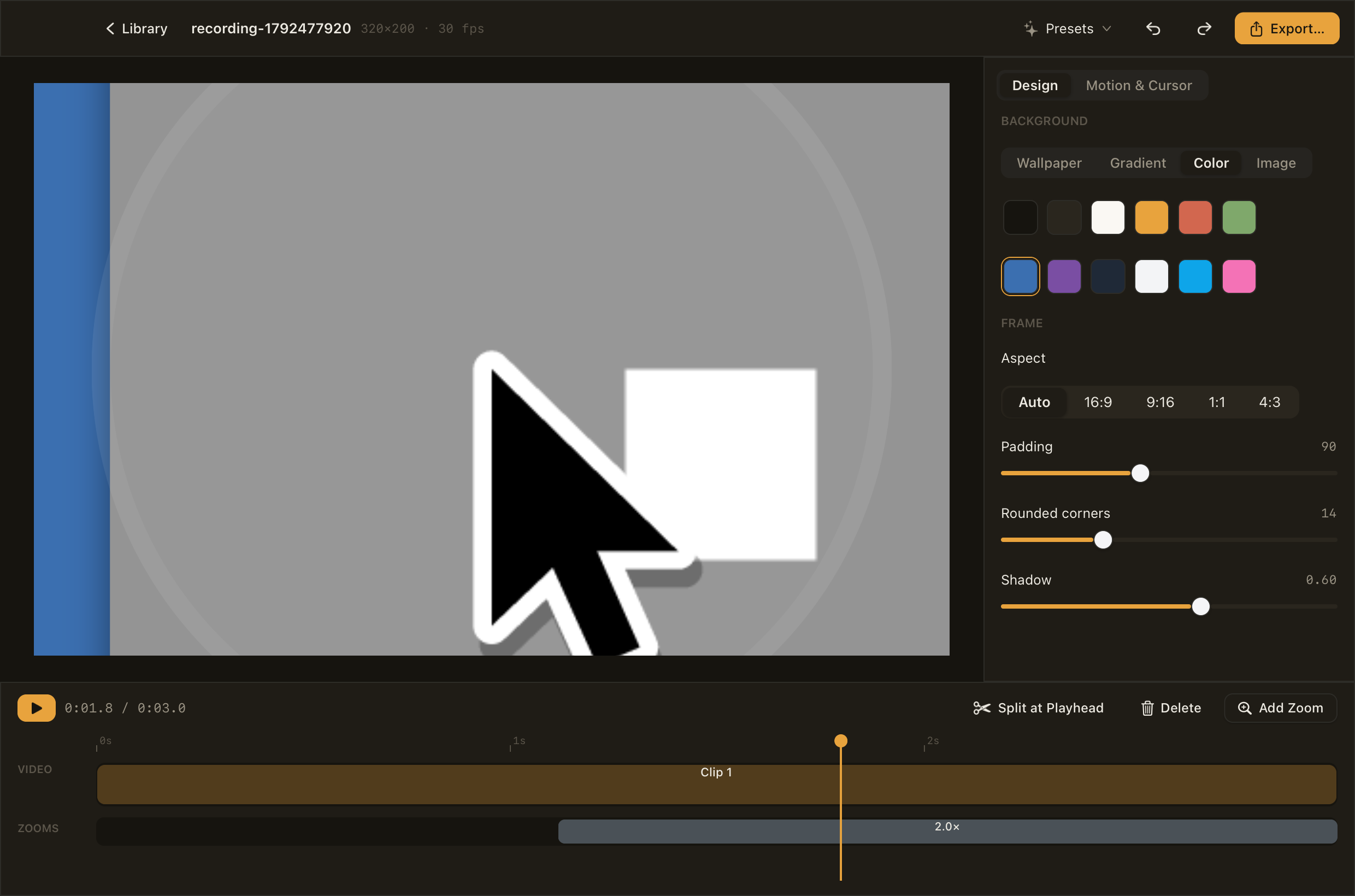
- nanostudio: a screen recorder and editor. It records a display or a window with its sound, then zooms where you clicked. You can trim, speed up and dress the take, and export it. Every frame, preview and export alike, is a nanoui view.
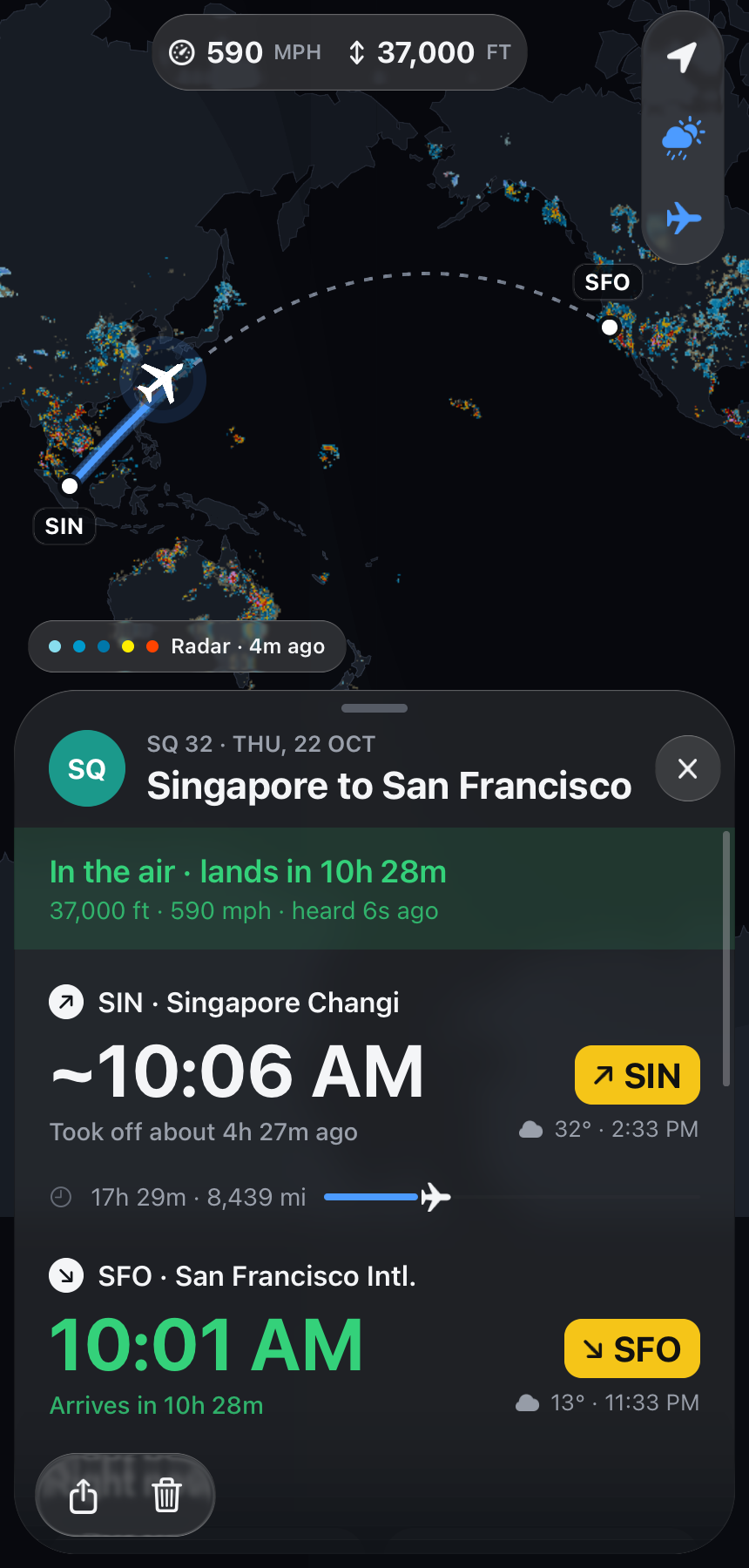
- nanofly: flights, live, on a map, for iPhone (and the Mac), after Flighty. It finds a flight's route, follows it from open ADS-B data, and says when it lands by each airport's clock, with the weather there. Its map, drawn by
ui.canvas, has the night's side, the weather's radar and the planes around; you can pinch it, and its card is a sheet of Liquid Glass you drag between three heights.
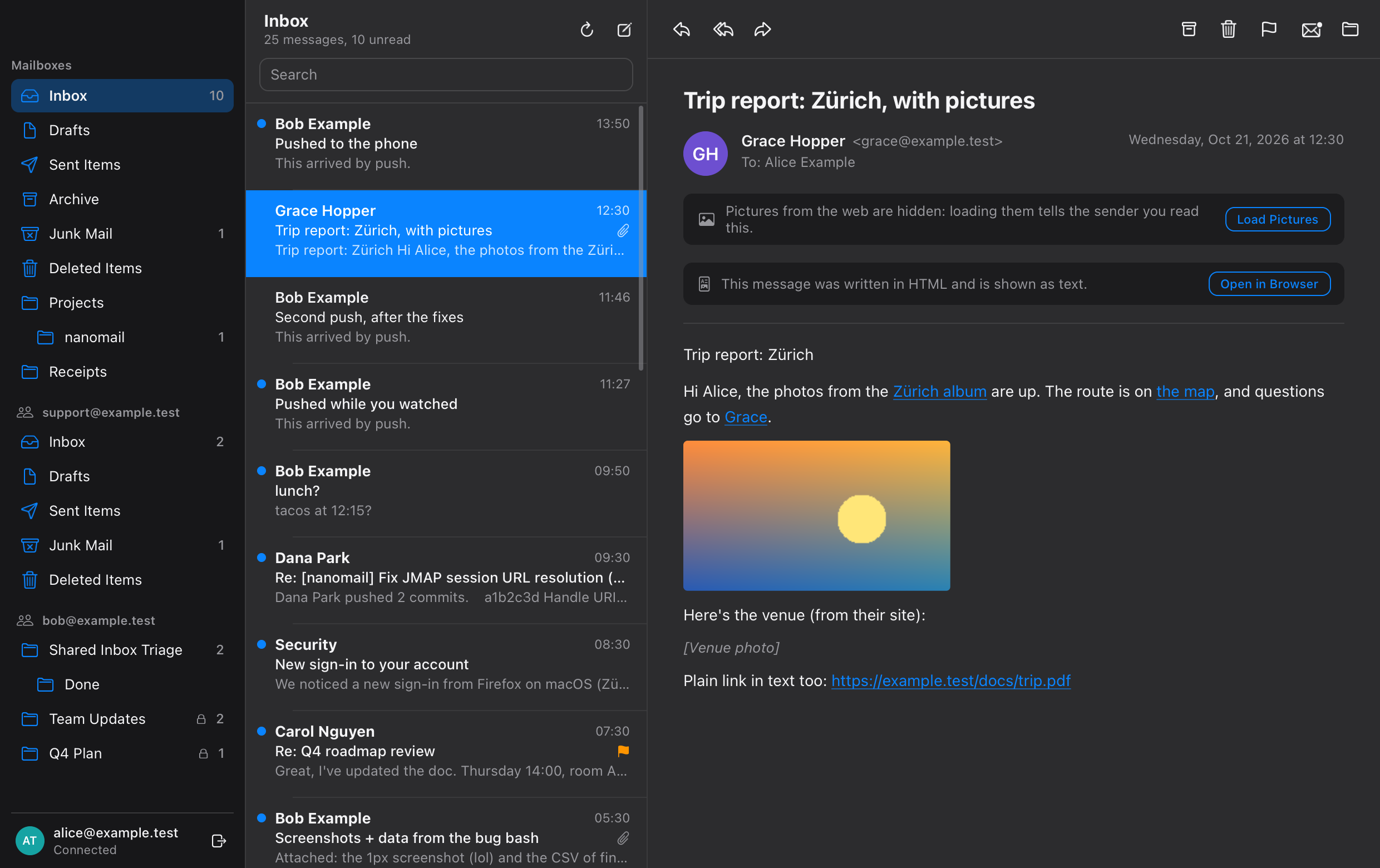
- nanomail: a JMAP mail client for macOS and iOS. It shows rich mail with links and pictures, loading pictures from the web only when you ask. New mail arrives by push, and mailboxes others share with you appear with what you may do in them. It signs in with a password, a token, or OAuth in the browser.
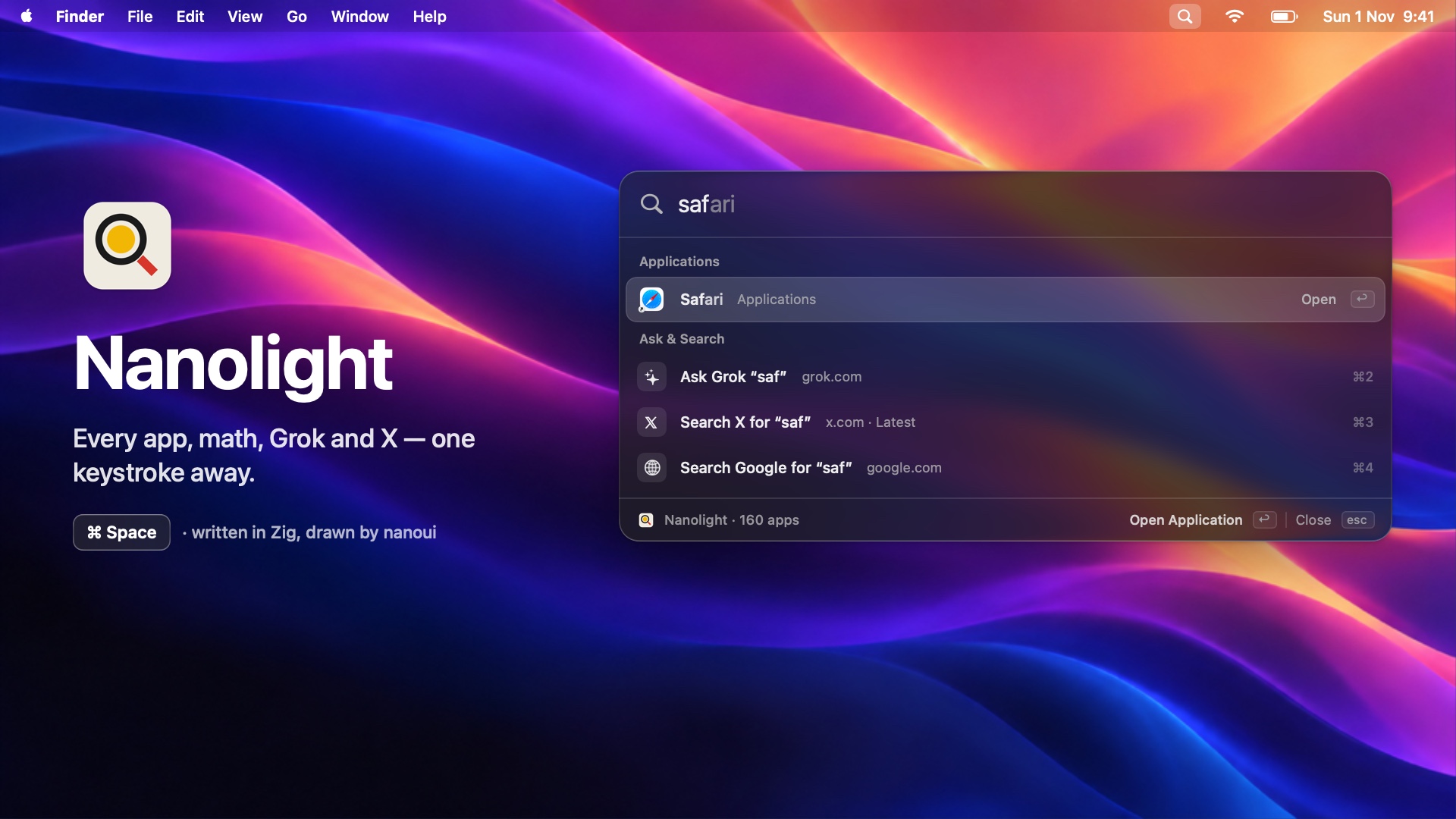
- nanolight: a launcher for the Mac, Windows and Linux. It finds apps as you type (initials and typos too), does math, and completes Google searches inline, showing the results in its own panel. It runs Raycast extensions and script commands, and asks Grok or searches X a row away.
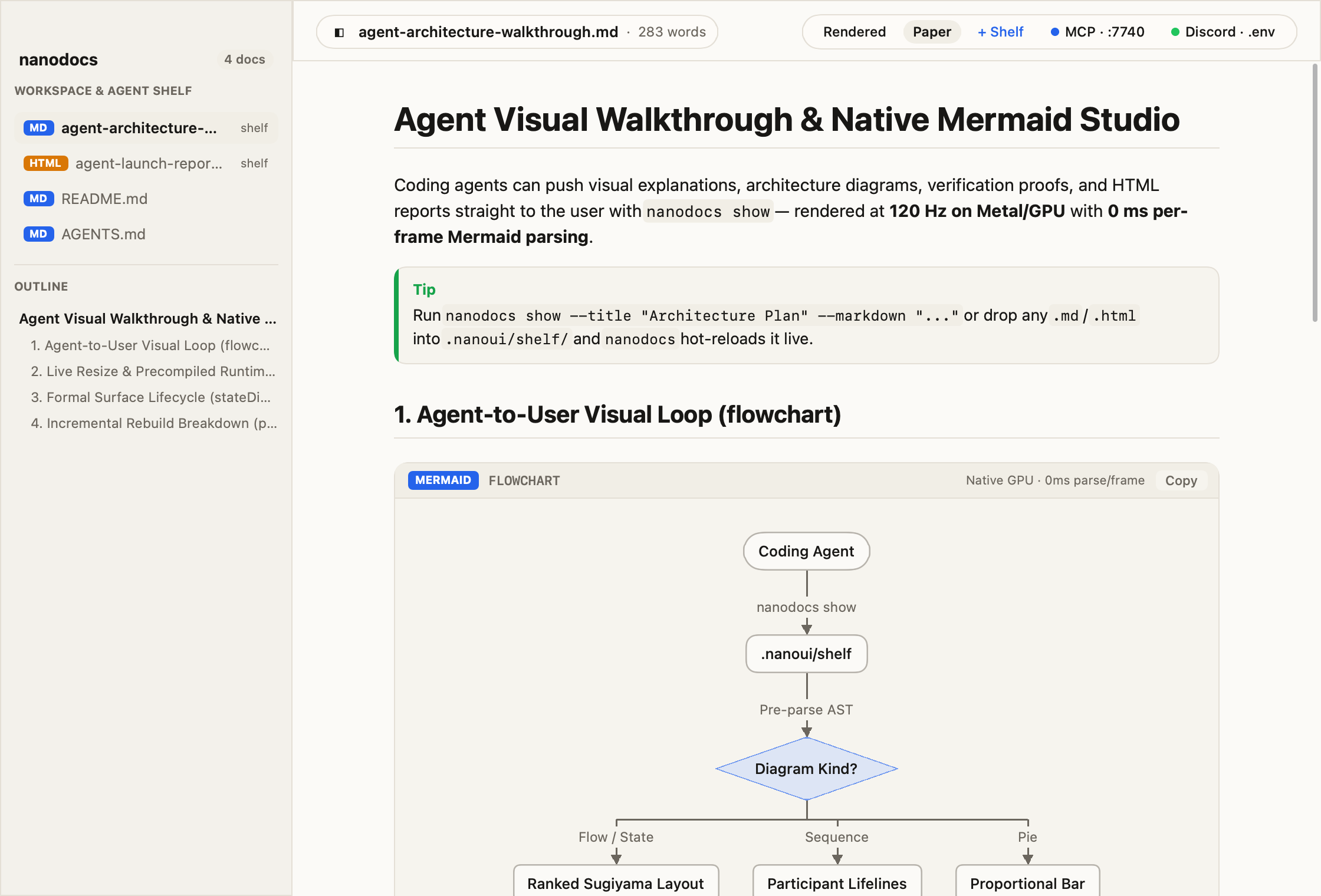
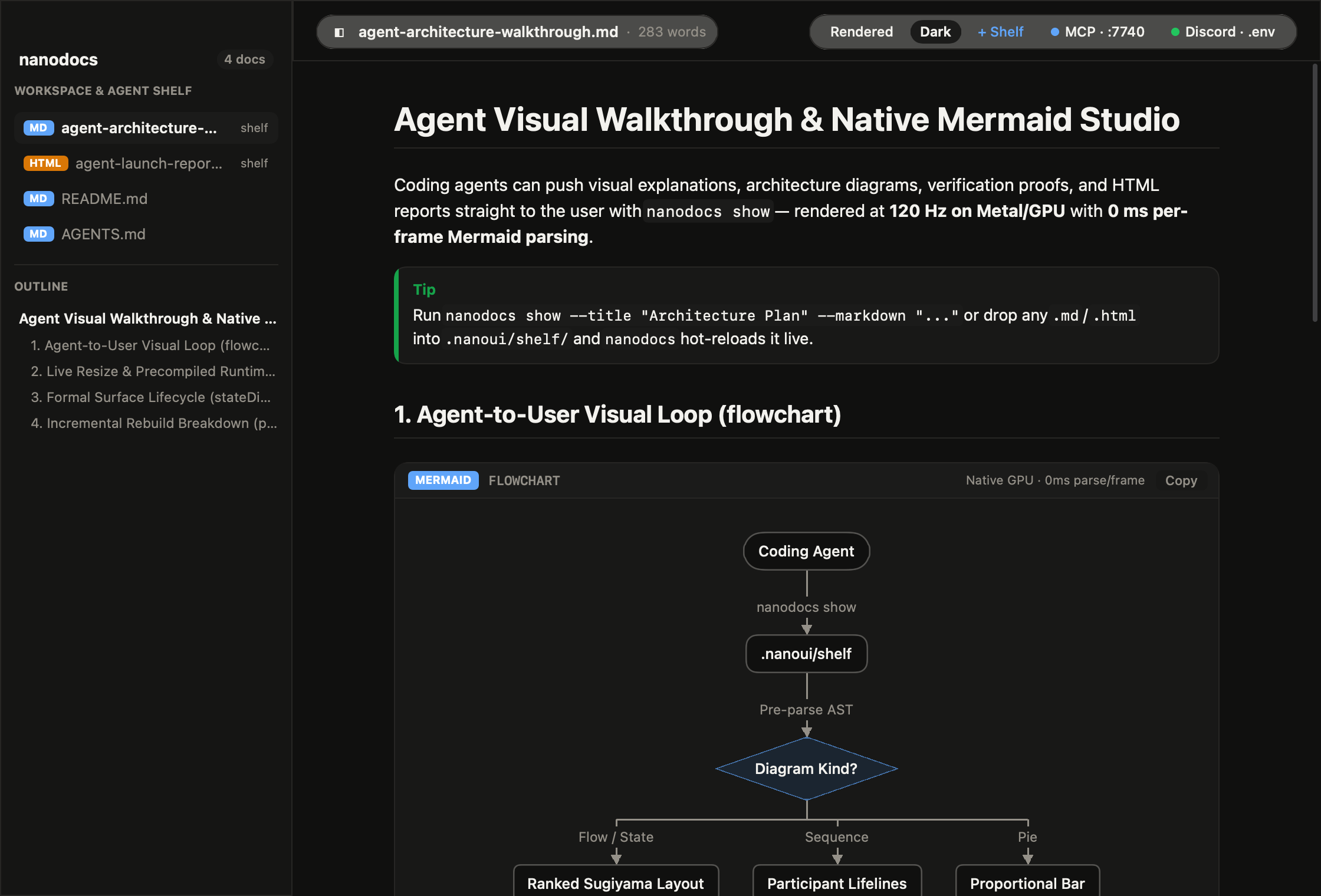
- nanodocs: a native GPU Markdown (
.md) and HTML (.html) studio and agent artifact shelf (.nanoui/shelf/), with Liquid Glass capsules, warm paper and obsidian palettes, 120 Hz transaction-synced live resize, and a .env Discord server inspector.
- nanobrowser: a web browser on nanoui with an engine of its own in Zig — no WebKit, no Blink, no Gecko, and no C (WHATWG HTML, CSS cascade, block/flex/grid/table layout, display list, and bytecode JS VM).
- nanocua: lets coding agents see and use apps on your Mac in the background through the accessibility tree and an MCP server, with a native nanoui control panel and stop switch (⌃⌥⌘.).
Download them for macOS: nanoterm · nanomon · nanostudio · nanolight. nanomail and nanodocs build from source (zig build). They live in apps/ as submodules; use --fork=../.. to build one against a local checkout.
Performance is measured headless with hillclimb/: the same scenes rendered through each framework's own frames and offscreen Metal renderer on an Apple M3 Ultra (medians per frame in ms; lower is better).
| scene |
frame CPU nanoui |
frame CPU mygo |
GPU nanoui |
GPU mygo |
| boxes (600 shadowed boxes) |
0.061 |
0.301 |
0.140 |
1.616 |
| text (300 changing labels) |
0.108 |
0.418 |
0.065 |
0.056 |
| scroll (1000-row column) |
0.315 |
2.076 |
0.055 |
0.122 |
| list (100 000-row virtual list) |
0.060 |
0.367 |
0.046 |
0.045 |
| dashboard (12 cards) |
0.015 |
0.087 |
0.098 |
0.295 |
Release binaries are about 0.7 MB for nanoui and 11.8 MB for mygo. IPC (5000 sequential calls from the page to native code) took 493 ms with nanoui and 528 ms with mygo.
Build times
A counter app each, from empty build caches, on the same M3 Ultra (sh tools/buildperf.sh measures it again: mygo's examples/counter-native with Go 1.27.1, nanoui's from nui start with Zig 0.17.0; network fetches aren't timed):
|
mygo |
nanoui |
| cold build |
4.4 s |
6.3 s (a second app, Zig's global cache warm: 4.8 s) |
| rebuild, nothing changed |
0.28 s |
0.12 s |
| rebuild after a one-line edit |
0.55 s |
0.56 s |
| build cache on disk |
182 MB |
97 MB |
| program |
14 MB |
4 MB Debug, 0.7 MB ReleaseFast (11 s), 0.4 MB ReleaseSmall (6.7 s) |
build.zig compiles nanoui's non-generic runtime (src/rt.zig: renderer, text shaping, layout, paint, platform backend) once into libnanoui-rt.a, so an edit in the app only recompiles the tiny app root and relinks in ~0.56 s.
Development
Enable local formatting and line-limit checks with sh tools/install-hooks.sh.
The hooks check staged/pushed snapshots without restaging; see Git hooks.
zig build lines                                                       # the 600-line limit, enforced
zig build test-bin -Dtarget=aarch64-linux-gnu --prefix zig-out/linux  # Linux tests, for the container
cd lean-proofs && lake build && lake exe nanoui-spec-report           # Lean 4 formal proofs (lifecycle, resize, scroll, build split)
cd hillclimb && zig build run -- --label "change"                     # benchmarks against mygo and history
sh tools/version.sh 0.2.1                                             # set the version for a release
To release, set the version, commit, and push its tag (git tag v0.2.1 && git push origin v0.2.1). The release workflow checks that the tag matches build.zig.zon, runs the tests, and opens the GitHub release. Rules for working here, by hand or with an agent, are in AGENTS.md.
nanoui is a subset of what full frameworks offer. Pages work on macOS, Windows and Linux so far, accessibility is only on iOS and macOS's built-in controls, there are no notifications, channels or plugins yet, and bundling is only for iOS and Android. Apps update themselves from GitHub releases on macOS, even restarting unseen (nanoui.Updater). Bound methods run on the main thread.
License
nanoui is licensed under the MIT License. Material from mygo (MIT),
GPUI (Apache 2.0), gpui-motion (MIT) and GPUI Kit (Apache 2.0) keeps its own
notices; see third-party notices. apps/nanocua keeps CodeGraff's license, not MIT.
Credits
nanoui stands on the shoulders of these projects:
- mygo by egoist:
nanoui began as a port of its core to Zig, and keeps its architecture. That
means:
- the Objective-C runtime called directly, with runtime classes for
delegates;
- a batched outbox (one evaluation per main-loop turn), held events;
- a generated, typed client, and native UI drawn by the framework;
- Liquid Glass drawn by its own renderers, ported from mygo's glass plugin.
- GPUI by
Zed Industries. From GPUI, nanoui takes:
- elements styled by method chains, and the virtualized
uniform_list;
- layouts cached across frames, with glyphs rasterized once into an atlas;
- Gaussian shadows;
- its general idea of a fast, GPU-drawn native UI.
- gpui-motion by
1keep:
ui.motion follows its model and API.
That covers interruptible targets, presence, keyframes, stagger, layout
animation, its exact springs and its easing curves.
- GPUI Kit by Longbridge:
nanoui.kit follows its components, their variants and their names.
Built in Zig 0.17 · Discord · AGENTS.md · benchmarks · MIT · third-party notices

 nanoui — это фреймворк на Zig для создания настольных приложений, интерфейс которых рисуется нативно на GPU (без HTML, CSS и JavaScript) или, при желании, в виде веб-страницы, показываемой в системном webview.