
tiny-engineer README

The project's README from github.com/jamro/tiny-engineer. As one markdown file: README.md.

Tiny Engineer

Give your AI coding agent a body.

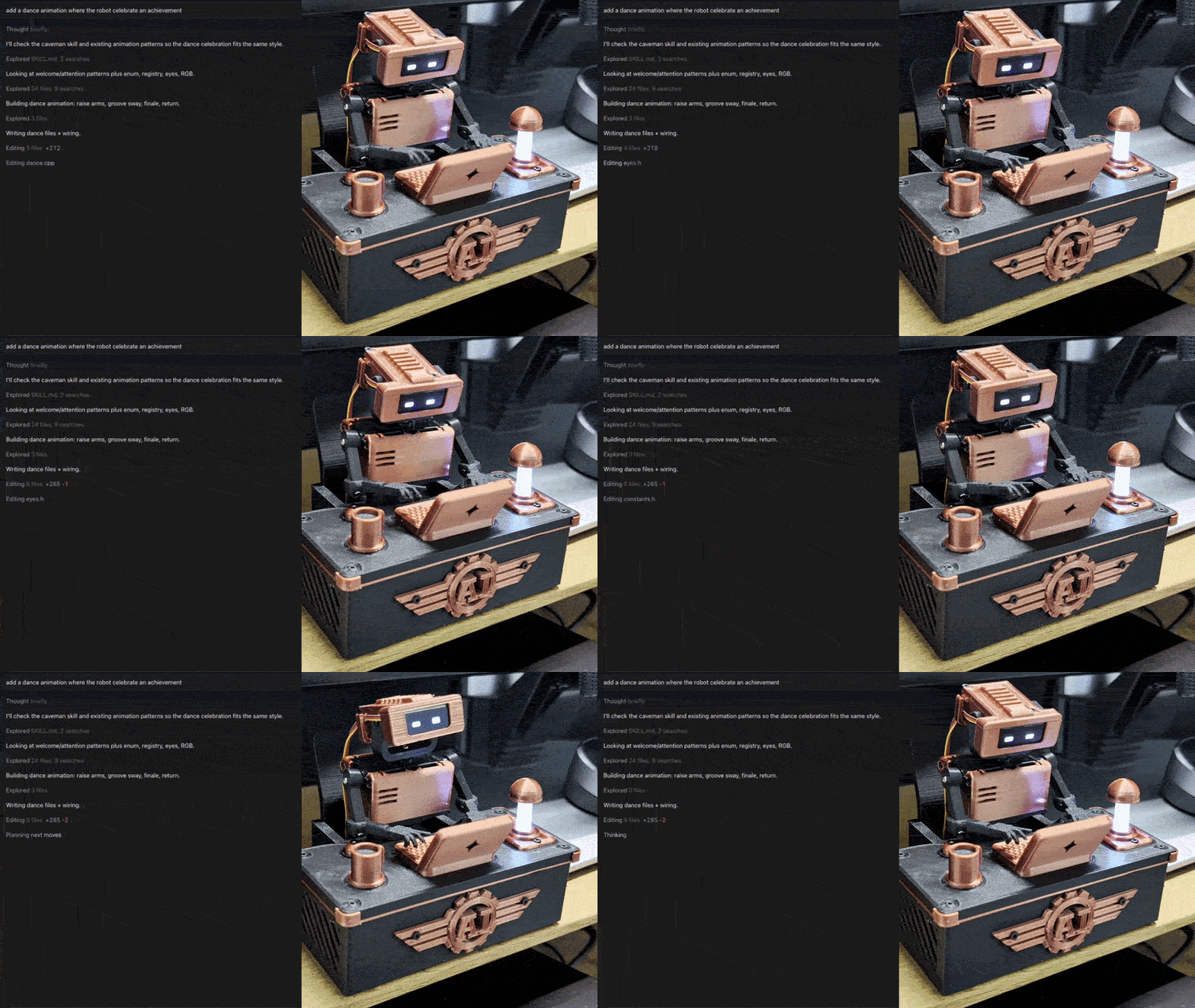
Tiny Engineer demo

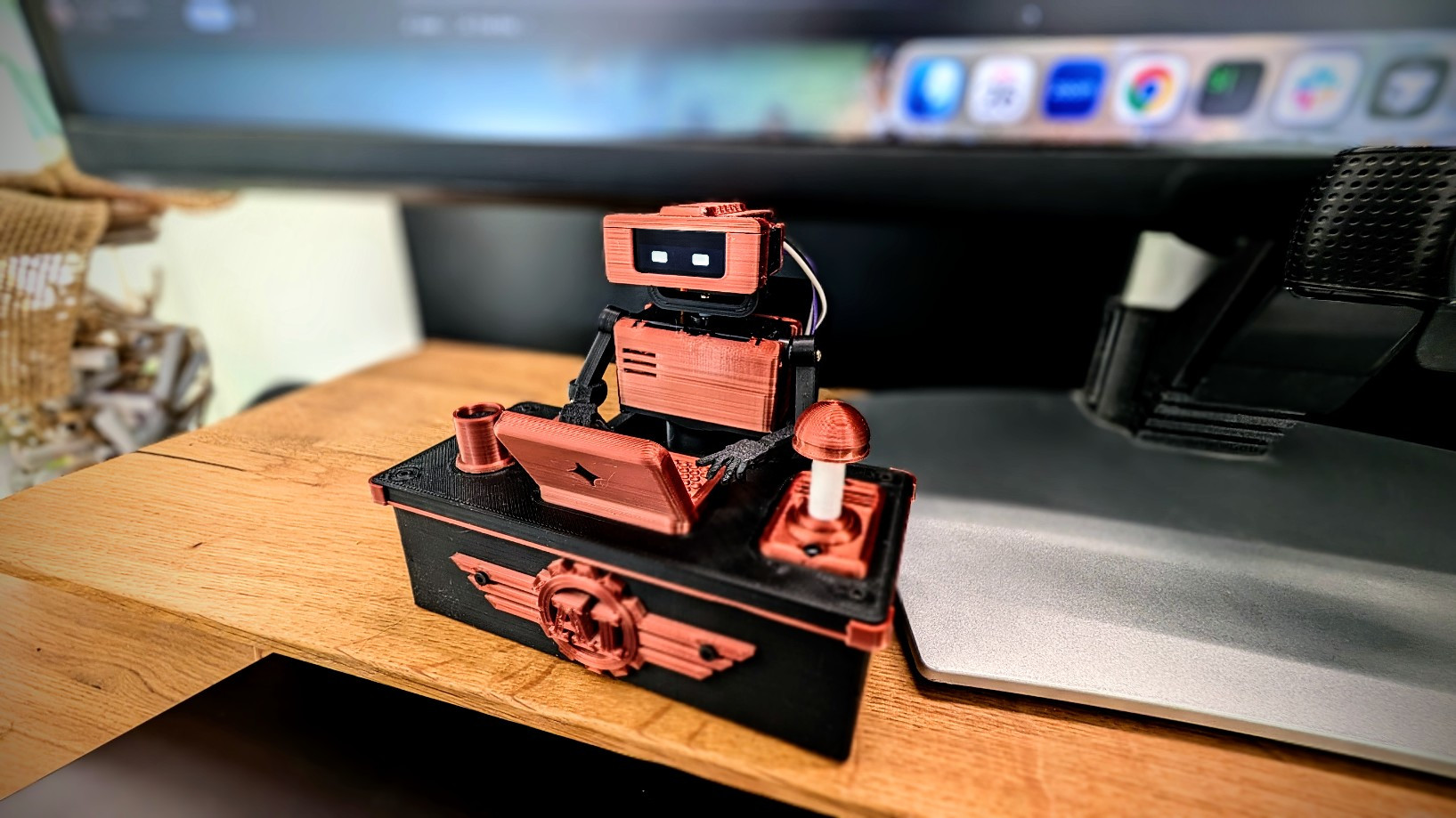
Tiny Engineer is an open-source, 3D-printable desktop robot that physically acts out what an AI coding agent is doing: reading, thinking, coding, finishing tasks. It runs on an ESP32 over Wi-Fi and exposes a simple REST API, so any tool that can make an HTTP request can drive it.

Watch the demo · Build your own · How it works · API

Why?

AI coding agents increasingly spend long stretches working on their own. I wanted to see what mine was doing without staring at the IDE.

So I built a slightly ridiculous desk robot: instead of another spinner or status line, there is a tiny teammate sitting next to me, visibly reading, thinking, and typing while the agent works.

How it works

How Tiny Engineer works

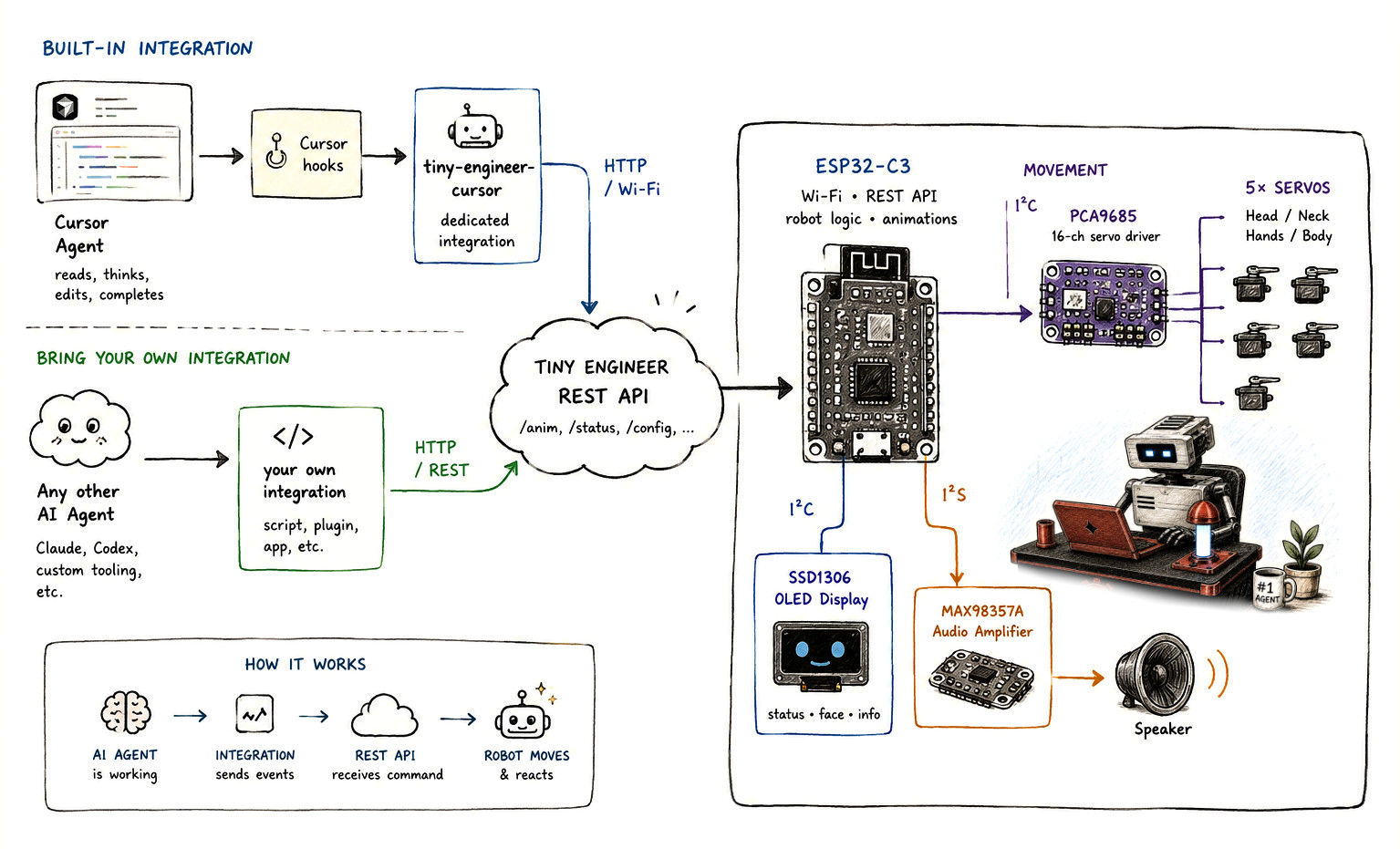
An AI agent works; an integration turns that into events; the robot’s REST API on your LAN receives them; the hardware moves and reacts.

How it connects

Both hit the same Tiny Engineer REST API (/anim). The ESP32-C3 runs that API, robot logic, and animations, then drives:

Bus Hardware Role
I2C PCA9685 → 5× servos Head / neck, hands / body
I2C SSD1306 OLED Status, face, info
I2S MAX98357A → speaker Audio

Cursor is one, sample, client, not the architecture. Details: Cursor hooks · any integration · HTTP API

Build your own

End-to-end path (details live in the linked docs):

New to hardware? Start with From Code to Circuits — hardware and electronics for software engineers; Tiny Engineer is the worked example.

  1. Get the electronics — hardware inventory
  2. 3D print the parts — printables
  3. Assemble the mechanics — fit the five servos — 3D models, servo axes
  4. Wire the electronics — wiring, hardware overview
  5. Flash the ESP32 firmware — getting started → Flash
  6. Configure Wi-Fi — getting started → Wi-Fi
  7. Test the robot — web UI + a curl — getting started → Prove it
  8. Connect your coding agent — Cursor hooks or any IDE / REST

Full walkthrough: docs/getting-started.md.

Hardware overview

Major pieces (exact models and counts in the BOM):

Role Part Qty
Controller Waveshare ESP32-C3-Zero 1
Servo PWM Adafruit PCA9685 1
Actuators PowerHD HD-1370A micro servos 5
Display 0.91" 128×32 SSD1306 OLED (I2C) 1
Audio MAX98357A + 8 Ω / 1 W speaker 1 + 1
USB / power Adafruit 5993 USB-C breakout; 5 V / ≥2 A supply 1
Structure 3D-printed parts —

Complete inventory and limits: docs/hardware/components.md.

Quick start

Firmware is Arduino on PlatformIO. From the project root:

pio run                 # build
pio run -t upload       # flash firmware + LittleFS
pio device monitor      # serial (115200)

If servos move but audio is silent, run pio run -t uploadfs once.

Wi-Fi (first boot): join TinyEngineer-XXXX, open http://192.168.4.1/config. Wizard: servo calibration, then a 2.4 GHz network. OLED shows the join-AP steps.

Web UI: http://tiny-engineer.local/ (or the IP on the OLED) — settings, hardware tests, animations.

Make it move:

curl -X POST "http://tiny-engineer.local/anim?name=ring"

Full route list: docs/api.md. Settings: docs/settings.md.

AI integrations

Anything that can POST over HTTP can drive the robot:

curl -X POST "http://tiny-engineer.local/anim?name=typing"

Useful name values: typing, reading, thinking, ring, welcome, wakeup, sleep, attention, error, abort, dead, none.

Cursor projects can map agent events to poses via hooks — docs/hooks.md. Broader patterns and examples: docs/integration.md. Optional extra: sleep/wake when you lock or unlock a Mac — docs/macos-lock-unlock.md.

Documentation

Goal Doc
Build end-to-end docs/getting-started.md
Parts / BOM docs/hardware/components.md
Wiring / power docs/hardware/README.md
Printable parts 3d_models/README.md
Servo axes / safe ranges docs/robot-movement.md
HTTP API docs/api.md
Settings docs/settings.md
Cursor hooks docs/hooks.md
Any IDE / REST docs/integration.md
Firmware / package tests docs/testing.md
Full index docs/README.md

Build one, break one, share it

Print it, wire it, change the CAD, swap animations, or hook up a different agent. Issues and PRs welcome — especially new integrations. See CONTRIBUTING.md. Vulnerabilities: SECURITY.md. Conduct: CODE_OF_CONDUCT.md.

Tiny Engineer

License

See LICENSING.md for scope and effective date. The Tiny Engineer name and logo are not licensed — see TRADEMARK.md.

tiny-engineer (jamro/tiny-engineer)

Searching Database…

这是什么?Tiny Engineer 是一个开源、可 3D 打印的桌面机器人,会用肢体动作演绎你的 AI 编程智能体正在做什么——阅读、思考、写代码和完成任务。
怎么组装并让它跑起来?按照八步路径走:准备电子元件、3D 打印零件、装配五个舵机、接线、用 PlatformIO 烧录 ESP32-C3 固件、连接它的 Wi-Fi 热点配置网络、通过网页界面或 curl 测试,然后连接你的编程智能体。
我需要买哪些硬件?构建清单包括:一块 Waveshare ESP32-C3-Zero、一个 Adafruit PCA9685 舵机驱动板、五个 PowerHD HD-1370A 微型舵机、一块 0.91' 128x32 SSD1306 OLED、一个 MAX98357A 功放配 8 欧扬声器、一个 USB-C 供电扩展板,以及 3D 打印的结构零件。
安装时有什么要注意的坑?如果舵机会动但音频一直没声音,你需要运行一次性的文件系统上传(pio run -t uploadfs),把声音资源推送到板子上。
哪些编程智能体可以驱动机器人?Cursor 通过 Cursor hooks 接入,Antigravity CLI 通过其生命周期钩子接入,其他任何智能体——包括 Claude 或 Codex——都可以通过对同一个 REST 端点发送普通 HTTP POST 请求来驱动它。
机器人实际能做出哪些姿态或动画?它支持 typing、reading、thinking、ring、welcome、wakeup、sleep、attention、error、abort、dead 和 none 等命名状态,通过 /anim REST 端点触发。
作者为什么做一个实体机器人而不只是一个状态指示器?作者想要一种直观的方式来观察长时间自主运行的 AI 编程智能体在做什么,而不只是在 IDE 里盯着加载圈或状态栏,于是做了一个放在桌边、能直观响应智能体活动的小机器人。
除了编程智能体事件,它还能响应别的吗?可以,还有一个可选的 macOS 集成,当你锁定或解锁 Mac 时,机器人会自动入睡和醒来。
Creator
jamro
Size
415.8 MB
Stars
716
Age
1mo
Commits · 90 Days