695 ·GitHub
Что это?
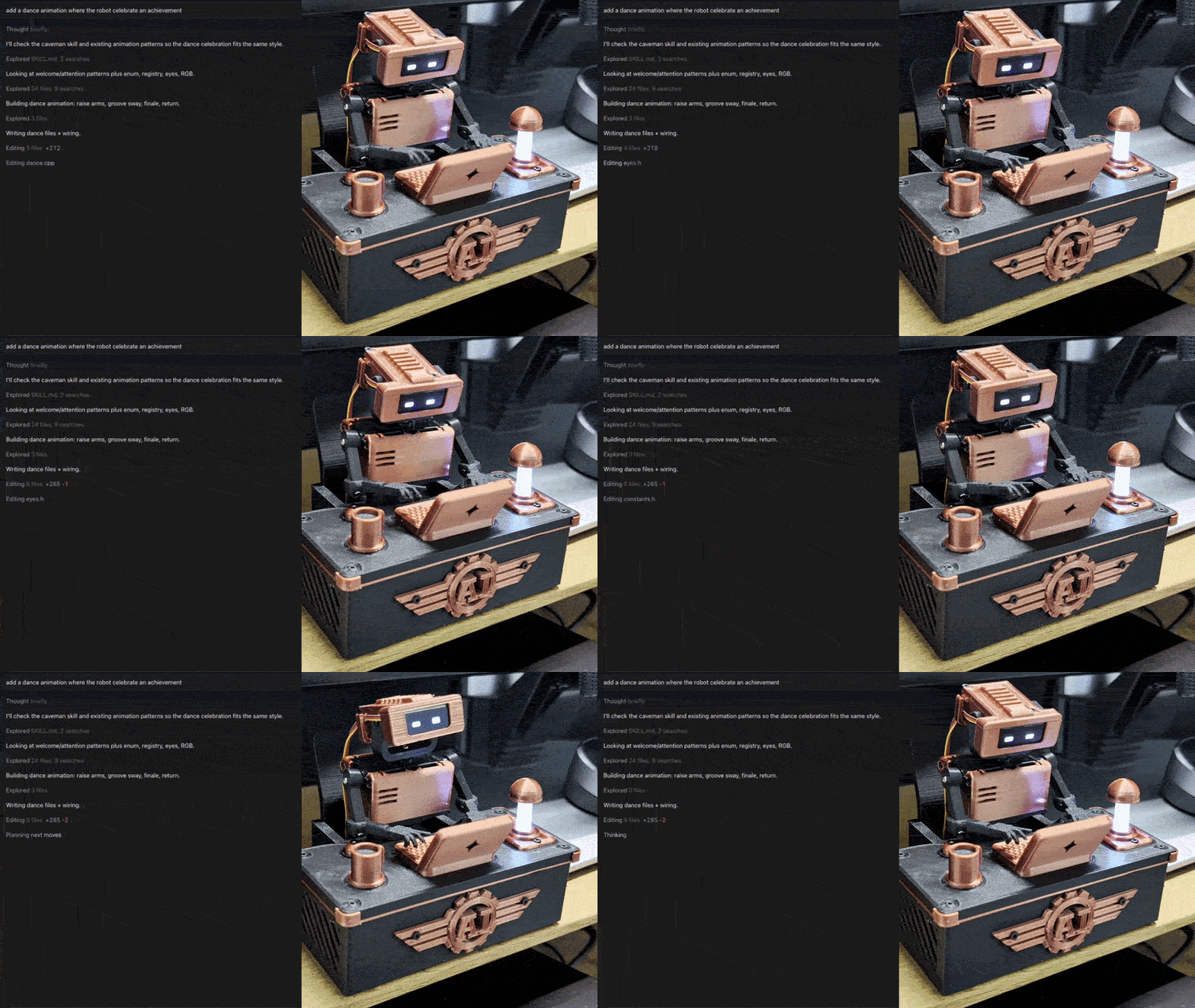
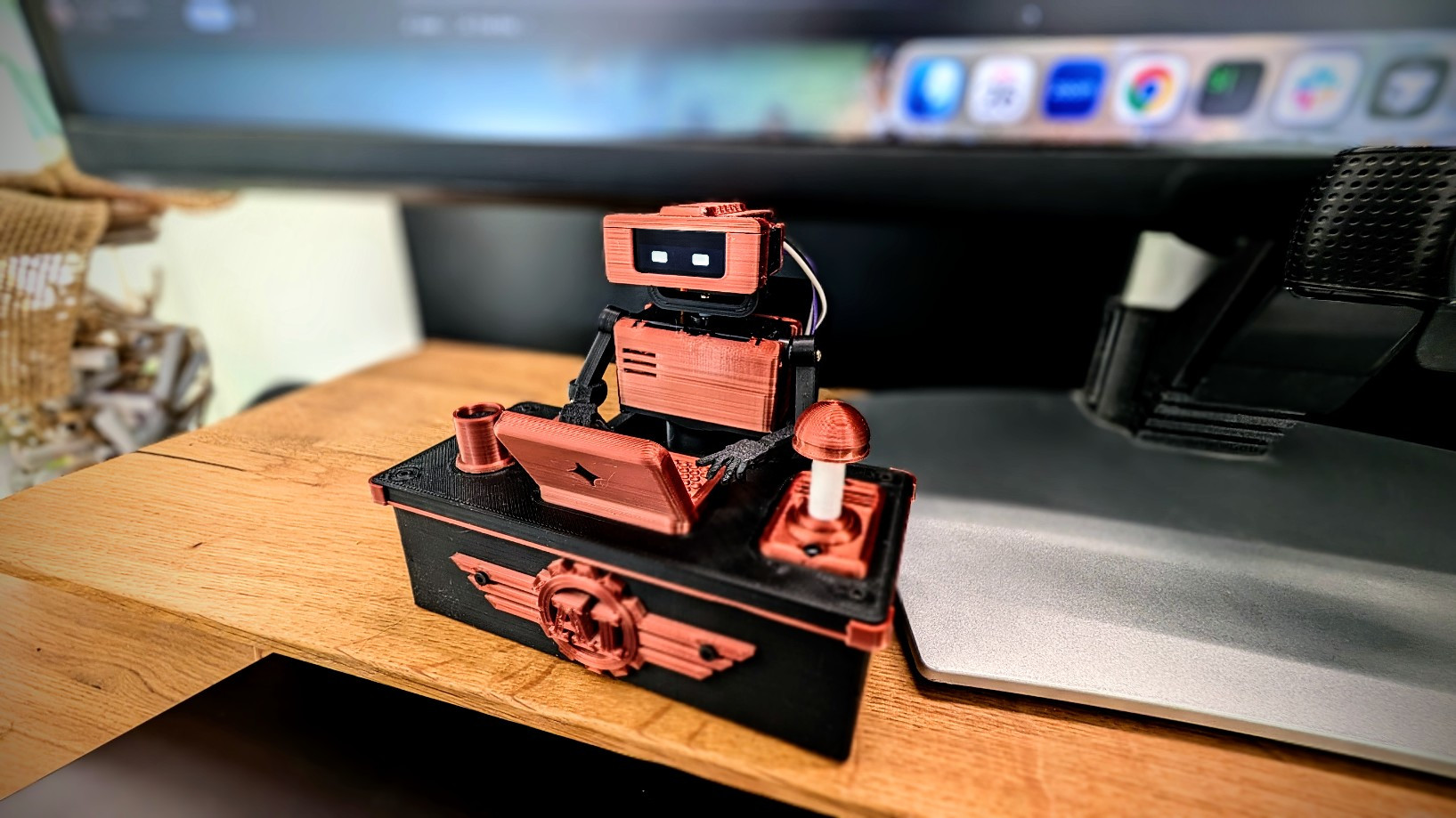
 Tiny Engineer — открытый настольный робот, печатаемый на 3D-принтере, который физически изображает, чем занят ваш AI-агент кодинга: читает, думает, пишет код и завершает задачи.
Tiny Engineer — открытый настольный робот, печатаемый на 3D-принтере, который физически изображает, чем занят ваш AI-агент кодинга: читает, думает, пишет код и завершает задачи.Как собрать и запустить его?Следуйте восьми шагам: добудьте электронику, распечатайте детали на 3D-принтере, соберите пять сервоприводов, соедините всё проводами, прошейте прошивку ESP32-C3 через PlatformIO, подключитесь к его Wi-Fi-точке доступа для настройки сети, проверьте через веб-интерфейс или curl, затем подключите своего кодинг-агента.
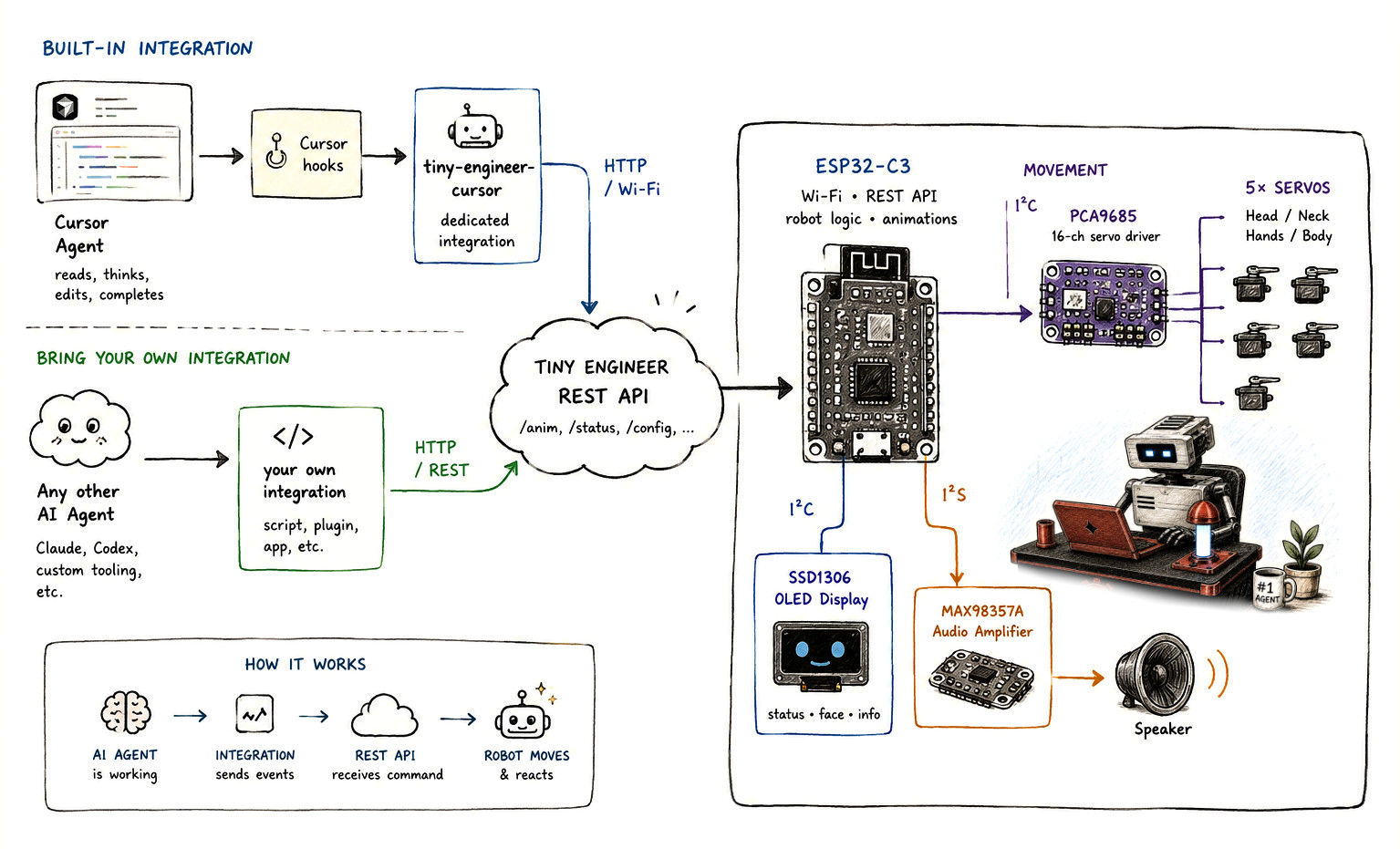
Следуйте восьми шагам: добудьте электронику, распечатайте детали на 3D-принтере, соберите пять сервоприводов, соедините всё проводами, прошейте прошивку ESP32-C3 через PlatformIO, подключитесь к его Wi-Fi-точке доступа для настройки сети, проверьте через веб-интерфейс или curl, затем подключите своего кодинг-агента.Какое железо нужно купить?Список сборки: Waveshare ESP32-C3-Zero, серводрайвер Adafruit PCA9685, пять микросервоприводов PowerHD HD-1370A, OLED 0.91' 128x32 SSD1306, усилитель MAX98357A с динамиком 8ohm, плата питания USB-C и конструктивные детали с 3D-печати.
Список сборки: Waveshare ESP32-C3-Zero, серводрайвер Adafruit PCA9685, пять микросервоприводов PowerHD HD-1370A, OLED 0.91' 128x32 SSD1306, усилитель MAX98357A с динамиком 8ohm, плата питания USB-C и конструктивные детали с 3D-печати.Есть ли подводные камни при установке?Если сервоприводы двигаются, а звук молчит, нужно один раз выполнить загрузку файловой системы (pio run -t uploadfs), чтобы залить звуковые файлы на плату.
Если сервоприводы двигаются, а звук молчит, нужно один раз выполнить загрузку файловой системы (pio run -t uploadfs), чтобы залить звуковые файлы на плату.Какие кодинг-агенты могут управлять роботом?Cursor подключается через Cursor hooks, Antigravity CLI — через его lifecycle hooks, а любой другой агент, включая Claude или Codex, может управлять им обычными HTTP POST-запросами к тому же REST-эндпоинту.
Cursor подключается через Cursor hooks, Antigravity CLI — через его lifecycle hooks, а любой другой агент, включая Claude или Codex, может управлять им обычными HTTP POST-запросами к тому же REST-эндпоинту.Какие позы или анимации робот реально умеет?Он поддерживает именованные состояния вроде typing, reading, thinking, ring, welcome, wakeup, sleep, attention, error, abort, dead и none, вызываемые через REST-эндпоинт /anim.
Он поддерживает именованные состояния вроде typing, reading, thinking, ring, welcome, wakeup, sleep, attention, error, abort, dead и none, вызываемые через REST-эндпоинт /anim.Зачем автор сделал физического робота, а не просто индикатор статуса?Создатель хотел осязаемый способ видеть, чем занят долгоживущий автономный AI-агент кодинга, вместо того чтобы просто смотреть на спиннер или строку статуса в IDE, поэтому он собрал небольшого робота на стол, который наглядно реагирует на активность агента.
Создатель хотел осязаемый способ видеть, чем занят долгоживущий автономный AI-агент кодинга, вместо того чтобы просто смотреть на спиннер или строку статуса в IDE, поэтому он собрал небольшого робота на стол, который наглядно реагирует на активность агента.Может ли он реагировать на что-то помимо событий кодинг-агента?Да, есть опциональная интеграция с macOS, из-за которой робот засыпает и просыпается автоматически, когда вы блокируете или разблокируете свой Mac.
Да, есть опциональная интеграция с macOS, из-за которой робот засыпает и просыпается автоматически, когда вы блокируете или разблокируете свой Mac.What are similar projects?papermono-shopping-list, ESP32Marauder, WLED, Arduino, oomwoo, smartknob, Marlin, arduino-esp32
papermono-shopping-list, ESP32Marauder, WLED, Arduino, oomwoo, smartknob, Marlin, arduino-esp32Which topics is it in?display, arduino, 3d-printing, cad, wifi, microcontroller, esp32, antigravity, robotics, firmware, iot, embedded
display, arduino, 3d-printing, cad, wifi, microcontroller, esp32, antigravity, robotics, firmware, iot, embedded