695 ·GitHub
What is this?
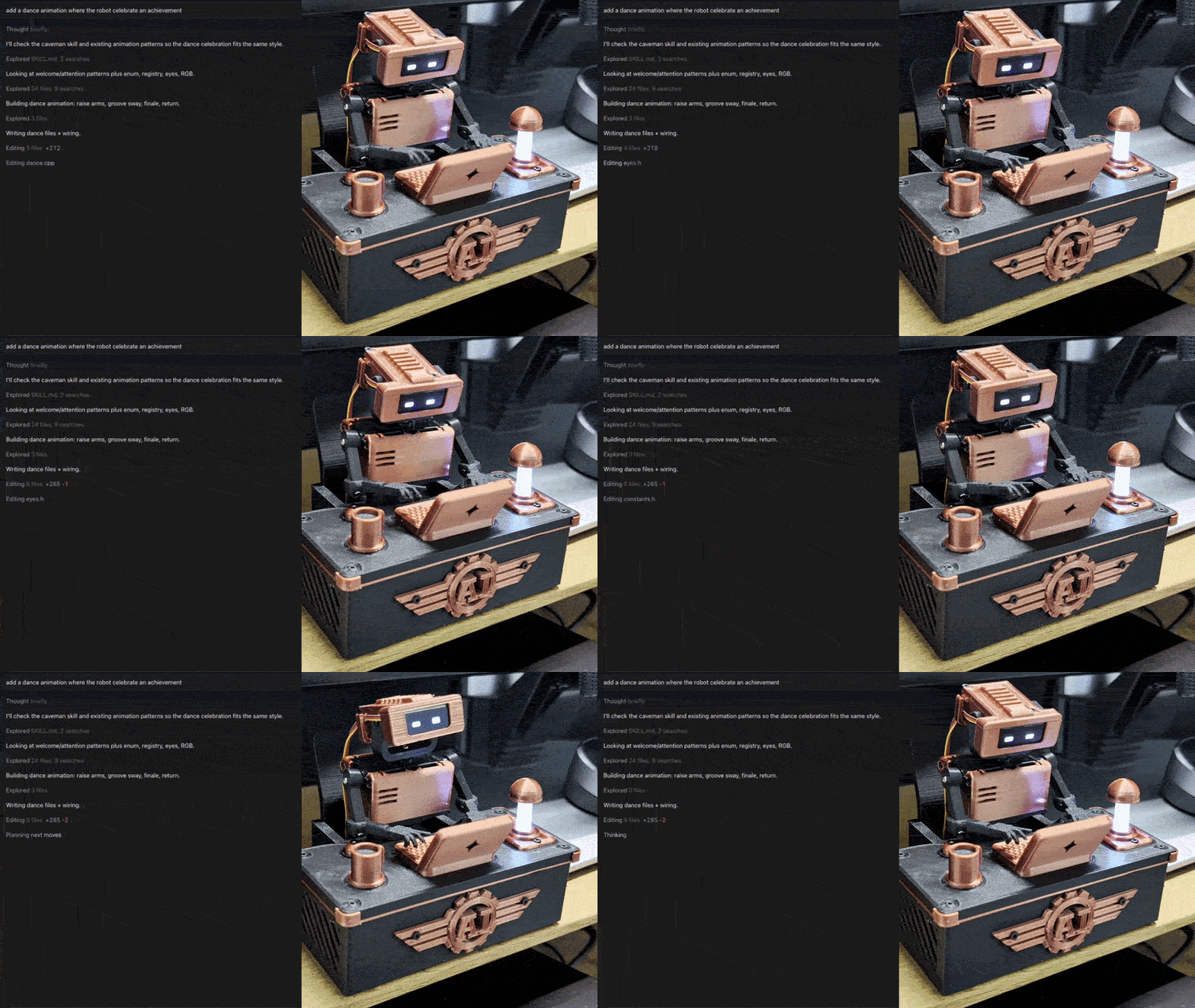
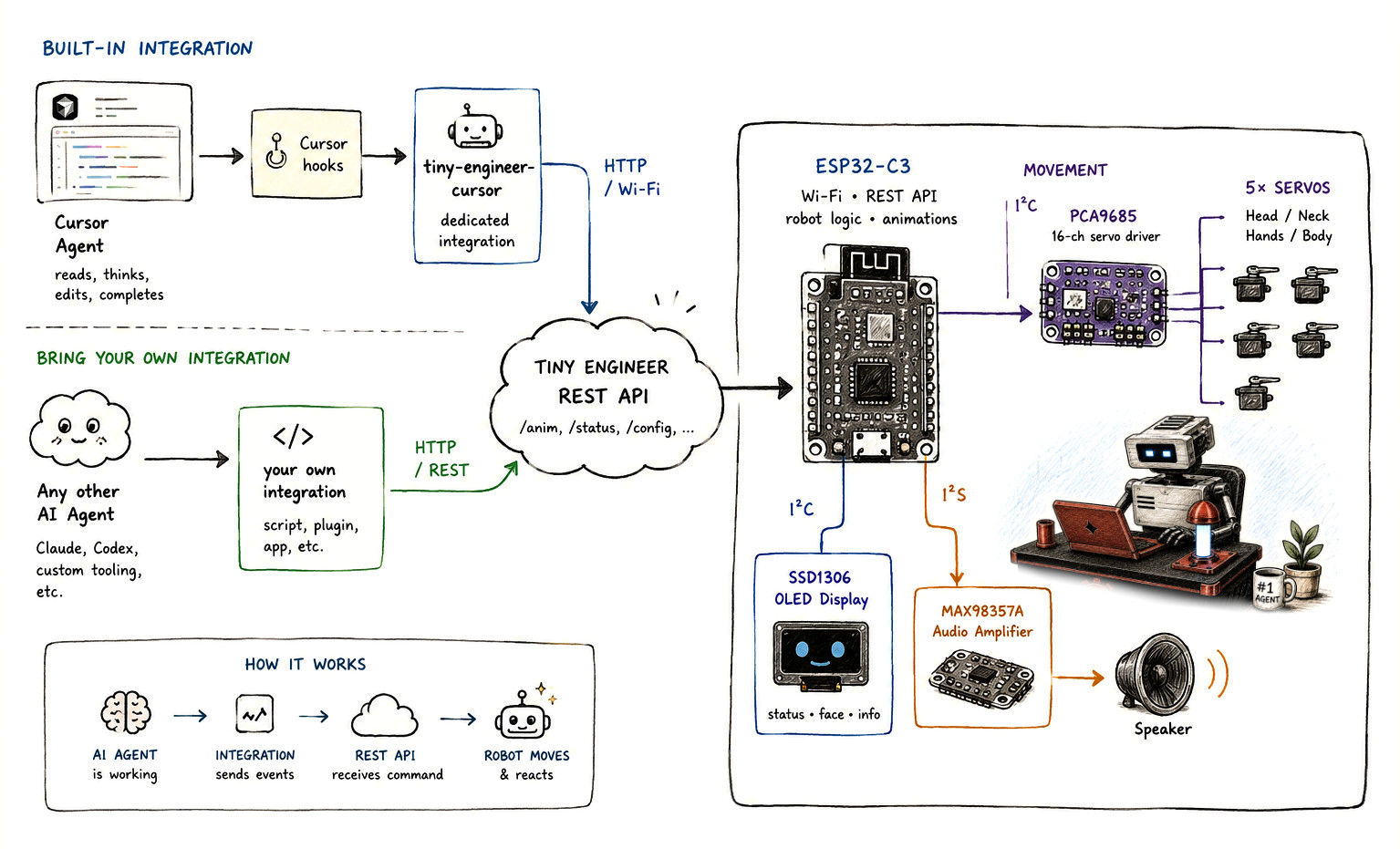
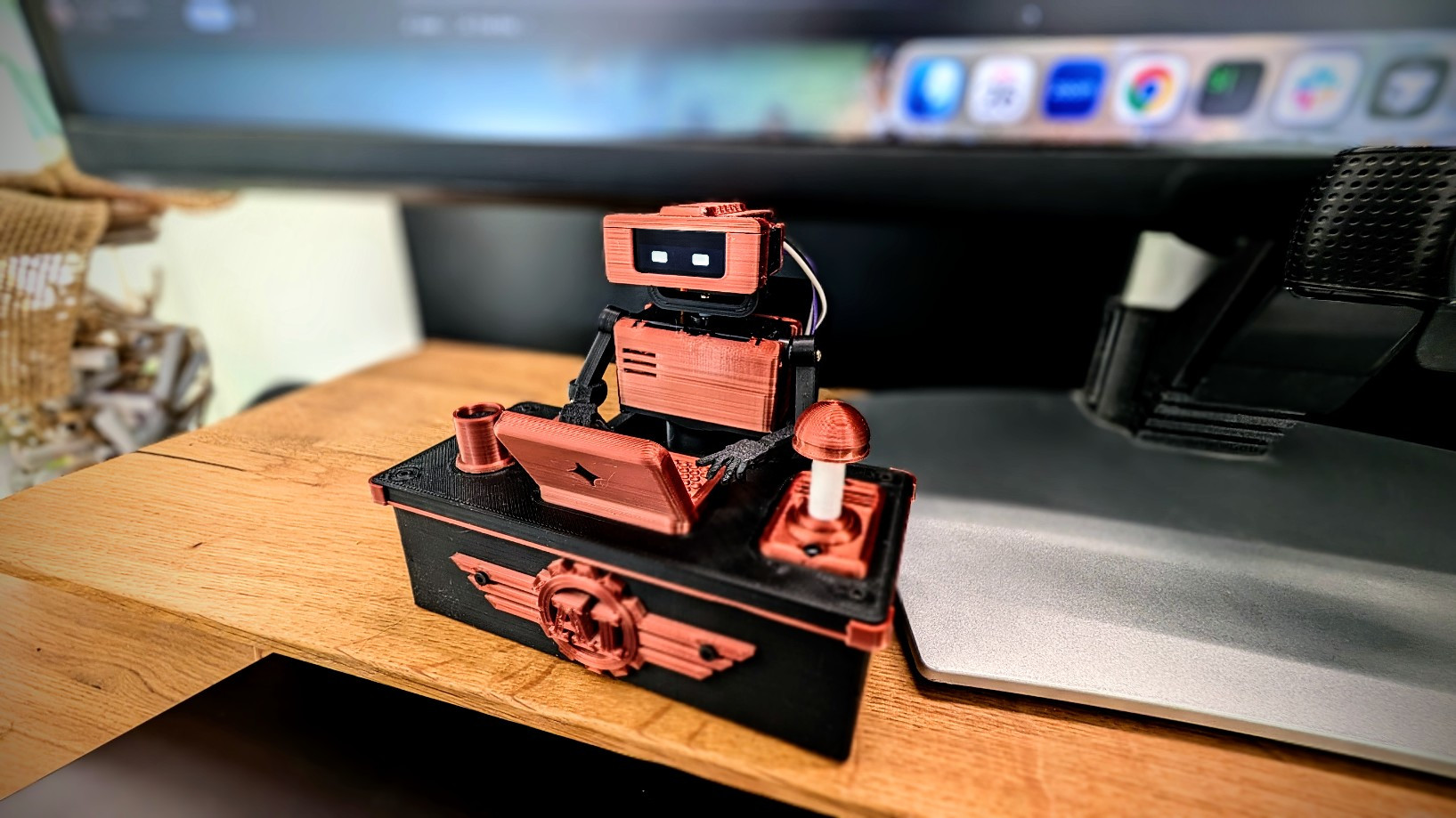
 Tiny Engineer is an open-source, 3D-printable desktop robot that physically acts out what your AI coding agent is doing — reading, thinking, writing code, and finishing tasks.
Tiny Engineer is an open-source, 3D-printable desktop robot that physically acts out what your AI coding agent is doing — reading, thinking, writing code, and finishing tasks.How do I build and get it running?Follow the eight-step path: get the electronics, 3D print the parts, assemble the five servos, wire everything, flash the ESP32-C3 firmware with PlatformIO, join its Wi-Fi hotspot to configure your network, test it through the web UI or curl, then connect your coding agent.
Follow the eight-step path: get the electronics, 3D print the parts, assemble the five servos, wire everything, flash the ESP32-C3 firmware with PlatformIO, join its Wi-Fi hotspot to configure your network, test it through the web UI or curl, then connect your coding agent.What hardware do I need to buy?The build list is a Waveshare ESP32-C3-Zero, an Adafruit PCA9685 servo driver, five PowerHD HD-1370A micro servos, a 0.91' 128x32 SSD1306 OLED, a MAX98357A amp with an 8ohm speaker, a USB-C power breakout, and 3D-printed structural parts.
The build list is a Waveshare ESP32-C3-Zero, an Adafruit PCA9685 servo driver, five PowerHD HD-1370A micro servos, a 0.91' 128x32 SSD1306 OLED, a MAX98357A amp with an 8ohm speaker, a USB-C power breakout, and 3D-printed structural parts.Any install pitfalls to watch for?If the servos move but the audio stays silent, you need to run a one-time filesystem upload (pio run -t uploadfs) to push the sound assets to the board.
If the servos move but the audio stays silent, you need to run a one-time filesystem upload (pio run -t uploadfs) to push the sound assets to the board.Which coding agents can drive the robot?Cursor is wired up via Cursor hooks, Antigravity CLI via its lifecycle hooks, and any other agent — including Claude or Codex — can drive it through plain HTTP POST requests to the same REST endpoint.
Cursor is wired up via Cursor hooks, Antigravity CLI via its lifecycle hooks, and any other agent — including Claude or Codex — can drive it through plain HTTP POST requests to the same REST endpoint.What poses or animations can the robot actually perform?It supports named states like typing, reading, thinking, ring, welcome, wakeup, sleep, attention, error, abort, dead, and none, triggered through the /anim REST endpoint.
It supports named states like typing, reading, thinking, ring, welcome, wakeup, sleep, attention, error, abort, dead, and none, triggered through the /anim REST endpoint.Why did the author build a physical robot instead of just a status indicator?The creator wanted a tangible way to see what a long-running, autonomous AI coding agent was doing instead of just watching a spinner or status line in the IDE, so they built a small deskside robot that visibly reacts to the agent's activity.
The creator wanted a tangible way to see what a long-running, autonomous AI coding agent was doing instead of just watching a spinner or status line in the IDE, so they built a small deskside robot that visibly reacts to the agent's activity.Can it react to anything beyond coding agent events?Yes, there is an optional macOS integration that makes the robot sleep and wake automatically when you lock or unlock your Mac.
Yes, there is an optional macOS integration that makes the robot sleep and wake automatically when you lock or unlock your Mac.What are similar projects?papermono-shopping-list, ESP32Marauder, WLED, Arduino, oomwoo, smartknob, Marlin, arduino-esp32
papermono-shopping-list, ESP32Marauder, WLED, Arduino, oomwoo, smartknob, Marlin, arduino-esp32Which topics is it in?display, arduino, 3d-printing, cad, wifi, microcontroller, esp32, antigravity, robotics, firmware, iot, embedded
display, arduino, 3d-printing, cad, wifi, microcontroller, esp32, antigravity, robotics, firmware, iot, embedded