Windows Precision Touchpad Implementation for Apple MacBook family/Magic Trackpad 2

This project implements Windows Precision Touchpad Protocol for Apple MacBook family/Magic Trackpad 2 on Windows 10. Both USB (traditional and T2), SPI and Bluetooth trackpads are supported.
Donation?
A few people asked me why I removed donation. My current financial situation doesn't require me to accept donation for the budget of future development. If you are considering donation, please consider other meaningful projects and foundations, such as Electronic Frontier Foundation.
Official Driver?
Bootcamp 6.1.5 offers official driver for T2-based model and Magic Trackpad 2. You can also consider using the official driver if you have such Mac. If you have an older model (e.g. MacBooks before 2018/2019), this is the only implementation for these models (yet).
Future Plans and feature tracking
Use the Azure DevOps Board to track feature and device support plans. Bug reports should go to Github issues.
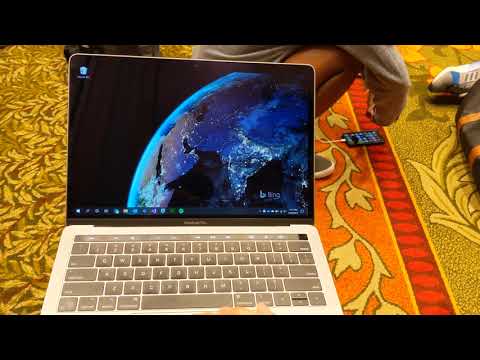
See it in action (YouTube video)
Converged Installation Guide
IMPORTANT: Given changes in Microsoft driver code signing policy, and the compliance need of EV certificate, CI auto builds beyond 2021/01/06 04:00AM EST will not be automatically signed with normal code signing certificate. These builds are still supposed via TestSigning, but not recommended for normal users. Proper WHQL and EV dual-signed packages will be released manually, which can be downloaded from the release page.
- Make sure you uninstalled
Trackpad++ completely if you have previously does so
- Go to the release tab in Github and download the newest version for your architecture
- Right click
AmtPtpDevice.inf and install it
- If you have a Magic Trackpad 2 and want to use it in Bluetooth mode: manaully pair it in PC Settings.
Note: it is unnecessary to enable test signing, or install the certificate manually. Doing so may cause problems in installation. See this issue for detailed explanation.
Also Uninstallation (extremely important for reinstallation Trackpad++ and such)
See also here.
- Go to device manager
- Find the "Apple Precision Touch Device", "Apple Multi-touch Trackpad HID filter" and "Apple Multi-touch Auxiliary Services"
- Right click "remove the device" and also check "uninstall driver"
- Rescan devices
Installation with Chocolatey
The drivers are available as a Chocolatey package. To install using Chocolatey run:
choco install mac-precision-touchpad
For developers
- SPI/T2 version is kernel-mode driver, using KMDF Framework v1.23. Bluetooth driver uses KMDF Framework 1.15. Windows 10 Driver Development Kit Version 2004 or higher is required for development and testing.
- USB version is a user-mode driver, using UMDF Framework v2.15. Windows 10 Driver Development Kit Version 2004 or higher is required for development and testing.
ReleaseSigned configuration is reserved for production build only, and it will be rendered as unsigned if you attempt to build using that configuration. (Historically it's signed, but due to EV certificate's requirements, the process has changed.)
Device support
There is a bring-up issue for certain MacBook Pro and MacBook Air. I am looking into it. If you have such device with Windows installed, please contact me so I can look into the issue remotely (as I don't have many devices).
- Non-Retina MacBook
- Some non-Retina MacBook Pro (2011 and 2012)
- MacBook Pro with Retina Display (MacBookPro 10,1, MacBookPro10,2 & MacBookPro11,1)
- All recent MacBook Air (Please report if your model is not supported)
- MacBook Pro with Retina Display (2013, 2014, 2015, 13-inch & 15-inch)
- New MacBook (12-inch)
- MacBook Pro 2015, 2016, 2017 (a few SPI devices are in work-in-progress state)
- T2-based devices: MacBook Air 2018, MacBook Pro 2017/2018/2019/2020: Use default fallback, experience might not be optimal. Open a issue if you encountered dead touch regions.
- Magic Trackpad 2 & 3 (USB)
- Magic Trackpad 2 & 3 (Bluetooth connection)
Roadmap
- Touchpad Device Power Management
- Touchpad Protocol Stack Implementation
- Touchpad Raw Input Output (in Driver Trace)
- HID Protocol Implementation (PTP Touch)
- HID Protocol Implementation (Configuration)
- Device Test (Magic Trackpad 2)
- Refine input experience (tip switch detection and pressure)
- Refine input experience (gesture experience)
- More Models
- SPI
- KM Driver cross-cert
- Bluetooth
- Defuzz
- Input sensitivity configuration
Acknowledgements
UPDATE 2021/05: She got an M1 Mac now.
People familiar with me know that I don't use Apple MacBook (so development work of this driver occurs on a Surface Pro 4). People probably think it doesn't make sense that I started this project. The motivation behind this project origin from complaints from my girlfriend. Hearing about frequent complains about Dell XPS 13's touchpad (though it passed Precision Touchpad certification), I decided to start this project, so by the time she switches to MacBook Pro, she will have excellent touchpad experience out-of-box, even on Windows. This driver is made for you, but also for everyone.
I would like to thank projects like magictrackpad2-dkms and macbook12-spi-driver that inspire me. I would also like to thank my friends for providing me immense help on devices and testing.
License
- USB driver is licensed under GPLv2.
- SPI driver is licensed under MIT.

 这是一个 Windows 驱动,让 Apple MacBook 触控板以及 Magic Trackpad 2/3 在 Windows 10 上通过 USB、SPI 或蓝牙连接,作为 Windows 精确式触控板(Precision Touchpad)设备工作。