



What is this?
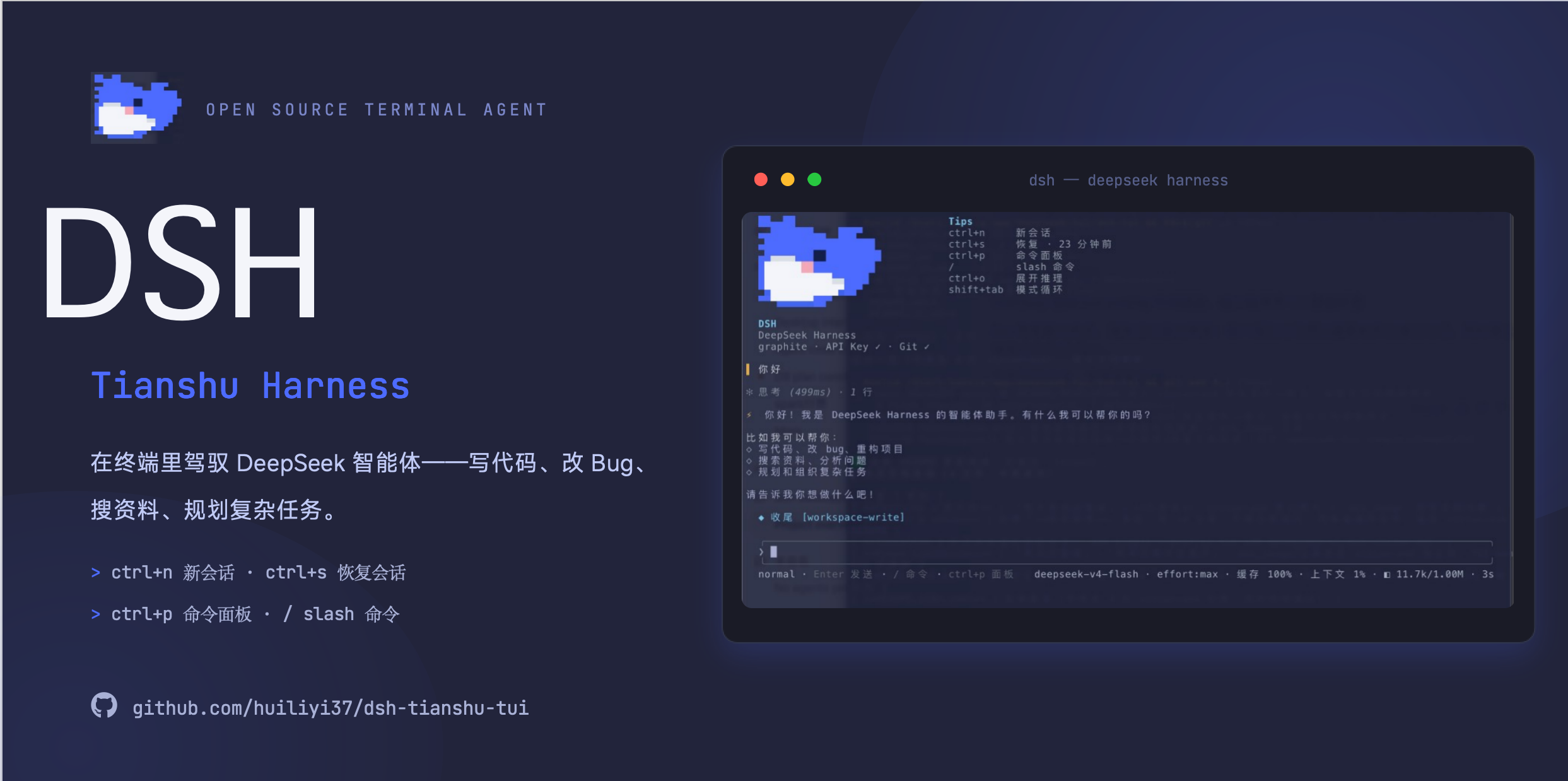
 dsh-tianshu-tui is an interactive terminal UI (TUI) plugin for the official DeepSeek Harness CLI (@deepseek-ai/dsh). It uses a self-built minimal ANSI rendering engine to show streaming Markdown and tool cards, 16+ themes, slash commands, memory, and LSP diagnostics inside your terminal.
dsh-tianshu-tui is an interactive terminal UI (TUI) plugin for the official DeepSeek Harness CLI (@deepseek-ai/dsh). It uses a self-built minimal ANSI rendering engine to show streaming Markdown and tool cards, 16+ themes, slash commands, memory, and LSP diagnostics inside your terminal.Is this a standalone app or a plugin I add to something else?It's a plugin, not a standalone program — you need the official DeepSeek Harness CLI (@deepseek-ai/dsh) already installed, then mount this plugin into its tui profile.
It's a plugin, not a standalone program — you need the official DeepSeek Harness CLI (@deepseek-ai/dsh) already installed, then mount this plugin into its tui profile.How do I install and start it?Use the repo's cross-platform one-click script, or run 'pnpm dlx @deepseek-ai/dsh plugin --profile tui add @huiliyi37/dsh-tianshu-tui' to add it to the official CLI's tui profile, then launch with dsh (or the pnpm dlx form if the CLI isn't global).
Use the repo's cross-platform one-click script, or run 'pnpm dlx @deepseek-ai/dsh plugin --profile tui add @huiliyi37/dsh-tianshu-tui' to add it to the official CLI's tui profile, then launch with dsh (or the pnpm dlx form if the CLI isn't global).What do I need before installing this?Node.js ^22.19 or >=24, and pnpm (enable it via corepack if missing); the official DeepSeek Harness CLI @deepseek-ai/dsh (>= 0.1.2-rc.1) is a required peer dependency the plugin mounts onto.
Node.js ^22.19 or >=24, and pnpm (enable it via corepack if missing); the official DeepSeek Harness CLI @deepseek-ai/dsh (>= 0.1.2-rc.1) is a required peer dependency the plugin mounts onto.Any install pitfalls I should know about?Installing the official CLI with npm 11 (bundled with Node 24) can hang and run out of heap memory because of its large dependency tree, so pnpm is required instead. A stale old 'dsh' binary on PATH can also trigger ERRFSEISDIR errors, so always use the pnpm dlx command shown in the docs.
Installing the official CLI with npm 11 (bundled with Node 24) can hang and run out of heap memory because of its large dependency tree, so pnpm is required instead. A stale old 'dsh' binary on PATH can also trigger ERRFSEISDIR errors, so always use the pnpm dlx command shown in the docs.Is this the same thing as oh-my-tianshu?No — this plugin only works inside the official DeepSeek Harness ecosystem (@deepseek-ai/), while oh-my-tianshu (@huiliyi37/dsh-tianshu) is a separate standalone distribution with its own CLI and its own data directory (~/.dsh-tianshu); mixing the two creates fragile cross-ecosystem coupling.
No — this plugin only works inside the official DeepSeek Harness ecosystem (@deepseek-ai/), while oh-my-tianshu (@huiliyi37/dsh-tianshu) is a separate standalone distribution with its own CLI and its own data directory (~/.dsh-tianshu); mixing the two creates fragile cross-ecosystem coupling.Can I use vim-style keybindings for editing input?Yes, Vim keybindings modeled on Claude Code are built in (motions, text objects, dd/cc/yy, visual mode) and can be toggled at runtime with /vim or set as the default.
Yes, Vim keybindings modeled on Claude Code are built in (motions, text objects, dd/cc/yy, visual mode) and can be toggled at runtime with /vim or set as the default.What happens if the active model can't see images?A vision bridge automatically routes image attachments to a separate vision-capable model to generate a description, which gets injected as a message so a text-only model can still 'see' the image content.
A vision bridge automatically routes image attachments to a separate vision-capable model to generate a description, which gets injected as a message so a text-only model can still 'see' the image content.What memory and session-recovery features does it have?/memory and /remember give cross-session recall via a Markdown-backed memory service, while /fork, /rewind, and /export let you branch sessions, roll back to a prior message with optional file rollback, or export the transcript to Markdown.
/memory and /remember give cross-session recall via a Markdown-backed memory service, while /fork, /rewind, and /export let you branch sessions, roll back to a prior message with optional file rollback, or export the transcript to Markdown.How many themes does it ship with?16+ built-in themes are included, selectable and customizable from within the TUI.
16+ built-in themes are included, selectable and customizable from within the TUI.What are similar projects?oh-dsh, cocode, operator-memory, GLM-5.3-Flash-J-Space-Capability-Realization-Report, DeepSeek-Bot, Raven, dsh-lowtide, seektty
oh-dsh, cocode, operator-memory, GLM-5.3-Flash-J-Space-Capability-Realization-Report, DeepSeek-Bot, Raven, dsh-lowtide, seekttyWhich topics is it in?harness-engineering, coding, dsh, harness, agent-memory, dsh-plugin, memory, deepseek-harness, tui, deepseek, plugin, markdown
harness-engineering, coding, dsh, harness, agent-memory, dsh-plugin, memory, deepseek-harness, tui, deepseek, plugin, markdown