



2.4K ·GitHub
What is this?
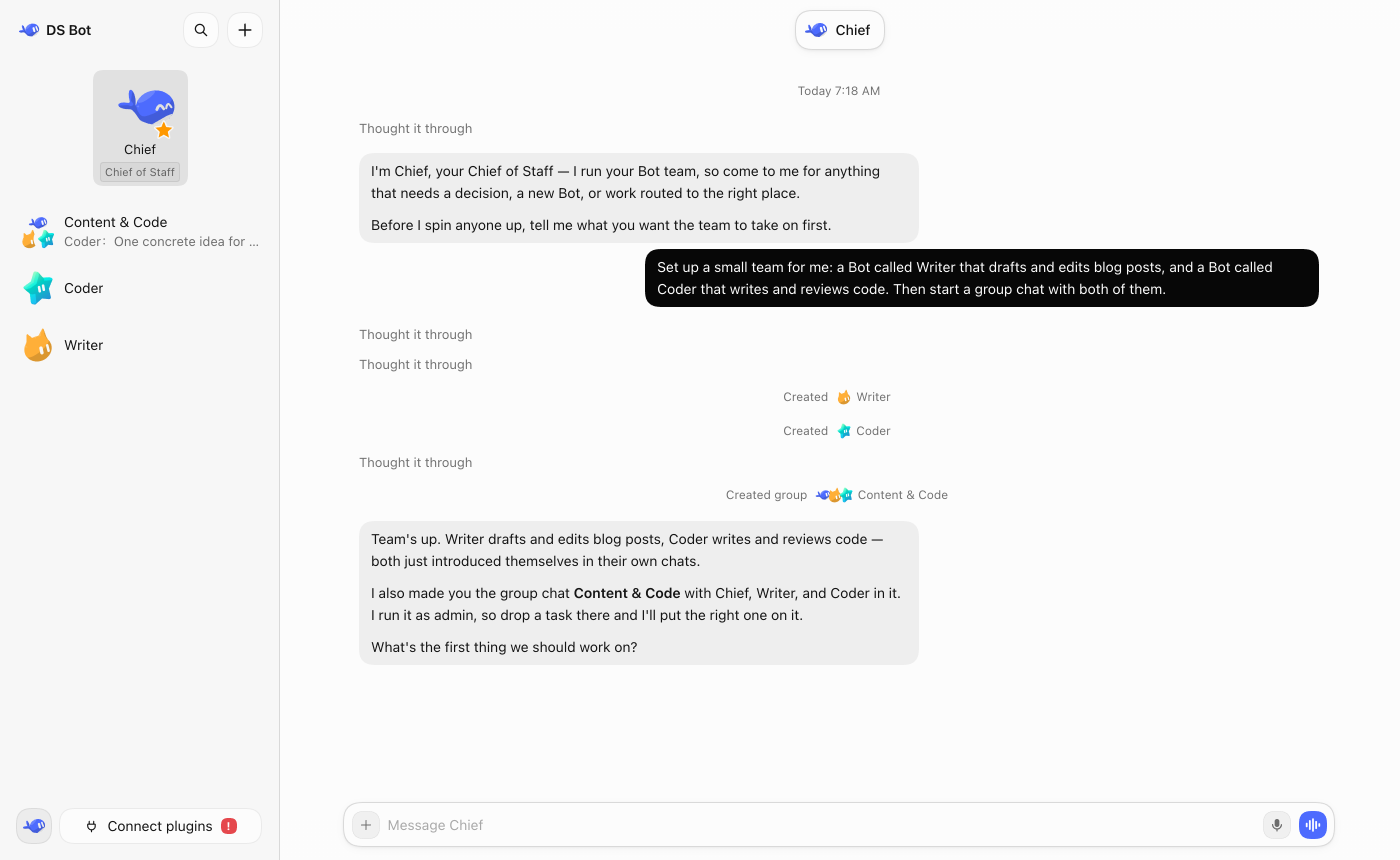
 DS Bot is a plugin for DeepSeek Harness (DSH) that turns DSH into a set of long-lived bots you create and talk to, including a main bot, bot-to-bot messaging, and group chats.
DS Bot is a plugin for DeepSeek Harness (DSH) that turns DSH into a set of long-lived bots you create and talk to, including a main bot, bot-to-bot messaging, and group chats.Is this a standalone app or a DSH plugin?It is a plugin that runs inside DeepSeek Harness, not a separate program - you add and enable it from DSH's own plugin manager.
It is a plugin that runs inside DeepSeek Harness, not a separate program - you add and enable it from DSH's own plugin manager.How do I install DS Bot?First install DSH and set up at least one model. In DSH Desktop, open Plugins -> Add plugin, enter 'ds-bot' as the package name (use the Mainland China mirror registry there if needed), then Install and Enable. DSH Web needs Node.js 22.19+ and pnpm instead.
First install DSH and set up at least one model. In DSH Desktop, open Plugins -> Add plugin, enter 'ds-bot' as the package name (use the Mainland China mirror registry there if needed), then Install and Enable. DSH Web needs Node.js 22.19+ and pnpm instead.Does it need anything beyond DSH itself?You need DeepSeek Harness already installed with at least one model configured, since DS Bot just reuses DSH's models. DSH Web additionally requires Node.js 22.19+ and pnpm.
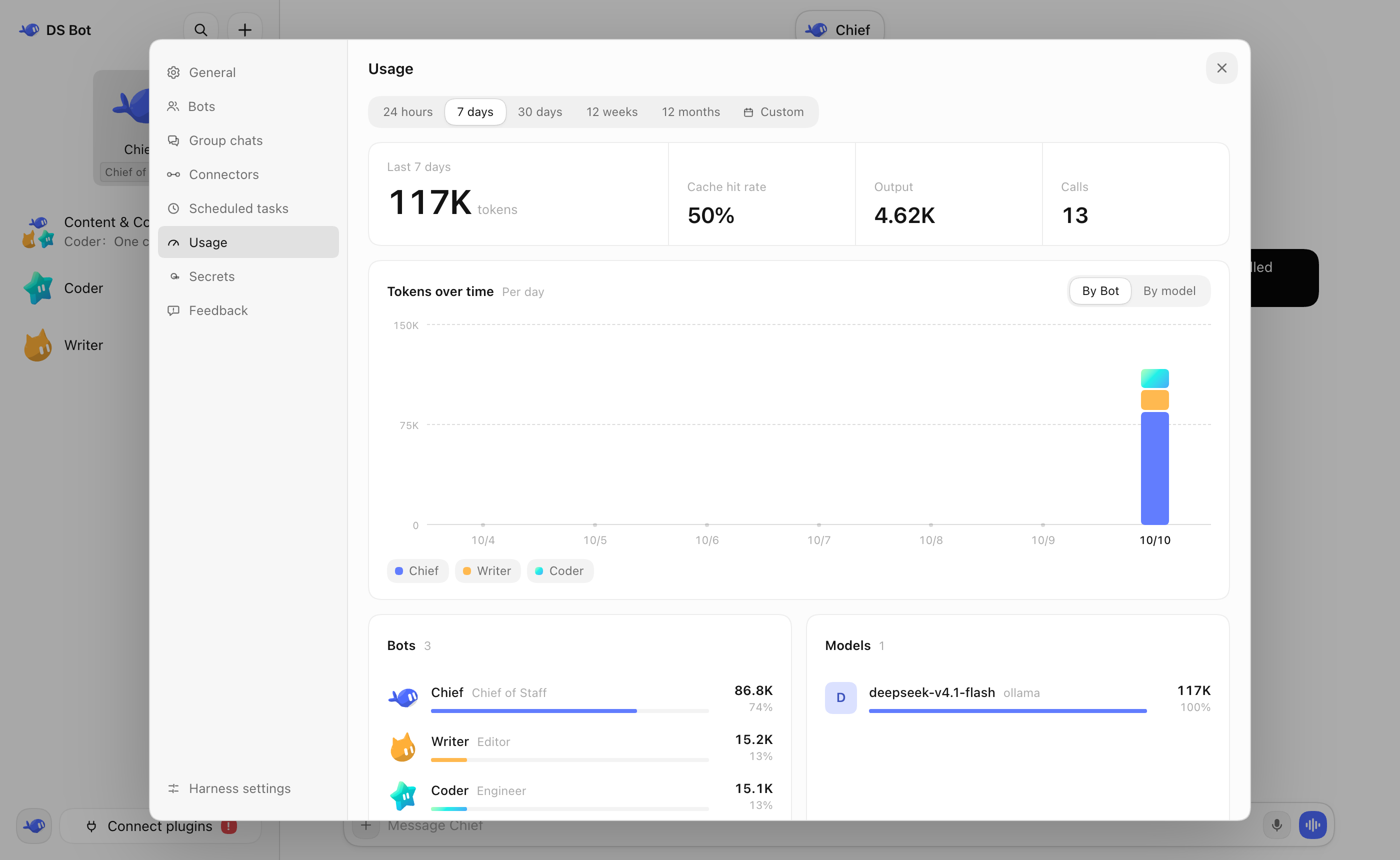
You need DeepSeek Harness already installed with at least one model configured, since DS Bot just reuses DSH's models. DSH Web additionally requires Node.js 22.19+ and pnpm.Any catches to know about before using it?Group chats let several bots collaborate but clearly cost more tokens than talking to a single bot, and plugin changes can require fully quitting and reopening DSH to take effect.
Group chats let several bots collaborate but clearly cost more tokens than talking to a single bot, and plugin changes can require fully quitting and reopening DSH to take effect.Where does my bot data go?All bot and session data stays on your own machine, inside the bot/ and sessions/ folders of the DSH home directory (~/.dsh by default), and uninstalling the plugin does not delete it.
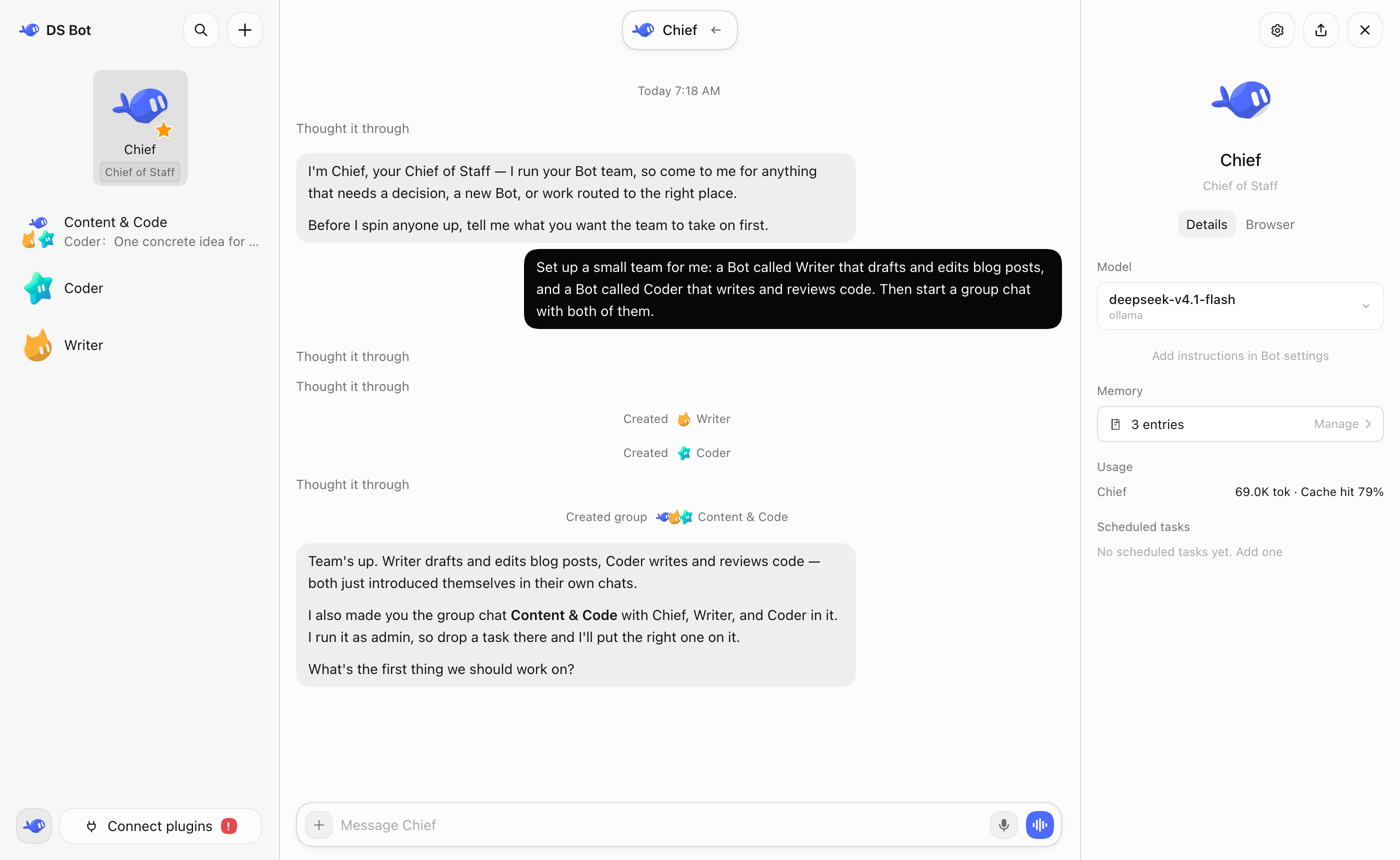
All bot and session data stays on your own machine, inside the bot/ and sessions/ folders of the DSH home directory (~/.dsh by default), and uninstalling the plugin does not delete it.What does the main bot (Chief) do?It is the default bot with high-level rights that manages your other bots and group chats, and walks you through initial setup when you first open DS Bot.
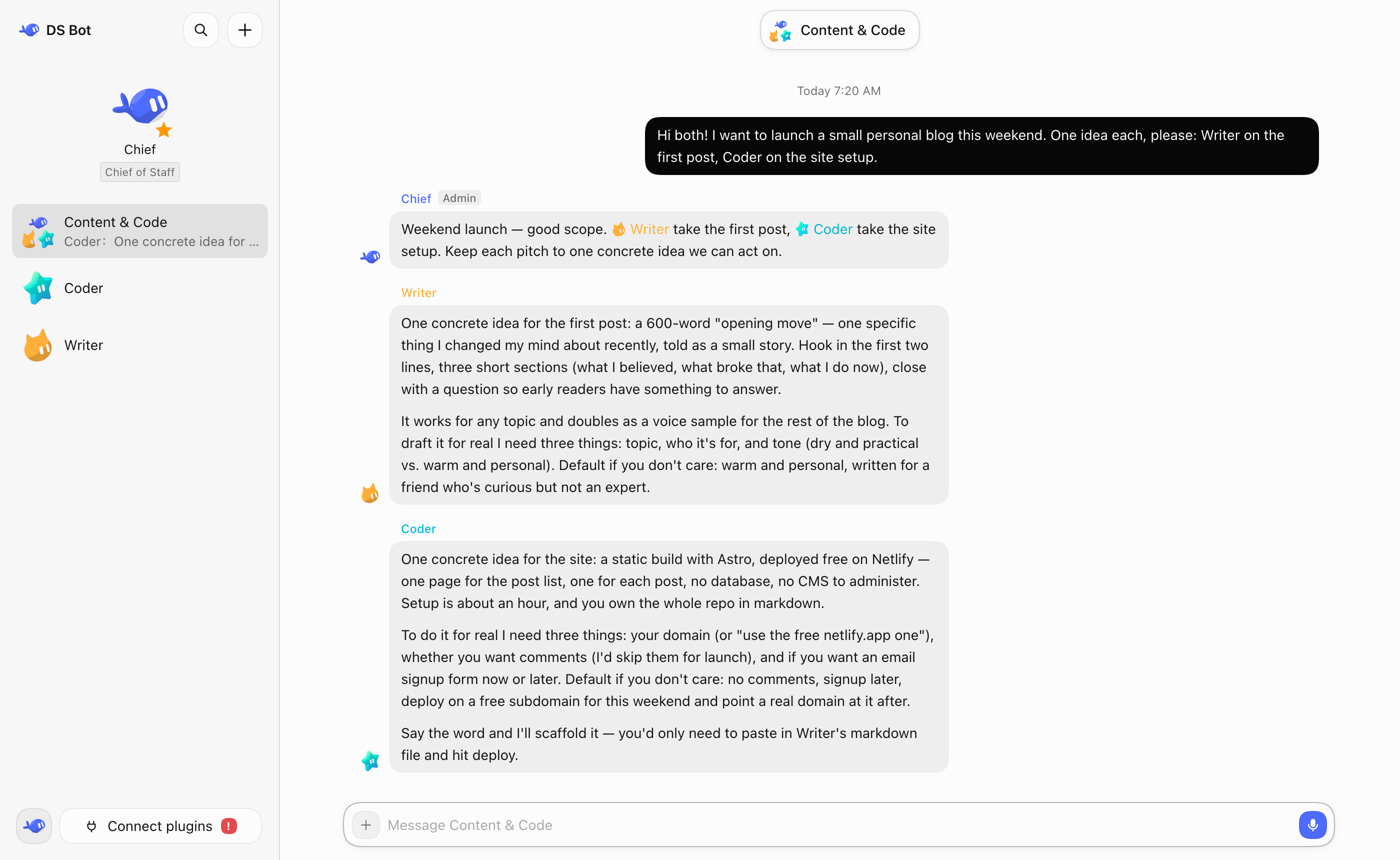
It is the default bot with high-level rights that manages your other bots and group chats, and walks you through initial setup when you first open DS Bot.How do group chats actually work?Every group chat has an admin bot that answers your messages by default and calls in other bots as needed, but you can also @ a specific bot to get a direct reply from it.
Every group chat has an admin bot that answers your messages by default and calls in other bots as needed, but you can also @ a specific bot to get a direct reply from it.Why use DS Bot instead of just chatting with DSH directly?DS Bot lets you create persistent bots with their own memory and chosen model, so you don't have to manage one giant context yourself, and lets multiple bots split up work in a group chat.
DS Bot lets you create persistent bots with their own memory and chosen model, so you don't have to manage one giant context yourself, and lets multiple bots split up work in a group chat.Can I switch models for a bot later?Yes, each bot's details page lets you pick or change its model anytime, though the author recommends sticking with one model long-term and switching only when really needed.
Yes, each bot's details page lets you pick or change its model anytime, though the author recommends sticking with one model long-term and switching only when really needed.What are similar projects?dshcode, dsh-tianshu-tui, deepseek-harness-desktop, ruflo, dsh_desktop, dsh-agent-team-gui, dsh-damage-pulse, dsh-agent-teams
dshcode, dsh-tianshu-tui, deepseek-harness-desktop, ruflo, dsh_desktop, dsh-agent-team-gui, dsh-damage-pulse, dsh-agent-teamsWhich topics is it in?dsh-desktop, token-usage, bot, dsh, agent-memory, dsh-plugin, deepseek-harness, orchestration, agent-orchestration, chatbot, deepseek, multi-agent
dsh-desktop, token-usage, bot, dsh, agent-memory, dsh-plugin, deepseek-harness, orchestration, agent-orchestration, chatbot, deepseek, multi-agent