


636 ·GitHub
这是什么?
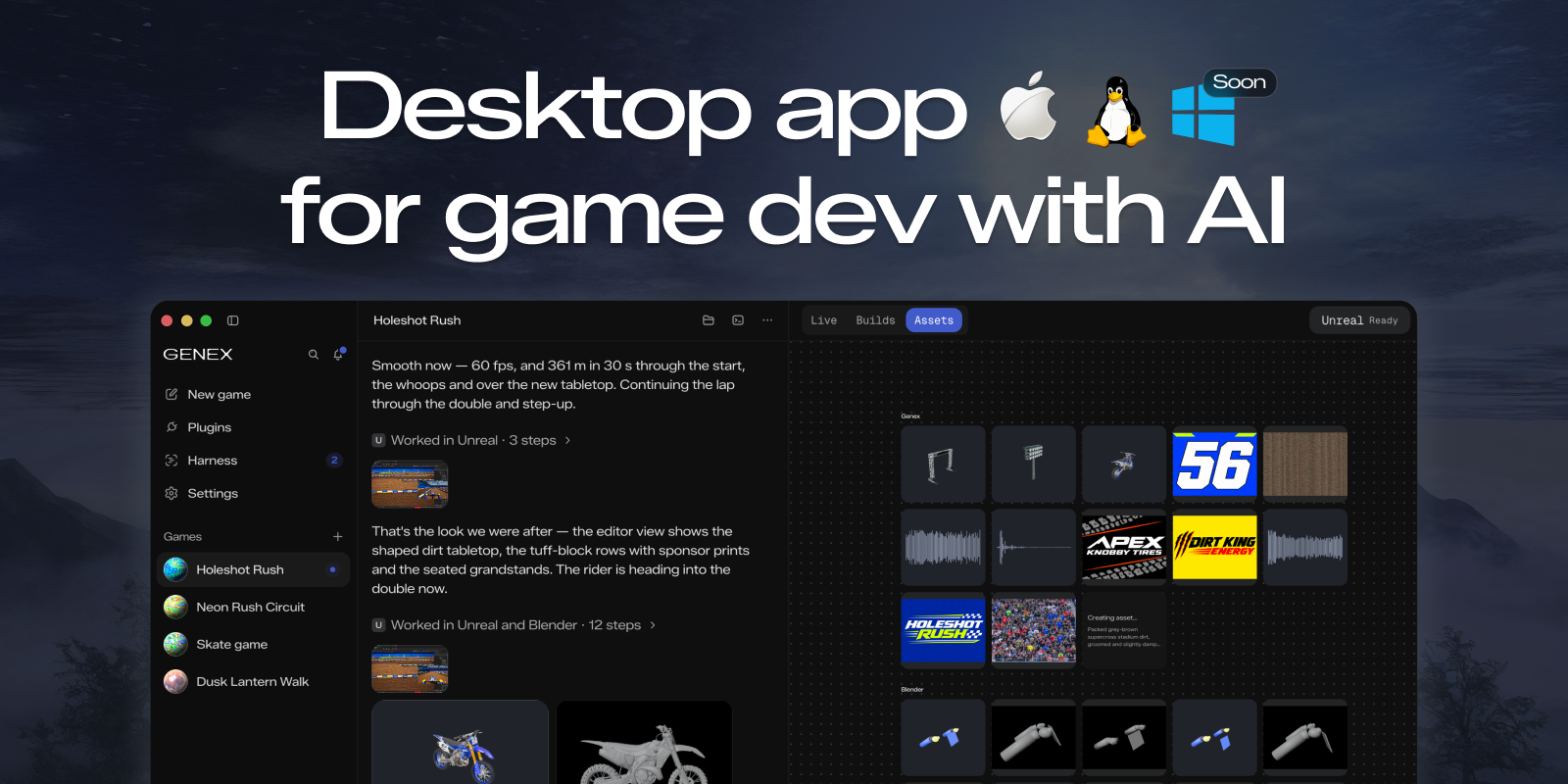
 Genex 是一款用 AI 构建游戏的桌面应用:它运行多智能体工作流(一个主智能体加上工作者和评审智能体),可以使用你的 Claude Code 或 ChatGPT 订阅,也可以使用本地模型,来协助游戏开发。
Genex 是一款用 AI 构建游戏的桌面应用:它运行多智能体工作流(一个主智能体加上工作者和评审智能体),可以使用你的 Claude Code 或 ChatGPT 订阅,也可以使用本地模型,来协助游戏开发。这是游戏引擎,还是与我现有的引擎配合使用?它是一个独立的桌面应用,本身不是游戏引擎。它可以把资产和成果导出到任何地方,Unity 和 Unreal Engine 插件已在计划中(目前尚不可用)。
它是一个独立的桌面应用,本身不是游戏引擎。它可以把资产和成果导出到任何地方,Unity 和 Unreal Engine 插件已在计划中(目前尚不可用)。我需要 Claude Code 或 ChatGPT 订阅吗?你可以为 AI 智能体使用已有的 Claude Code 或 ChatGPT 订阅,也可以改用本地模型——没有强制要求特定的订阅。
你可以为 AI 智能体使用已有的 Claude Code 或 ChatGPT 订阅,也可以改用本地模型——没有强制要求特定的订阅。现在有哪些不够完善的地方需要留意?该项目明确处于早期阶段,出现 bug 属于预期之中。Windows 支持尚未就绪,原生 C++ 游戏导出以及 Unity/Unreal 插件也都仍标记为“即将推出”。
该项目明确处于早期阶段,出现 bug 属于预期之中。Windows 支持尚未就绪,原生 C++ 游戏导出以及 Unity/Unreal 插件也都仍标记为“即将推出”。Genex Marketplace 是什么?它是社区构建的插件目录——包括资产生成器、引擎桥接或各类服务——在维护者批准针对 genex-plugins 仓库的拉取请求后,任何人都可以直接从 GitHub release 安装。
它是社区构建的插件目录——包括资产生成器、引擎桥接或各类服务——在维护者批准针对 genex-plugins 仓库的拉取请求后,任何人都可以直接从 GitHub release 安装。多智能体设置是怎么运作的?Genex 可以在主智能体、工作者智能体和评审智能体之间混用不同模型(如 Opus 和 GPT),让不同的模型在构建游戏时承担不同的角色。
Genex 可以在主智能体、工作者智能体和评审智能体之间混用不同模型(如 Opus 和 GPT),让不同的模型在构建游戏时承担不同的角色。我能在不离开应用的情况下生成 3D 资产吗?可以——Genex 自带用于本地 3D 资产生成的 Blender 插件,其内置的工具路由器还可以调用 Meshy、Tripo 和 ElevenLabs 等服务。
可以——Genex 自带用于本地 3D 资产生成的 Blender 插件,其内置的工具路由器还可以调用 Meshy、Tripo 和 ElevenLabs 等服务。我怎么构建并分享自己的插件?在应用内通过 Plugins → Add → Load local plugin 加载本地插件文件夹,然后把它推送到一个带有 release 的公开 GitHub 仓库,让其他人可以通过 Plugins → Add → Install from GitHub 安装,再向 genex-plugins 提 PR,让它被收录进 Marketplace。
在应用内通过 Plugins → Add → Load local plugin 加载本地插件文件夹,然后把它推送到一个带有 release 的公开 GitHub 仓库,让其他人可以通过 Plugins → Add → Install from GitHub 安装,再向 genex-plugins 提 PR,让它被收录进 Marketplace。What are similar projects?skills, blender-ai-addon, dream-loop, Claude-Code-Game-Studios, Dodaios, Procedura, deepseek-harness-studio, anyCreature
skills, blender-ai-addon, dream-loop, Claude-Code-Game-Studios, Dodaios, Procedura, deepseek-harness-studio, anyCreatureWhich topics is it in?unity3d, unreal-engine, 3d-generation, blender, marketplace, game-engine, gamedev, text-to-speech, gpt, game-development, plugin-system, chatgpt
unity3d, unreal-engine, 3d-generation, blender, marketplace, game-engine, gamedev, text-to-speech, gpt, game-development, plugin-system, chatgpt