




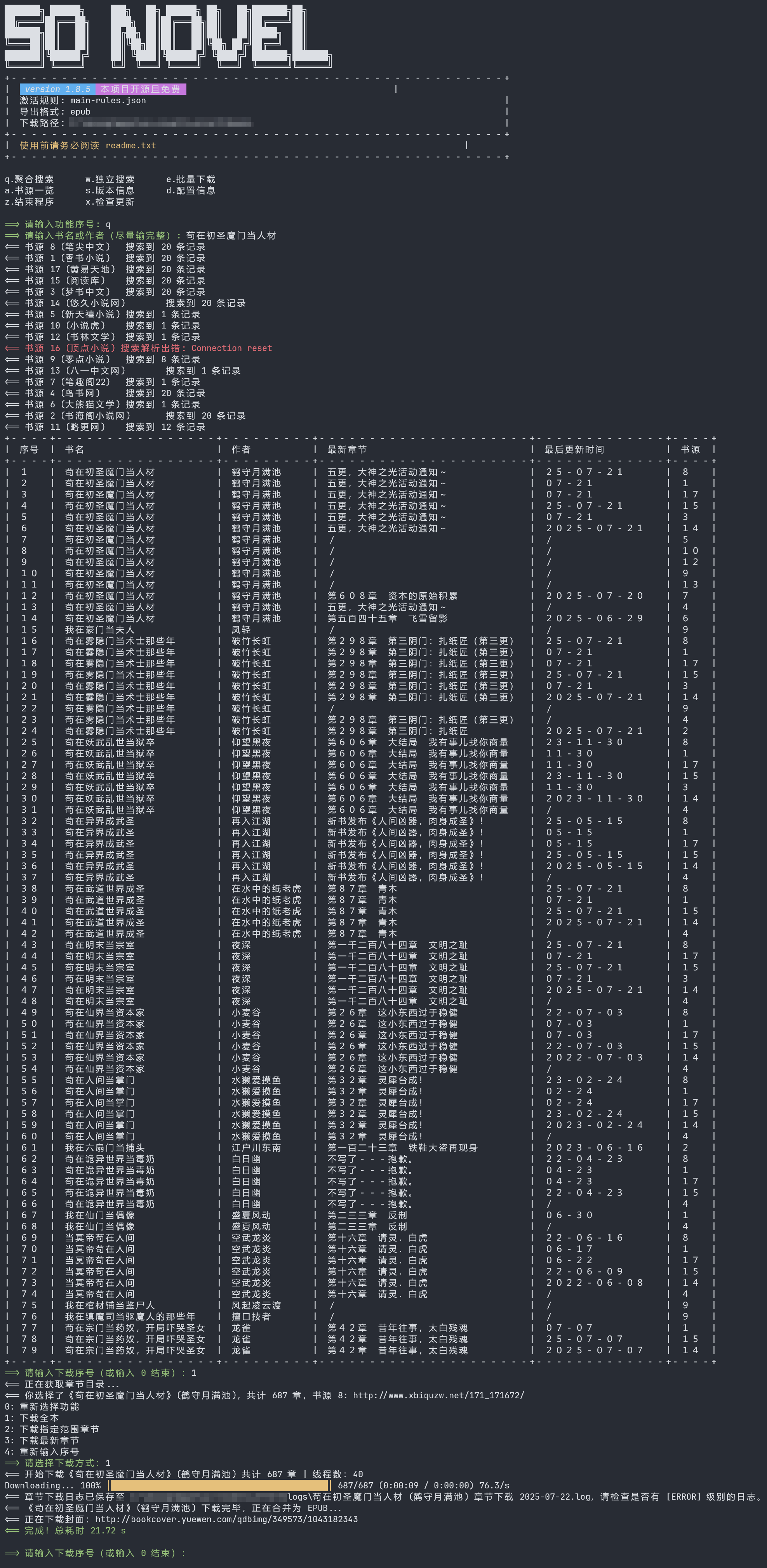
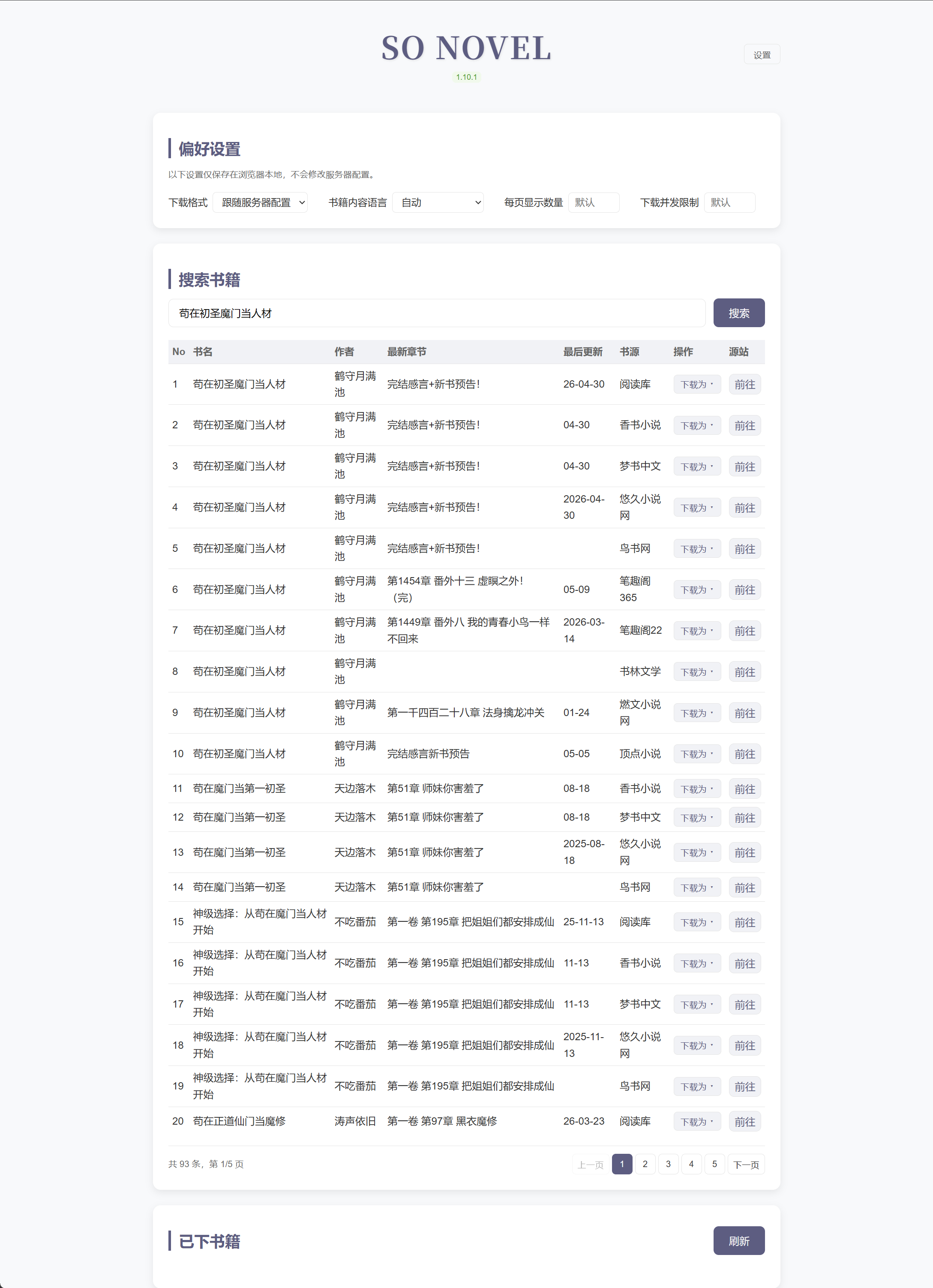
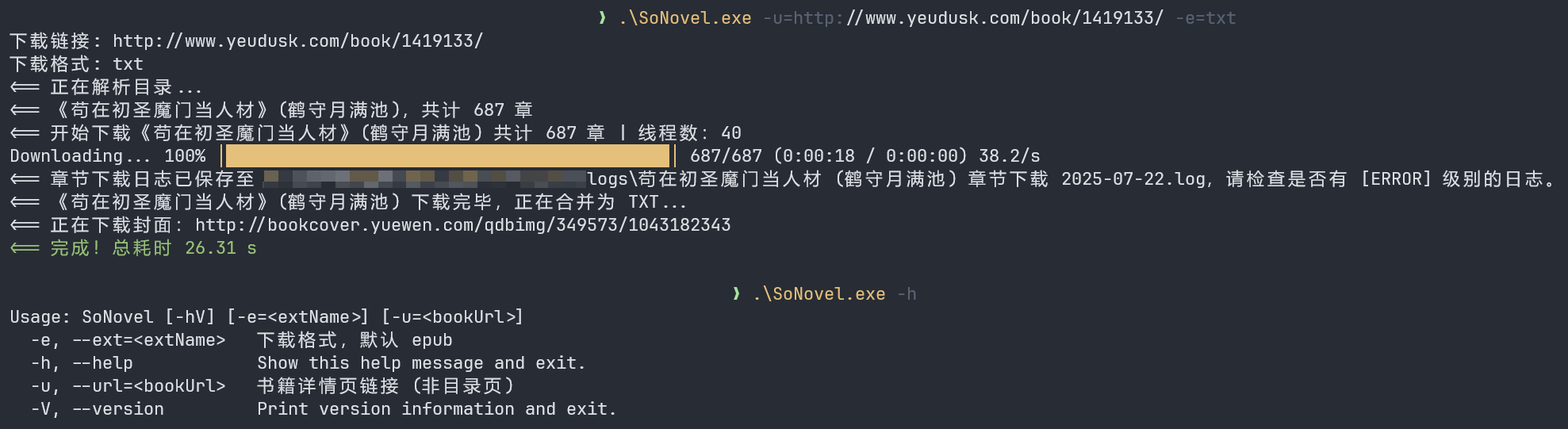


What is this?
 So Novel downloads web novels (网文) and extracts their content, exporting it into EPUB, TXT, or PDF files for offline reading.
So Novel downloads web novels (网文) and extracts their content, exporting it into EPUB, TXT, or PDF files for offline reading.Is this a CLI tool or does it have a graphical interface too?It ships with three interchangeable modes - a terminal UI (TUI), a command-line interface (CLI), and a web UI - picked with the -Dmode flag.
It ships with three interchangeable modes - a terminal UI (TUI), a command-line interface (CLI), and a web UI - picked with the -Dmode flag.How do I get it running?Download the release zip and launch it; use -Dmode=tui|cli|web to choose the interface and -Dconfig.file to set a config path.
Download the release zip and launch it; use -Dmode=tui|cli|web to choose the interface and -Dconfig.file to set a config path.Do I need to install Java myself?No, it bundles its own JRE in the runtime folder, but you can switch to a local JDK/JRE using the platform launch scripts (start-custom-jre.cmd, run-linux.sh, run-macos.sh).
No, it bundles its own JRE in the runtime folder, but you can switch to a local JDK/JRE using the platform launch scripts (start-custom-jre.cmd, run-linux.sh, run-macos.sh).Do the exported EPUBs always open fine in any reader?Not always - the README specifically documents a fix for EPUBs downloaded by so-novel failing to open in apps like WPS and Zhangyue (掌阅).
Not always - the README specifically documents a fix for EPUBs downloaded by so-novel failing to open in apps like WPS and Zhangyue (掌阅).Which operating systems does it run on?Windows, Linux, and macOS, each with its own config/launch script (sonovel.l4j.ini for Windows, run-linux.sh, run-macos.sh).
Windows, Linux, and macOS, each with its own config/launch script (sonovel.l4j.ini for Windows, run-linux.sh, run-macos.sh).Which ebook readers does the project recommend for reading the output?For desktop it suggests Readest, Koodo Reader, and Calibre; for mobile it suggests Readest, Apple Books, Moon+ Reader, or Kindle.
For desktop it suggests Readest, Koodo Reader, and Calibre; for mobile it suggests Readest, Apple Books, Moon+ Reader, or Kindle.Can I convert the exported files to a different ebook format?Yes, the README points to FreeConvert or Calibre as tools for converting the exported files into other ebook formats.
Yes, the README points to FreeConvert or Calibre as tools for converting the exported files into other ebook formats.What are similar projects?FreePEP, yoinks, proxyee-down, zlib, you-get, koodo-reader, onthespot, bb-browser
FreePEP, yoinks, proxyee-down, zlib, you-get, koodo-reader, onthespot, bb-browser