
What is this?
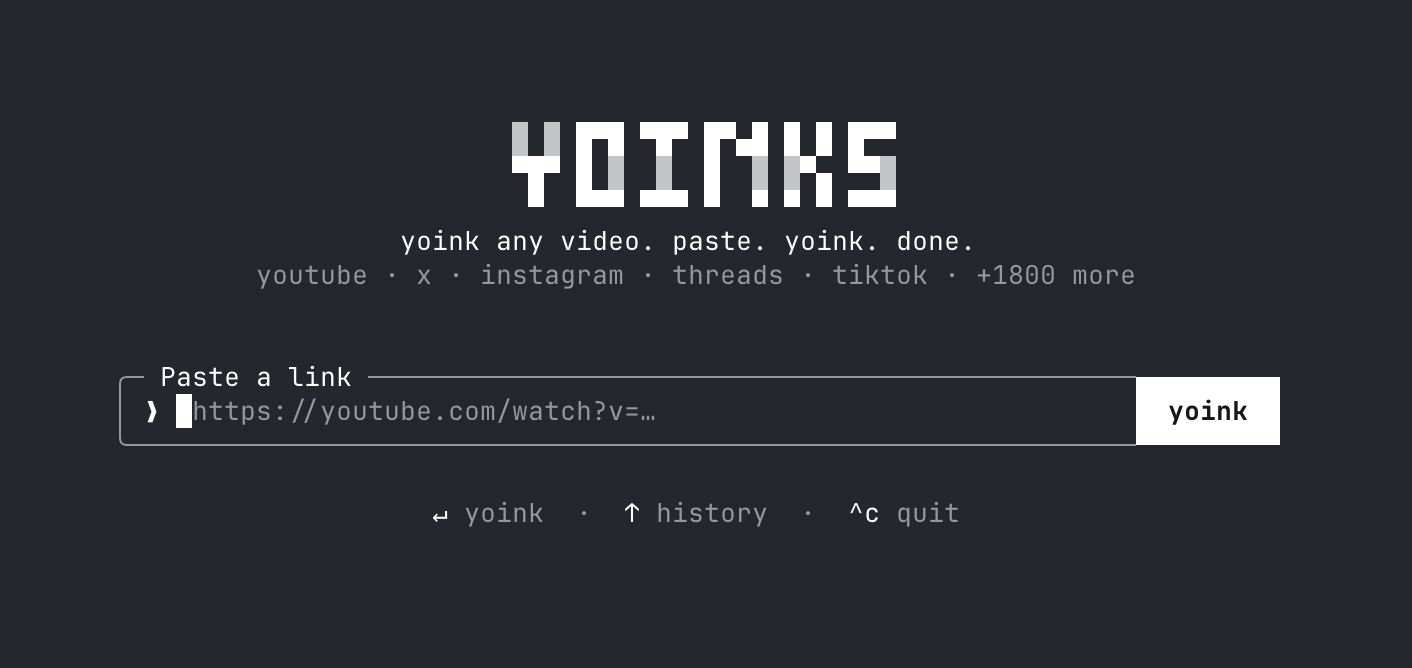
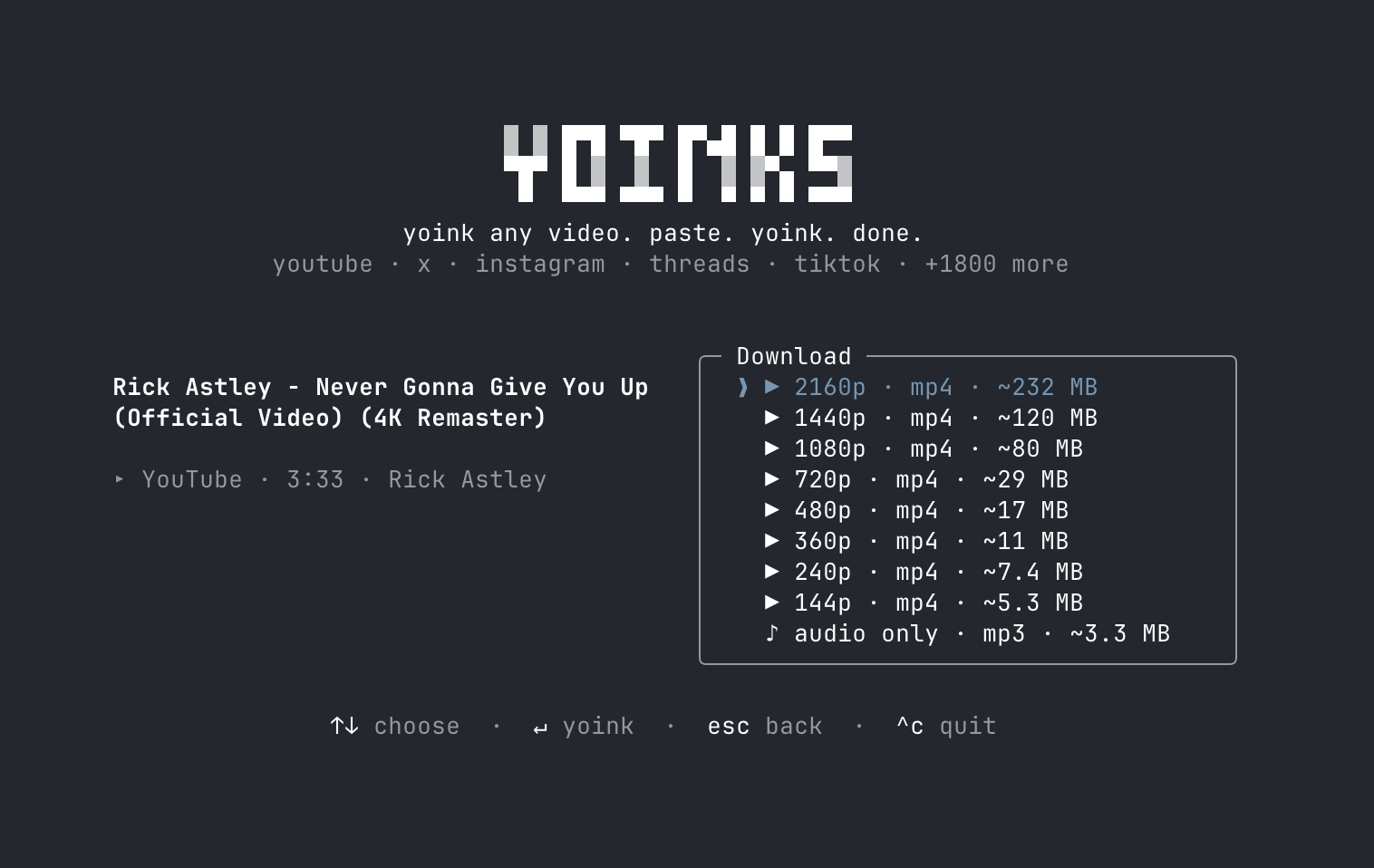
 yoinks is a terminal tool that downloads videos from YouTube, X/Twitter, Instagram, Threads, TikTok and 1,800+ other sites — just paste a url and pick a resolution or audio-only mp3.
yoinks is a terminal tool that downloads videos from YouTube, X/Twitter, Instagram, Threads, TikTok and 1,800+ other sites — just paste a url and pick a resolution or audio-only mp3.Is this a CLI script or does it have a UI?It is a full-screen terminal UI (TUI) built with Ink (React for the terminal) — you navigate with arrow keys, j/k, number keys, or your mouse.
It is a full-screen terminal UI (TUI) built with Ink (React for the terminal) — you navigate with arrow keys, j/k, number keys, or your mouse.How do I install and run it?Install globally with npm i -g yoinks and run yoinks, or try it instantly with npx yoinks — no setup needed beyond Node.
Install globally with npm i -g yoinks and run yoinks, or try it instantly with npx yoinks — no setup needed beyond Node.Do I need Python or ffmpeg installed first?You just need Node 18+; yt-dlp and ffmpeg are fetched or bundled automatically on first run, no Python required.
You just need Node 18+; yt-dlp and ffmpeg are fetched or bundled automatically on first run, no Python required.Does it support batch downloads or playlists yet?Not yet — playlist and multi-video thread support, scriptable --best/--mp3 flags, and a curl installer are all still on the roadmap as unchecked items.
Not yet — playlist and multi-video thread support, scriptable --best/--mp3 flags, and a curl installer are all still on the roadmap as unchecked items.Where do downloaded files end up?Files are saved to your local ~/Downloads folder, and the path is printed in the terminal when done.
Files are saved to your local ~/Downloads folder, and the path is printed in the terminal when done.Is there any legal catch to using this?It's MIT licensed, but the author frames it as a personal-archiving tool and warns that downloading content may violate a platform's terms of service.
It's MIT licensed, but the author frames it as a personal-archiving tool and warns that downloading content may violate a platform's terms of service.Can I pick the theme or does it follow my terminal?By default it auto-detects your terminal's foreground/background colors; you can cycle auto/light/dark with ^t, or set a starting theme with --theme auto/light/dark.
By default it auto-detects your terminal's foreground/background colors; you can cycle auto/light/dark with ^t, or set a starting theme with --theme auto/light/dark.How does the yt-dlp binary get installed?On first run yoinks downloads a standalone yt-dlp binary to ~/.yoinks/bin (no Python needed), or uses your own yt-dlp if one is already installed.
On first run yoinks downloads a standalone yt-dlp binary to ~/.yoinks/bin (no Python needed), or uses your own yt-dlp if one is already installed.Can I try it without installing anything?Yes — run npx yoinks to try it without a permanent global install.
Yes — run npx yoinks to try it without a permanent global install.What are similar projects?cobalt, pytube, lux, TikTokDownloader, downvid, youtube-dl, YoutubeDownloader, N_m3u8DL-CLI
cobalt, pytube, lux, TikTokDownloader, downvid, youtube-dl, YoutubeDownloader, N_m3u8DL-CLIWhich topics is it in?media-downloader, instagram, youtube-downloader, tiktok, twitter, video-downloader, download, npm-package, downloader, video-processing, ffmpeg, tui
media-downloader, instagram, youtube-downloader, tiktok, twitter, video-downloader, download, npm-package, downloader, video-processing, ffmpeg, tui