bbhost
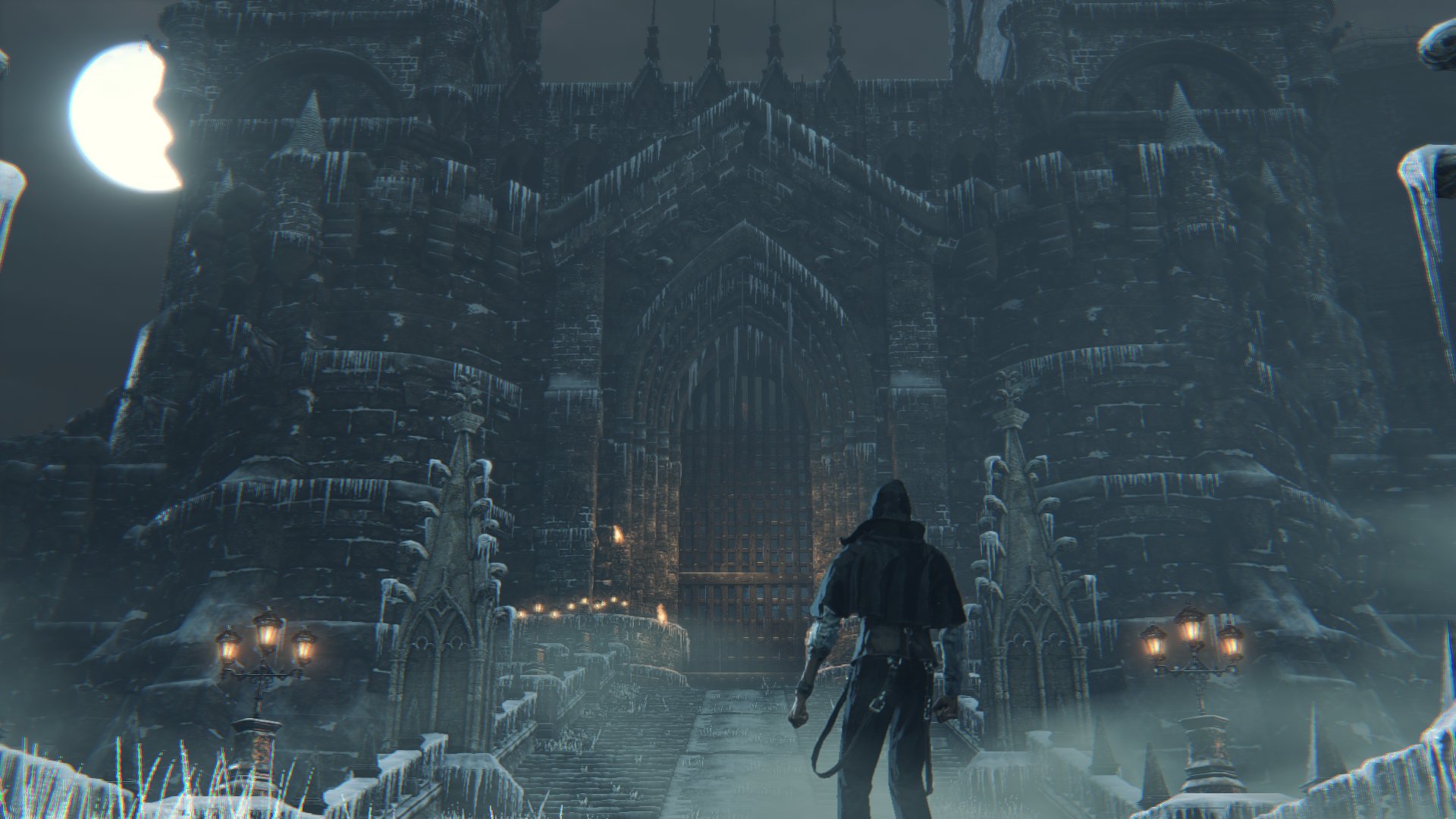
bbhost is a translation layer that runs Bloodborne on Windows and Linux. The
game's own 1.09 executable runs unmodified on the PC's x86-64 CPU; bbhost
answers its calls into the PS4's system libraries with PC implementations, and
recompiles its GPU work, GCN shaders and the engine's draw calls, for Vulkan.
The aim is a definitive PC version of the game - the original, intact, with
what a PC release would add: any resolution and aspect ratio, 60 fps and
beyond, keyboard and mouse, proper settings, mods and online play.
bbhost contains no game code or data. You need your own copy of the game: a
dump with the 1.09 update and its decrypted executable.
Why not emulation
The PS4 has an x86-64 CPU, so the game's code does not need to be translated
to run on a PC - it needs a place to live. bbhost provides that place:
- The CPU side runs natively. bbhost loads the game's ELF executable,
relocates it, links its imports to its own implementations and starts it.
The game's code runs at full speed on the host CPU, with no interpreter or
recompiler involved.
- The PS4's system libraries are reimplemented for the PC: files and
saves, threads and memory, input, audio, movies, networking and the
PlayStation Network calls the online features use - every one of the 660
named functions the game imports.
- Graphics are being moved from emulation to native code. The game's
renderer was written for the PS4's GPU: it builds command buffers for an AMD
GCN GPU and ships GCN shader programs. bbhost hooks FromSoftware's own
graphics layer instead, so draws are built directly from the engine's objects,
and translates (and increasingly decompiles) the shaders to SPIR-V. The
status table below shows what is native today and what still goes through
the emulated GPU command processor.
- Game functions are being rewritten as source, one at a time, each checked
against the original, so the game can be fixed and extended where a patch
would not reach.
Features
|
|
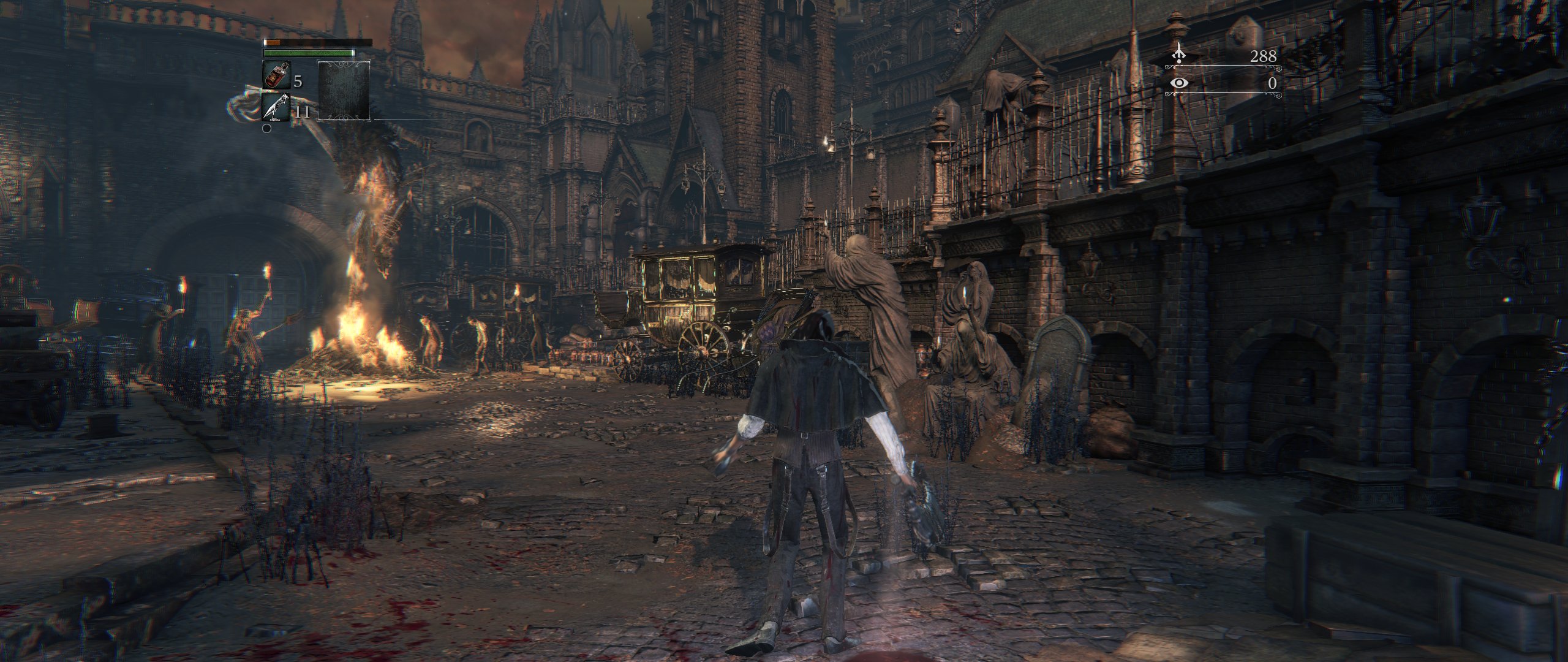 |
Any resolution, ultrawide included. 21:9 and 32:9 with a wider field of view and the HUD where it belongs, and the resolution can be changed while playing. FSR 1 upscaling for slower GPUs. |
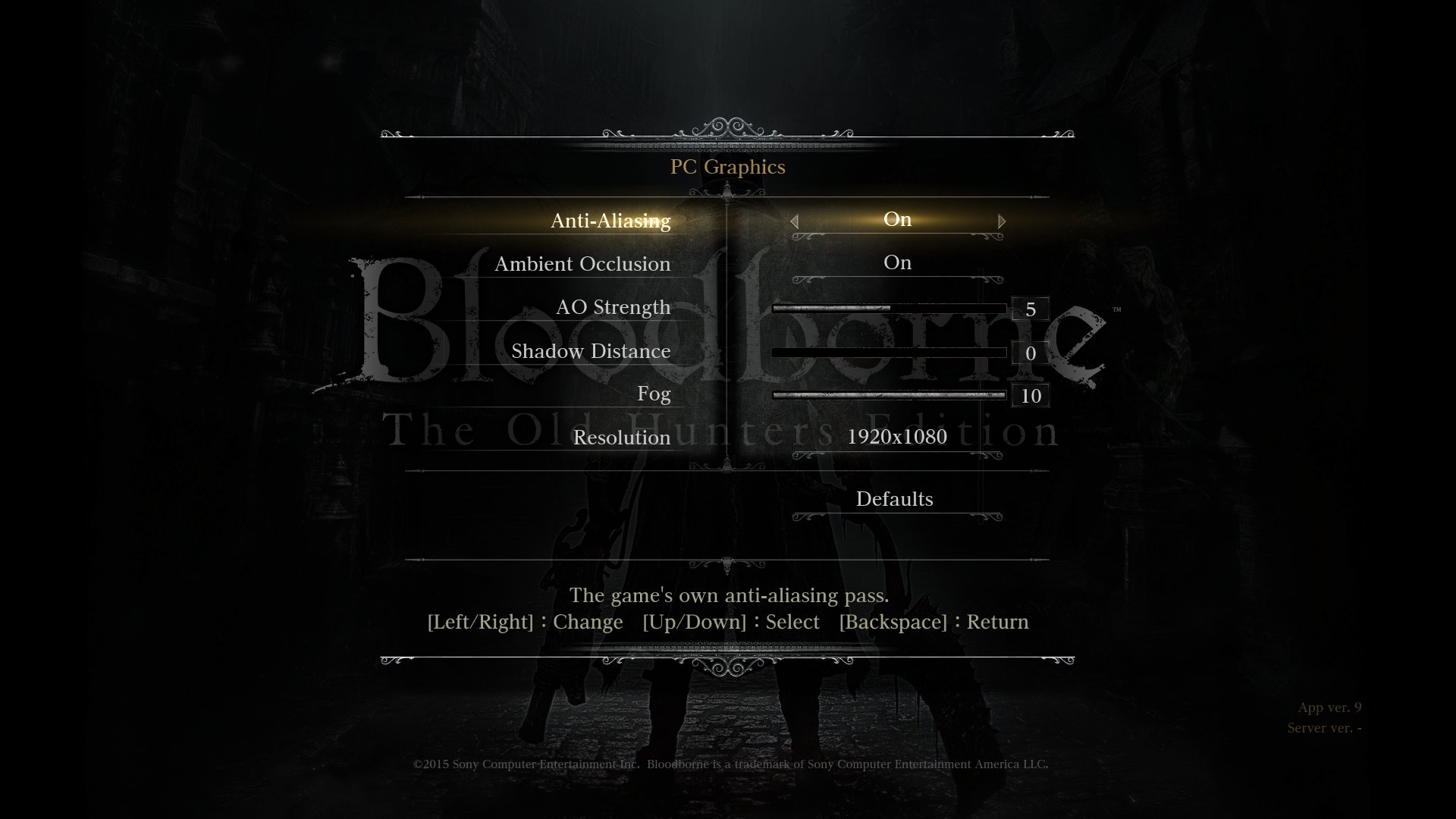 |
Settings in the game's own menus. The System menu gains PC Settings, PC Graphics, PC Effects, PC Controls, PC Camera and Key Bindings, drawn in the game's style: anti-aliasing, ambient occlusion, shadow distance, fog, motion blur, field of view, frame cap and more. |
- 60 fps, with the game's timing corrected so physics, animation and
cutscenes run at the right speed. Higher frame caps keep the game's logic at
- Keyboard and mouse: mouse camera, a pointer in every menu, rebindable
keys, and button prompts that show the keys.
- PC enhancements that can be switched off for the game as it shipped: the
Hunter's Dream mirror opens the character appearance editor (a feature cut
from the release), "Rebirth in the Nightmare" at the Altar of
Despair lets you redistribute your levels, and the late areas allow two
invaders, as the chalice dungeons do.
- Online play through a private server: co-op, invasions, messages,
bloodstains and summon signs between bbhost players.
- Mods without touching the game files: replacement files, param tables
edited by field name, byte patches as data, and native plugins - a
randomizer (items, shops and enemies), a boss rush, gameplay mutators and
the developers' own debug menu ship with it.
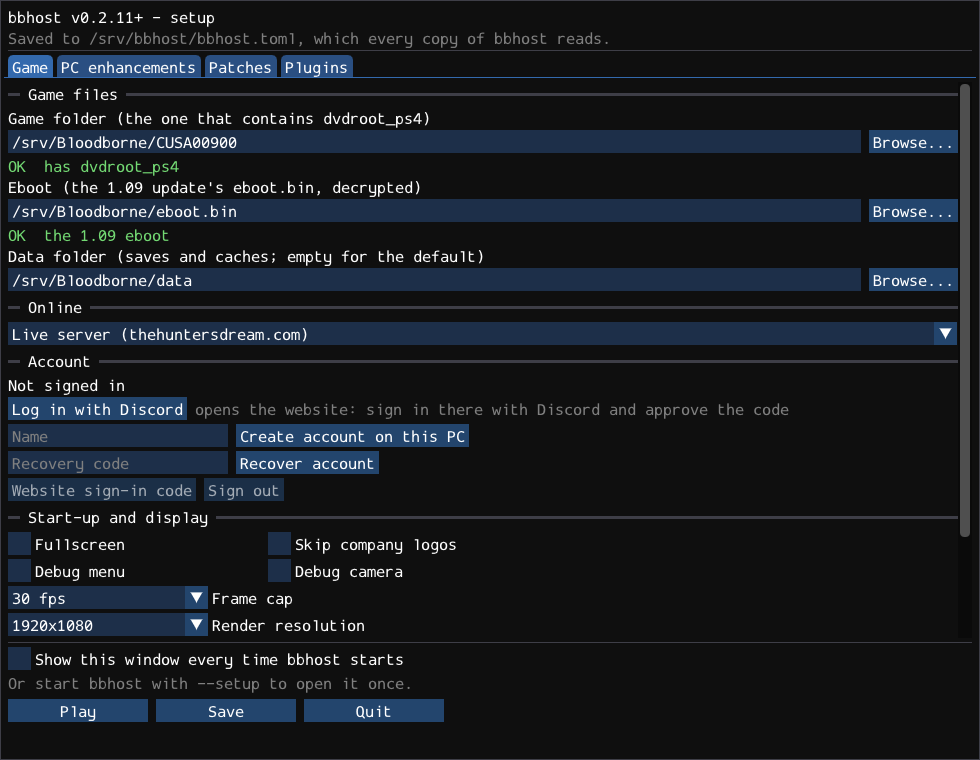
- A setup window that finds and checks your game files, and the Steam Deck
as a supported device.
Status
The game is playable on Windows and Linux: the world, its bosses and online
sessions. What runs on native code and what is still emulated:
| Part |
State |
| Game logic (CPU) |
the game's own code, running natively |
| System libraries |
reimplemented by bbhost: all 660 named imports the game binds |
| Window, input, audio, movies, saves |
native (SDL3, Vulkan, FFmpeg, LibAtrac9) |
| Online |
native sockets and HTTP against a private server; peer-to-peer UDP with NAT traversal |
| Draws |
native: each draw is built from the engine's graphics objects; the command buffer only marks its place in the stream |
| Post-processing (YEBIS) |
native: every stage's resources built by bbhost |
| Tessellation |
native: the host GPU's own tessellation stages |
| Shaders |
translated from GCN to SPIR-V by bbhost's own compiler when the game creates them; pixel shaders the lifter accepts are decompiled to typed, structured SPIR-V instead |
| Frame pacing |
native: the game's frame-time manager runs as bbhost source; 30 fps by default, 60 by option |
| Compute dispatches, labels, fences |
still emulated: run through bbhost's command processor, which walks the game's PM4 command buffers |
| Texture memory |
the game's tiled textures are detiled on the GPU; changes are tracked by watching the game's writes |
Known issues:
- Compute work still goes through the emulated command processor, and the
game's GPU-visible memory (about 5 GB) stays imported into Vulkan, because
some shaders still read it through page-table walks.
- A new area compiles its pipelines on first sight, which can cause short
hitches the first time it is visited.
- About one in four first summons fail and have to be repeated.
- The cause of a GPU hang reported on an AMD RX 580 (Polaris) under Windows is
not yet known.
See docs/rendering.md for the graphics in detail and
docs/decomp.md for which game functions have been rewritten.
Getting started
- Get the game files: a dump of Bloodborne with the 1.09 update copied over
it (or kept beside it as
CUSA00900-UPDATE, the way shadPS4 keeps it), and
the 1.09 eboot.bin decrypted to an ELF (SHA-256
941f887a562aae054fac35af8cc8f27cf075f3d4cc2e029fb5ae2a663aaa5ae7).
- Download a release for Windows or Linux, or build bbhost yourself.
- Start
bbhost. The setup window asks for the two paths, checks them and
saves them; press Play.
docs/running.md covers the configuration, the controls,
saves, logs and troubleshooting.
Building
cmake -S . -B build -DCMAKE_BUILD_TYPE=RelWithDebInfo
cmake --build build -j
./build/bbhost
Linux builds natively with GCC or Clang; the Windows executable is
cross-compiled from Linux with Clang and mingw-w64 (MSVC cannot express the
calling conventions involved). Dependencies, the Windows build, tests and
packaging are in docs/building.md.
Documentation
- Running - configuration, controls, saves, troubleshooting, the debug menu
- Building - Linux, Windows, tests, packages
- Rendering - how the graphics work, and what is native
- Decompilation - game functions rewritten as source
- Modding - replacement files, params, patches
- Plugins - the plugin API and the official plugins
- Online - the private server and peer-to-peer play
Project layout
src/
  main.cpp       start-up and the main loop
  core/          ELF loading, relocation and import binding, TLS, configuration
  hle/           the PS4 system libraries: kernel, files, threads, audio, video,
                 network, NP, Gnm and the GPU command processor
  host/          the PC side: window, input, audio, Vulkan renderer, textures,
                 menus, overlay, plugins, updater
  gcn/           GCN shader decoding, translation and lifting to SPIR-V
  engine/        named engine structures and the features built on them:
                 frame rate, live resolution, menus, params, event flags,
                 PC enhancements
  decomp/        game functions rewritten as source
  net/           the private server's session service, accounts, STUN
  replay/        draw capture comparison
include/         the plugin API and the engine SDK (layouts, params, symbols)
plugins/         the official plugins (randomizer, boss rush, mutators) and an example
patches/         byte patches as data
res/             the Windows exe's icon and version details
tests/           unit tests (ctest)
tools/           shader tools, format tools, test drivers and packaging scripts
third_party/     LibAtrac9, Dear ImGui, Monocypher
Roadmap
- Graphics, native throughout: compute dispatches, clears and copies built
from the engine's objects like the draws, so the PM4 command processor can be
retired; resources identified by the engine's own objects rather than guest
addresses; every shader decompiled rather than translated.
- Decompilation: more of the engine rewritten as source, starting with the
systems mods and fixes need most.
- Performance: a steady 60 fps everywhere on mid-range hardware, and
headroom above it.
- PC features: more settings, better keyboard and mouse handling in every
screen, and more restored content.
License
bbhost is free software, licensed under the GNU General Public License,
version 3 or later (see LICENSE). The third-party code in
third_party/ and src/host/shaders/fsr1/ keeps its own licenses. The debug
menu's glyphs (plugins/debug_menu/font14.bin) come from the X11 fonts k14
and 7x14, which are in the public domain.
Bloodborne is a trademark of Sony Interactive Entertainment. bbhost is not
affiliated with or endorsed by Sony or FromSoftware, and contains none of the
game's code or data.
Acknowledgements
- Community work bbhost builds on: illusion's Skip Intro, Lance McDonald's
Restore Debug Camera and Kyo's The Old Hunters patch (shipped as patch
files), and Kyo's 60 FPS++ timing list (built into the frame-rate code).
- shadPS4, a reference for the PS4's
system behaviour and a working run to compare against.
- SDL3, Vulkan, FFmpeg, SPIRV-Tools, LibAtrac9, Dear ImGui, Monocypher and
AMD FidelityFX Super Resolution 1.
- Thanks to the many contributors and testers, incomplete and in no
particular order: Metr1k, Kyo, Schorched Knight, ancat, Nox-, Astrelle,
BlitzWOLF, CrunchyCheese, foxyhooligans, gkberk, sen, Ultra, droogie

 bbhost 是一个转译层,它在 Windows 和 Linux 上运行 Bloodborne 未修改的 1.09 PS4 可执行文件,重新实现 PS4 的系统库,并把它的 GPU 工作(GCN 着色器和绘制调用)转译为 Vulkan,目标是做出一个支持任意分辨率、60 fps、键鼠、Mod 和在线游玩的最终 PC 版本。