
这是什么?
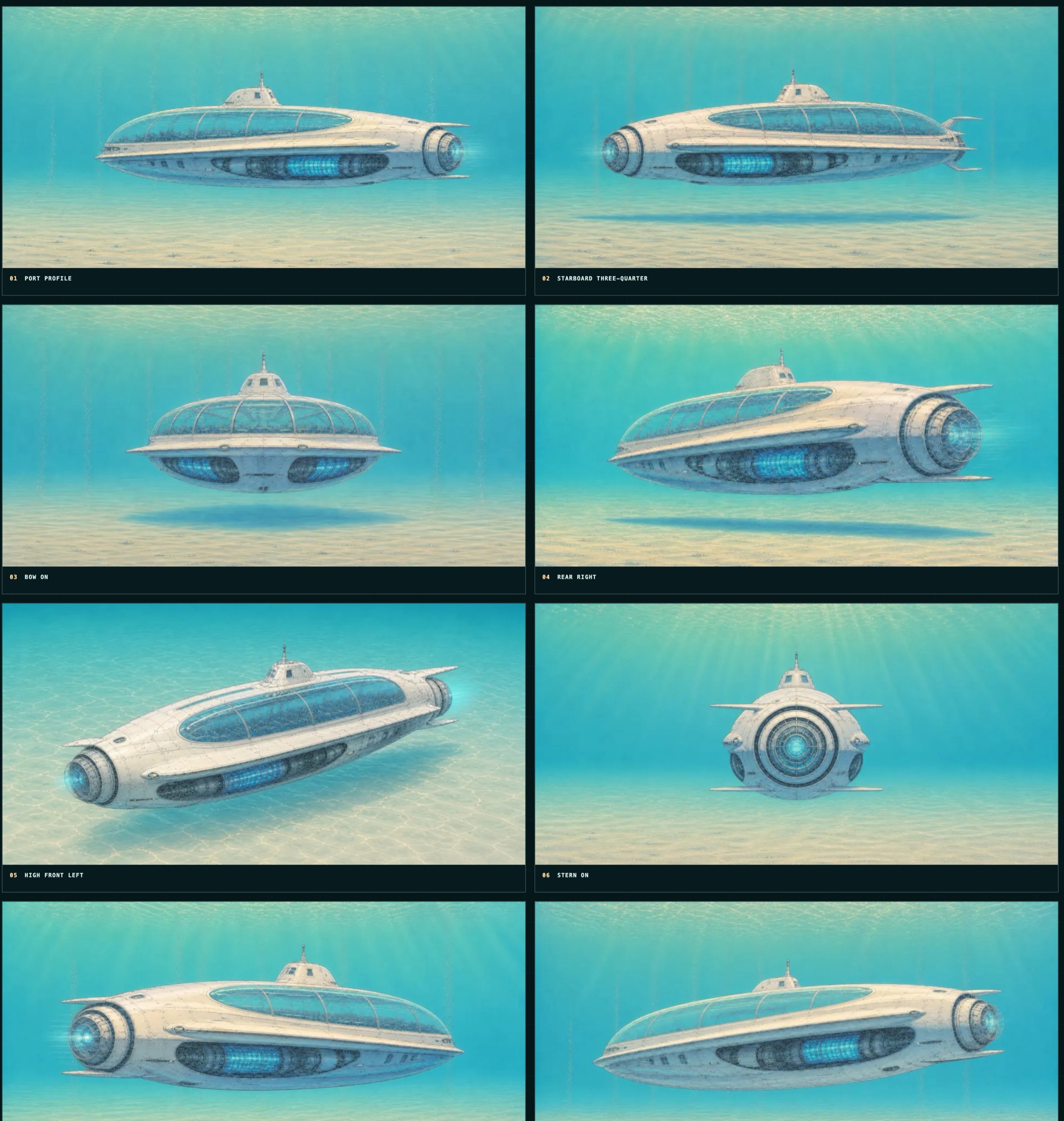
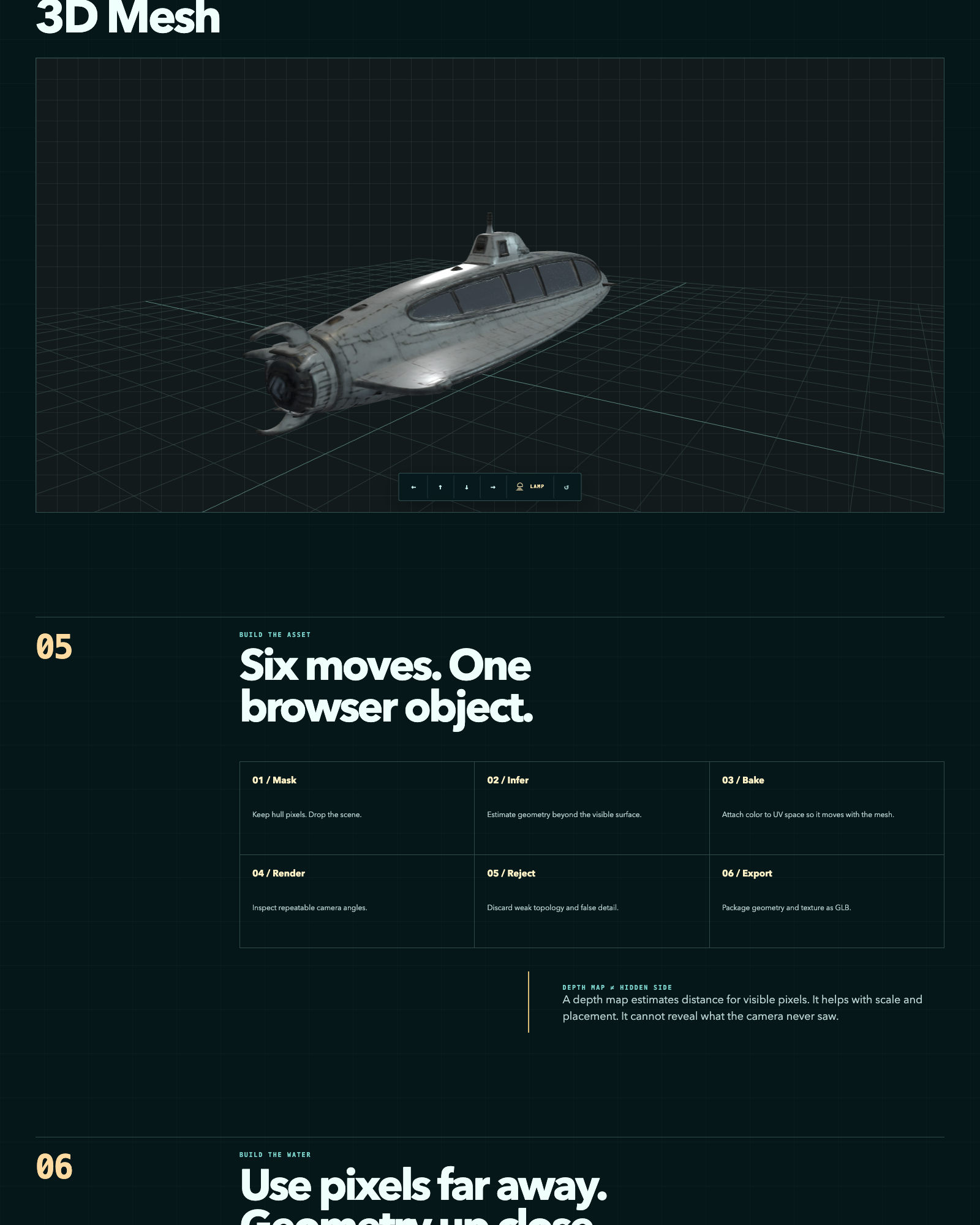
 一条流水线:用几个开源模型从少量 AI 生成图像重建 3D 网格,按固定的 Blender 检查协议给结果打分,并在基于浏览器的 WebGL 查看器里展示胜出的网格。
一条流水线:用几个开源模型从少量 AI 生成图像重建 3D 网格,按固定的 Blender 检查协议给结果打分,并在基于浏览器的 WebGL 查看器里展示胜出的网格。这是现成的应用,还是一套我自己运行的脚本?它是按阶段组织的脚本和工具集合(tools/、05-web-explorer/、06-evaluation/、07-experiments/),而不是单一的可安装应用;预处理、重建、评估和查看器要作为独立步骤分别运行。
它是按阶段组织的脚本和工具集合(tools/、05-web-explorer/、06-evaluation/、07-experiments/),而不是单一的可安装应用;预处理、重建、评估和查看器要作为独立步骤分别运行。怎么让它跑起来?运行 ./setup.sh 克隆固定版本的重建工具,然后按流水线阶段进行:预处理物体掩膜,重建网格(例如用 TRELLIS),通过固定的 Blender 环绕路径评估 GLB,最后在 05-web-explorer/ 里加载胜出者。
运行 ./setup.sh 克隆固定版本的重建工具,然后按流水线阶段进行:预处理物体掩膜,重建网格(例如用 TRELLIS),通过固定的 Blender 环绕路径评估 GLB,最后在 05-web-explorer/ 里加载胜出者。重建模型需要我自己安装吗?需要——setup.sh 会按固定 commit 克隆 TRELLIS、TripoSR、stable-fast-3d 和 Hunyuan3D-2;仓库不附带 Python 环境、模型检查点或中间网格输出。
需要——setup.sh 会按固定 commit 克隆 TRELLIS、TripoSR、stable-fast-3d 和 Hunyuan3D-2;仓库不附带 Python 环境、模型检查点或中间网格输出。这种重建方法的根本限制是什么?它基于深度图,所以只能估计相机真正拍到的像素的距离——无法恢复源图像中从未露出的几何结构。
它基于深度图,所以只能估计相机真正拍到的像素的距离——无法恢复源图像中从未露出的几何结构。这里用到的模型都可以免费商用吗?不是——仓库自身的代码是 Apache-2.0,但四个克隆的重建工具中有两个带限制性许可:stable-fast-3d 采用 Stability AI Community License,Hunyuan3D-2 采用有地域限制的腾讯许可证,两者都限制商业使用。
不是——仓库自身的代码是 Apache-2.0,但四个克隆的重建工具中有两个带限制性许可:stable-fast-3d 采用 Stability AI Community License,Hunyuan3D-2 采用有地域限制的腾讯许可证,两者都限制商业使用。流水线实际用什么图像作为输入?所有源图像都是 AI 生成的虚构潜水器合成渲染图——不涉及任何真实载具、船只或人物。
所有源图像都是 AI 生成的虚构潜水器合成渲染图——不涉及任何真实载具、船只或人物。它比较多少个模型?怎么打分?它运行多个开源重建模型(experiments 文件夹里的 TRELLIS、TripoSR、stable-fast-3d 和 Hunyuan3D-2),用固定的 Blender 环绕渲染,按 0-2 分的视觉评分标准给每个模型的输出排名。
它运行多个开源重建模型(experiments 文件夹里的 TRELLIS、TripoSR、stable-fast-3d 和 Hunyuan3D-2),用固定的 Blender 环绕渲染,按 0-2 分的视觉评分标准给每个模型的输出排名。不自己跑流水线也能看到结果吗?可以,examples/ 文件夹附带三张示例源渲染图和一个重建好的 GLB 网格(约 1.5 MB),可以直接查看。
可以,examples/ 文件夹附带三张示例源渲染图和一个重建好的 GLB 网格(约 1.5 MB),可以直接查看。在哪里能看到成果的在线演示?在线摄影测量案例研究和交互式 WebGL 查看器托管在 3d.thedreamers.us/about 和 3d.thedreamers.us。
在线摄影测量案例研究和交互式 WebGL 查看器托管在 3d.thedreamers.us/about 和 3d.thedreamers.us。What are similar projects?Meshroom, cesium, spirula-studio, img2threejs, CodeVideoModel, paper-aquarium, pointdit, clay-safari
Meshroom, cesium, spirula-studio, img2threejs, CodeVideoModel, paper-aquarium, pointdit, clay-safariWhich topics is it in?photogrammetry, gltf, blender, 3d-reconstruction, computer-graphics, threejs, webgl, rendering, evaluation, 3d, image-processing, computer-vision
photogrammetry, gltf, blender, 3d-reconstruction, computer-graphics, threejs, webgl, rendering, evaluation, 3d, image-processing, computer-vision