
Что это?
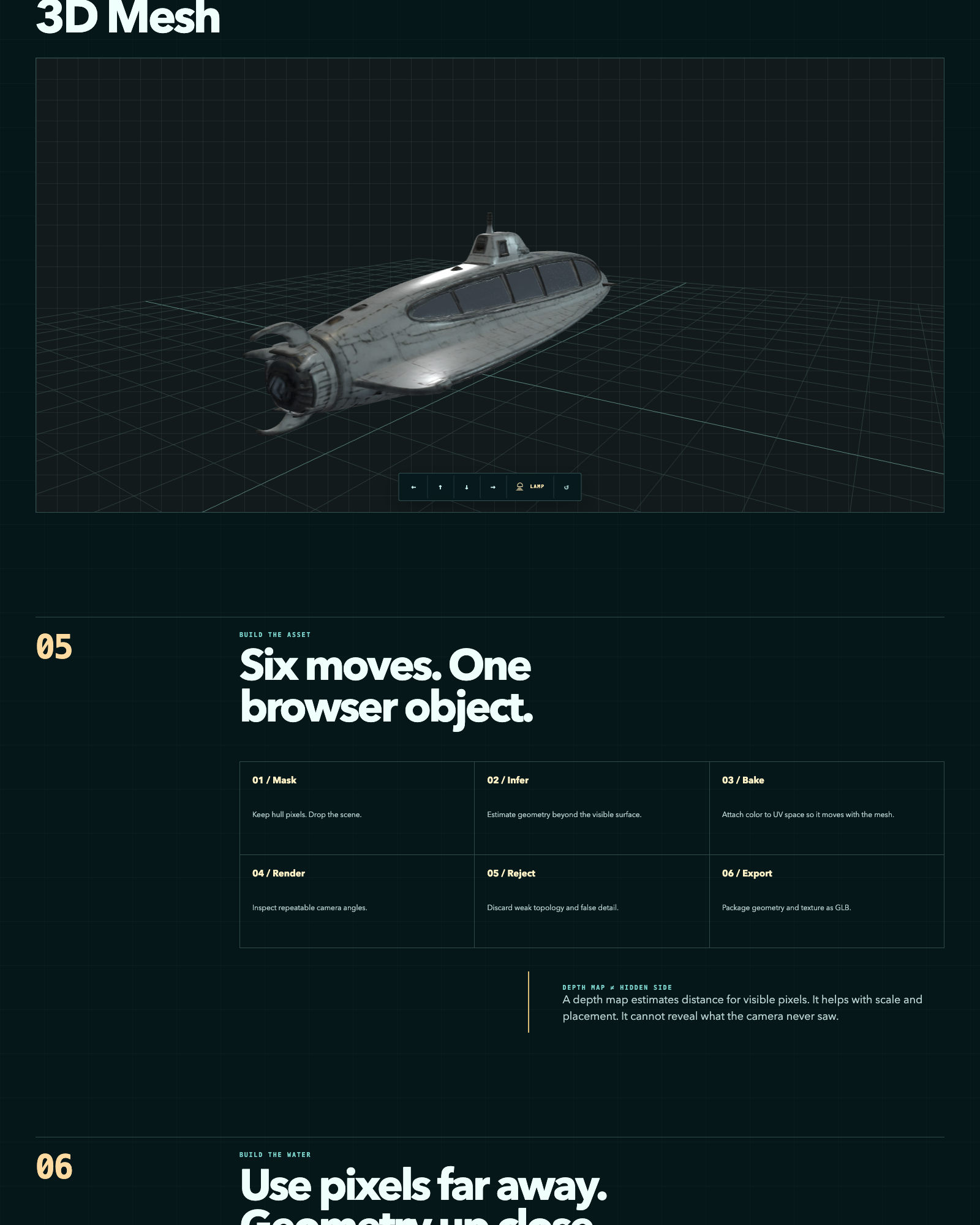
 Конвейер, который восстанавливает 3D-меши из горстки сгенерированных ИИ изображений с помощью нескольких open-source-моделей, оценивает результаты по фиксированному протоколу проверки в Blender и показывает лучший меш в браузерном WebGL-обозревателе.
Конвейер, который восстанавливает 3D-меши из горстки сгенерированных ИИ изображений с помощью нескольких open-source-моделей, оценивает результаты по фиксированному протоколу проверки в Blender и показывает лучший меш в браузерном WebGL-обозревателе.Это готовое приложение или набор скриптов, которые я запускаю сам?Это набор скриптов и инструментов, организованных по этапам (tools/, 05-web-explorer/, 06-evaluation/, 07-experiments/), а не единое устанавливаемое приложение; предобработку, реконструкцию, оценку и просмотрщик вы запускаете отдельными шагами.
Это набор скриптов и инструментов, организованных по этапам (tools/, 05-web-explorer/, 06-evaluation/, 07-experiments/), а не единое устанавливаемое приложение; предобработку, реконструкцию, оценку и просмотрщик вы запускаете отдельными шагами.Как это запустить?Запустите ./setup.sh, чтобы склонировать зафиксированные инструменты реконструкции, затем пройдите этапы конвейера: подготовьте маски объекта, восстановите меш (например, с TRELLIS), оцените GLB через фиксированный орбитальный облёт в Blender и загрузите победителя в 05-web-explorer/.
Запустите ./setup.sh, чтобы склонировать зафиксированные инструменты реконструкции, затем пройдите этапы конвейера: подготовьте маски объекта, восстановите меш (например, с TRELLIS), оцените GLB через фиксированный орбитальный облёт в Blender и загрузите победителя в 05-web-explorer/.Нужно ли устанавливать модели реконструкции самому?Да — setup.sh клонирует TRELLIS, TripoSR, stable-fast-3d и Hunyuan3D-2 на зафиксированных коммитах; репозиторий не содержит Python-окружений, чекпоинтов моделей или промежуточных мешей.
Да — setup.sh клонирует TRELLIS, TripoSR, stable-fast-3d и Hunyuan3D-2 на зафиксированных коммитах; репозиторий не содержит Python-окружений, чекпоинтов моделей или промежуточных мешей.В чём принципиальное ограничение этого метода реконструкции?Он основан на картах глубины, поэтому может оценивать расстояние только для пикселей, которые камера действительно видела, и не может восстановить геометрию, никогда не попадавшую в кадр исходных изображений.
Он основан на картах глубины, поэтому может оценивать расстояние только для пикселей, которые камера действительно видела, и не может восстановить геометрию, никогда не попадавшую в кадр исходных изображений.Все ли использованные здесь модели свободны для коммерческого использования?Нет — собственный код репозитория под Apache-2.0, но два из четырёх клонируемых инструментов реконструкции имеют ограничительные лицензии: stable-fast-3d использует Stability AI Community License, а Hunyuan3D-2 — территориально ограниченную лицензию Tencent; обе ограничивают коммерческое использование.
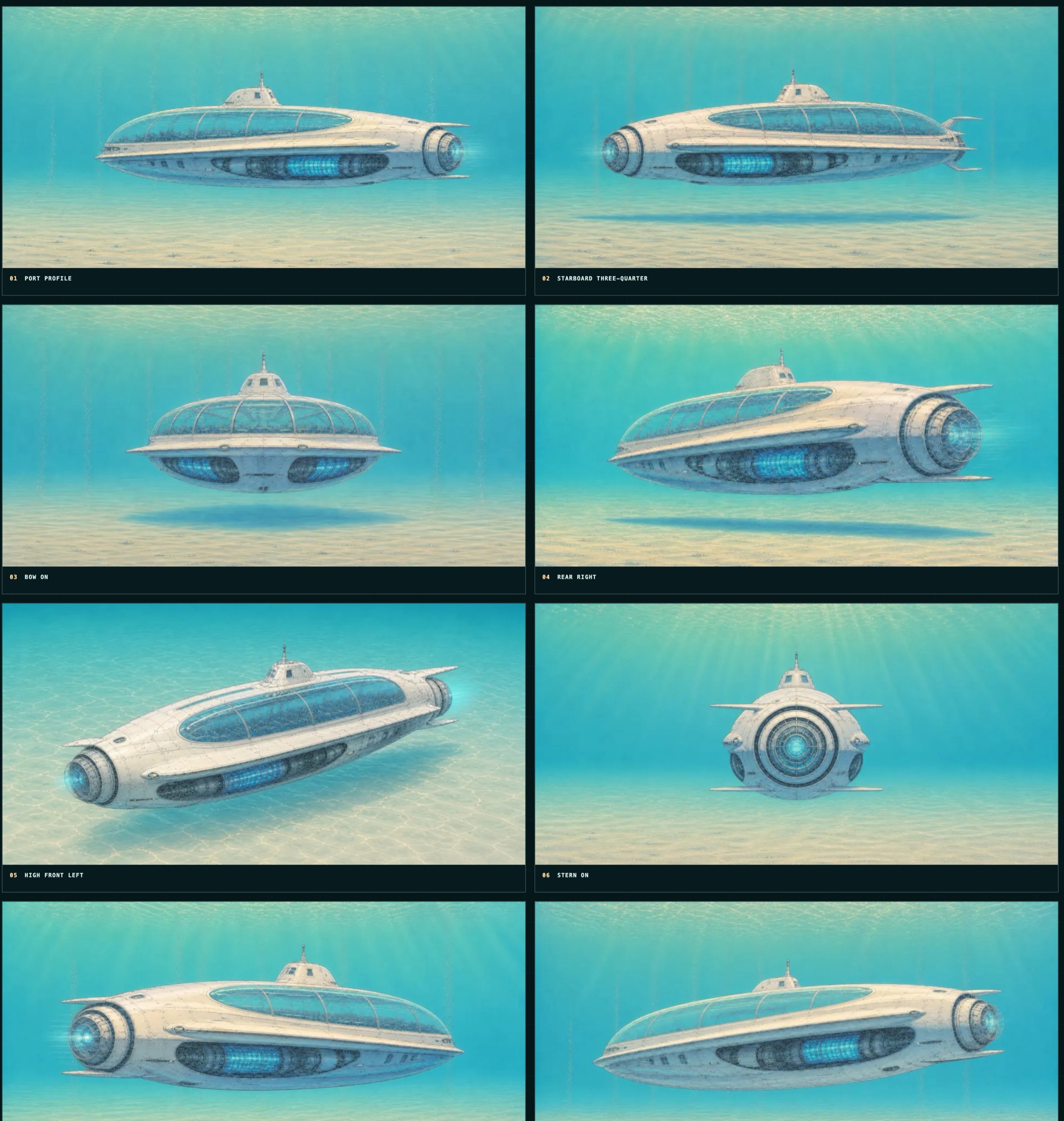
Нет — собственный код репозитория под Apache-2.0, но два из четырёх клонируемых инструментов реконструкции имеют ограничительные лицензии: stable-fast-3d использует Stability AI Community License, а Hunyuan3D-2 — территориально ограниченную лицензию Tencent; обе ограничивают коммерческое использование.Какие изображения конвейер реально берёт на вход?Все исходные изображения — синтетические рендеры вымышленного глубоководного аппарата, сгенерированные ИИ; ни одно реальное транспортное средство, судно или человек не изображены.
Все исходные изображения — синтетические рендеры вымышленного глубоководного аппарата, сгенерированные ИИ; ни одно реальное транспортное средство, судно или человек не изображены.Сколько моделей он сравнивает и как их оценивает?Он запускает несколько open-source-моделей реконструкции (TRELLIS, TripoSR, stable-fast-3d и Hunyuan3D-2 в папке experiments) и ранжирует результат каждой по фиксированному орбитальному рендеру в Blender по визуальной шкале 0-2.
Он запускает несколько open-source-моделей реконструкции (TRELLIS, TripoSR, stable-fast-3d и Hunyuan3D-2 в папке experiments) и ранжирует результат каждой по фиксированному орбитальному рендеру в Blender по визуальной шкале 0-2.Можно ли увидеть результат, не запуская конвейер самому?Да, в папке examples/ лежат три примера исходных рендеров плюс восстановленный GLB-меш (около 1,5 МБ), который можно рассмотреть напрямую.
Да, в папке examples/ лежат три примера исходных рендеров плюс восстановленный GLB-меш (около 1,5 МБ), который можно рассмотреть напрямую.Где посмотреть живую демонстрацию результата?Живой кейс по фотограмметрии и интерактивный WebGL-обозреватель размещены на 3d.thedreamers.us/about и 3d.thedreamers.us.
Живой кейс по фотограмметрии и интерактивный WebGL-обозреватель размещены на 3d.thedreamers.us/about и 3d.thedreamers.us.What are similar projects?Meshroom, cesium, spirula-studio, img2threejs, CodeVideoModel, paper-aquarium, pointdit, clay-safari
Meshroom, cesium, spirula-studio, img2threejs, CodeVideoModel, paper-aquarium, pointdit, clay-safariWhich topics is it in?photogrammetry, gltf, blender, 3d-reconstruction, computer-graphics, threejs, webgl, rendering, evaluation, 3d, image-processing, computer-vision
photogrammetry, gltf, blender, 3d-reconstruction, computer-graphics, threejs, webgl, rendering, evaluation, 3d, image-processing, computer-vision