
395 ·GitHub
Что это?
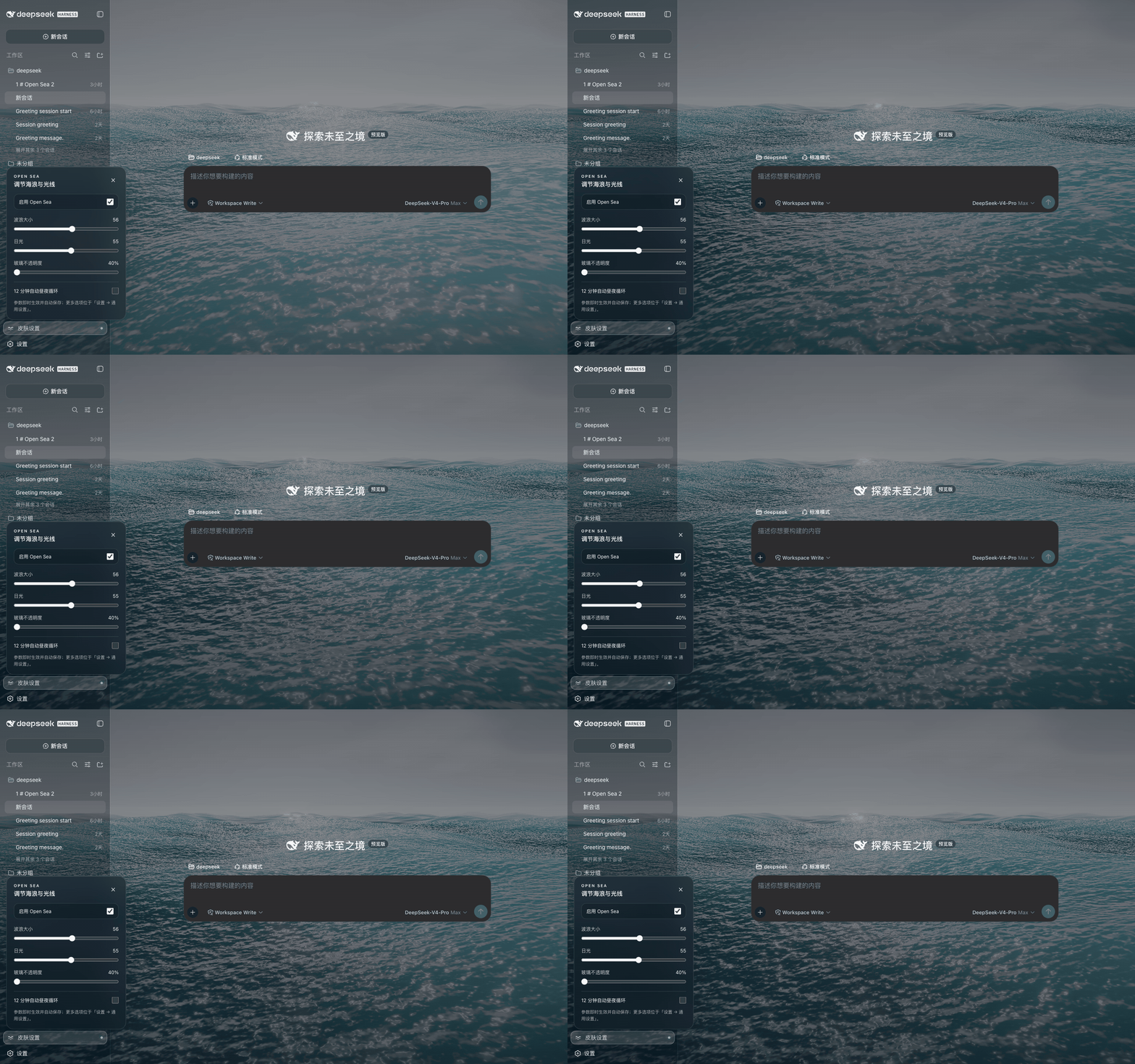
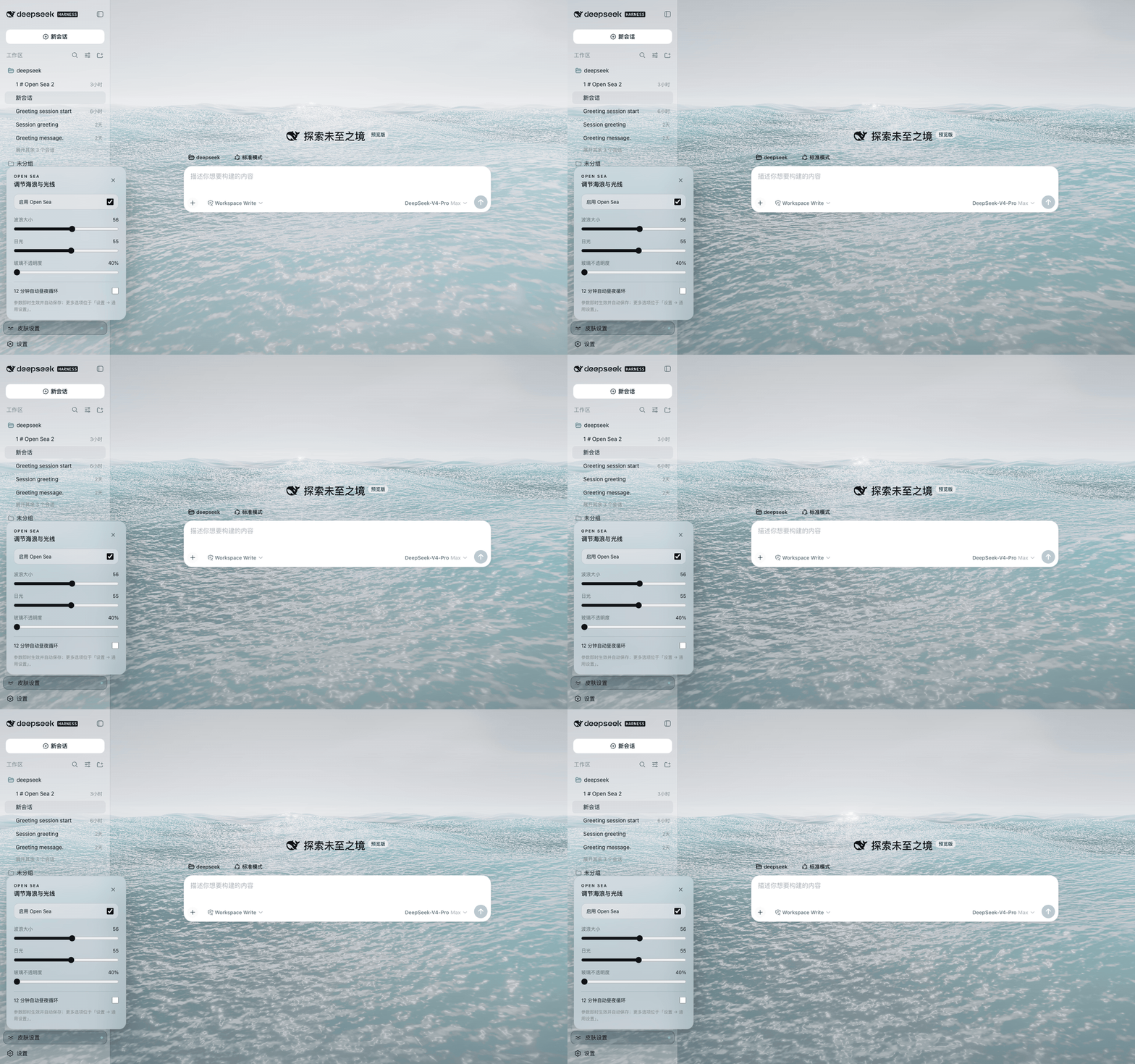
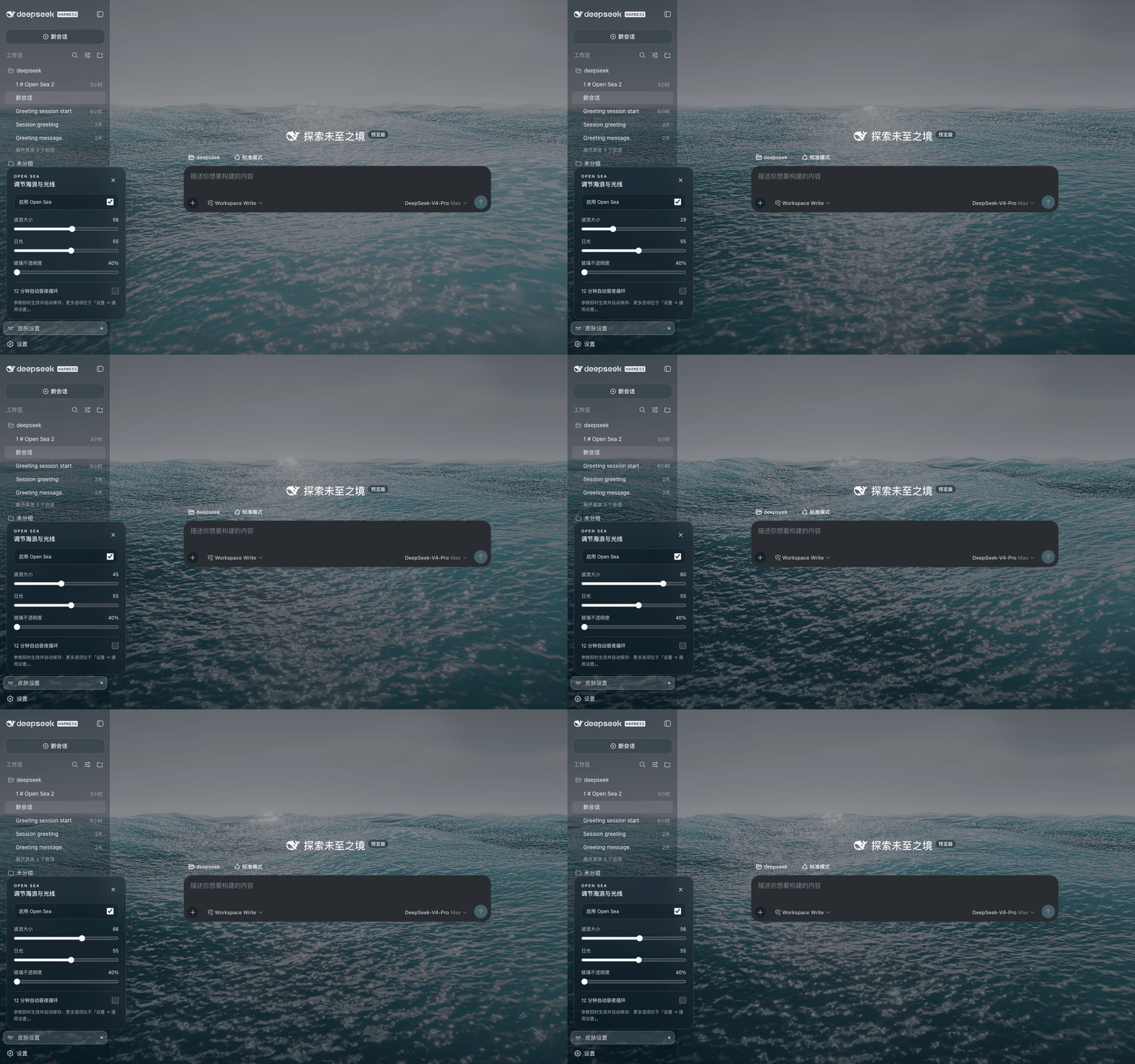
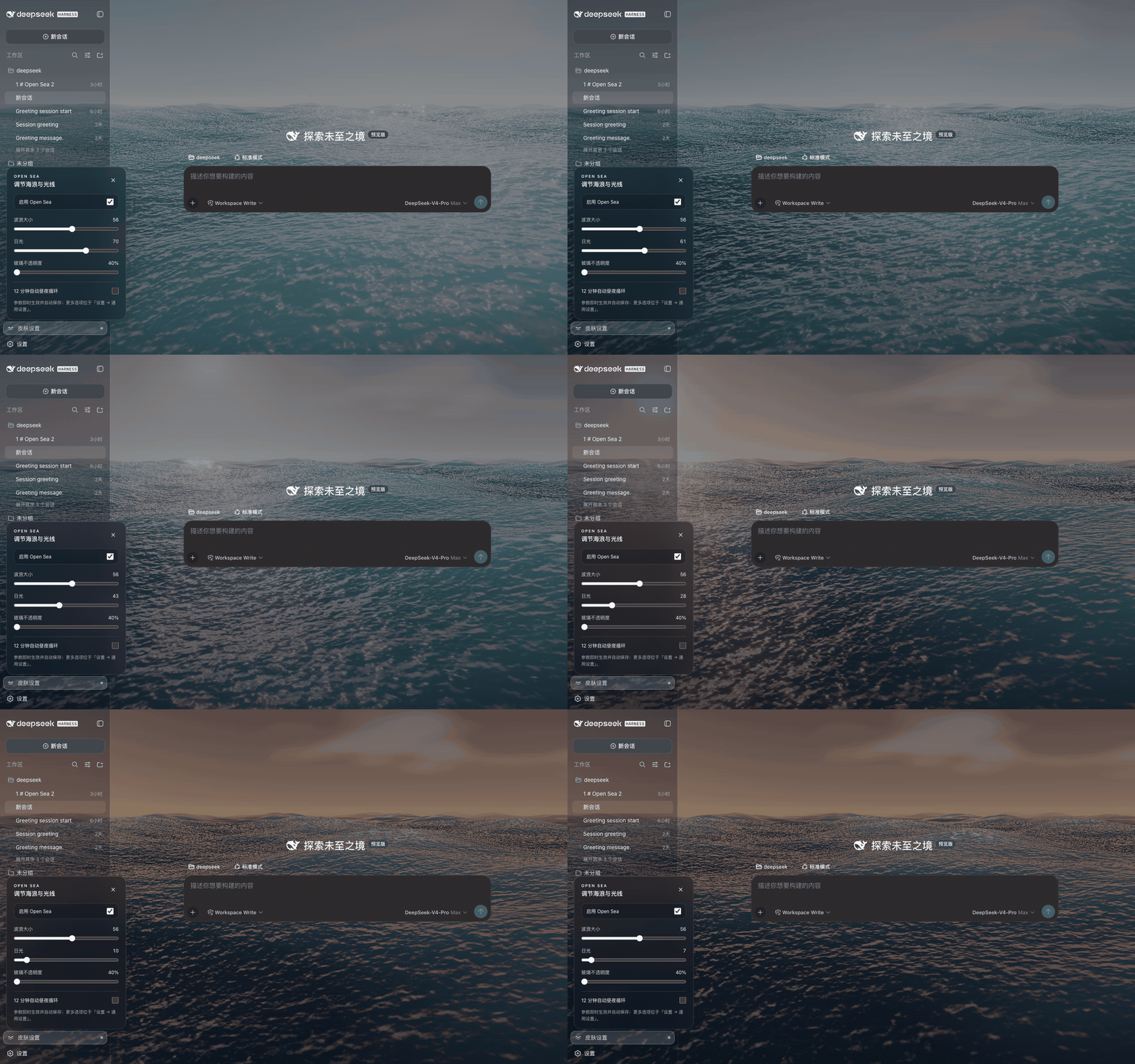
 Open Sea Skin — анимированная океанская тема на WebGPU для DeepSeek Harness (DSH), добавляющая настраиваемые волны, цикл заката и стеклянную прозрачность на страницу новой вкладки/домашнюю страницу Harness.
Open Sea Skin — анимированная океанская тема на WebGPU для DeepSeek Harness (DSH), добавляющая настраиваемые волны, цикл заката и стеклянную прозрачность на страницу новой вкладки/домашнюю страницу Harness.Это браузерное расширение или плагин DSH?И то и другое: он поставляется как однострочный плагин DSH, устанавливаемый через npm, как браузерное расширение для Chrome/Edge, как статический установщик в одну команду или как нативная интеграция в исходники Harness.
И то и другое: он поставляется как однострочный плагин DSH, устанавливаемый через npm, как браузерное расширение для Chrome/Edge, как статический установщик в одну команду или как нативная интеграция в исходники Harness.Как установить его на мой DeepSeek Harness?Рекомендуемый путь — установить пакет как плагин DSH из npm, затем перезапустить `dsh web`; после этого размер волн, дневной свет и стеклянную прозрачность настраиваются на панели настроек Skin в левом нижнем углу.
Рекомендуемый путь — установить пакет как плагин DSH из npm, затем перезапустить `dsh web`; после этого размер волн, дневной свет и стеклянную прозрачность настраиваются на панели настроек Skin в левом нижнем углу.Нужен ли работающий Harness или что-то ещё?Нужен работающий инстанс DeepSeek Harness (проверено на 0.1.2-alpha.3); для задач разработки/сборки/тестирования требуется Node.js 20+.
Нужен работающий инстанс DeepSeek Harness (проверено на 0.1.2-alpha.3); для задач разработки/сборки/тестирования требуется Node.js 20+.Есть ли подводные камни при установке, о которых стоит знать?Статический установщик только правит файлы на диске; он не запускает и не поддерживает работу сервера Harness, так что вам придётся самому остановить Harness, выполнить bootstrap, а затем вручную перезапустить `dsh web`.
Статический установщик только правит файлы на диске; он не запускает и не поддерживает работу сервера Harness, так что вам придётся самому остановить Harness, выполнить bootstrap, а затем вручную перезапустить `dsh web`.Работает ли это на Windows, macOS и Linux?Да — поскольку он работает внутри вашего локального инстанса DeepSeek Harness (через плагин или статическую установку) или как расширение Chrome/Edge, он работает на любой ОС, где запускаются Harness и браузер на Chromium.
Да — поскольку он работает внутри вашего локального инстанса DeepSeek Harness (через плагин или статическую установку) или как расширение Chrome/Edge, он работает на любой ОС, где запускаются Harness и браузер на Chromium.Расширение отправляет какие-то данные наружу?Нет. Оно не собирает, не отправляет, не продаёт и не раскрывает никаких данных, а расширение запрашивает только доступ к хранилищу и разрешение работать на вашей локальной странице Harness — разрешения на удалённые хосты нет.
Нет. Оно не собирает, не отправляет, не продаёт и не раскрывает никаких данных, а расширение запрашивает только доступ к хранилищу и разрешение работать на вашей локальной странице Harness — разрешения на удалённые хосты нет.Какая технология рендеринга стоит за эффектом океана?Используется WebGPU с three.js 0.178.0 и TSL для отрисовки пяти волн Герстнера с аналитическими нормалями, отражения неба по Френелю, солнечных бликов, пены, тумана, bloom и тонмаппинга ACES.
Используется WebGPU с three.js 0.178.0 и TSL для отрисовки пяти волн Герстнера с аналитическими нормалями, отражения неба по Френелю, солнечных бликов, пены, тумана, bloom и тонмаппинга ACES.Расширение не будет вмешиваться в другие страницы новой вкладки или сайты?Нет — перед изменением любой страницы оно проверяет заголовок Harness, корневой элемент и внедрённый сервером маркер запуска, поэтому родная страница новой вкладки браузера и другие локальные dev-сайты остаются нетронутыми.
Нет — перед изменением любой страницы оно проверяет заголовок Harness, корневой элемент и внедрённый сервером маркер запуска, поэтому родная страница новой вкладки браузера и другие локальные dev-сайты остаются нетронутыми.Можно посмотреть тему перед установкой?Да, в README есть ссылка на живое интерактивное демо, где можно настроить волны, закат и стеклянную прозрачность, прежде чем решиться на установку.
Да, в README есть ссылка на живое интерактивное демо, где можно настроить волны, закат и стеклянную прозрачность, прежде чем решиться на установку.Производительность настроена под слабые машины?Да — есть режим упрощённого меша, адаптивный масштаб рендера, лимиты FPS (60/30/20), пауза при скрытой вкладке и автоматическое определение слабых устройств, чтобы эффект оставался лёгким.
Да — есть режим упрощённого меша, адаптивный масштаб рендера, лимиты FPS (60/30/20), пауза при скрытой вкладке и автоматическое определение слабых устройств, чтобы эффект оставался лёгким.What are similar projects?dsh-dream-skin, DSH-Transparent-UI-Plugin, gal-view, Youtube-Pro-Plus, dsh-liang-skin, dsh-dafeiyu, natural-disasters, dsh-damage-pulse
dsh-dream-skin, DSH-Transparent-UI-Plugin, gal-view, Youtube-Pro-Plus, dsh-liang-skin, dsh-dafeiyu, natural-disasters, dsh-damage-pulseWhich topics is it in?edge-extension, glassmorphism, webgpu, threejs, chrome-extension, browser-extension, theme, dsh, dsh-plugin, deepseek-harness, deepseek, animation
edge-extension, glassmorphism, webgpu, threejs, chrome-extension, browser-extension, theme, dsh, dsh-plugin, deepseek-harness, deepseek, animation