Что это такое?
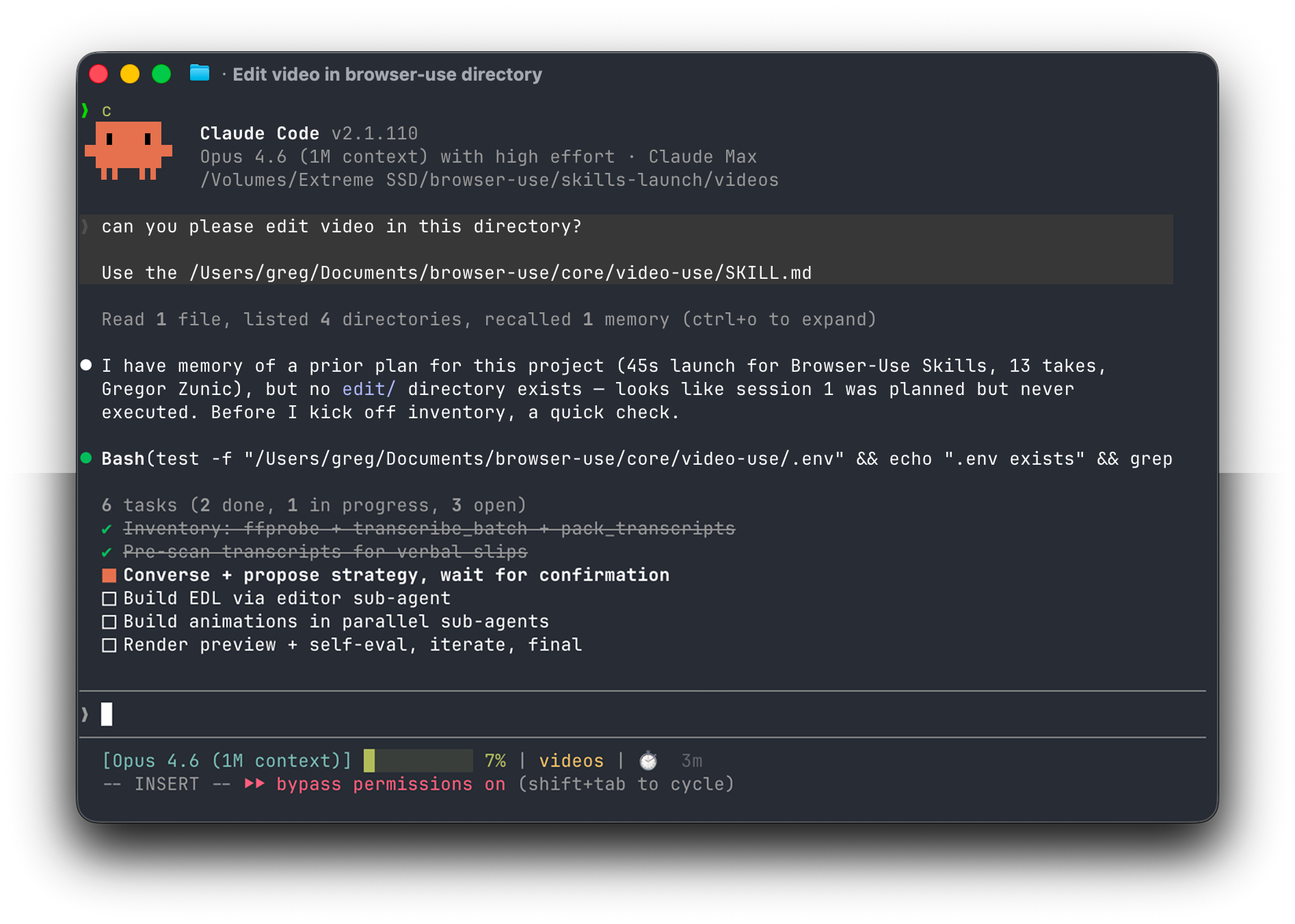
 video-use — это открытый навык для Claude Code, который превращает сырые записи в готовый MP4: вырезает слова-паразиты и пустые паузы, цветокорректирует клипы, накладывает субтитры и добавляет анимации через диалог с агентом-программистом.
video-use — это открытый навык для Claude Code, который превращает сырые записи в готовый MP4: вырезает слова-паразиты и пустые паузы, цветокорректирует клипы, накладывает субтитры и добавляет анимации через диалог с агентом-программистом.Это самостоятельный видеоредактор или навык для агентов-программистов?Это не самостоятельный редактор, а навык, который агент-программист (Claude Code, Codex, Hermes или Openclaw) запускает с доступом к командной строке, чтобы управлять ffmpeg, транскрибацией и рендерингом на вашем компьютере.
Это не самостоятельный редактор, а навык, который агент-программист (Claude Code, Codex, Hermes или Openclaw) запускает с доступом к командной строке, чтобы управлять ffmpeg, транскрибацией и рендерингом на вашем компьютере.Как мне это запустить?Вставьте промпт для настройки в своего агента-программиста: он клонирует репозиторий, установит зависимости, зарегистрирует навык и один раз запросит ваш ключ API ElevenLabs, после чего вы укажете ему папку с исходными дублями.
Вставьте промпт для настройки в своего агента-программиста: он клонирует репозиторий, установит зависимости, зарегистрирует навык и один раз запросит ваш ключ API ElevenLabs, после чего вы укажете ему папку с исходными дублями.Мне нужен ключ API ElevenLabs?Да — ElevenLabs Scribe даёт пословную транскрипцию, на которой держится весь конвейер, а также нужен агент-программист с доступом к командной строке, например Claude Code, Codex, Hermes или Openclaw.
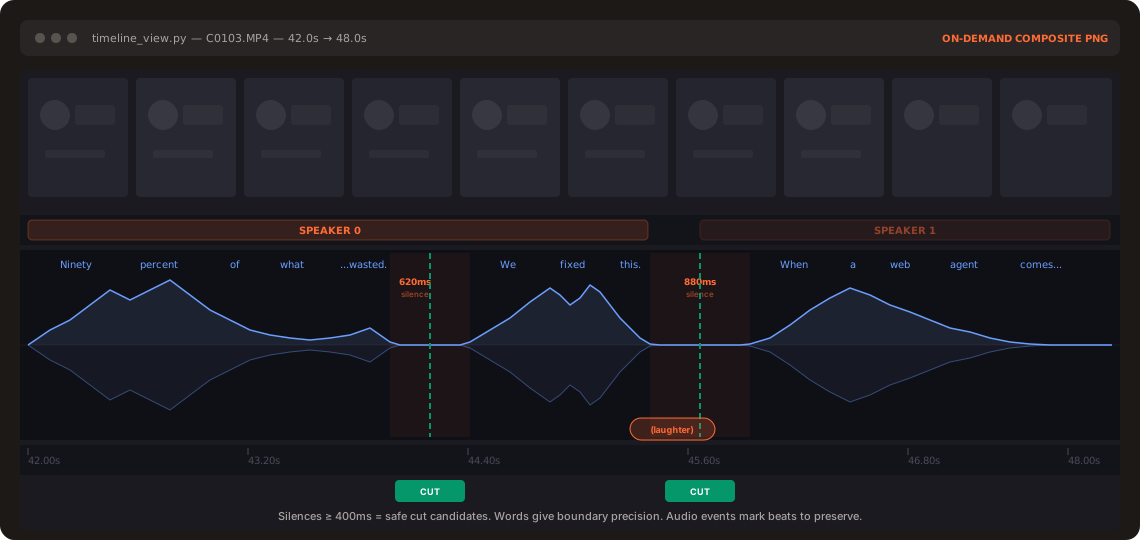
Да — ElevenLabs Scribe даёт пословную транскрипцию, на которой держится весь конвейер, а также нужен агент-программист с доступом к командной строке, например Claude Code, Codex, Hermes или Openclaw.ИИ действительно смотрит мой материал?Нет — ИИ никогда не просматривает видео кадр за кадром. Он читает пословную расшифровку и только в спорных местах открывает миниатюры кадров и графики звуковой волны, поэтому чисто визуальные подсказки без звуковых границ могут быть труднее уловимы.
Нет — ИИ никогда не просматривает видео кадр за кадром. Он читает пословную расшифровку и только в спорных местах открывает миниатюры кадров и графики звуковой волны, поэтому чисто визуальные подсказки без звуковых границ могут быть труднее уловимы.Какими инструментами можно создать анимационные наложения?Наложения можно создавать с помощью HyperFrames, Remotion, Manim или PIL; для каждой анимации параллельно запускается отдельный субагент.
Наложения можно создавать с помощью HyperFrames, Remotion, Manim или PIL; для каждой анимации параллельно запускается отдельный субагент.Почему он читает расшифровку, а не перебирает кадры?Чтение не заставляет модель обрабатывать огромные объёмы пикселей: в README сравниваются наивный дамп кадров, который стоит 45 млн токенов, и около 12 КБ текста плюс несколько PNG для того же материала.
Чтение не заставляет модель обрабатывать огромные объёмы пикселей: в README сравниваются наивный дамп кадров, который стоит 45 млн токенов, и около 12 КБ текста плюс несколько PNG для того же материала.Проверяет ли он свою работу перед тем, как показать результат?Да — цикл самопроверки запускает проверку таймлайна отрендеренного видео на каждой границе склейки, выявляя визуальные скачки и щелчки в звуке, и вы увидите превью только после того, как проверка пройдена.
Да — цикл самопроверки запускает проверку таймлайна отрендеренного видео на каждой границе склейки, выявляя визуальные скачки и щелчки в звуке, и вы увидите превью только после того, как проверка пройдена.Могу ли я запускать это как бота для монтажа, работающего постоянно?Да, агента можно запустить через Browser Use Box для непрерывного монтажа на собственном VPS или через Telegram.
Да, агента можно запустить через Browser Use Box для непрерывного монтажа на собственном VPS или через Telegram.What are similar projects?open-edit, autoclip, ffmpeg-skill, creator-flow, herk-edit-kit, Drift, guizang-product-video-skill, brag
open-edit, autoclip, ffmpeg-skill, creator-flow, herk-edit-kit, Drift, guizang-product-video-skill, bragWhich topics is it in?transcription, vps, subtitles, video-editing, hermes-agent, audio-processing, speech-to-text, video-processing, telegram, openclaw, ffmpeg, skill
transcription, vps, subtitles, video-editing, hermes-agent, audio-processing, speech-to-text, video-processing, telegram, openclaw, ffmpeg, skill