







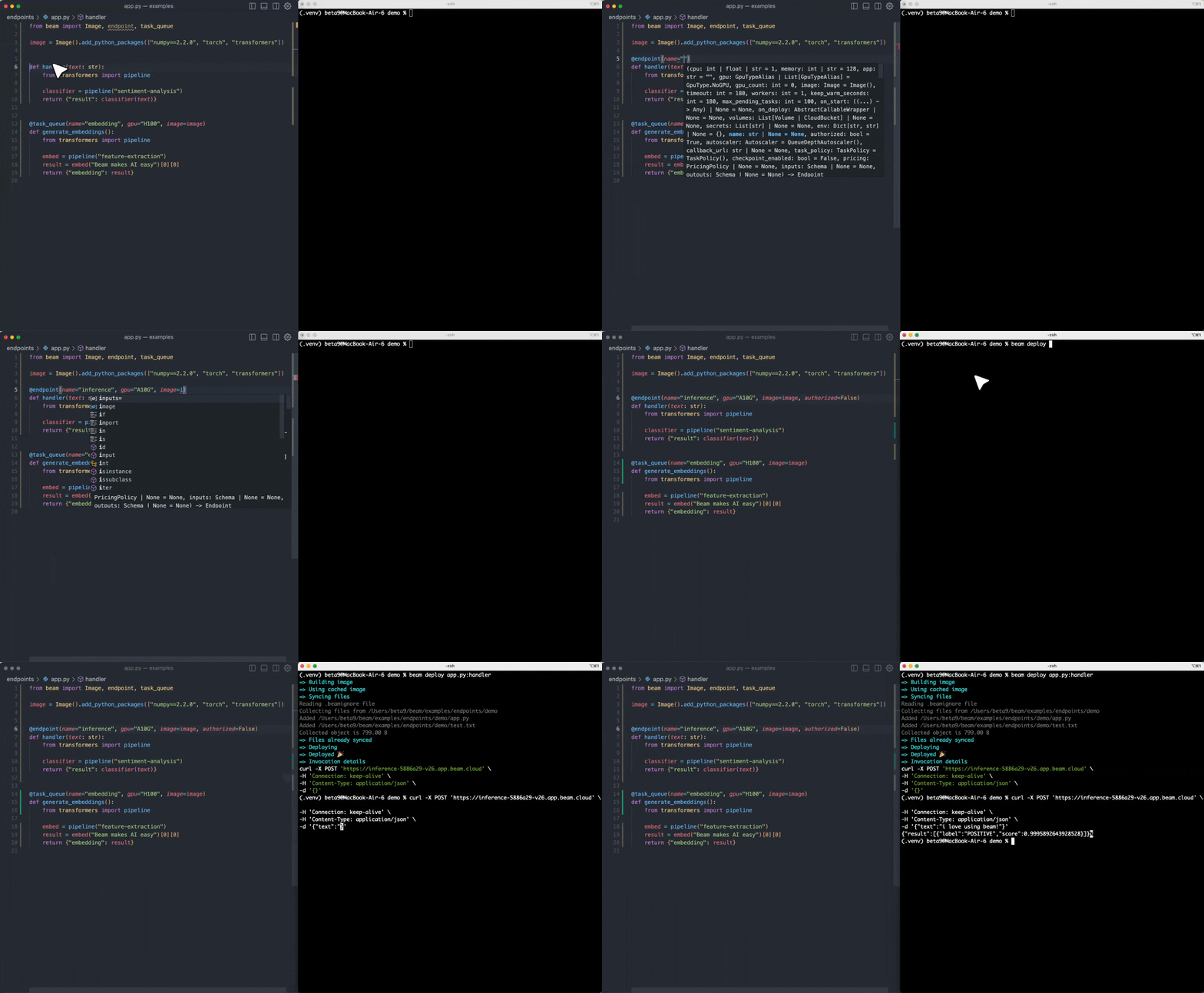
这是做什么的?
 一个面向无服务器 AI 工作负载的开源运行时——它把 Python 代码跑在可自动扩缩容的 GPU 容器里,空闲时可以缩容到零。它也是 Beam(一个全托管的云服务)背后的引擎。
一个面向无服务器 AI 工作负载的开源运行时——它把 Python 代码跑在可自动扩缩容的 GPU 容器里,空闲时可以缩容到零。它也是 Beam(一个全托管的云服务)背后的引擎。这是云服务,还是需要我自己部署运行?两者都可以。Beta9 是开源引擎,你可以免费自行部署;Beam 则是构建在其上的全托管云服务,如果你不想自己维护基础设施,用它就行。
两者都可以。Beta9 是开源引擎,你可以免费自行部署;Beam 则是构建在其上的全托管云服务,如果你不想自己维护基础设施,用它就行。最快让它跑起来的方法是什么?最快的方式是用托管云:注册账号,然后跟着 Getting Started 指南走。想自己运行引擎的话,可以按照代码仓库中 Installation 部分的说明自行部署 Beta9。
最快的方式是用托管云:注册账号,然后跟着 Getting Started 指南走。想自己运行引擎的话,可以按照代码仓库中 Installation 部分的说明自行部署 Beta9。用它要写 Python 吗,还是需要懂 Go?你只需要写 Python:加上装饰器的 Python 函数会被部署成容器并自动扩缩容。Go 只是引擎本身用的开发语言,和你无关。
你只需要写 Python:加上装饰器的 Python 函数会被部署成容器并自动扩缩容。Go 只是引擎本身用的开发语言,和你无关。自己部署真的免费吗——有什么限制?自行部署是免费的,但许可证是 AGPL-3.0:如果你修改了 Beta9 并把它作为服务对外提供,就必须开源你的代码。通过 Beam 使用托管服务就不用操心这些。
自行部署是免费的,但许可证是 AGPL-3.0:如果你修改了 Beta9 并把它作为服务对外提供,就必须开源你的代码。通过 Beam 使用托管服务就不用操心这些。我的工作负载可以用哪些 GPU?在 Beam 的托管云上可以用 4090、H100 等显卡,也可以接入你自己的 GPU。
在 Beam 的托管云上可以用 4090、H100 等显卡,也可以接入你自己的 GPU。我到底能用它做什么?主要有三类工作负载:为自定义模型搭建可自动扩缩容的推理接口,运行大模型生成代码的隔离沙箱,以及定时执行的后台任务——README 把它定位为 Celery 队列的替代品。
主要有三类工作负载:为自定义模型搭建可自动扩缩容的推理接口,运行大模型生成代码的隔离沙箱,以及定时执行的后台任务——README 把它定位为 Celery 队列的替代品。容器启动有多快?工作负载最多能扩展到多大规模?得益于自定义的容器运行时、调度器和内置缓存,容器可以在一秒内启动。工作负载可以并行扩展到数百个容器,空闲时自动缩容到零。
得益于自定义的容器运行时、调度器和内置缓存,容器可以在一秒内启动。工作负载可以并行扩展到数百个容器,空闲时自动缩容到零。日常开发有哪些内置功能?热重载、Webhook 和定时任务都是一等公民功能,还可以挂载分布式存储卷,实现跨容器的持久化或共享状态。
热重载、Webhook 和定时任务都是一等公民功能,还可以挂载分布式存储卷,实现跨容器的持久化或共享状态。What are similar projects?faas, petals, Qwen3.8-Flash-Next-Dual-DGX-Sparks, GLM-5.3-Flash-EXL3-2x-DGX-Sparks-TensorFold, ColossalAI, Model-Optimizer, vllm-omni, airllm
faas, petals, Qwen3.8-Flash-Next-Dual-DGX-Sparks, GLM-5.3-Flash-EXL3-2x-DGX-Sparks-TensorFold, ColossalAI, Model-Optimizer, vllm-omni, airllmWhich topics is it in?faas, developer-productivity, distributed-computing, paas, serverless, agplv3, llm-inference, gpu-acceleration, sandbox, fine-tuning, large-language-models, distributed-systems
faas, developer-productivity, distributed-computing, paas, serverless, agplv3, llm-inference, gpu-acceleration, sandbox, fine-tuning, large-language-models, distributed-systems