970 ·GitHub
What is this?
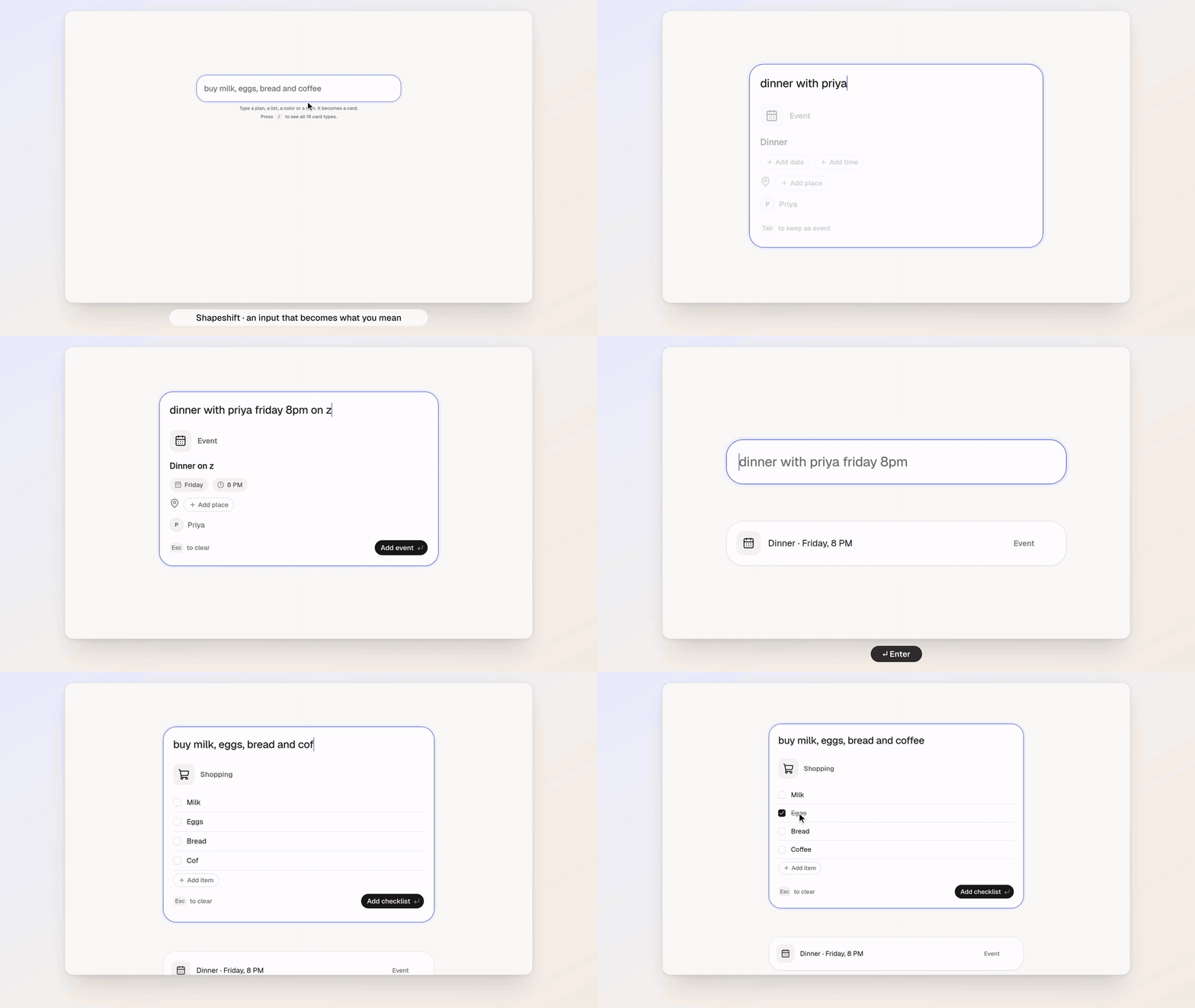
 Shapeshift is a single text input that morphs into the right UI widget as you type — an event card, checklist, timer, color picker, bill splitter, poll, converter and more — based on what it thinks you mean.
Shapeshift is a single text input that morphs into the right UI widget as you type — an event card, checklist, timer, color picker, bill splitter, poll, converter and more — based on what it thinks you mean.Is this a web app I open in a browser, or an installed program?It is a Next.js web app (App Router, React 19) that you run locally and open in a browser.
It is a Next.js web app (App Router, React 19) that you run locally and open in a browser.How do I get it running?Install Bun 1.2+, then run the dev server and open it in your browser to start typing — no account needed.
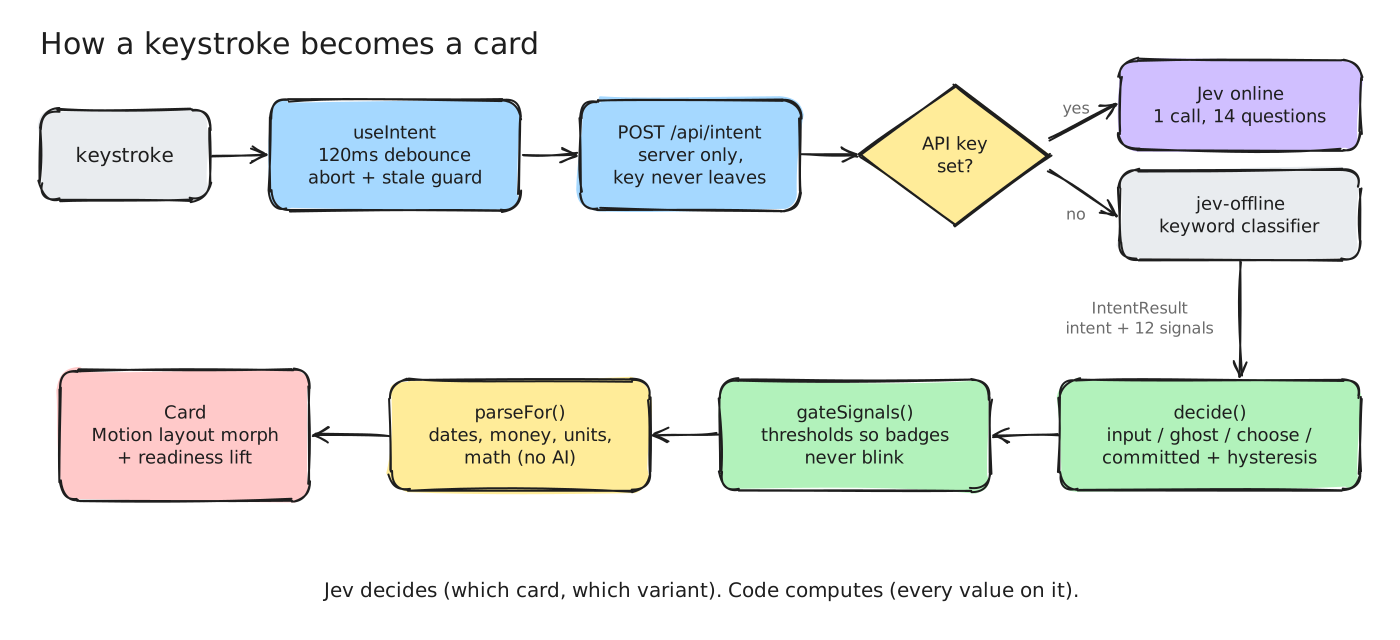
Install Bun 1.2+, then run the dev server and open it in your browser to start typing — no account needed.Do I need an online API key to use it?No — it works fully offline out of the box using a built-in keyword classifier. Adding a TYPESAFE_API_KEY is optional and only enables the online Jev model.
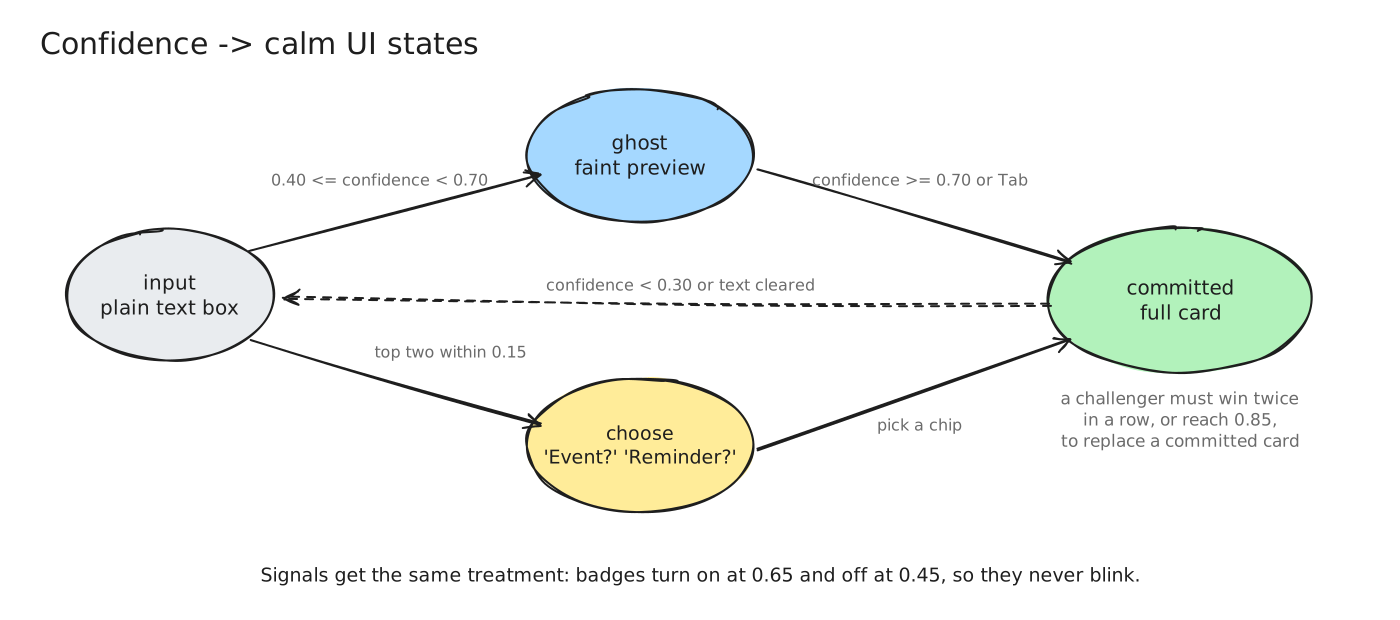
No — it works fully offline out of the box using a built-in keyword classifier. Adding a TYPESAFE_API_KEY is optional and only enables the online Jev model.How reliable is the card detection as you type?Raw model output can flicker mid-typing, so a state machine only switches cards once a challenger wins twice in a row (or is very confident), and it silently falls back to offline mode if the online API is unreachable.
Raw model output can flicker mid-typing, so a state machine only switches cards once a challenger wins twice in a row (or is very confident), and it silently falls back to offline mode if the online API is unreachable.What types of UI cards can it generate?Nineteen card types, including event, reminder, checklist, timer, habit, color, split, expense, convert, calculate, trip, poll, contact, bookmark, countdown, time zone, random, goal, and note.
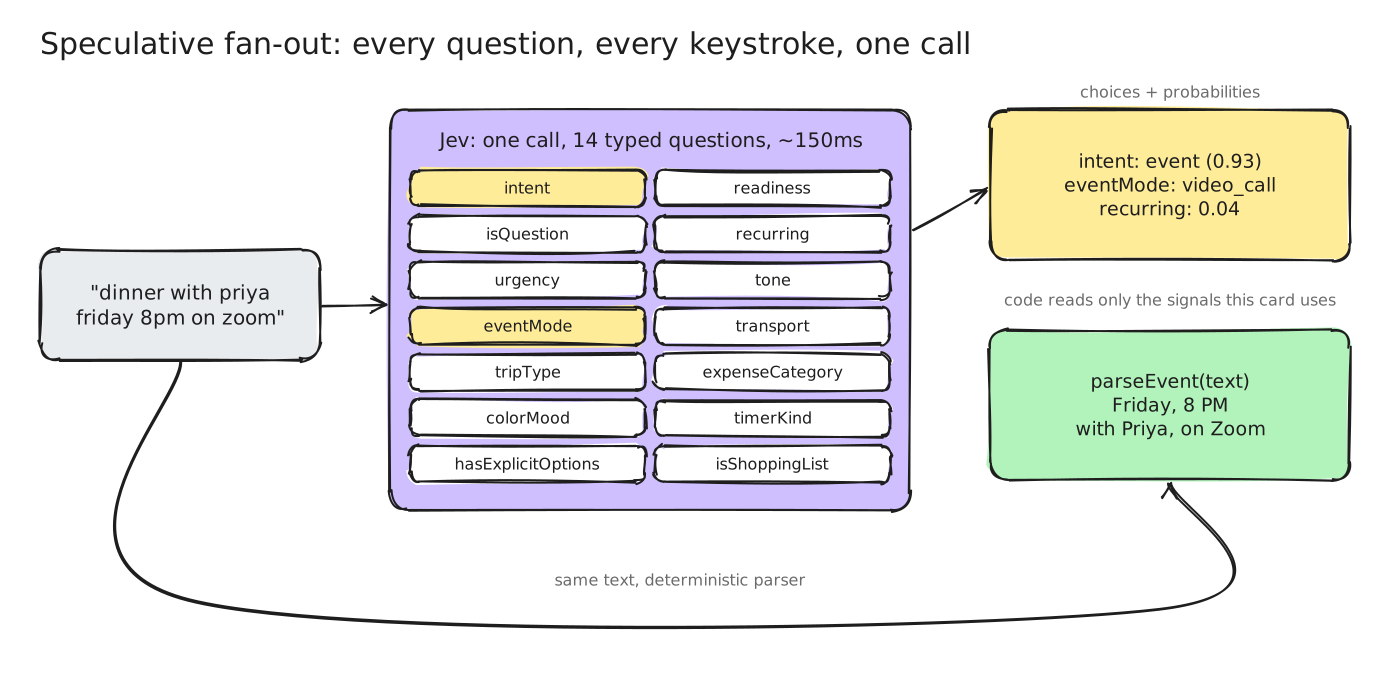
Nineteen card types, including event, reminder, checklist, timer, habit, color, split, expense, convert, calculate, trip, poll, contact, bookmark, countdown, time zone, random, goal, and note.How does the Jev model work alongside deterministic code?One Jev call answers 14 parallel typed questions to classify intent (which card, plus signals like urgency); everything else — dates, amounts, units, math — is handled by deterministic parsing code, not the model.
One Jev call answers 14 parallel typed questions to classify intent (which card, plus signals like urgency); everything else — dates, amounts, units, math — is handled by deterministic parsing code, not the model.Can I add my own card type?Yes — add a key to INTENT_KEYS, write a classification criterion, a parser, a card component, and teach the offline mock classifier; TypeScript flags anything you miss.
Yes — add a key to INTENT_KEYS, write a classification criterion, a parser, a card component, and teach the offline mock classifier; TypeScript flags anything you miss.What does the shortcut row let me do while typing?Enter saves the card, Esc clears or cancels an edit, Tab keeps a faint preview, arrow keys cycle 'Did you mean' chips, and / opens every card type.
Enter saves the card, Esc clears or cancels an edit, Tab keeps a faint preview, arrow keys cycle 'Did you mean' chips, and / opens every card type.What are similar projects?arc-library, tweakcn, rare-ui, ui, ui, taxonomy, bible-strong-avatar-lab, lint
arc-library, tweakcn, rare-ui, ui, ui, taxonomy, bible-strong-avatar-lab, lintWhich topics is it in?zod, state-machine, motion, tailwind, shadcn, classification, shadcn-ui, bun, offline-first, tailwindcss, nlp, nextjs
zod, state-machine, motion, tailwind, shadcn, classification, shadcn-ui, bun, offline-first, tailwindcss, nlp, nextjs