How it fits together
   ChatGPT · Claude · Cursor · Codex · n8n · your own script
                       │
                       │  REST  ·  MCP  ·  OAuth
                       ▼
              ┌─────────────────────┐
              │   Muse4AI on your PC│   local library, queue,
              │   (Windows app)     │   keys, tokens, history
              └─────────────────────┘
                       │
                       │  your own signed-in Muse session
                       ▼
                     Muse
Nothing is relayed through a server we run. The app talks to Muse from your machine,
with your session, and keeps every result, key and token in
%APPDATA%\MuseStudio on that same machine.
What you can ask an agent to do
🎬 Generate video & images
One call, text-only or with reference photos. Repeat a prompt, pick the account,
watch it appear in the in-app queue.
|
💬 Chat that remembers
Ask questions or iterate on an idea. The conversation id comes back, so the
agent can keep the thread going and attach files.
|
⏱ Extend a finished video
Keep a clip rolling, up to 6 steps and about 60 seconds per chain,
in the same conversation it was born in.
|
🛠 Edit a video by describing it
Attach an MP4 and say what to change in words — no timeline, no rendering settings.
|
🔑 Two ways to connect
An API key you paste once, or real OAuth: the agent asks, and you
approve with the 6-digit code the app shows on screen.
|
📚 Built-in guide
Every screen has a bilingual guide (English / Vietnamese) with real screenshots,
plus a Skill your agent can read.
|
See it in action
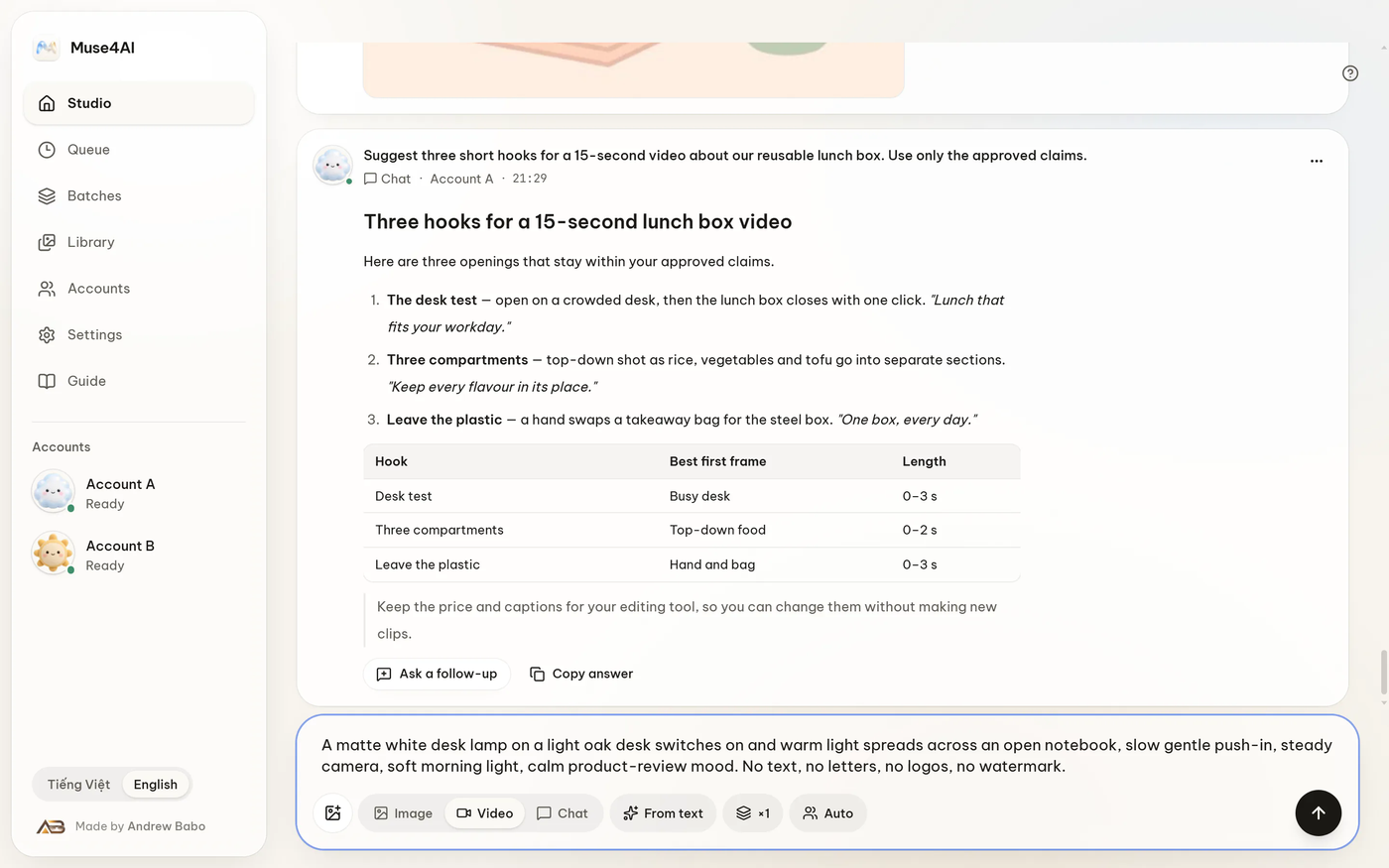 |
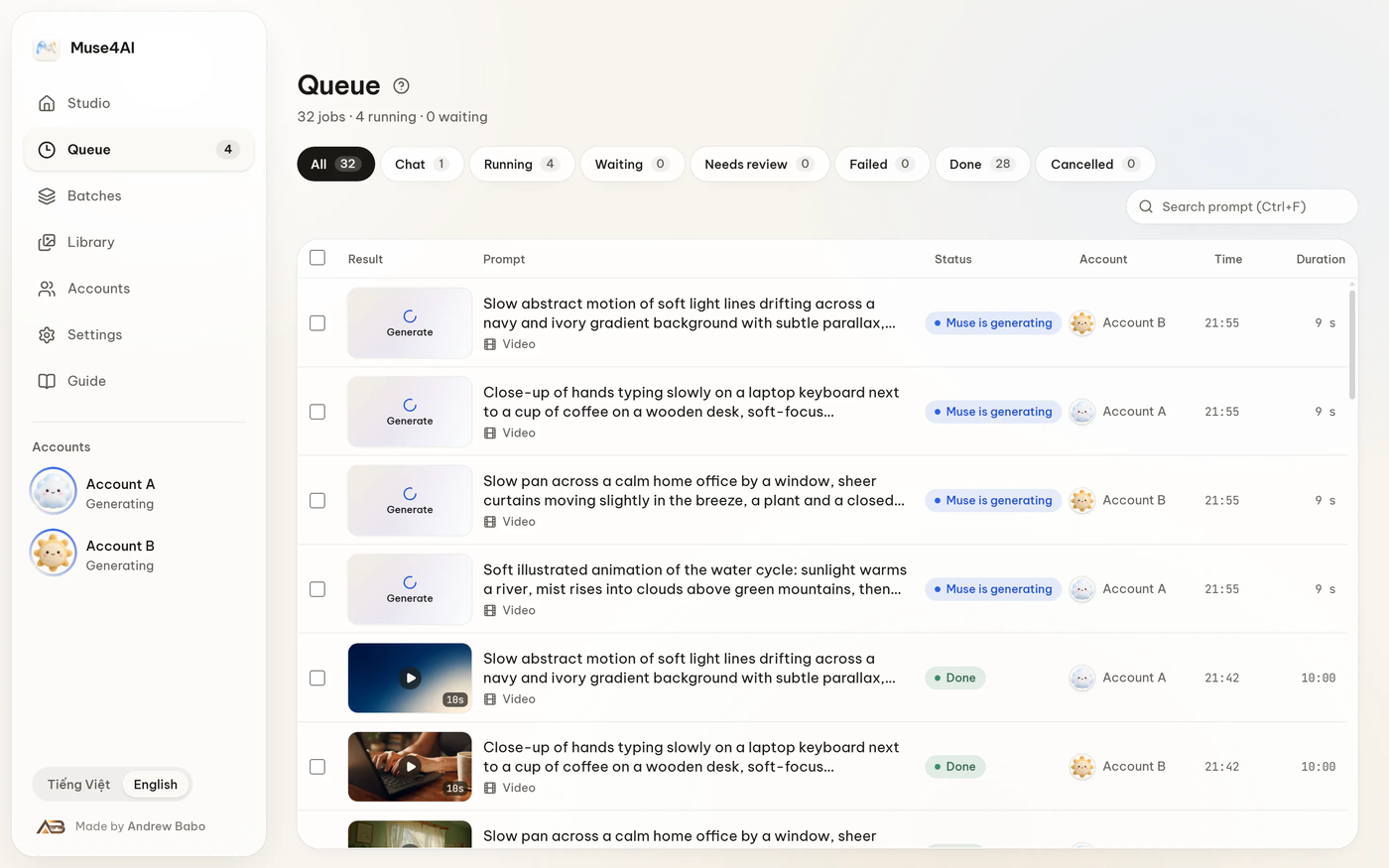 |
| Studio — write the prompt, attach references, run. |
Queue — live status, thumbnails, quick preview. |
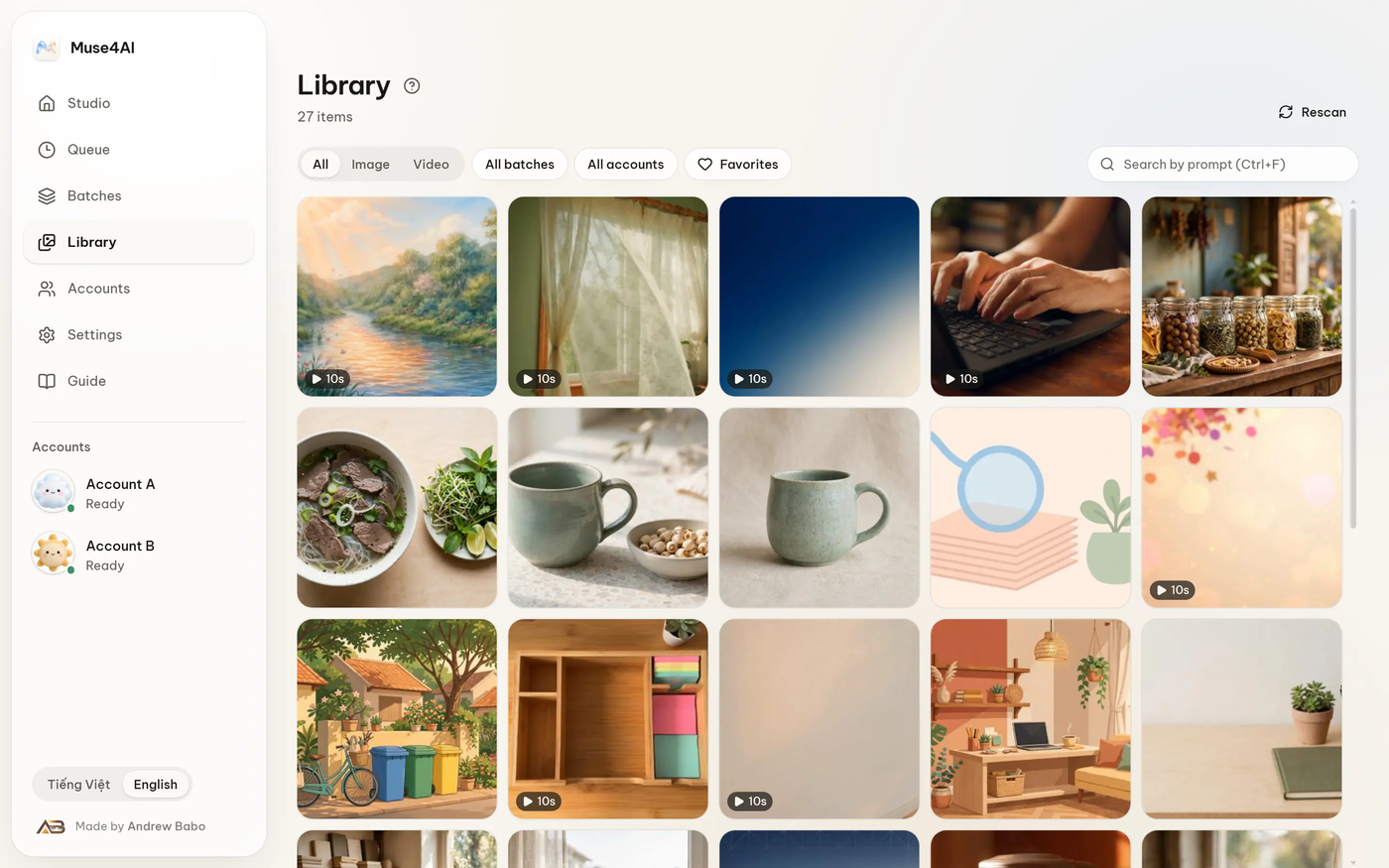 |
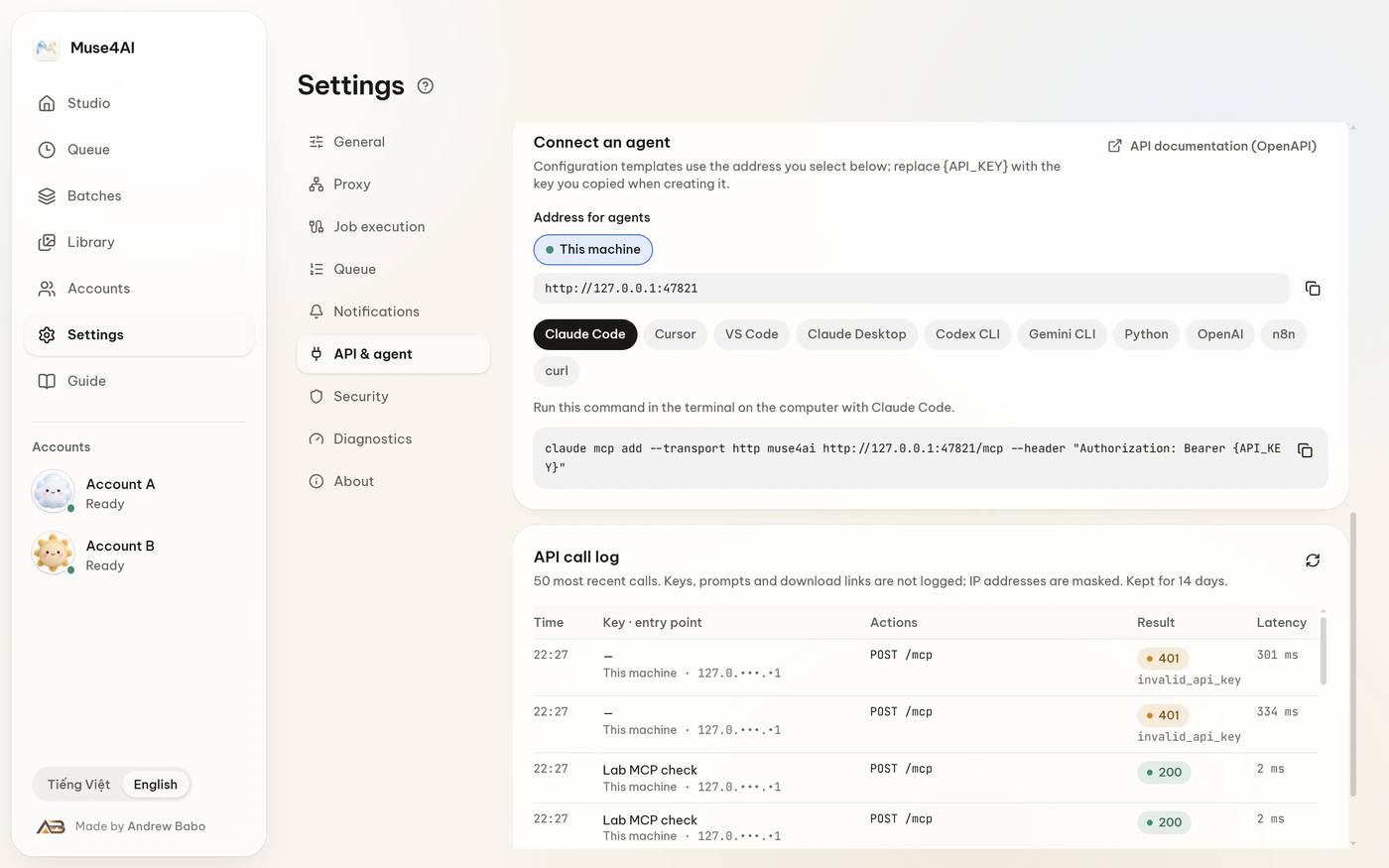 |
| Library — everything you made, searchable. |
API & agent — connect an agent in one paste. |
Quick start
1. Install (easiest)
Grab the installer from the
download page, run it, then add your Muse
account in Accounts. Windows will warn that the file is unsigned — choose
More info → Run anyway. After that the app checks for new versions
by itself and installs them from Settings › About — no need to come back here.
2. Run from source
Needs Node.js 22+.
cd desktop
npm install
npm run build
npm start
The app opens on your desktop and serves its API on http://127.0.0.1:47821.
Connect an agent
Open Settings → API & agent in the app. It shows a ready-made snippet with your
key already filled in — paste it into your agent's config.
OAuth (no key to copy)
The app is a real OAuth authorization server: it publishes
/.well-known/oauth-authorization-server, registers clients dynamically and signs its
own tokens. Point the agent at the MCP endpoint and let it redirect:
{
  "mcpServers": {
    "muse4ai": { "url": "http://127.0.0.1:47821/mcp" }
  }
}
The app then shows a 6-digit code. Type it into the consent page and the token is
issued. Anyone who only knows the link cannot grant themselves access. Revoke any app
later under Settings → API & agent → Connected apps.
API key
Create a key in the same screen (msk_…), then send it as a bearer token:
curl -X POST http://127.0.0.1:47821/v1/jobs \
  -H "Authorization: Bearer msk_YOUR_KEY" \
  -H "Content-Type: application/json" \
  -d '{"kind":"video","prompt":"a coffee cup on an oak desk, warm morning light"}'
Keys are scoped, rate-limited and individually revocable.
What the agent gets
| REST |
MCP tool |
POST /v1/jobs — image / video |
muse_generate |
POST /v1/jobs with kind:"chat" |
muse_chat |
GET /v1/jobs · GET /v1/jobs/{id} |
muse_list_jobs · muse_get_job |
POST /v1/jobs/{id}/cancel |
muse_cancel_job |
POST /v1/assets/{id}/extend · POST /v1/conversations/{id}/extend |
muse_extend_video · muse_get_extend |
GET /v1/status · GET /v1/health |
muse_status |
Full machine-readable contract: GET /v1/openapi.json.
For agents that prefer Markdown: llms.txt.
Project layout
| Path |
What lives there |
desktop/ |
The app itself — main process, renderer, REST/MCP/OAuth API, tests, installer |
content/ |
Guide, agent and use-case text shared by the app and the website |
agent-kit/ |
The Muse4AI Skill, so an agent can learn the tool on its own |
Development
cd desktop
npm test            # 848 tests
npm run typecheck   # strict TypeScript
npm run package:win # Windows ZIP + installer inputs
Quality checks
Every push, and every Monday at 02:00 UTC, GitHub Actions re-runs the whole suite:
848 tests, a type check, a dependency vulnerability scan, a secret scan across the
full git history, and live checks against the public endpoints. If a weekly run fails,
an issue is opened automatically.
Honest notes
- Unofficial. Muse4AI is an independent project. It is not affiliated with,
endorsed or sponsored by Meta Platforms, Inc. "Meta" and "Muse" are trademarks of
their owners.
- You own the risk. The app automates your Muse session. Automating a web app can
break when the site changes, and may not fit Meta's terms of service — read them
before you rely on it.
- Windows first. macOS and Linux builds are not packaged or tested yet; the core
code does not depend on Windows, so porting is on the roadmap.
- No cloud account. There is no sign-up, no telemetry server and no subscription.
License
MIT © 2026 Andrew Babo. Third-party notices: desktop/LICENSES/.
Questions or ideas: the website ·
guide ·
changelog.







 它让你的 AI 智能体通过你自己的 Muse 账号生成图片和视频。它以本地 Windows 应用的形式运行,并提供 REST、MCP 和 OAuth 接口供智能体调用。