






311 ·GitHub
What is this?
 An Agent Skill that lets coding agents like Claude Code, Codex and Cursor drive macOS apps that have no API — reading screens, clicking and typing — and leaves reproducible evidence of every step.
An Agent Skill that lets coding agents like Claude Code, Codex and Cursor drive macOS apps that have no API — reading screens, clicking and typing — and leaves reproducible evidence of every step.So it's not a standalone Mac app — how does it plug into my agent?It installs as a skill into any runtime that reads SKILL.md — Claude Code, Codex, Cursor, OpenClaw and 50+ others. Under the hood it is a single-file Swift kernel exposing commands like mac see, mac shot and mac op.
It installs as a skill into any runtime that reads SKILL.md — Claude Code, Codex, Cursor, OpenClaw and 50+ others. Under the hood it is a single-file Swift kernel exposing commands like mac see, mac shot and mac op.What does my Mac need before this will work?macOS 14 or newer (tested on macOS 26), Apple Silicon or Intel both work, plus Xcode Command Line Tools and Node.js — Node is needed for the CDP path into Chromium-embedded apps.
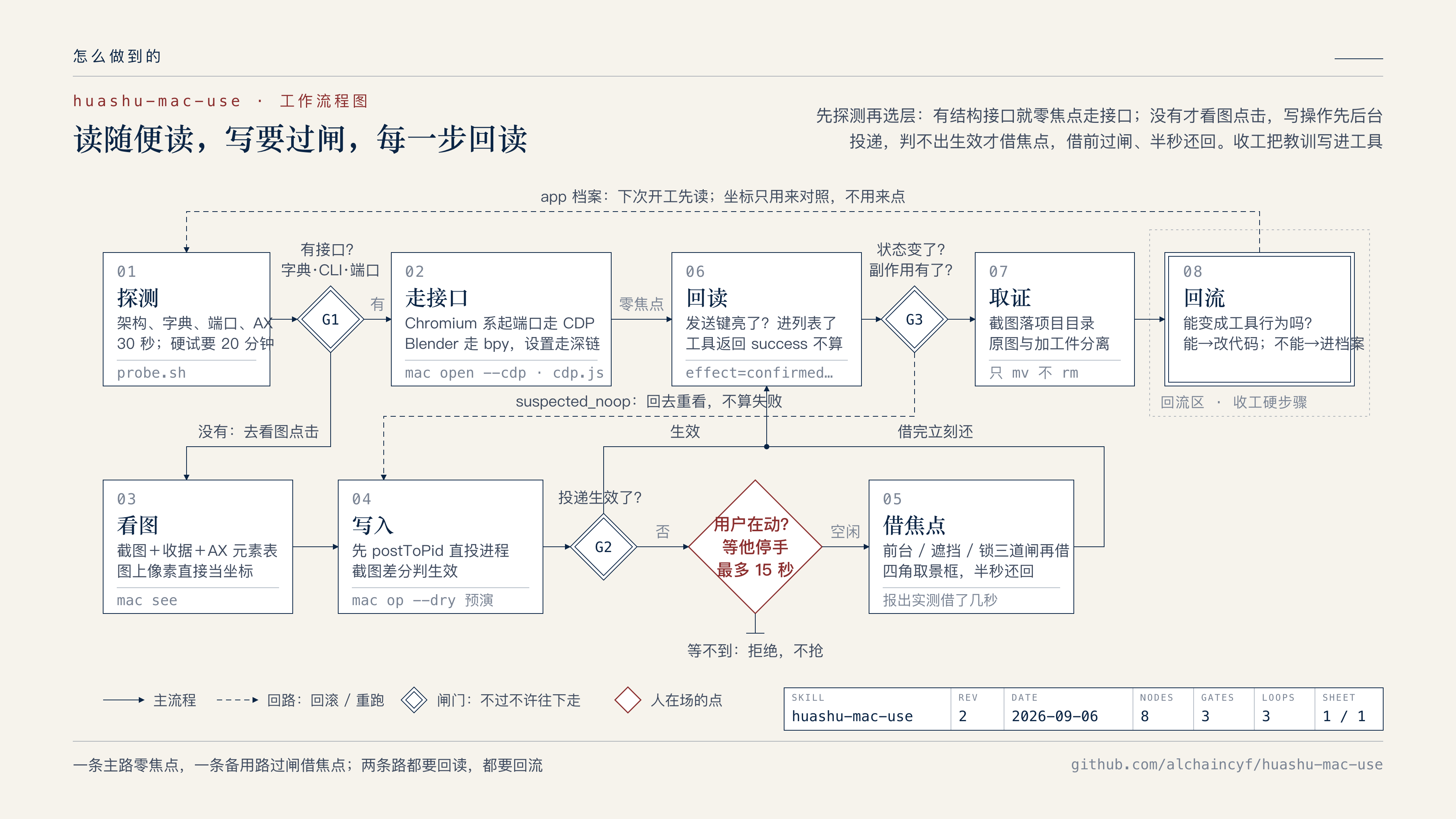
macOS 14 or newer (tested on macOS 26), Apple Silicon or Intel both work, plus Xcode Command Line Tools and Node.js — Node is needed for the CDP path into Chromium-embedded apps.Will it hijack my mouse and keyboard while I'm working?Reads (screenshots, window lists, AX, CDP) never take focus. Writes go straight to the target process first, and focus is borrowed only after four gates — including waiting up to 15 seconds if you just typed. A corner HUD flashes for the half-second focus is held.
Reads (screenshots, window lists, AX, CDP) never take focus. Writes go straight to the target process first, and focus is borrowed only after four gates — including waiting up to 15 seconds if you just typed. A corner HUD flashes for the half-second focus is held.How is this different from the built-in computer use in OpenAI or Anthropic models?It doesn't compete on vision. It probes each app first and picks the cheapest working channel — native CLI, AppleScript, URL schemes or a local CDP port — before falling back to coordinates and pixels. The author expects model-native computer use to overtake it in a few months; until then it's something that works today.
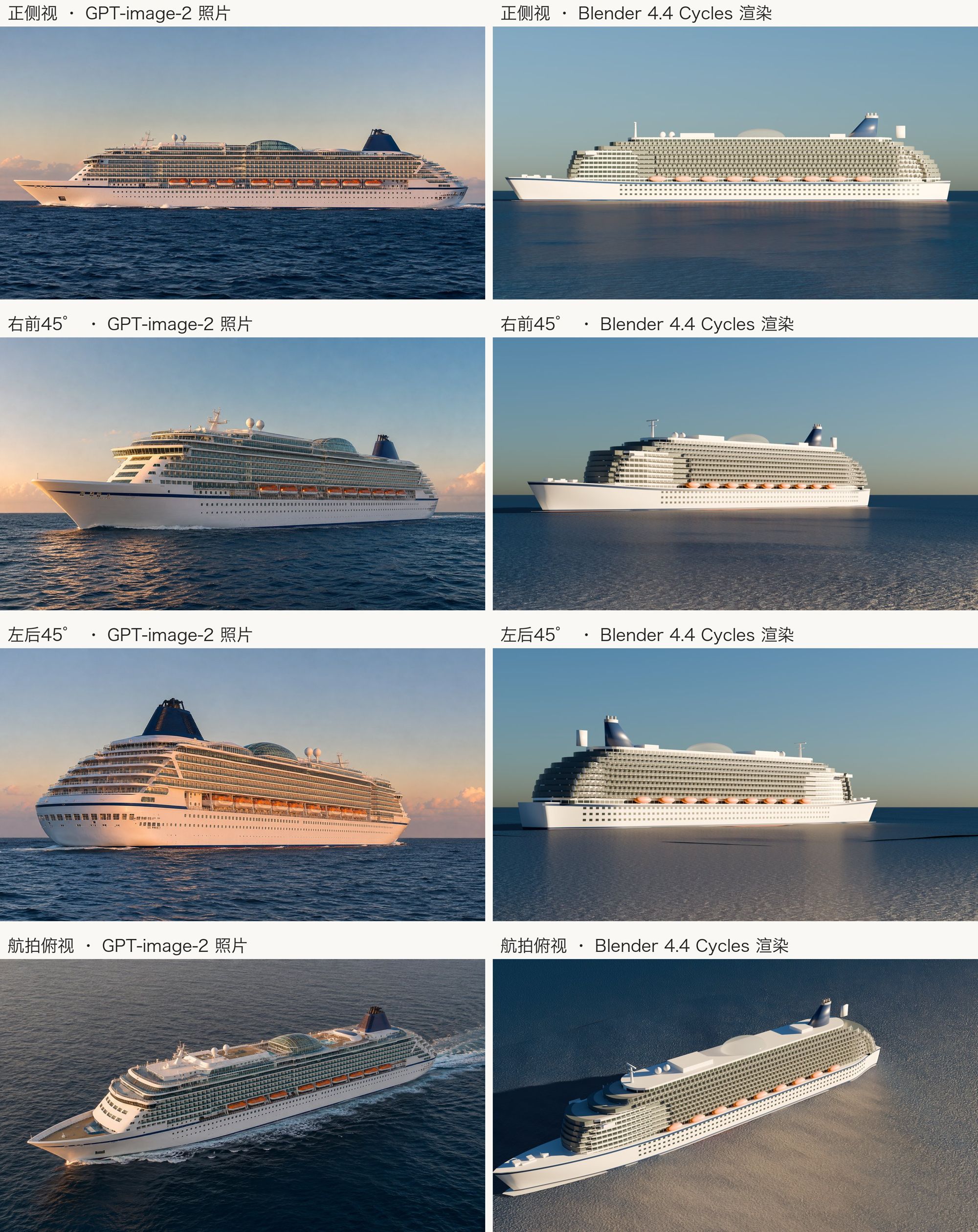
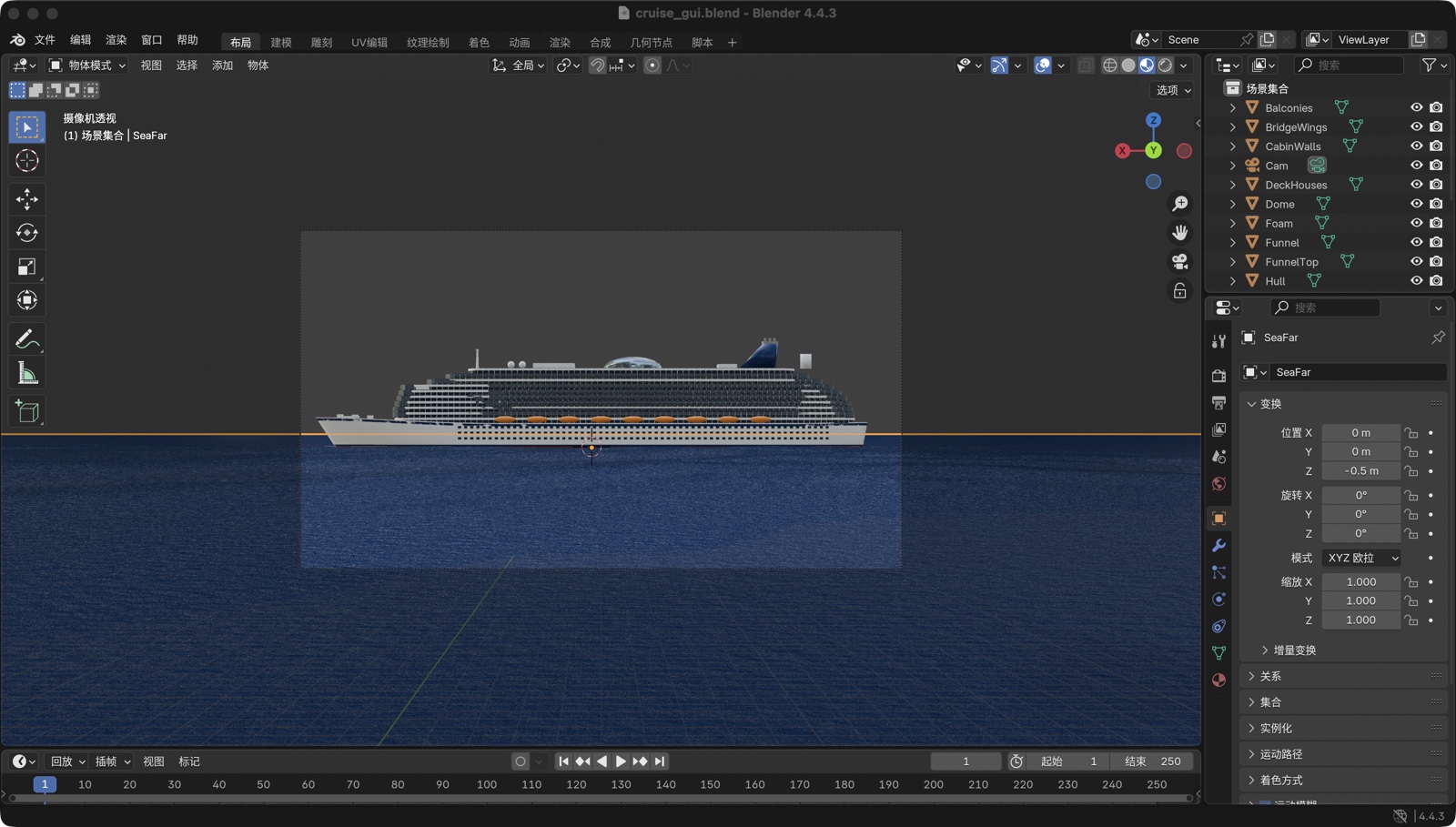
It doesn't compete on vision. It probes each app first and picks the cheapest working channel — native CLI, AppleScript, URL schemes or a local CDP port — before falling back to coordinates and pixels. The author expects model-native computer use to overtake it in a few months; until then it's something that works today.What has it actually been used to do?Three shipped demos: a chocolate donut modeled, textured, lit and rendered in Blender (1920x1440 on the Metal GPU in about two minutes, plus a 120-frame camera animation), a cruise ship rebuilt from four AI-generated photos over 8 iterations, and 8 process screenshots in an AI office client via CDP without stealing focus once.
Three shipped demos: a chocolate donut modeled, textured, lit and rendered in Blender (1920x1440 on the Metal GPU in about two minutes, plus a 120-frame camera animation), a cruise ship rebuilt from four AI-generated photos over 8 iterations, and 8 process screenshots in an AI office client via CDP without stealing focus once.How do I know an action actually worked?A tool reporting success is not trusted. Every write is verified on a ladder — tool return, read-back, text visible on screen, app state like a send button lighting up, or a real side effect — and each action reports effect=confirmed, partial, suspectednoop or unverifiable.
A tool reporting success is not trusted. Every write is verified on a ladder — tool return, read-back, text visible on screen, app state like a send button lighting up, or a real side effect — and each action reports effect=confirmed, partial, suspectednoop or unverifiable.Are there things it refuses to touch?Yes, explicit stop lines: irreversible actions like publishing, committing, paying, deleting or overwriting saves are left for the human, as are shell access in terminals, system file and permission dialogs, Keychain, Touch ID, and banks, brokers, medical and government services. Text read from the screen is treated as data, never as instructions.
Yes, explicit stop lines: irreversible actions like publishing, committing, paying, deleting or overwriting saves are left for the human, as are shell access in terminals, system file and permission dialogs, Keychain, Touch ID, and banks, brokers, medical and government services. Text read from the screen is treated as data, never as instructions.What are similar projects?Codex-Minecraft-Gameplay, lcu, agent-desktop, self-operating-computer, app-store-screenshots, typesafe-computer-use, cua, mobile-mcp
Codex-Minecraft-Gameplay, lcu, agent-desktop, self-operating-computer, app-store-screenshots, typesafe-computer-use, cua, mobile-mcpWhich topics is it in?agent-security, desktop-automation, gui-automation, ai-safety, mit-license, screenshot, computer-use, agent-skill, accessibility, apple-silicon, swift, cursor
agent-security, desktop-automation, gui-automation, ai-safety, mit-license, screenshot, computer-use, agent-skill, accessibility, apple-silicon, swift, cursor