





























11.9K ·GitHub
What is this?
 TranslationPlugin is a translation plugin for IntelliJ-based IDEs and Android Studio that lets you translate text, documentation and code symbols right inside the editor using multiple translation engines.
TranslationPlugin is a translation plugin for IntelliJ-based IDEs and Android Studio that lets you translate text, documentation and code symbols right inside the editor using multiple translation engines.Is it a standalone app or a plugin inside my IDE?It's a plugin you install into an existing JetBrains-family IDE (or Android Studio/DevEco Studio); it has no separate app of its own.
It's a plugin you install into an existing JetBrains-family IDE (or Android Studio/DevEco Studio); it has no separate app of its own.Do I need an API key to use it?Most engines work out of the box, but some services like OpenAI, DeepL and Youdao Translate require you to sign up and bind an Authentication Key in the plugin's settings before use.
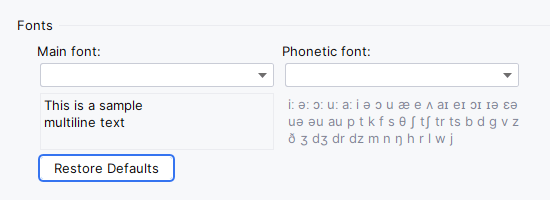
Most engines work out of the box, but some services like OpenAI, DeepL and Youdao Translate require you to sign up and bind an Authentication Key in the plugin's settings before use.Any common install or runtime pitfalls?Translated text can appear garbled if the configured font lacks the right characters, and application keys sometimes fail to save unless you switch the password storage to KeePass in IDE settings; shortcuts may also conflict with other plugins.
Translated text can appear garbled if the configured font lacks the right characters, and application keys sometimes fail to save unless you switch the password storage to KeePass in IDE settings; shortcuts may also conflict with other plugins.Which IDEs does it support?It works across the whole JetBrains IDE family plus Android Studio and Huawei DevEco Studio, including IntelliJ IDEA, PyCharm, WebStorm, GoLand, CLion, PhpStorm, Rider, RubyMine, RustRover, DataGrip and more.
It works across the whole JetBrains IDE family plus Android Studio and Huawei DevEco Studio, including IntelliJ IDEA, PyCharm, WebStorm, GoLand, CLion, PhpStorm, Rider, RubyMine, RustRover, DataGrip and more.Does my text get sent to third-party servers?Yes — translation requests are sent to whichever external engine you choose (Microsoft, Google, DeepL, OpenAI, Youdao, Baidu or Alibaba), so text leaves your machine for translation.
Yes — translation requests are sent to whichever external engine you choose (Microsoft, Google, DeepL, OpenAI, Youdao, Baidu or Alibaba), so text leaves your machine for translation.Which translation engines can I pick from?Microsoft Translator, Google Translate, DeepL Translator, OpenAI Translator, Youdao Translate, Baidu Translate and Alibaba Translate, plus TTS from Microsoft Edge, Google and OpenAI.
Microsoft Translator, Google Translate, DeepL Translator, OpenAI Translator, Youdao Translate, Baidu Translate and Alibaba Translate, plus TTS from Microsoft Edge, Google and OpenAI.Can it translate more than selected text?Yes — besides selecting or hovering over text, it can translate Quick Documentation, inline documentation (including batch translation of all inline docs in a file), and whole documents, and it supports a Word Book for saving words.
Yes — besides selecting or hovering over text, it can translate Quick Documentation, inline documentation (including batch translation of all inline docs in a file), and whole documents, and it supports a Word Book for saving words.Can I replace code identifiers with translated text?Yes, the 'Replace with Translation' action translates selected text and can output it in camelCase, with a configurable word separator, or in its original format — handy for naming variables.
Yes, the 'Replace with Translation' action translates selected text and can output it in camelCase, with a configurable word separator, or in its original format — handy for naming variables.How do I switch between translation engines quickly?Click the engine widget in the status bar or press Ctrl+Shift+S (Control+Meta+Y on macOS) to cycle between translation and TTS engines without opening settings.
Click the engine widget in the status bar or press Ctrl+Shift+S (Control+Meta+Y on macOS) to cycle between translation and TTS engines without opening settings.What are similar projects?ideavim, intellij-community, pot-desktop, p3c, kotlin, IntelliJ-IDEA-Tutorial, zotero-pdf-translate, Easydict
ideavim, intellij-community, pot-desktop, p3c, kotlin, IntelliJ-IDEA-Tutorial, zotero-pdf-translate, EasydictWhich topics is it in?android-studio, translate, intellij, ide, tts, text-to-speech, translation, kotlin, chatgpt, java, plugin, openai
android-studio, translate, intellij, ide, tts, text-to-speech, translation, kotlin, chatgpt, java, plugin, openai