
16.3K ·GitHub
What is this?
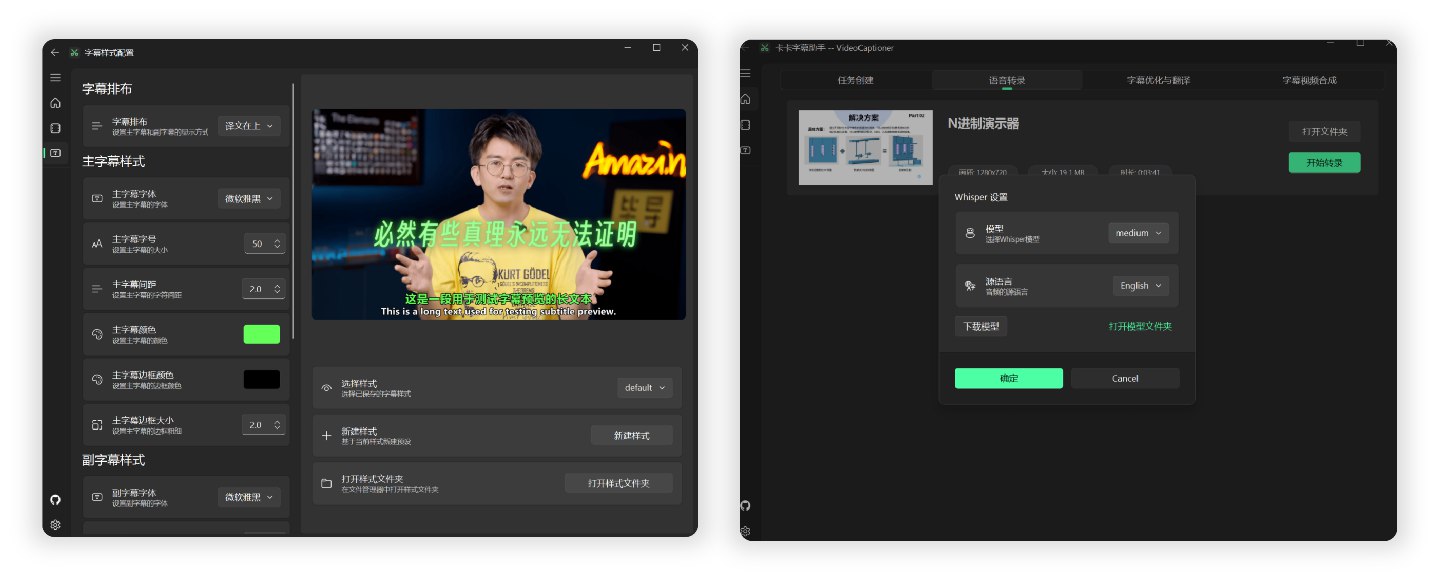
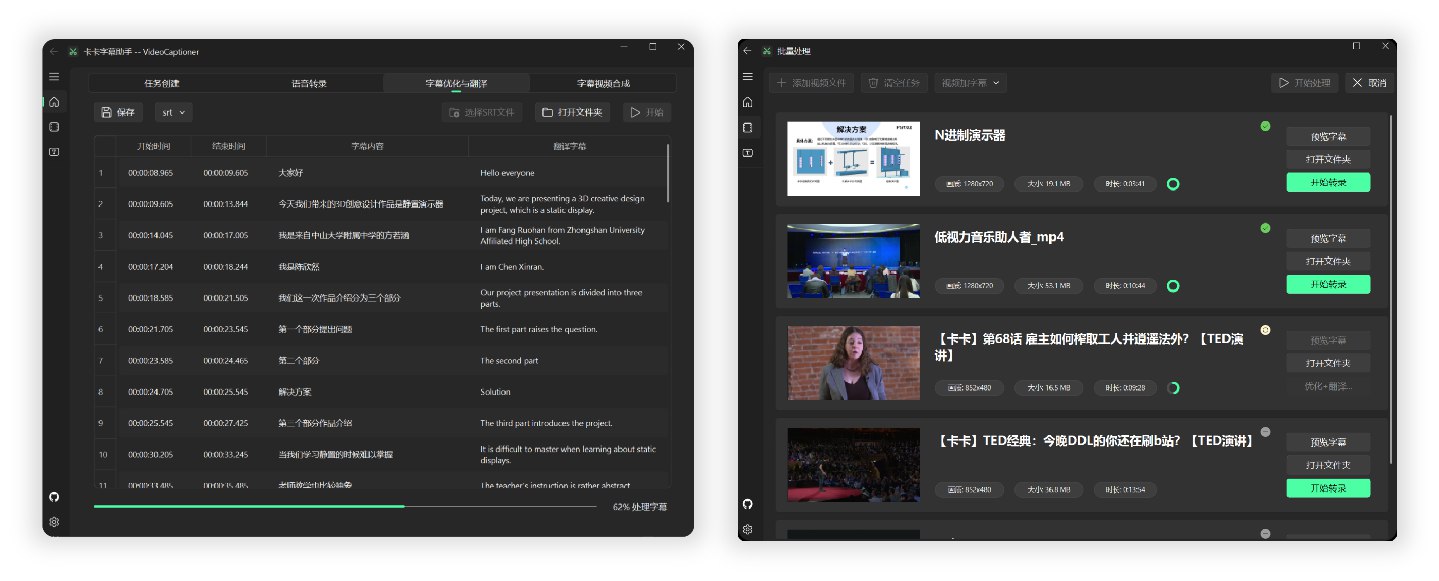
 VideoCaptioner (卡卡字幕助手) is an LLM-powered subtitling assistant for videos: it recognizes speech, polishes and translates subtitles, and burns them back into the video.
VideoCaptioner (卡卡字幕助手) is an LLM-powered subtitling assistant for videos: it recognizes speech, polishes and translates subtitles, and burns them back into the video.Is it a desktop app or a command-line tool?Both. There is a Python CLI (videocaptioner) and a GUI desktop app you can open with 'videocaptioner gui'; a Claude Code Skill also lets AI coding assistants drive it.
Both. There is a Python CLI (videocaptioner) and a GUI desktop app you can open with 'videocaptioner gui'; a Claude Code Skill also lets AI coding assistants drive it.Do I need any API keys before it works?No — Bijian speech recognition and Bing/Google translation are free right after install. An API key is only needed for the LLM features: subtitle polishing and LLM translation.
No — Bijian speech recognition and Bing/Google translation are free right after install. An API key is only needed for the LLM features: subtitle polishing and LLM translation.Can coding assistants like Claude Code use it directly?Yes — the project ships a Claude Code Skill. After installing it, type /videocaptioner transcribe video.mp4 --asr bijian in Claude Code and the agent processes the video for you.
Yes — the project ships a Claude Code Skill. After installing it, type /videocaptioner transcribe video.mp4 --asr bijian in Claude Code and the agent processes the video for you.Does it cost anything to run?The tool is free and open source under GPL-3.0. The built-in engines cost nothing — you only pay your LLM provider for subtitle polishing and AI translation.
The tool is free and open source under GPL-3.0. The built-in engines cost nothing — you only pay your LLM provider for subtitle polishing and AI translation.Can it dub videos with AI voices?Yes — the dub command generates a voiceover audio track, or a fully dubbed video, from your existing subtitles.
Yes — the dub command generates a voiceover audio track, or a fully dubbed video, from your existing subtitles.Do I need to bring my own video file?Not necessarily — the download command can fetch videos from YouTube, Bilibili and other platforms before processing.
Not necessarily — the download command can fetch videos from YouTube, Bilibili and other platforms before processing.What are similar projects?pyvideotrans, autoclip, VideoHighlighter, autoshorts, open-edit, omarchy-meeting-recorder, buzz, no-tipe-releases
pyvideotrans, autoclip, VideoHighlighter, autoshorts, open-edit, omarchy-meeting-recorder, buzz, no-tipe-releasesWhich topics is it in?translate, youtube-downloader, transcription, whisper, speech-recognition, video-processing, video, desktop, gplv3, gui, claude-code, desktop-app
translate, youtube-downloader, transcription, whisper, speech-recognition, video-processing, video, desktop, gplv3, gui, claude-code, desktop-app