305 ·GitHub
What is this?
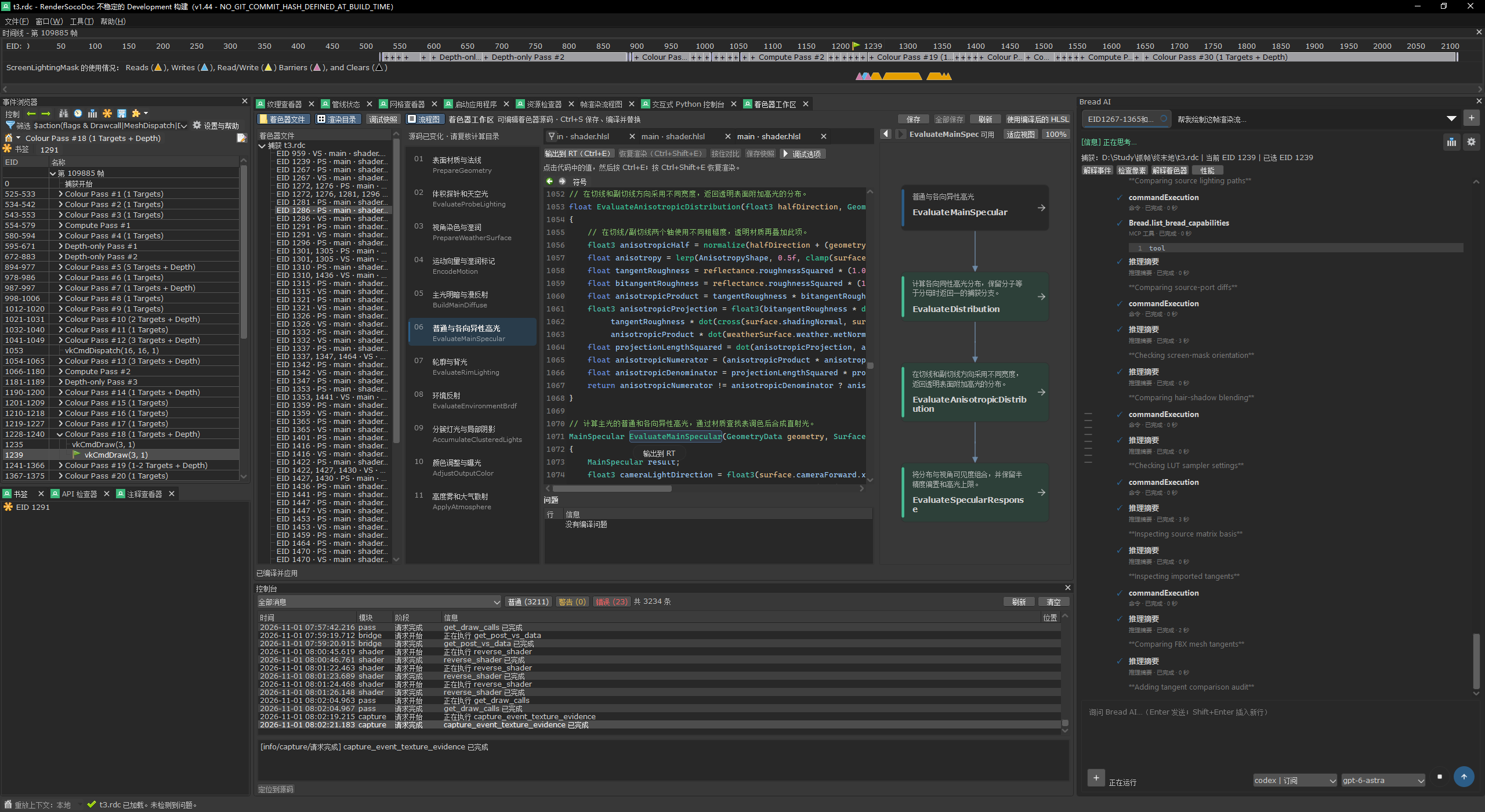
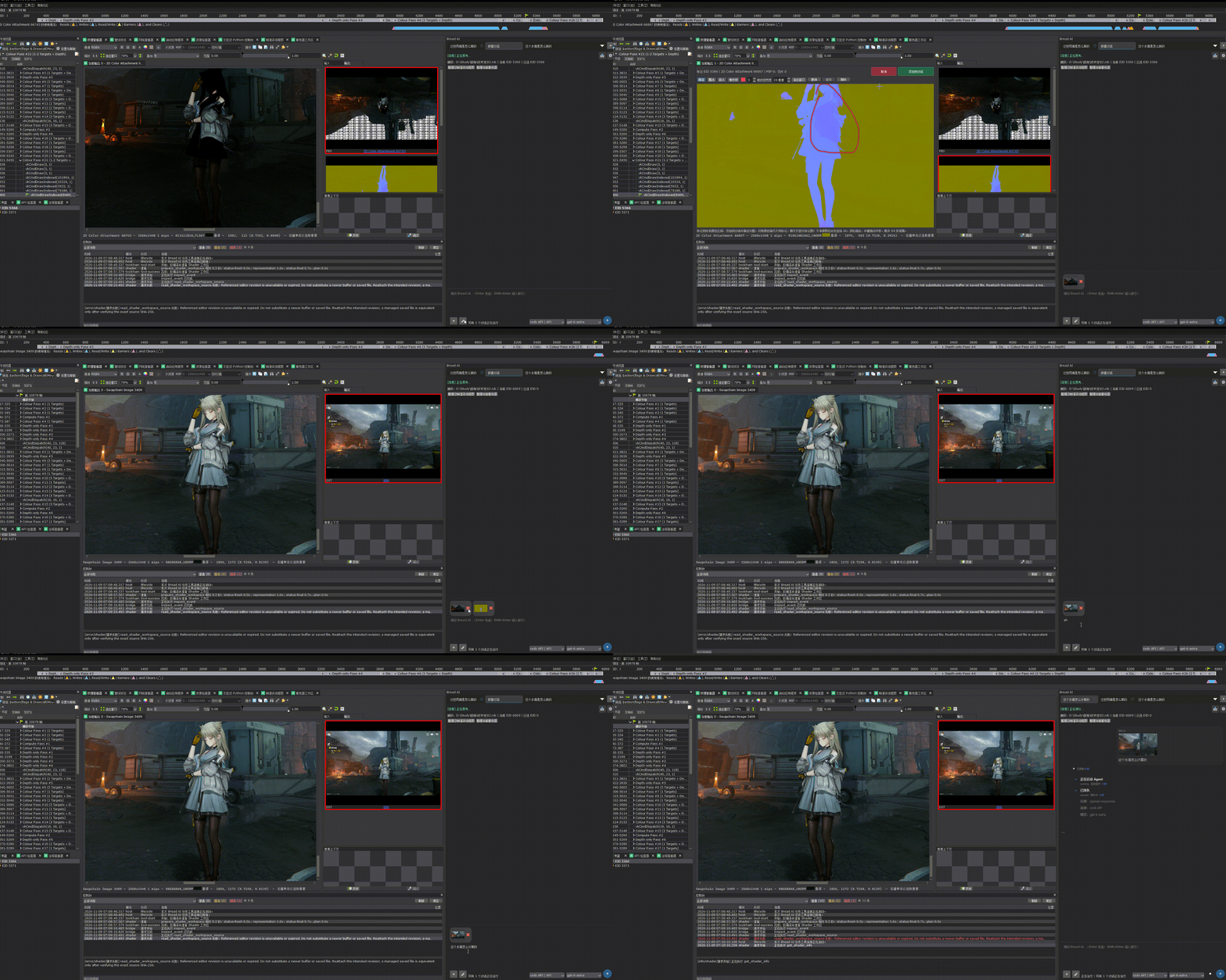
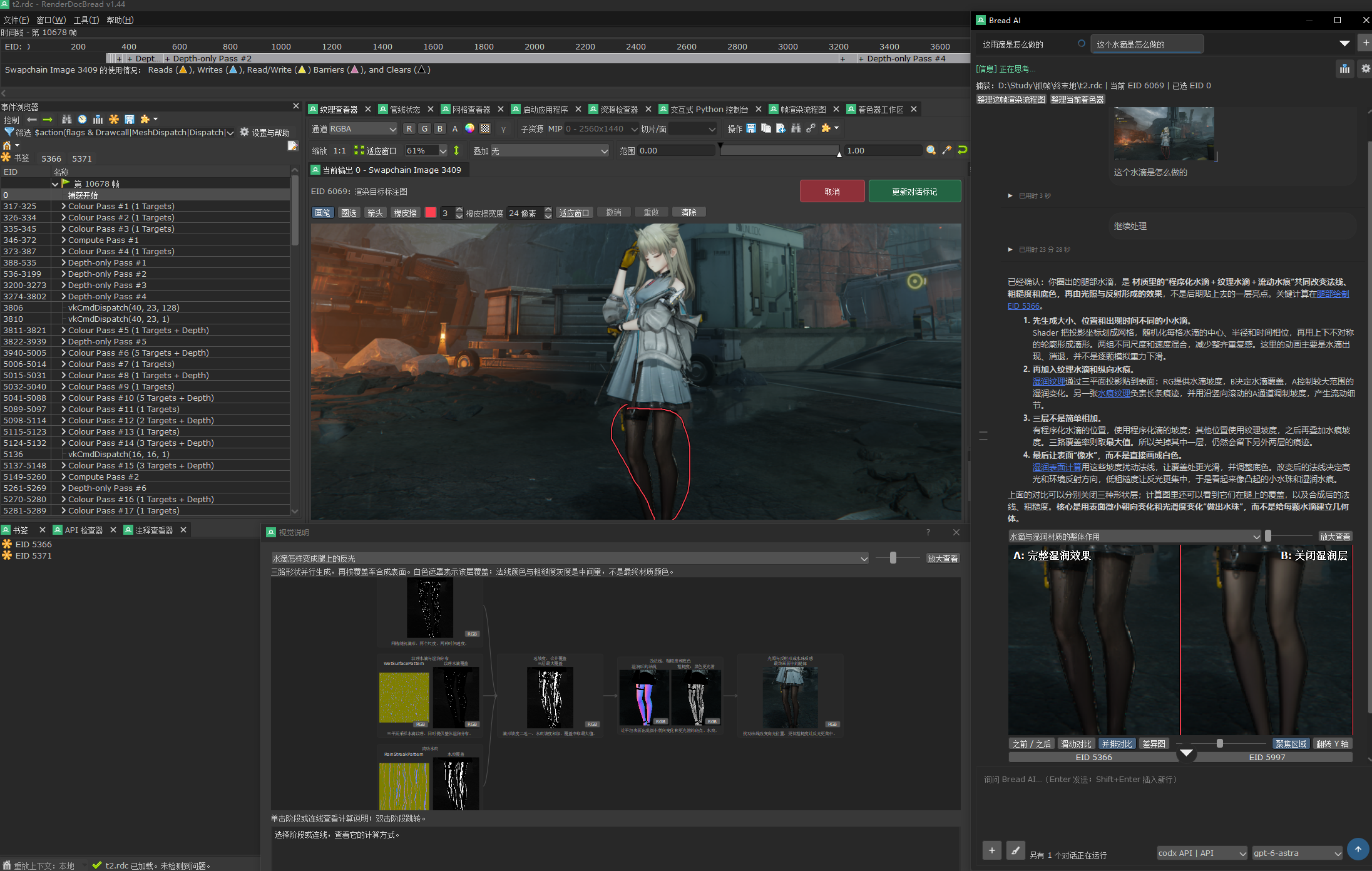
 RenderDocBread is an extended fork of RenderDoc, the graphics debugger, with built-in AI. You can ask questions about a captured frame, analyze the render pipeline, edit and debug shaders, and tweak constant buffer values live.
Is it a plugin for stock RenderDoc or a separate app?It is a separate modified build. You launch it as RenderDocBread.exe, and the AI panel, shader workspace and extra tools live in the same window.
It is a separate modified build. You launch it as RenderDocBread.exe, and the AI panel, shader workspace and extra tools live in the same window.How do I get it running?Download the Windows x64 portable package and the SHA-256 checksum file from Releases, verify the hash, extract the archive, and run RenderDocBread.exe. No installer is needed.
Download the Windows x64 portable package and the SHA-256 checksum file from Releases, verify the hash, extract the archive, and run RenderDocBread.exe. No installer is needed.Does the Unity restore always work cleanly?Not always. Complex lighting, post-processing and history-dependent frame effects still need analysis, porting and manual calibration on top of the captured data.
Not always. Complex lighting, post-processing and history-dependent frame effects still need analysis, porting and manual calibration on top of the captured data.Does it run on anything other than Windows?No. The only listed download is Windows x64, and the source build also requires Windows tooling such as Visual Studio and the Windows SDK.
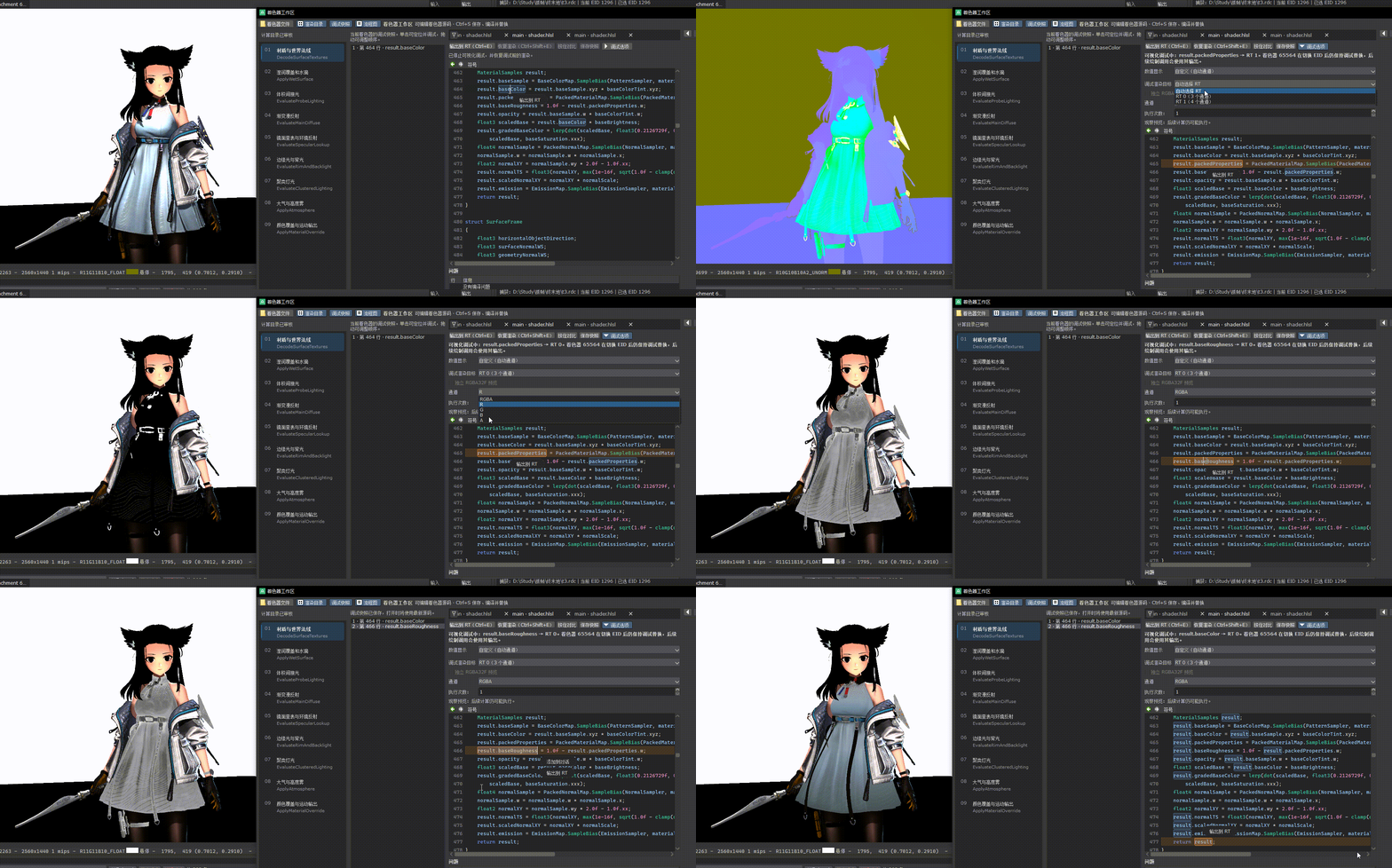
No. The only listed download is Windows x64, and the source build also requires Windows tooling such as Visual Studio and the Windows SDK.Can I edit a shader and see the result right away?Yes. The shader workspace lets you edit, compile and replace shaders, then observe how the rendering changes in the capture.
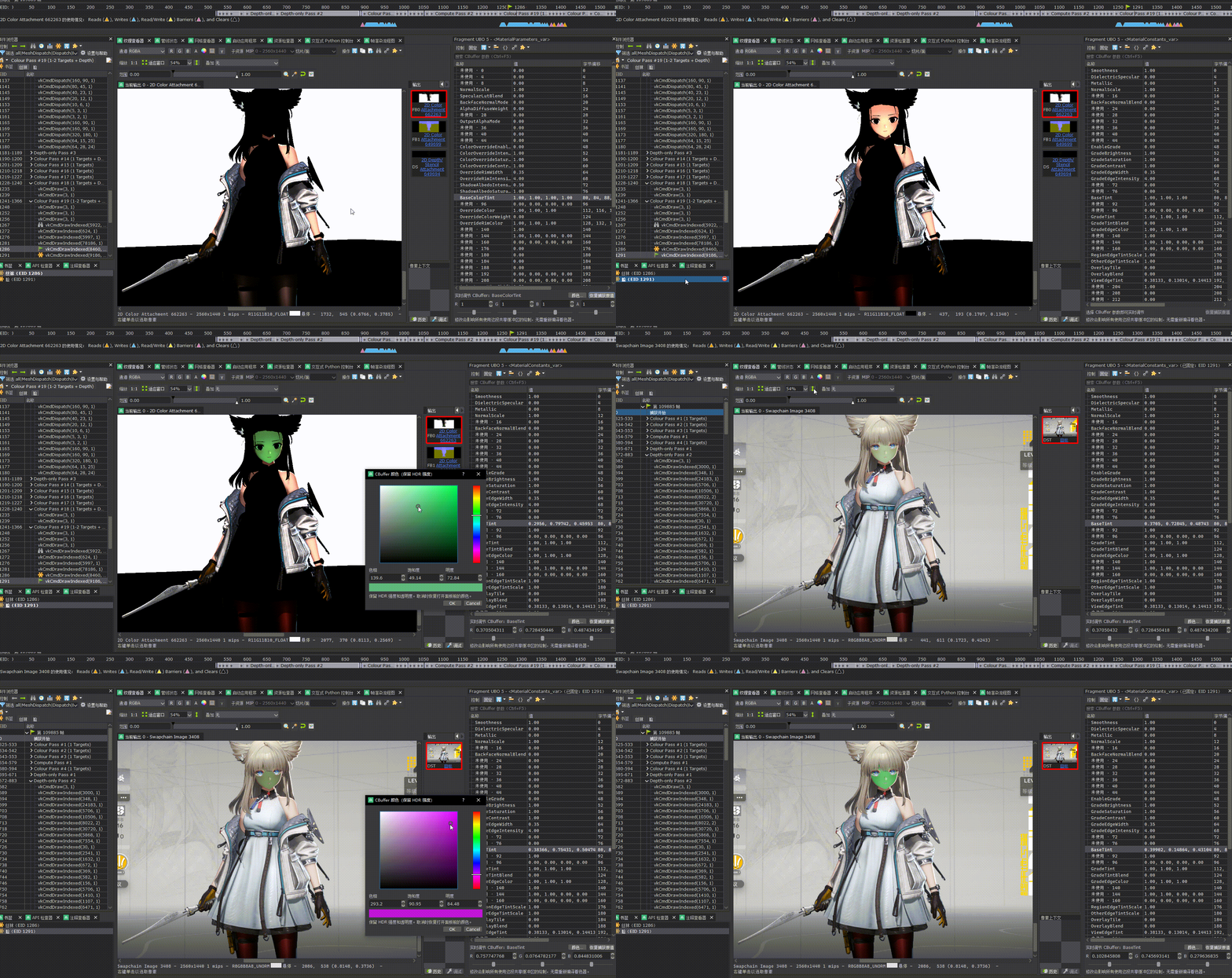
Yes. The shader workspace lets you edit, compile and replace shaders, then observe how the rendering changes in the capture.Can I change constant buffer values and watch the frame update?Yes. Parameters get readable names, you change their values, and the captured frame updates in real time.
Yes. Parameters get readable names, you change their values, and the captured frame updates in real time.Can it move a captured effect into Unity?It can export models, textures, shaders and parameters and help rebuild materials, prefabs and a scene in Unity. It also prepares a Unity MCP connection that recovers after disconnects.
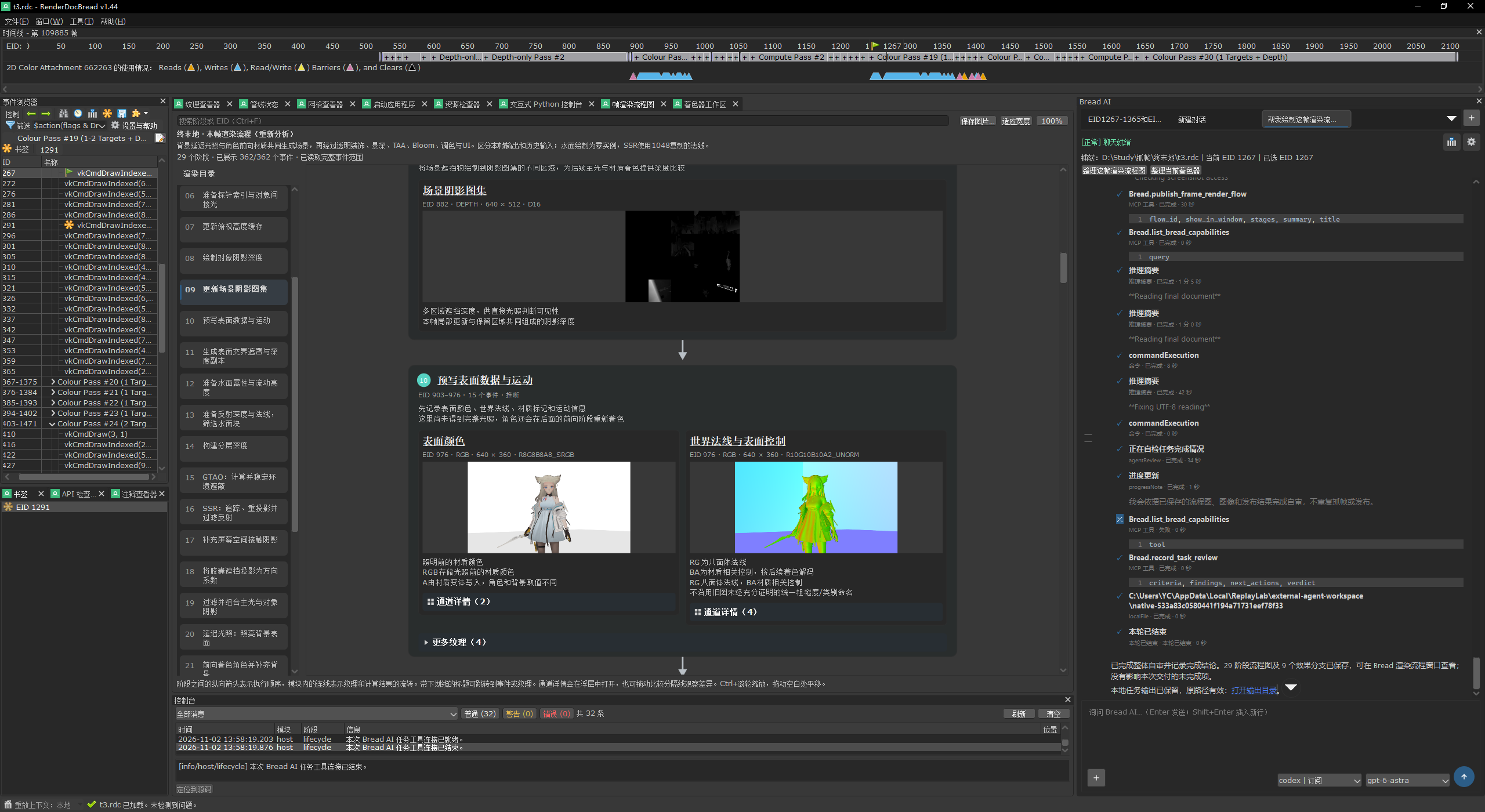
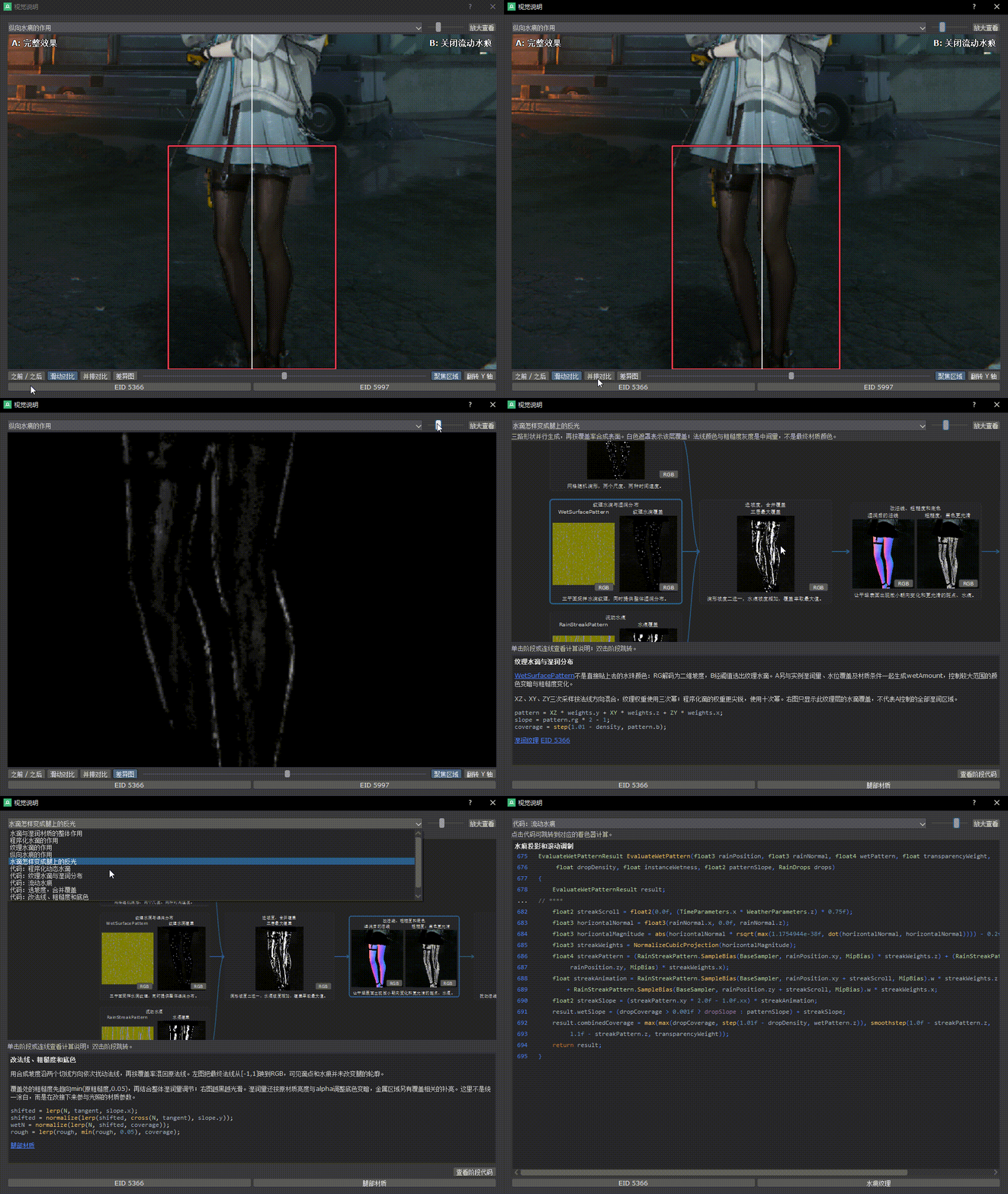
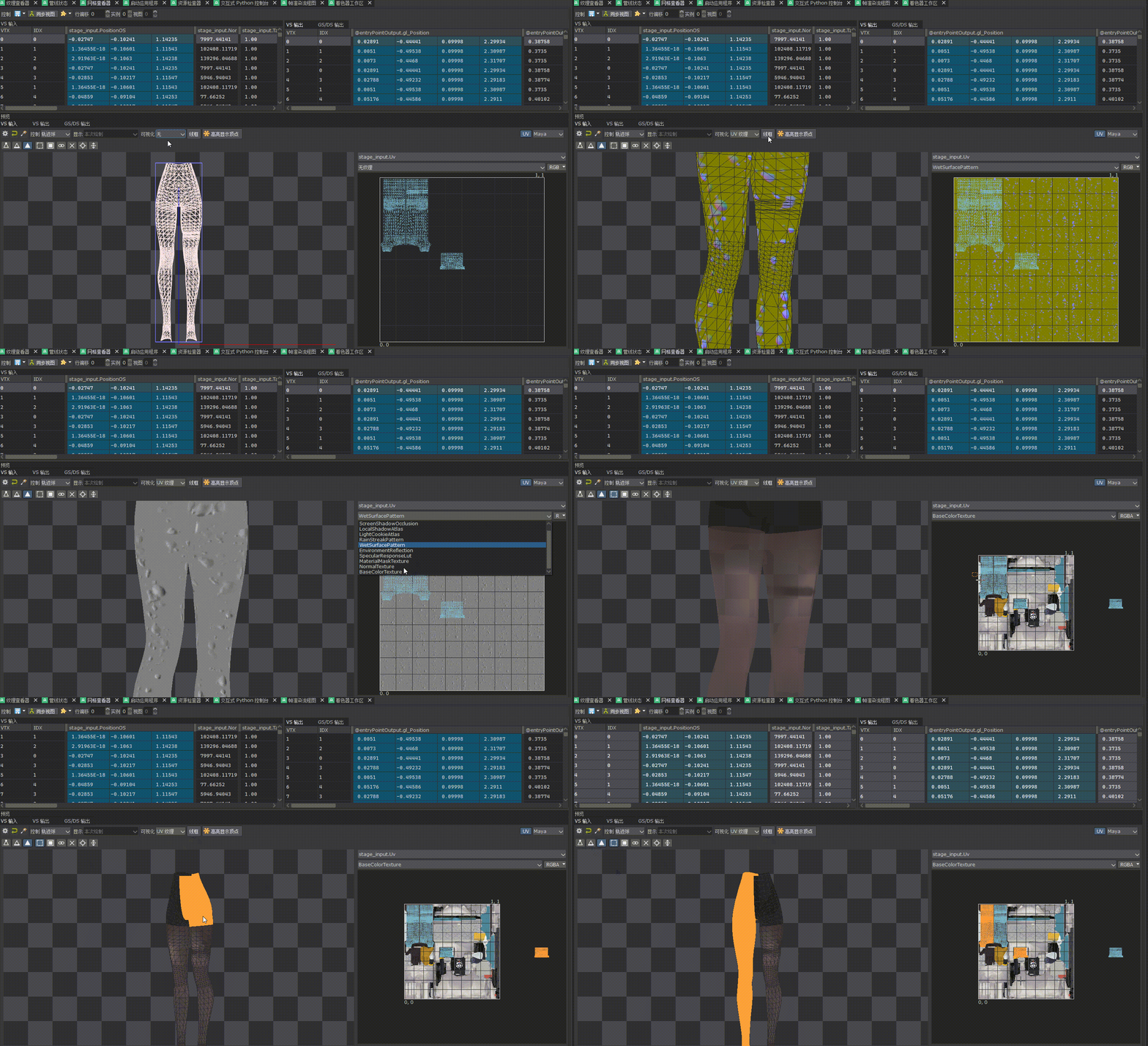
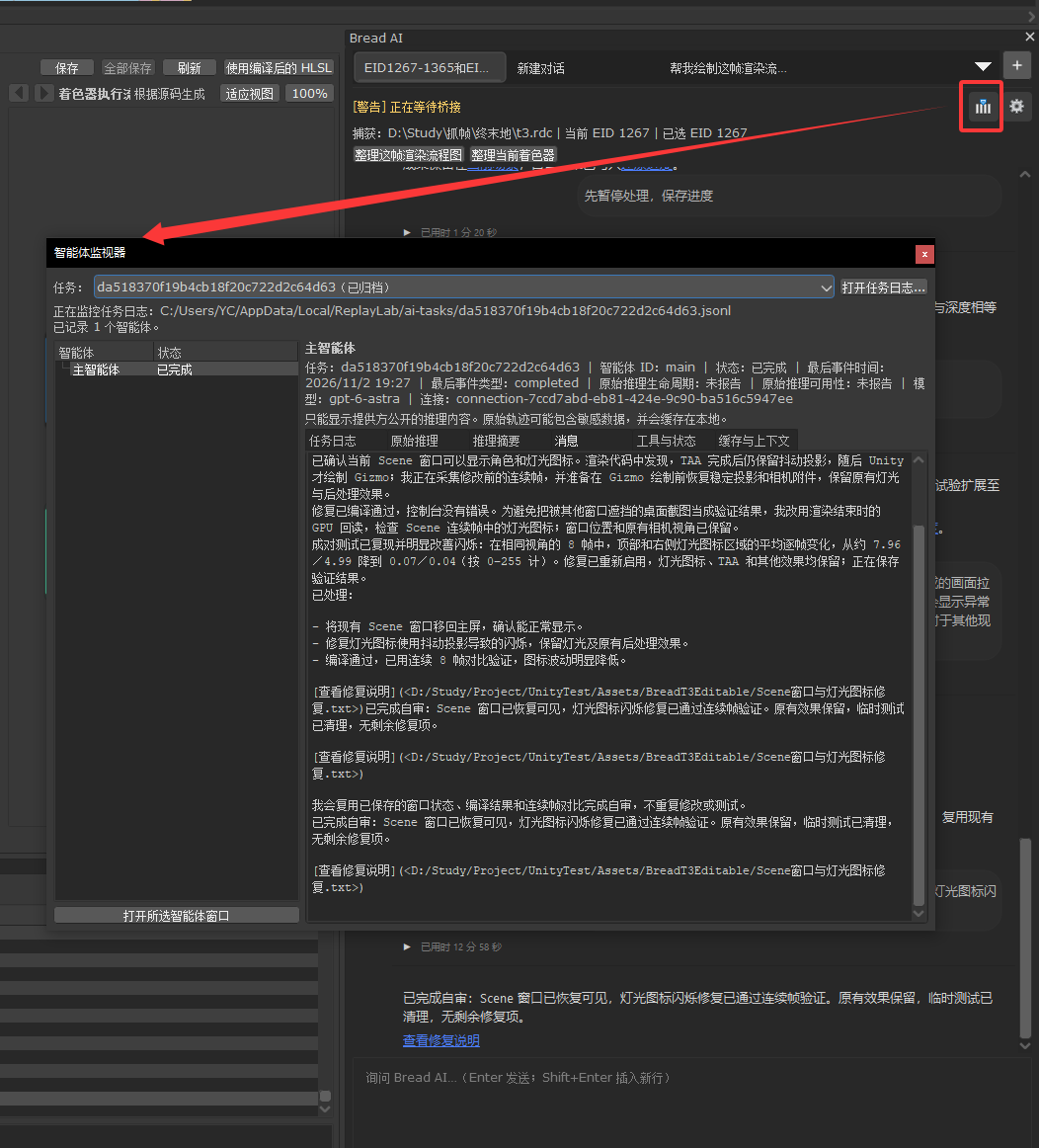
It can export models, textures, shaders and parameters and help rebuild materials, prefabs and a scene in Unity. It also prepares a Unity MCP connection that recovers after disconnects.What does it add on top of stock RenderDoc?Bread AI, a shader workspace, an AI-generated frame render-flow chart, a synced 3D mesh and UV viewer, project and asset linking, and an agent monitor for tracking AI analysis steps.
Bread AI, a shader workspace, an AI-generated frame render-flow chart, a synced 3D mesh and UV viewer, project and asset linking, and an agent monitor for tracking AI analysis steps.What are similar projects?Vulkan, renderdoc, dxvk, meshoptimizer, bgfx, Gource, spirula-studio, tidewater
Vulkan, renderdoc, dxvk, meshoptimizer, bgfx, Gource, spirula-studio, tidewater