




FanControl.Releases README

The project's README from github.com/Rem0o/FanControl.Releases. As one markdown file: README.md.

 Fan Control

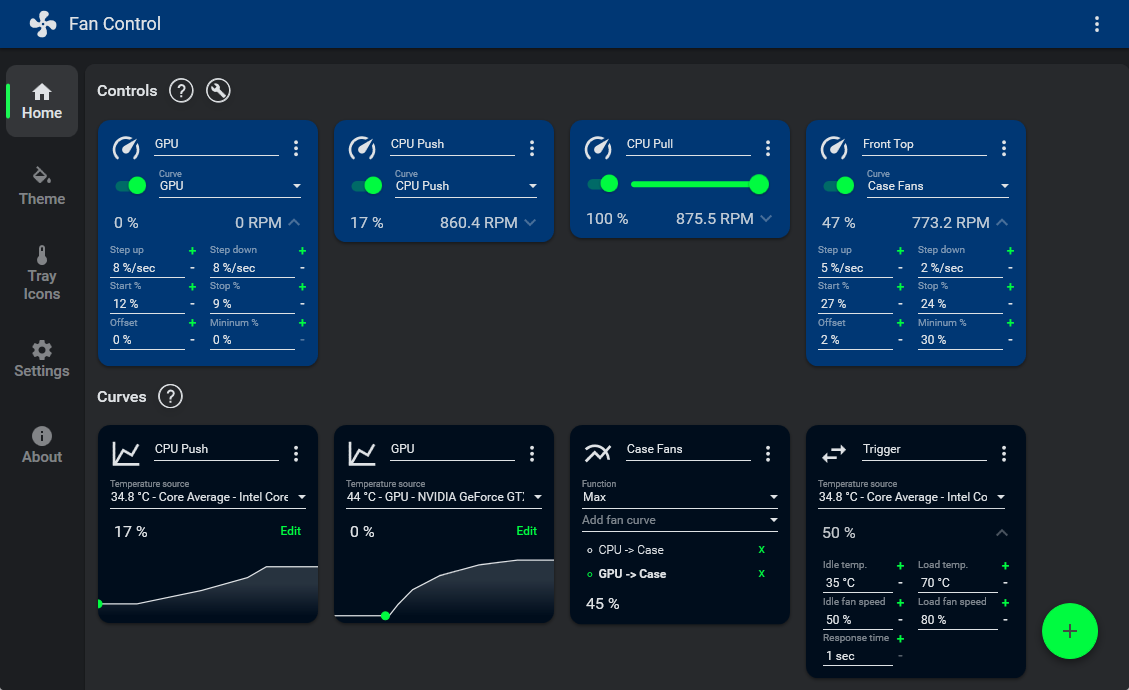
A focused and highly customizable fan controlling software for Windows.
Sources for this software are closed.

Download Donate Donate

Fan Control


JayzTwoCents — Everyone NEEDS this FREE piece of software... You will thank me!

JayzTwoCents - Everyone NEEDS this FREE piece of software... You will thank me!

Table of Contents

Announcement

Main Features

Full documentation is available at getfancontrol.com/docs.

Installation & Uninstall

Install

  1. Download the latest archive or an installer from the release page.
  2. Extract to the desired installation folder or run the installer.
  3. Start FanControl.exe.
Other install methods (Scoop / Winget / Chocolatey)

Scoop

scoop bucket add extras
scoop install fancontrol

Winget

winget install Rem0o.FanControl

Chocolatey

choco install fancontrol

Uninstall

Portable — You can leave the files there for future use, or delete them.

Note: If you have Fan Control set to automatically start with Windows, either untick the checkbox in Fan Control, or manually delete the "Fan Control" task in Windows Task Scheduler.

Installer — Uninstall like any other Windows program through the Programs list.

Plugins

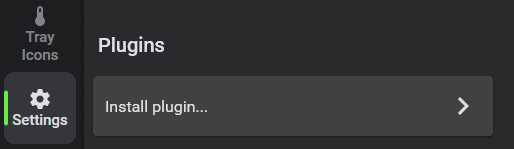
The plugin system lets you inject any type of sensor into FanControl. See the Plugins wiki for details.

Plugin Installation

From Rem0o

Plugin Description
FanControl.IntelCtlLibrary Intel ARC GPU support
FanControl.HWInfo Import HWInfo sensor data
FanControl.DellPlugin Dell laptops and some towers

From the Community

Notify me if I'm missing some.

Plugin Description
FanControl.Thermaltake Thermaltake devices (updated fork of fu-raz/FanControlThermaltake)
FanControl.LiquidCtl AIO devices via liquidctl; updated fork with multi-fan controller support
FanControl.AsusWMI ASUS motherboards via WMI
FanControl.AquacomputerDevices Aquacomputer HighFlowNext, Quadro and Octo
FanControl.AquacomputerQuadro Aquacomputer Quadro
FanControl.GPU-Z GPU-Z sensor data
FanControl.CorsairLink Corsair Commander controllers and Hydro liquid coolers
FanControl.Razer Razer devices
FanControl.HomeAssistant HomeAssistant temperature sensors (Philips Hue, HomeMatic, HomeKit, etc.)
FanControl.NzxtKraken NZXT Kraken AIOs not yet in LHM (e.g. Kraken X2, X3 new PID)
FanControl.LianLi LianLi L-Connect 3 fan controllers
FanControl.NvThermalSensors Nvidia GPU Hot Spot and Memory Junction temperatures
FanControl.OpenFan OpenFAN controller
FanControl.AIDA64 AIDA64 sensor readings
FanControl.RazerCoolingPadPlugin Razer Laptop Cooling Pad
FanControl.GPDPlugin GPD devices
FanControl.LenovoPlugin Lenovo laptops with Lenovo ACPI-Compliant Virtual Power Controller
FanControl.GigabyteWaterforce GIGABYTE AORUS WATERFORCE X AIO coolers — X240, X280, X360
FanControl.AcerPredatorPH315 Native fan control for the Acer Predator Helios 300 (PH315-53)

Issues and Hardware Compatibility

Fan Control is primarily a UI layer on top of existing hardware libraries. Any hardware compatibility issue is largely dependent on the upstream project:

Please only open issues on this repository for the software itself: UI bugs, feature requests, etc. Hardware support requests will be closed with a link to this section.

If you have a hardware compatibility request and can provide a working code sample usable in .NET (e.g. via a Plugin), feel free to submit that.

FAQ

Q: What BIOS settings work best with FanControl?

Avoid any "smart" fan control from your BIOS. Setting a fixed default speed (e.g. 50%) works great for most people. Also check whether your BIOS uses PWM or DC mode — one may work better depending on your setup.

Q: Does it work on laptops?

Mostly no, as laptops do not interface their fans the same way desktop motherboards do. Most of them are not made to be interfaced by a 3rd party. However, if supported, a plugin may add support for a specific type of laptop. To be clear, you'll be able to install the software, but it won't find any fans or may throw errors.

Q: My NVIDIA GPU has 3 fans but only 2 control cards show up. Why?

Your card only has 2 channels; multiple fans are wired to the same channel.

Q: My NVIDIA GPU won't go below 30% and doesn't reach 0 RPM. Why?

See this wiki page.

Q: There are no control cards, or control cards aren't changing fan speeds. What's the issue?

See Issues & Hardware Compatibility.

Q: How does [FAN CURVE TYPE] work and what do its parameters do?

Click the card's icon at the top left — a dialog will explain it.

Q: What OS does it run on?

Windows 10 and Windows 11.

Libraries Used

Library Purpose
LibreHardwareMonitor Main sensor source
MaterialDesignInXamlToolkit UI framework
NvAPIWrapper Nvidia GPU fan control and sensor reading
ADLXWrapper AMD GPU fan control and sensor reading
gong-wpf-dragdrop Drag and drop interactions

GitHub Sponsors

The GitHub Sponsor button on this page is intended for the open-source work surrounding FanControl. This includes contributions to LibreHardwareMonitor, the plugin system and open-source plugins, and AMD GPU driver support via ADLXWrapper.

Your sponsorship helps maintain existing projects and develop new ones. It does not apply to the main FanControl program itself — use the PayPal button if your intent is to support FanControl directly.

FanControl.Releases (Rem0o/FanControl.Releases)

Searching Database…

这是什么?Fan Control 是一款高度可定制的 Windows 风扇控制软件:它可以根据你在图形界面里设计的温度曲线,来控制电脑的 CPU、GPU 和机箱风扇。
我还需要在 BIOS 里设置风扇曲线吗?它是一个 Windows 应用,本质上是硬件库之上的一层界面,所以实际上可以取代 BIOS 里的曲线设置——常见问题建议在 BIOS 里把默认转速设成一个固定值(比如 50%),然后让 Fan Control 来做调节。
我的主板和其他硬件能用吗?风扇和传感器的访问主要通过 LibreHardwareMonitor 这个后端来实现,所以硬件兼容性很大程度上取决于这个上游项目。插件可以增加对一体式水冷、Corsair、NZXT 和 Aquacomputer 控制器以及部分笔记本的支持。
笔记本电脑上能用吗?大多不行——笔记本风扇通常不像台式机主板那样开放接口,所以可能装上了却找不到风扇,或者直接报错。部分笔记本可以通过插件支持(Dell、Lenovo、GPD、Acer Predator)。
支持哪些 Windows 版本?Windows 10 和 Windows 11——没有 macOS 或 Linux 版本。
它是开源的吗?不是——源代码不公开,但软件可以免费使用。GitHub 上的 Sponsor 按钮只是赞助周边的开源项目(LibreHardwareMonitor、各类插件);Fan Control 本身则通过 PayPal 接受支持。
它也能控制我的显卡风扇吗?可以——Nvidia 和 AMD 显卡的风扇控制是内置的(通过 NvAPIWrapper 和 ADLXWrapper),社区插件还增加了对 Intel ARC 的支持。
我的杀毒软件报了 Fan Control,它安全吗?旧版本(V237 及以下)自带 WinRing0,Windows Defender 会把它当成木马报毒,而且会导致传感器检测不到。V238 及以上版本改用了 PawnIO 构建,应用、安装包和更新程序现在都有数字签名——直接更新到最新版本就行。
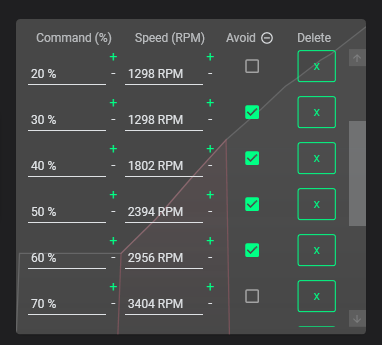
风扇曲线到底能做什么?它提供多种曲线类型,包括自定义图表、多条曲线或多传感器混合取值(最大值、最小值、平均值),还有带步进、起始转速百分比、停止转速百分比、响应时间和温度滞回的高级调节;支持保存多个配置文件,可以用校准的“避开点”跳过会产生异响的转速区间,还能作为服务在开机时无用户会话自启。
曲线可以参考哪些温度来源?开箱即用支持 CPU、GPU、主板和硬盘,外加插件注入的任意传感器——包括 HWiNFO、AIDA64、GPU-Z、Home Assistant、Aquacomputer 和 NZXT 设备、Nvidia 热点温度和显存结温等等。
Creator
Rem0o
Size
514.1 MB
Stars
21.1K
Age
6y
Commits · 90 Days