The config file should be located at: ~/.config/rustcast/config.toml RustCast
creates the default configuration for you, but it does use its
default options Here's a full list of everything you can configure
The list.
Feature list:
Finished:
Autoload installed apps 11/11/2025
Search through apps 11/11/2025
Generate randomvar (between 0 and 100) via
the app. Simply type randomvar and it will generate the num for you
Image icons next to the text 13/12/2025
Scrollable options 12/12/2025
Customisable themes (13/12/2025)
Configurable colours
Spotify control - Ability to control spotify via the app
Allow variables to be passed into custom shell scripts.
Google your query. Simply type your query, and then put a ? at the end,
and press enter
Calculator (27/12/2025)
Clipboard History (29/12/2025) This works by typing cbhist to enter the
clipboard history page, which allows you to access your clipboard history,
And of course, all the people who starred my repo!!
And the updated list of contributors to the macos version:
Easter egg list:
Nazeofel (Random Variable on discord) -> led to the randomvar easter egg
Lemon -> led to the lemon easter egg that shows "lemon" on rustcast
Lars-Schumann -> search f and get ferris.rs as a result
Me -> 67
If you like rustcast, consider starring it on github :)
Motivations:
I didn't want to pay for raycast + wanted to get better at rust. Raycast in
itself is one of the most useful productivity apps in my opinion, and it is
truly an underappreciated marvel of computer engineering
rustcast (MystikoLab/rustcast)
Choose a tag and it will appear here. With no tags selected, all catalog projects are shown.
Searching Database…
Choose a tag and it will appear here. With no tags selected, all catalog projects are shown.





 Like RustCast? Check out Sxitch
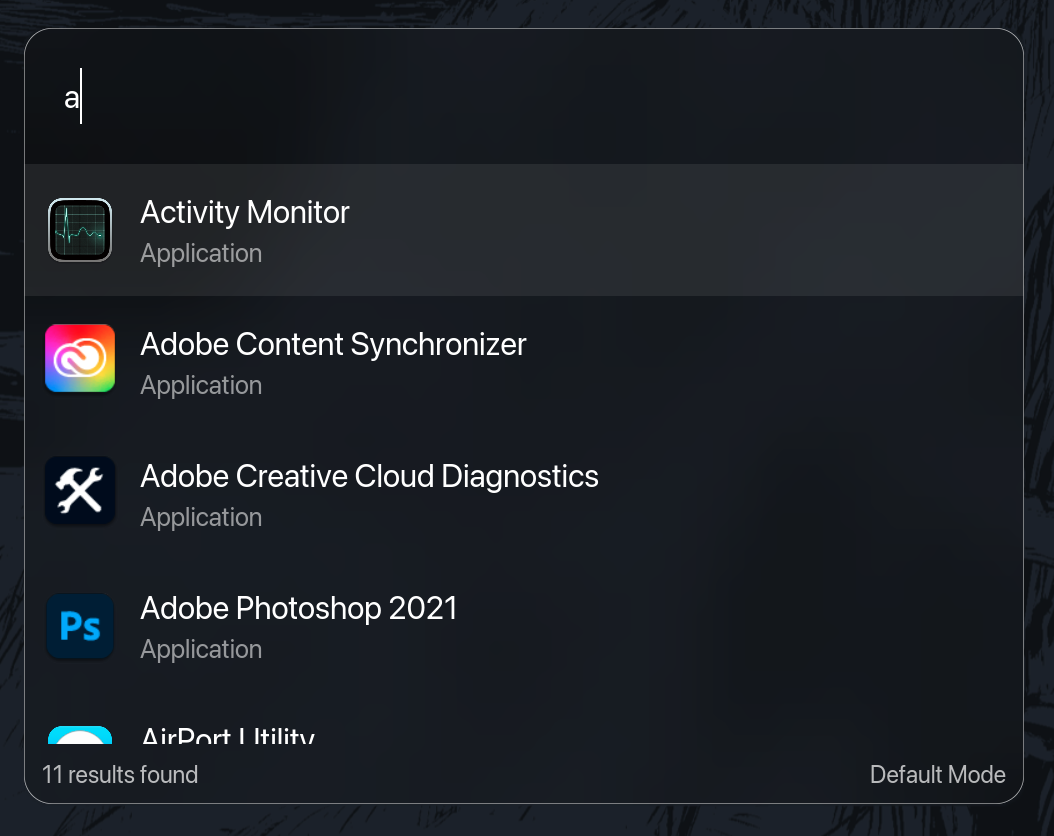

 RustCast 是一款用 Rust 编写的 macOS 免费开源弹出式启动器:按一下快捷键,直接输入,就能启动应用、小工具和工作流程。它的定位是 Raycast 的开源替代品。