



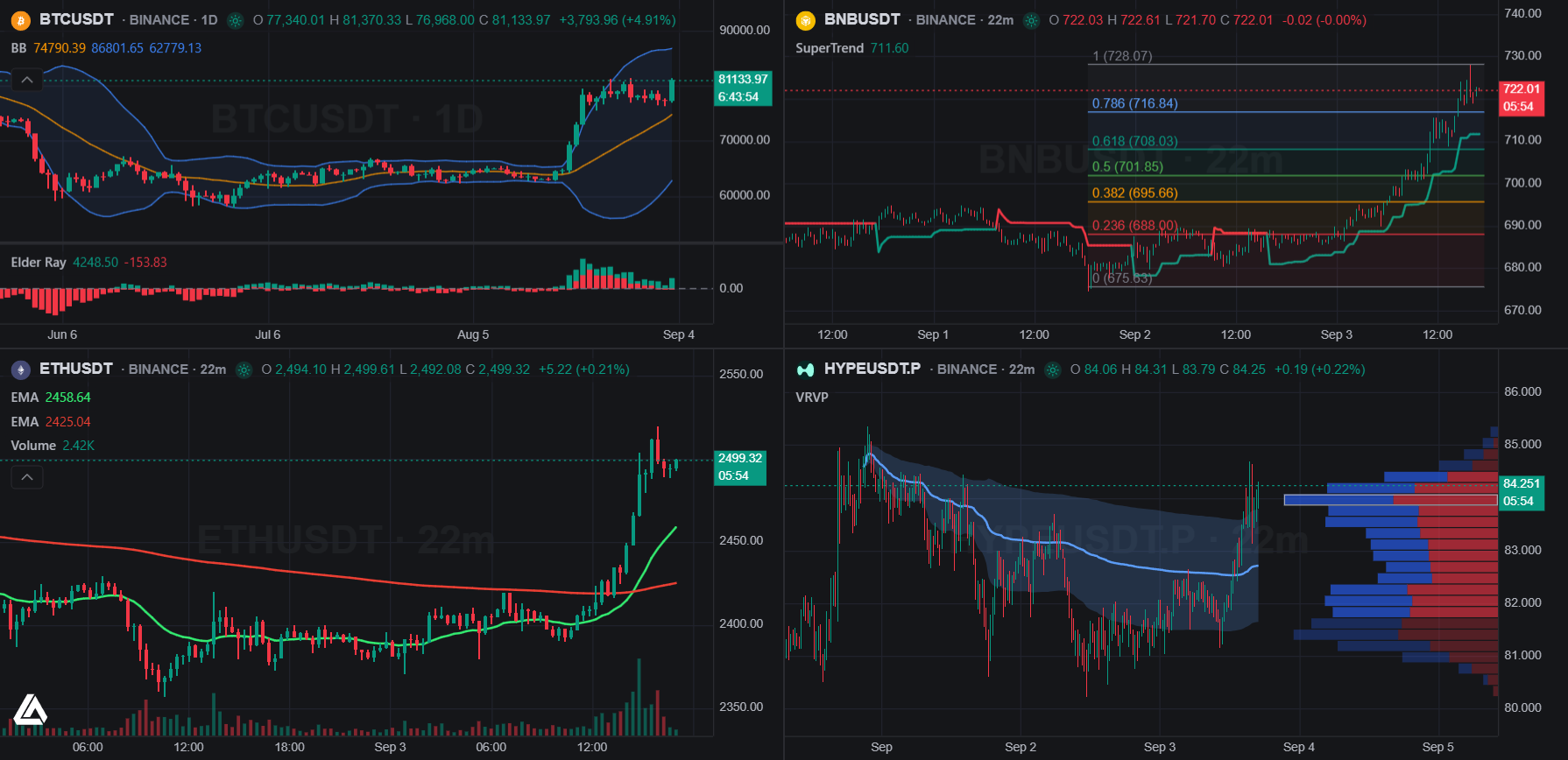
Что это?
 Vela — бесплатная open-source библиотека для построения быстрых финансовых графиков в браузере, построенная вокруг headless-ядра с нативным WebGL2-рендерером (fallback на canvas2d) и plugin SDK для подстановки своих данных, скриптовых движков и рендереров.
Vela — бесплатная open-source библиотека для построения быстрых финансовых графиков в браузере, построенная вокруг headless-ядра с нативным WebGL2-рендерером (fallback на canvas2d) и plugin SDK для подстановки своих данных, скриптовых движков и рендереров.Это библиотека или полноценное приложение с графиками?Она модульная: @luxalgo/vela — headless-ядро графиков, которым вы управляете из кода, @luxalgo/vela/workspace — готовое полнофункциональное приложение с графиками (один вызов), @luxalgo/vela/ui — набор компонентов, а @luxalgo/vela/plugin — SDK расширений.
Она модульная: @luxalgo/vela — headless-ядро графиков, которым вы управляете из кода, @luxalgo/vela/workspace — готовое полнофункциональное приложение с графиками (один вызов), @luxalgo/vela/ui — набор компонентов, а @luxalgo/vela/plugin — SDK расширений.Как добавить её в проект?Установите npm-пакет и либо вызовите workspace для полного графичного приложения одной строкой, либо управляйте headless-ядром напрямую. Также поставляется самодостаточный браузерный бандл (dist/vela.global.js) для использования через script-тег без этапа сборки.
Установите npm-пакет и либо вызовите workspace для полного графичного приложения одной строкой, либо управляйте headless-ядром напрямую. Также поставляется самодостаточный браузерный бандл (dist/vela.global.js) для использования через script-тег без этапа сборки.Нужен ли провайдер рыночных данных, чтобы ею пользоваться?Не обязательно — Vela поставляется с готовыми к регистрации провайдерами Binance, Coinbase и Hyperliquid, но можно обойтись без них всех и подавать свои OHLC-бары, работая полностью офлайн.
Не обязательно — Vela поставляется с готовыми к регистрации провайдерами Binance, Coinbase и Hyperliquid, но можно обойтись без них всех и подавать свои OHLC-бары, работая полностью офлайн.Поддерживает ли она Pine Script из коробки?Нет — Vela поставляется вообще без скриптовых движков. Поддержка Pine Script приходит из отдельного аддона @luxalgo/vela-pinets, который распространяется под AGPL-3.0 (в отличие от собственного ядра Vela под Apache-2.0), потому что использует AGPL-лицензированный рантайм PineTS.
Нет — Vela поставляется вообще без скриптовых движков. Поддержка Pine Script приходит из отдельного аддона @luxalgo/vela-pinets, который распространяется под AGPL-3.0 (в отличие от собственного ядра Vela под Apache-2.0), потому что использует AGPL-лицензированный рантайм PineTS.В чём подвох лицензии Apache-2.0?Каждый график по умолчанию показывает небольшой водяной знак атрибуции VelaTM, а файл NOTICE требует отключать его только при наличии эквивалентной видимой ссылки «VelaTM» в другом месте той же страницы.
Каждый график по умолчанию показывает небольшой водяной знак атрибуции VelaTM, а файл NOTICE требует отключать его только при наличии эквивалентной видимой ссылки «VelaTM» в другом месте той же страницы.Какие индикаторы встроены?Более 70 встроенных исследований — скользящие средние, полосы и каналы, осцилляторы момента, меры тренда и волатильности, объёмные индикаторы и оверлеи вроде VWAP, SuperTrend и Pivot Points — каждый со строкой в легенде, диалогом настроек и сохранением состояния.
Более 70 встроенных исследований — скользящие средние, полосы и каналы, осцилляторы момента, меры тренда и волатильности, объёмные индикаторы и оверлеи вроде VWAP, SuperTrend и Pivot Points — каждый со строкой в легенде, диалогом настроек и сохранением состояния.Можно добавить свои типы графиков или слои рендеринга?Да, plugin SDK позволяет регистрировать свои типы графиков и слои canvas-рендерера без форка проекта; зарегистрированный тип графика автоматически появляется в выпадающем списке стилей workspace.
Да, plugin SDK позволяет регистрировать свои типы графиков и слои canvas-рендерера без форка проекта; зарегистрированный тип графика автоматически появляется в выпадающем списке стилей workspace.Что входит в готовое workspace-приложение?Полный UI графиков с верхней панелью symbol/timeframe/style/indicator, строкой статуса, нижней панелью (диапазоны, часы, часовой пояс), деревом объектов, горячими клавишами, именованными ячейками, группами синхронизации и одним сохраняемым состоянием раскладки — всё настраивается одним вызовом.
Полный UI графиков с верхней панелью symbol/timeframe/style/indicator, строкой статуса, нижней панелью (диапазоны, часы, часовой пояс), деревом объектов, горячими клавишами, именованными ячейками, группами синхронизации и одним сохраняемым состоянием раскладки — всё настраивается одним вызовом.Какие провайдеры данных есть из коробки?Провайдеры Binance, Coinbase и Hyperliquid готовы к регистрации, либо можно подключить собственный источник данных.
Провайдеры Binance, Coinbase и Hyperliquid готовы к регистрации, либо можно подключить собственный источник данных.What are similar projects?lightweight-charts, d3, G2, highcharts, vue-echarts, Chart.js, echarts, uPlot
lightweight-charts, d3, G2, highcharts, vue-echarts, Chart.js, echarts, uPlotWhich topics is it in?charting, charting-library, chart, headless, stock-market, trading, canvas, webgl, finance, plugin-system, component-library, data-visualization
charting, charting-library, chart, headless, stock-market, trading, canvas, webgl, finance, plugin-system, component-library, data-visualization