


What is this?
 Vela is a free, open-source library for building fast financial charts in the browser, built around a headless core with a native WebGL2 renderer (canvas2d fallback) and a plugin SDK for swapping in custom data, scripting engines, and renderers.
Vela is a free, open-source library for building fast financial charts in the browser, built around a headless core with a native WebGL2 renderer (canvas2d fallback) and a plugin SDK for swapping in custom data, scripting engines, and renderers.Is this a library or a full chart app?It's modular: @luxalgo/vela is the headless chart core you drive from code, @luxalgo/vela/workspace is a ready-made full chart app (one call), @luxalgo/vela/ui is the component kit, and @luxalgo/vela/plugin is the extension SDK.
It's modular: @luxalgo/vela is the headless chart core you drive from code, @luxalgo/vela/workspace is a ready-made full chart app (one call), @luxalgo/vela/ui is the component kit, and @luxalgo/vela/plugin is the extension SDK.How do I add it to a project?Install the npm package and either call the workspace for a complete chart app in one line, or drive the headless core directly. A self-contained browser bundle (dist/vela.global.js) is also shipped for script-tag use without any build step.
Install the npm package and either call the workspace for a complete chart app in one line, or drive the headless core directly. A self-contained browser bundle (dist/vela.global.js) is also shipped for script-tag use without any build step.Do I need a market-data provider to use it?Not necessarily — Vela ships ready-to-register providers for Binance, Coinbase, and Hyperliquid, but you can skip all of them and pass your own OHLC bars to run fully offline.
Not necessarily — Vela ships ready-to-register providers for Binance, Coinbase, and Hyperliquid, but you can skip all of them and pass your own OHLC bars to run fully offline.Does it support Pine Script out of the box?No — Vela ships with zero scripting engines. Pine Script support comes from the separate @luxalgo/vela-pinets addon, which is AGPL-3.0 (unlike Vela's own Apache-2.0 core) because it runs the AGPL-licensed PineTS runtime.
No — Vela ships with zero scripting engines. Pine Script support comes from the separate @luxalgo/vela-pinets addon, which is AGPL-3.0 (unlike Vela's own Apache-2.0 core) because it runs the AGPL-licensed PineTS runtime.What's the catch with the Apache-2.0 license?Every chart shows a small VelaTM attribution watermark by default, and the NOTICE file requires you to only disable it if an equivalent visible 'VelaTM' link is shown elsewhere on the same page.
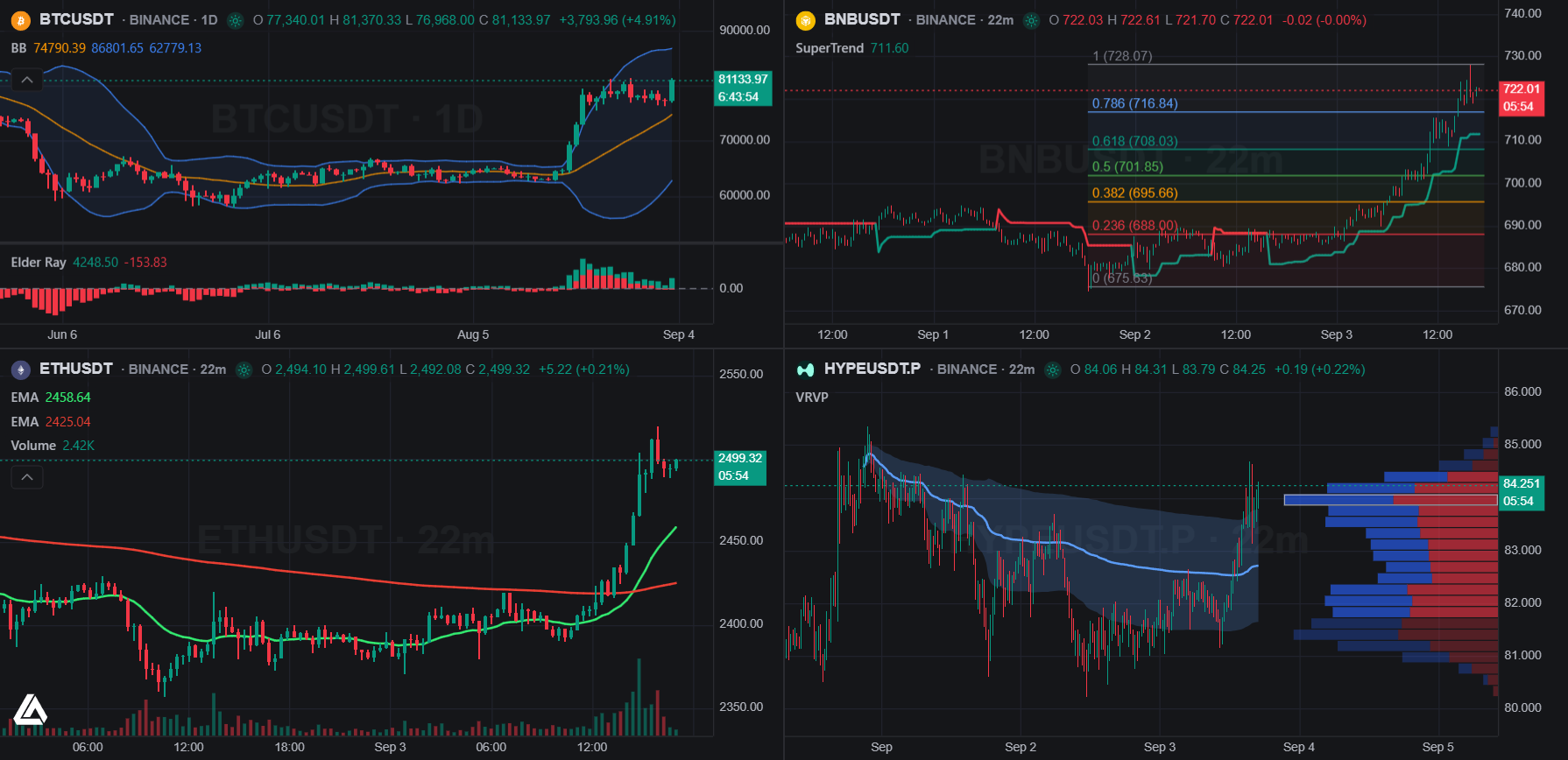
Every chart shows a small VelaTM attribution watermark by default, and the NOTICE file requires you to only disable it if an equivalent visible 'VelaTM' link is shown elsewhere on the same page.What indicators come built in?70+ built-in studies — moving averages, bands and channels, momentum oscillators, trend and volatility measures, volume studies, and overlays like VWAP, SuperTrend, and Pivot Points — each with a legend row, settings dialog, and persistence.
70+ built-in studies — moving averages, bands and channels, momentum oscillators, trend and volatility measures, volume studies, and overlays like VWAP, SuperTrend, and Pivot Points — each with a legend row, settings dialog, and persistence.Can I add my own chart types or renderer layers?Yes, the plugin SDK lets you register custom chart types and canvas renderer layers without forking the project; a registered chart type automatically appears in the workspace's style dropdown.
Yes, the plugin SDK lets you register custom chart types and canvas renderer layers without forking the project; a registered chart type automatically appears in the workspace's style dropdown.What does the ready-made workspace app include?A full chart UI with a symbol/timeframe/style/indicator topbar, status line, bottom bar (ranges, clock, timezone), object tree, keyboard shortcuts, named cells, sync groups, and one persisted layout state, all set up in a single call.
A full chart UI with a symbol/timeframe/style/indicator topbar, status line, bottom bar (ranges, clock, timezone), object tree, keyboard shortcuts, named cells, sync groups, and one persisted layout state, all set up in a single call.Which data providers ship out of the box?Binance, Coinbase, and Hyperliquid providers are ready to register, or you can plug in your own data source.
Binance, Coinbase, and Hyperliquid providers are ready to register, or you can plug in your own data source.What are similar projects?lightweight-charts, d3, G2, highcharts, vue-echarts, Chart.js, echarts, uPlot
lightweight-charts, d3, G2, highcharts, vue-echarts, Chart.js, echarts, uPlotWhich topics is it in?charting, charting-library, chart, headless, stock-market, trading, canvas, webgl, finance, plugin-system, component-library, data-visualization
charting, charting-library, chart, headless, stock-market, trading, canvas, webgl, finance, plugin-system, component-library, data-visualization