Thanks to Fluxion AI for sponsoring this project! Fluxion AI is one entry point for accessing and managing the world's leading AI models. It serves individual developers, technical teams and enterprises with a unified API; dynamic multi-route scheduling improves availability, and model performance, response time and cost stay transparent. Depending on the model and route, API calls can cost 40%–98% less than official or benchmark prices. Sign up via this link to receive $3 in API credit.
Pebrel (formerly Nebula) brings local shells, remote hosts, files, and AI command-line
tools into a native desktop workspace. Arrange terminals in tabs and splits, follow
each agent's activity, and read its output without leaving the application.
Terminals and Sessions
Sidebar or top tabs, draggable split panes, and per-pane working directories.
Saved workspace layouts and optional AI conversation restoration. On WSL and
Linux, Codex session metadata can supply an ID when its hook has not reported one.
On Windows, optional background residency keeps running sessions alive when you
close the window. Restoring a conversation after the process exits is a separate
feature and requires a supported CLI and a usable session identity.
Context-aware and history completions, configurable keybindings, and integrated shell prompts.
Intelligent Completion
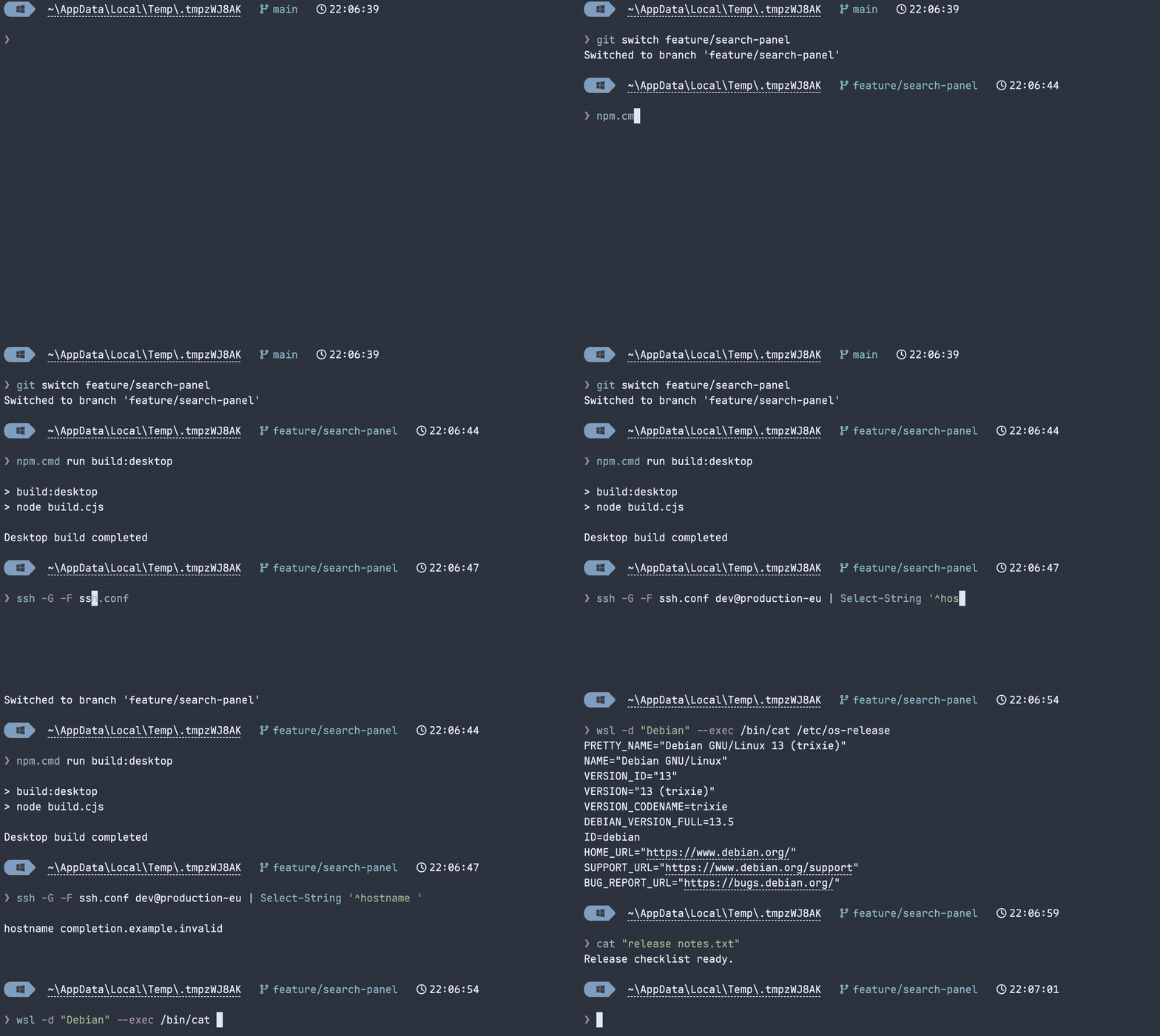
Get suggestions from your current Git repository, project scripts, SSH config,
and filesystem—even when you have never run the command before. On Windows,
Pebrel also completes registered WSL distributions. These candidates come from
Pebrel's own completion engine, without a shell completion plugin or an AI request.
Five commands in a real Windows/PowerShell terminal: Git branches, npm scripts,
SSH aliases, WSL distributions, and a quoted filename with cat. Typed one
character at a time with the built-in Powerline prompt.
Choose Inline (Tab accepts the suggestion), List (Tab accepts the selected
candidate), or Hybrid (→ accepts the inline suggestion; Tab opens the list)
in Settings.
How history completion differs
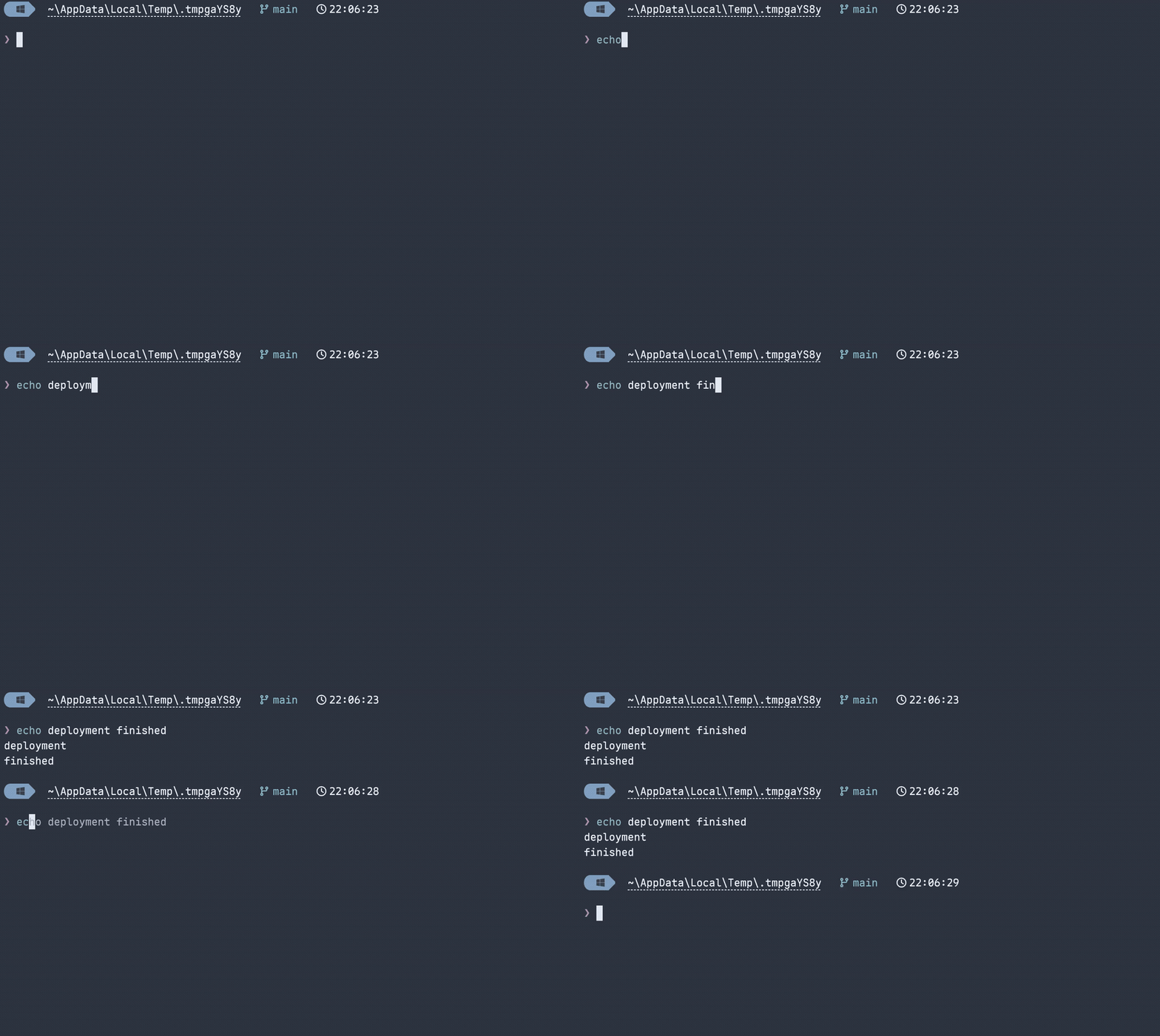
History completion recalls a command you have already executed. Here, echo dep
recalls echo deployment finished after its first run. The five examples above
discover candidates from the current environment without matching prior commands.
SSH and Files
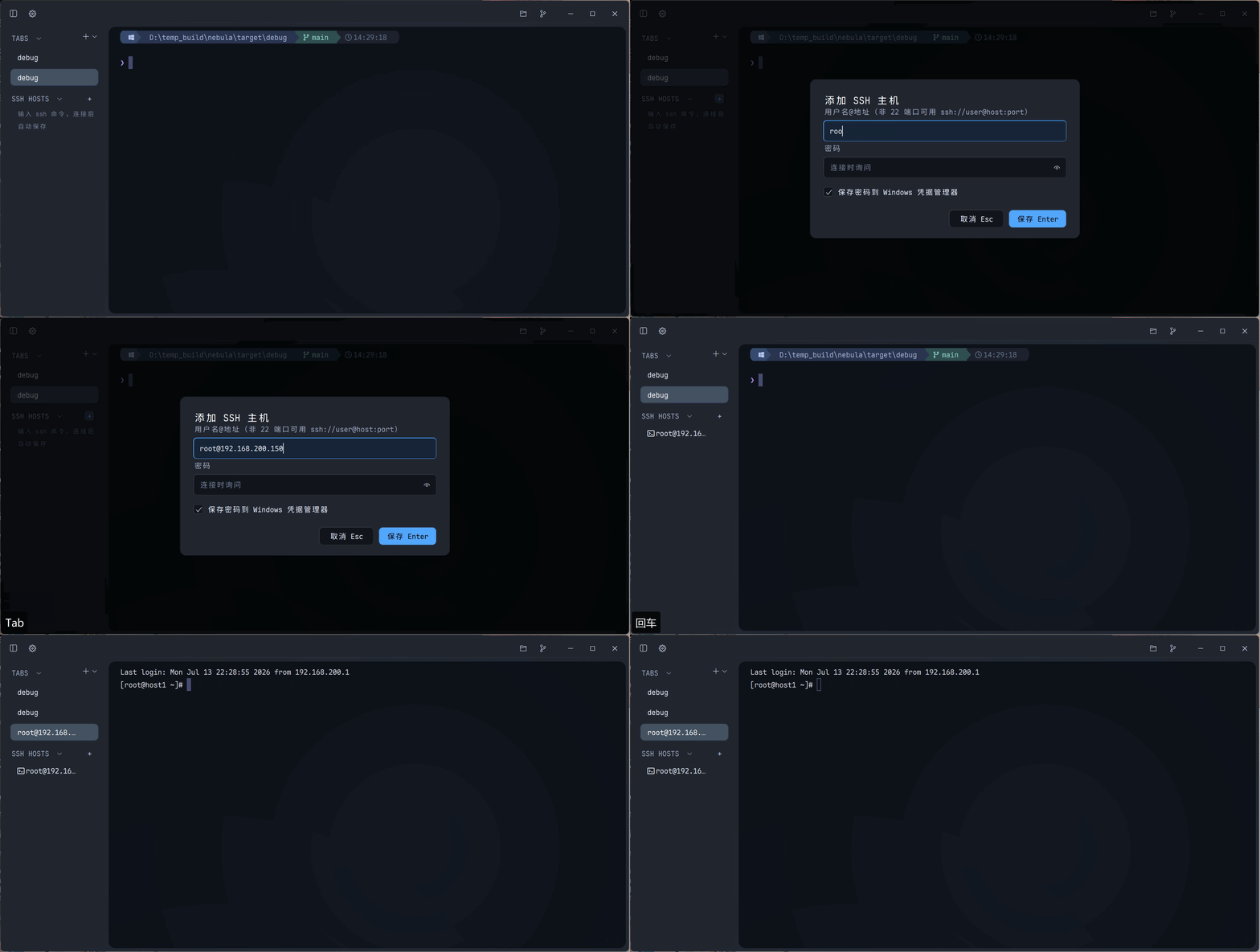
Saved hosts, SSH config aliases, proxy and jump-host options, private-key and
keyboard-interactive authentication, and host-key verification.
SFTP browsing, uploads and downloads, folder transfers, progress, and cancellation.
Local file browsing and Git actions alongside your terminals.
Duplicated WSL and SSH tabs retain their known working directory.
AI CLI Workflows
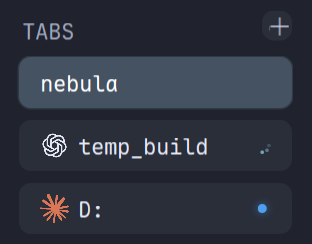
Claude Code, Codex, and other recognized CLIs have their own icons and activity
states. Supported hook events provide more precise progress and attention signals.
Notifications follow their source pane; clicking one returns you to that terminal.
Captured Claude Code and Codex answers open in a reader with Markdown, formulas,
source text, and local image previews.
Clipboard images are saved as PNG files and their paths inserted into local,
WSL, or SSH sessions. Inline terminal images require the CLI to emit the supported
OSC 1337 protocol; image attachment previews depend on the CLI itself.
A Native, Configurable Interface
GPU-accelerated GPUI interface, light and dark themes, backgrounds, and opacity controls.
Application icon palettes and eleven UI language choices with English fallback
for untranslated text.
Searchable settings, a command palette, and Lua configuration with validation and
live reload. Existing TOML configuration remains supported.
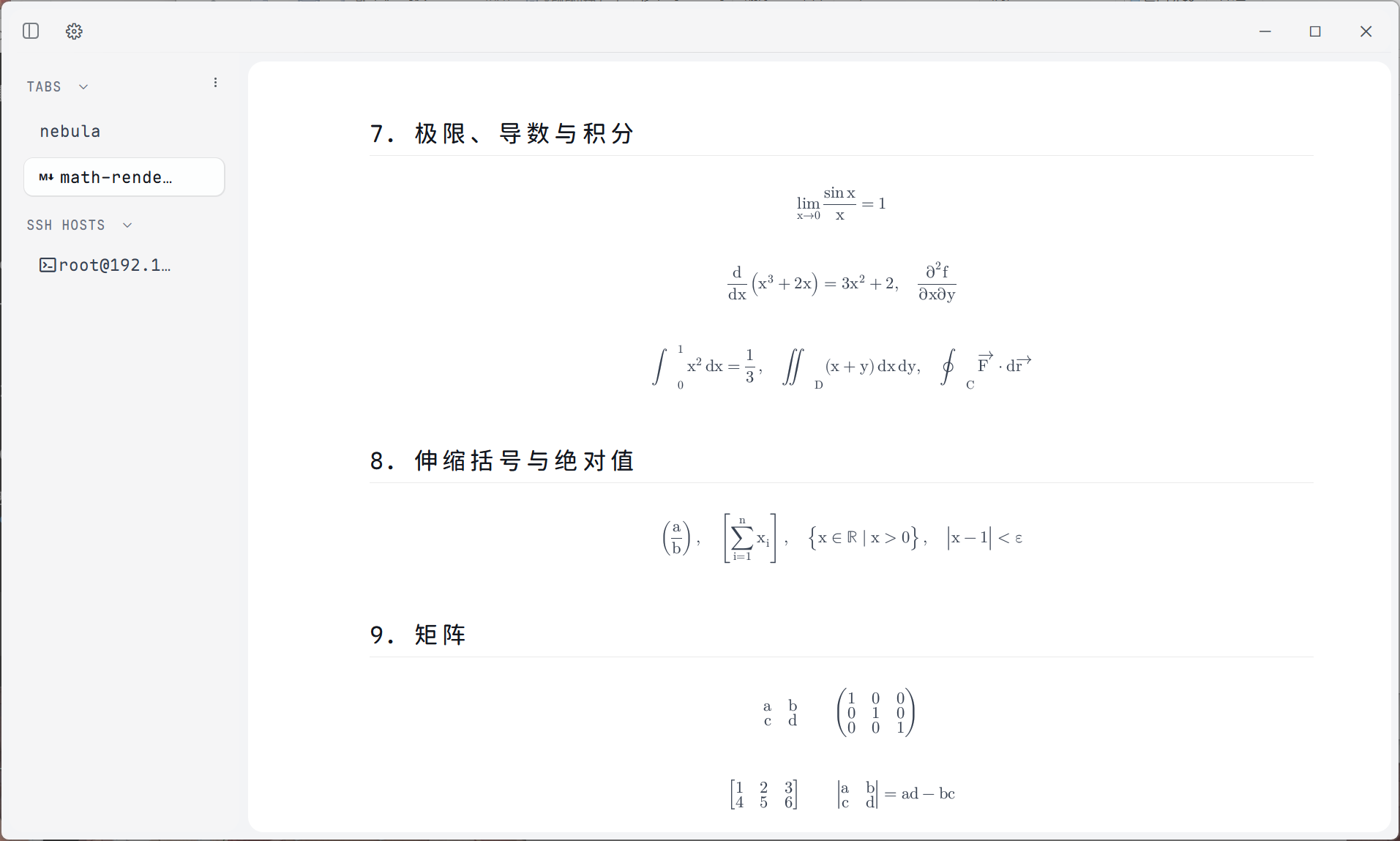
Markdown document tabs and native mathematical typesetting without a WebView.
Package names follow Pebrel-v<version>-<system>-<architecture>. Windows offers
stable installers ending in -setup.exe and portable ZIPs. Linux and macOS are
Preview builds, marked -preview before the extension. A legacy-named Windows
installer is also supplied for older automatic-update clients.
On Windows, run the installer or extract the ZIP and launch pebrel.exe, keeping
the bundled directories together. On Linux, install the DEB or make the AppImage
executable. On macOS, open the matching DMG and drag Pebrel into Applications.
Ad-hoc-signed macOS builds may require Open Anyway in System Settings >
Privacy & Security on first launch. Native macOS CI runs on macOS 15; the
deployment target alone does not establish validation on every older OS version.
Pebrel 2.1 connects native tray actions, quick-terminal shortcuts, login startup,
and local AI-hook setup on Windows, macOS, and Linux. Linux tray integration uses
a status notifier, and Wayland shortcuts use the desktop portal. Windows and
macOS provide native update installation; Linux upgrades use its package manager
or a new package. See installation details for platform requirements
and upgrading an existing Nebula installation.
Self-hosted relay
On your phone, save an SSH host with password or private-key authentication, then
select that host in relay setup. For key authentication, the credential field is
the private-key passphrase; leave it empty for an unencrypted key. It is not a
relay password. After installation, select the SSH host under desktop
Settings → Phone connection → Relay, then generate the phone pairing QR code.
See offline relay installation for server
requirements, verification and management. The original v2.1.1 Release assets
did not include an offline relay kit. A source checkout containing that installer
can use mobile/tools/package_manual_relay.py to generate a two-architecture Linux
kit and SHA256 sidecar from a verified APK. The tool does not download executables
or publish or replace Release assets.
Older APKs also need Cargo dependency notices collected from their matching source;
the installation guide includes those commands.
The generated Lua configuration uses require 'pebrel' and
pebrel.config_builder(). Invalid reloads retain the last valid configuration.
See the Lua configuration guide for settings and examples.
In Settings → Terminal → Alerts, Notification duration selects Use defaults,
5, 10, 30, or 90 seconds, or Until dismissed. The default preserves existing
lifetimes: short toasts last 5 seconds, message banners 90 seconds, and update
notices remain until dismissed. The saved preference applies to all newly shown
or refreshed in-app cards, independently of the AI-toast visibility switch.
Only the latest three cards are retained; newer cards replace older ones without
performing their actions, including in persistent mode.
Hiding a card never approves or rejects a request or changes task state; requests
remain available in their terminals and updates in Settings. System notifications
are unchanged. The persisted key is notification_duration, with values default,
5, 10, 30, 90, or persistent.
See the notification duration menu.
Build
With the pinned Rust toolchain and the platform dependencies installed:
The internal Cargo package is still named nebula; the application and command
are pebrel. GPUI is the product interface. The older renderer is available only
through the explicit legacy-shell feature.
Pebrel includes third-party terminal, interface and font components. Their
provenance, copyright and license notices are preserved in
THIRD-PARTY-NOTICES and licenses/.










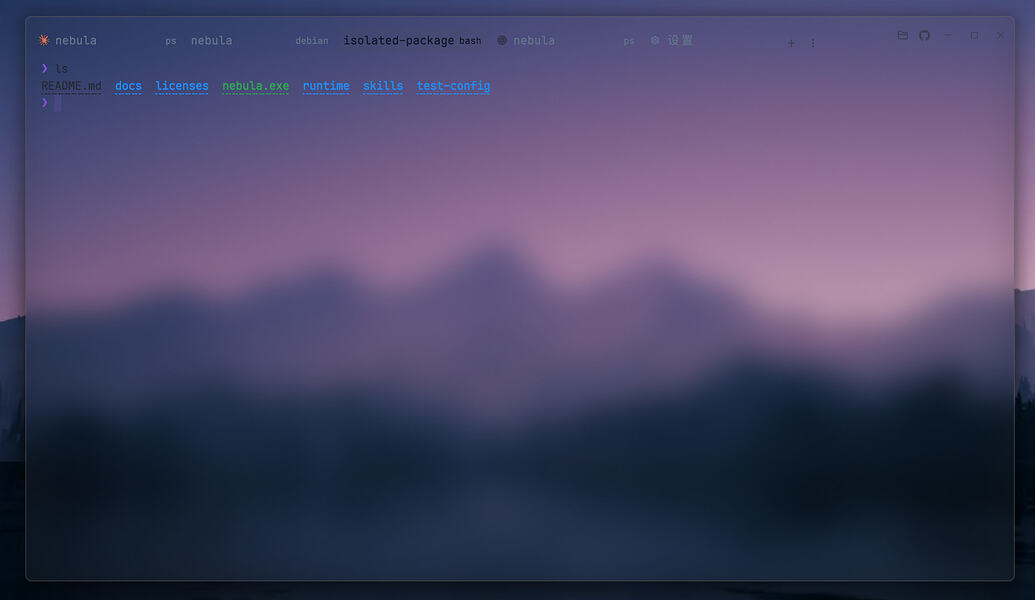
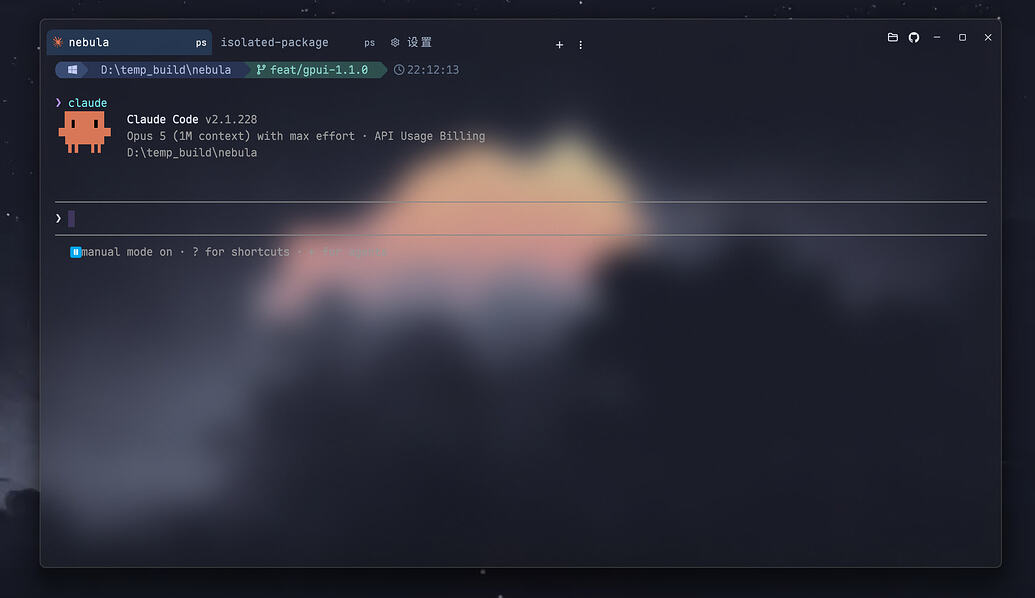
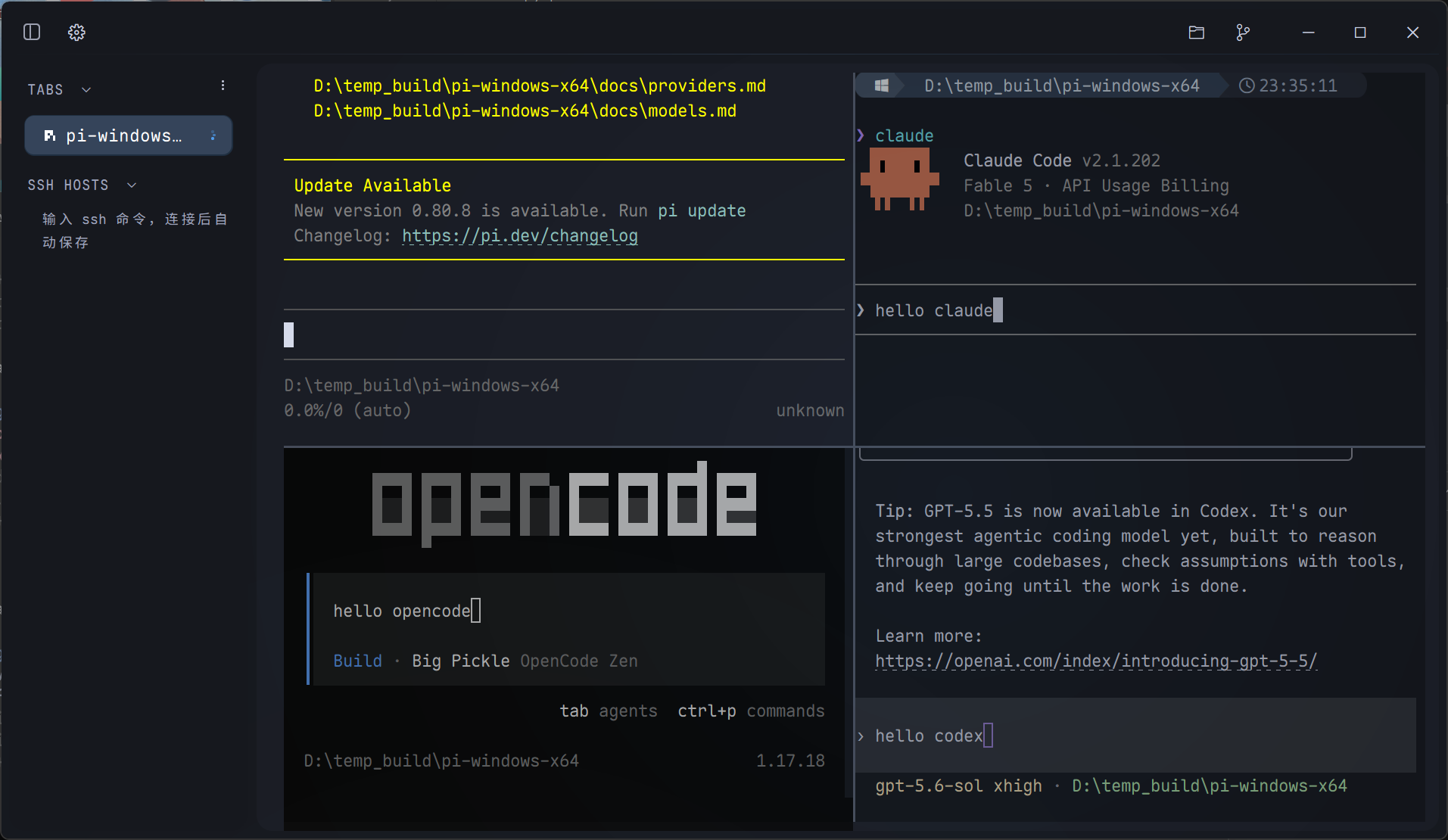

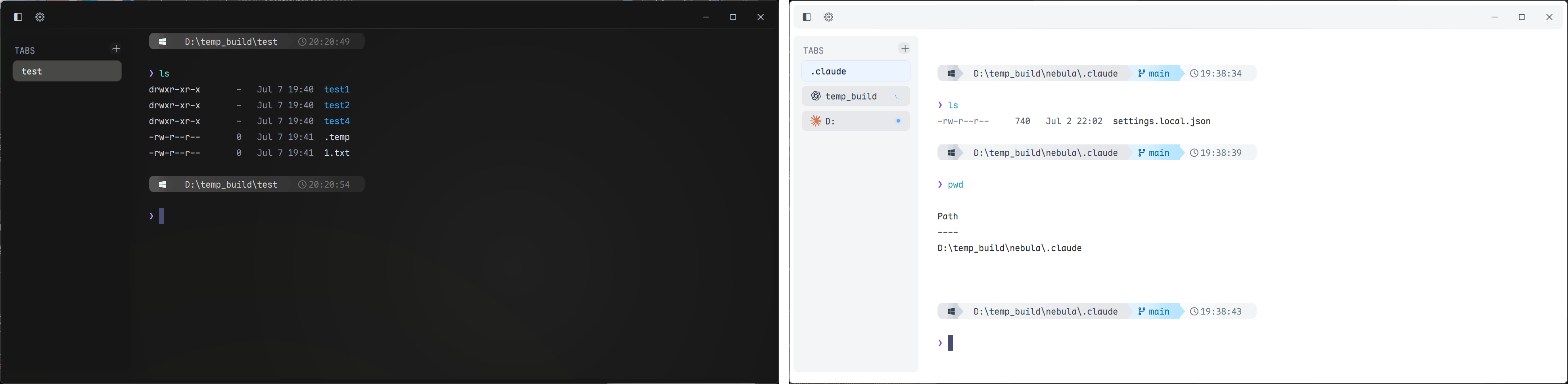

 Pebrel 是一款面向 Windows、macOS 和 Linux 的 GPU 加速终端模拟器,把本地 shell、SSH/SFTP 远程访问以及 Claude Code 和 Codex 等 AI 命令行工具整合进一个原生桌面工作区。