
Что это такое?
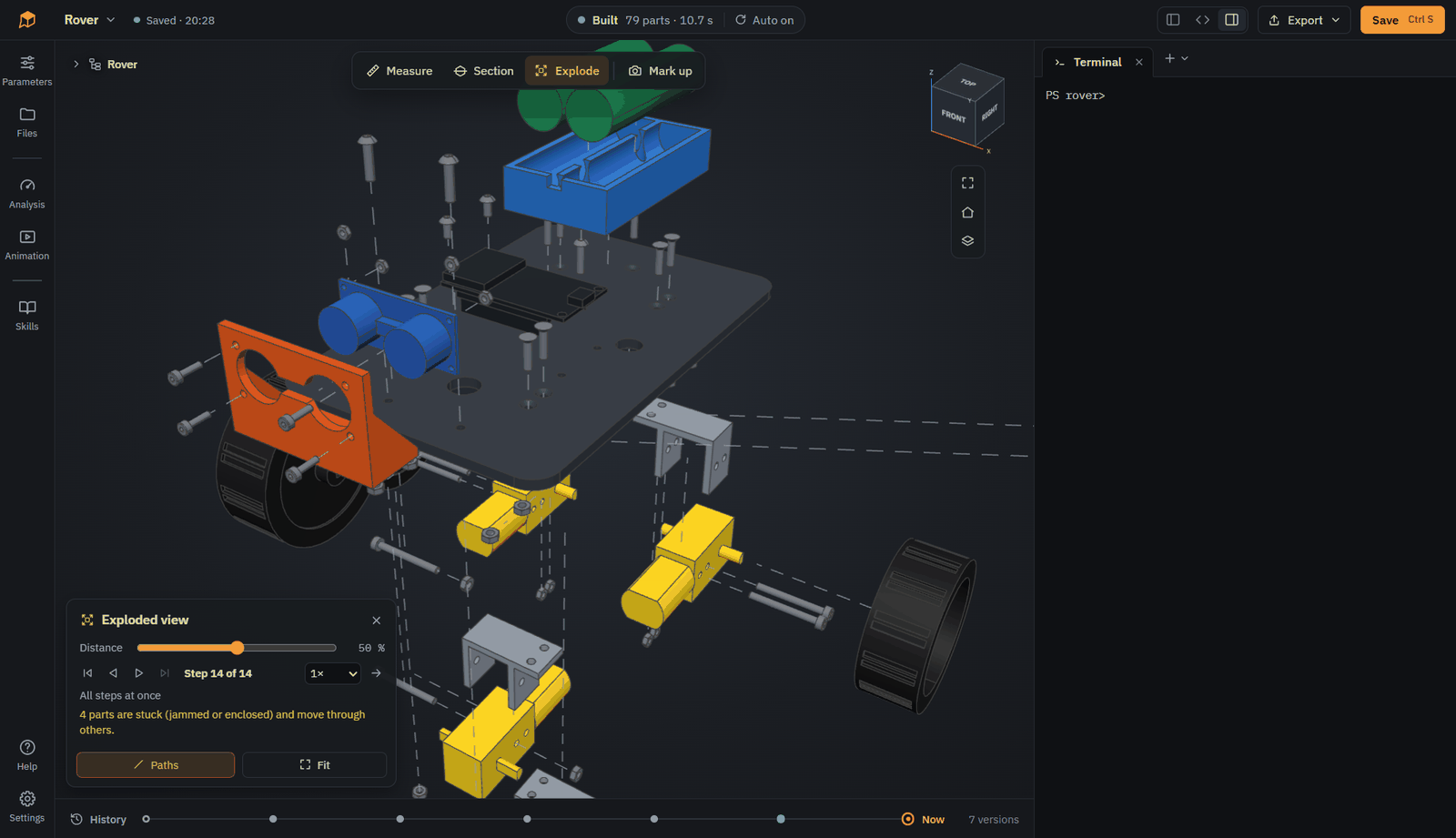
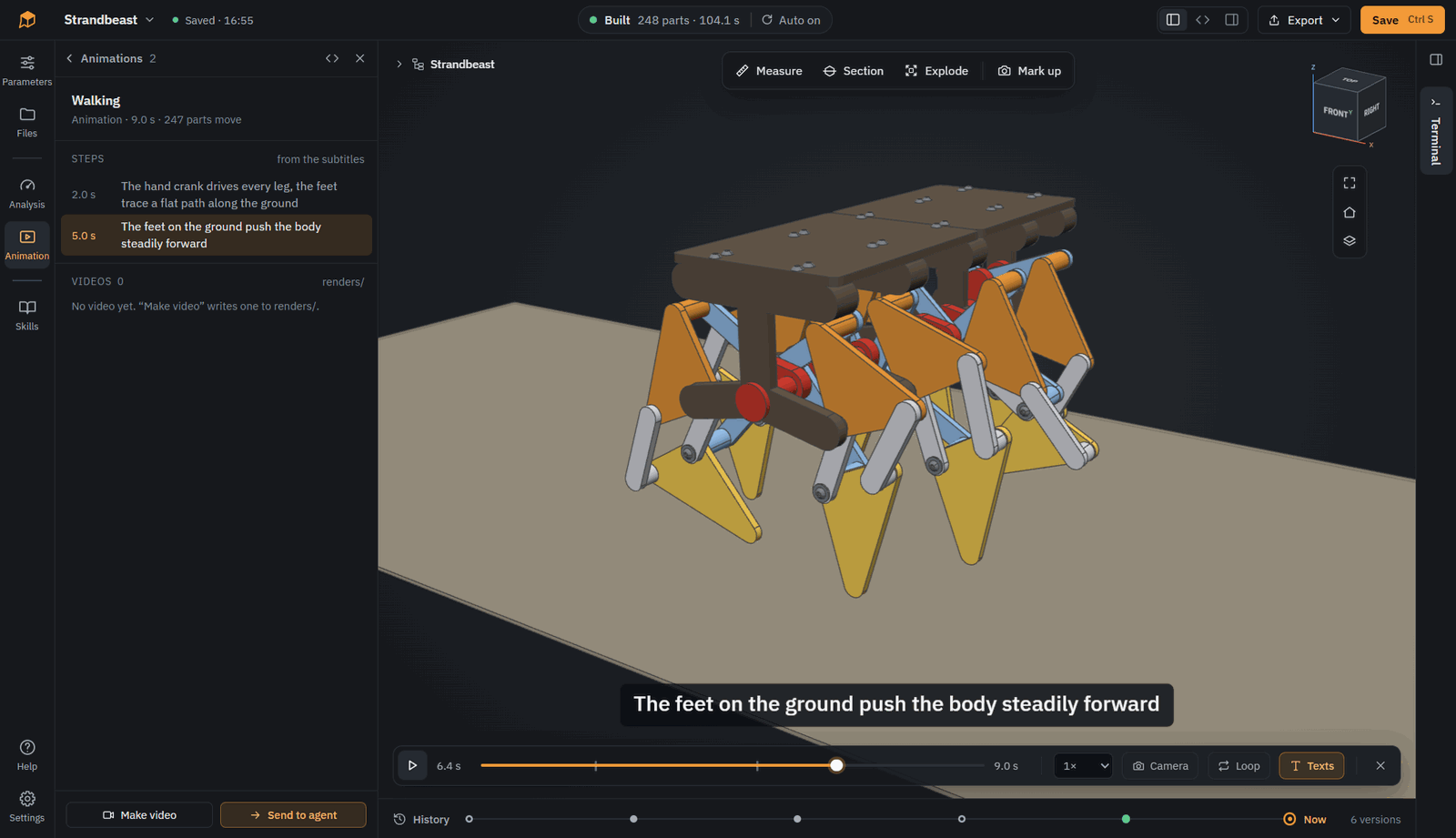
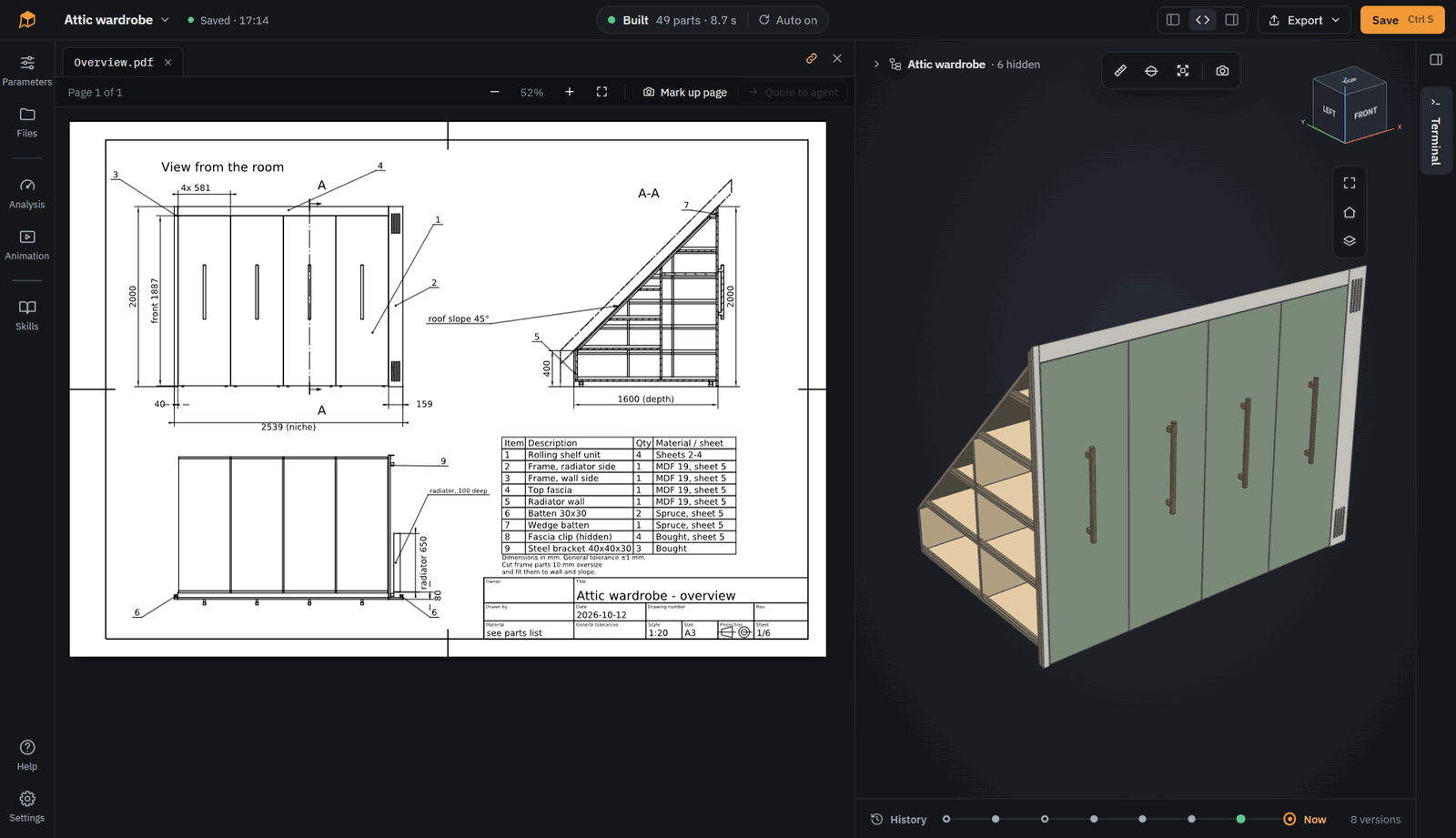
 SOMA — это настольное приложение для проектирования параметрических 3D-моделей CAD в CadQuery (Python) вместе с ИИ-агентом для написания кода: вы описываете деталь, агент пишет модель в виде кода, а SOMA собирает и показывает результат, чтобы вы могли его доработать.
SOMA сама является ИИ-агентом или мне нужно подключить агента?SOMA — не собственный агент, а рабочая среда (терминал, редактор кода, Git, 3D-просмотрщик), к которой подключается любой CLI-агент, например Claude Code, OpenCode, Codex CLI или Gemini CLI. Агента вы устанавливаете и входите в него сами.
SOMA — не собственный агент, а рабочая среда (терминал, редактор кода, Git, 3D-просмотрщик), к которой подключается любой CLI-агент, например Claude Code, OpenCode, Codex CLI или Gemini CLI. Агента вы устанавливаете и входите в него сами.Как установить SOMA и начать модель?Скачайте пакет для своей ОС с somacad.app/download или со страницы GitHub releases (установщик или портативный ZIP для Windows, AppImage или tar.gz для Linux, dmg для macOS на Apple Silicon), затем нажмите 'New model' и запустите найденного CLI-агента через кнопку + над терминалом.
Скачайте пакет для своей ОС с somacad.app/download или со страницы GitHub releases (установщик или портативный ZIP для Windows, AppImage или tar.gz для Linux, dmg для macOS на Apple Silicon), затем нажмите 'New model' и запустите найденного CLI-агента через кнопку + над терминалом.Нужно ли мне самому устанавливать агента для кода или SOMA его включает?Нужно установить и войти в собственного CLI-агента (Claude Code, OpenCode, Codex CLI или Gemini CLI); SOMA его не поставляет, чтобы ваша подписка и выбор модели оставались вашими. Зато в комплект входят Python, CadQuery, Git и CalculiX.
Нужно установить и войти в собственного CLI-агента (Claude Code, OpenCode, Codex CLI или Gemini CLI); SOMA его не поставляет, чтобы ваша подписка и выбор модели оставались вашими. Зато в комплект входят Python, CadQuery, Git и CalculiX.Насколько стабильна SOMA и есть ли подводные камни при установке?Проект помечен как ранний прототип, и его форматы файлов и API могут меняться между версиями 0.x. Пакеты пока не подписаны, поэтому при первом запуске Windows SmartScreen и macOS Gatekeeper выдадут предупреждение, которое нужно обойти вручную.
Проект помечен как ранний прототип, и его форматы файлов и API могут меняться между версиями 0.x. Пакеты пока не подписаны, поэтому при первом запуске Windows SmartScreen и macOS Gatekeeper выдадут предупреждение, которое нужно обойти вручную.Работает ли SOMA на Linux и Mac так же хорошо, как на Windows?Пакеты есть для Windows, Linux (AppImage/tar.gz, нужна glibc 2.31+) и macOS (только Apple Silicon), но разработка и большая часть тестирования шли на Windows, другие платформы использовались заметно меньше.
Пакеты есть для Windows, Linux (AppImage/tar.gz, нужна glibc 2.31+) и macOS (только Apple Silicon), но разработка и большая часть тестирования шли на Windows, другие платформы использовались заметно меньше.Нужно ли мне самому знать CadQuery или Python?Нет. Вы описываете деталь обычным языком, а агент пишет для вас код на CadQuery Python; редактировать код самостоятельно нужно только если вы этого хотите.
Нет. Вы описываете деталь обычным языком, а агент пишет для вас код на CadQuery Python; редактировать код самостоятельно нужно только если вы этого хотите.В какие форматы можно экспортировать готовую модель?STEP, STL, 3MF, DXF и другие, а также технические чертежи в PDF.
STEP, STL, 3MF, DXF и другие, а также технические чертежи в PDF.Что такое файл .soma?Это один файл, в котором хранятся код модели, её готовый 3D-результат и вся история правок; он работает как родной формат файлов CAD.
Это один файл, в котором хранятся код модели, её готовый 3D-результат и вся история правок; он работает как родной формат файлов CAD.С каким агентом SOMA работает лучше всего?По данным проекта, в основном SOMA тестировалась с Claude Code и Claude Opus 5.5, результаты очень хорошие, но и другие CLI-агенты и модели тоже работают.
По данным проекта, в основном SOMA тестировалась с Claude Code и Claude Opus 5.5, результаты очень хорошие, но и другие CLI-агенты и модели тоже работают.Какие есть похожие проекты?Amagine3D, text-to-cad, QymCAD, zuse, vicoa, pi-gui, Agentlas-OS, acryl
Amagine3D, text-to-cad, QymCAD, zuse, vicoa, pi-gui, Agentlas-OS, acrylВ каких он темах?3d-printing, cad, 3d-modeling, vibe-coding, gemini-cli, opencode, 3d, git, electron, apple-silicon, skills, agentic-ai
3d-printing, cad, 3d-modeling, vibe-coding, gemini-cli, opencode, 3d, git, electron, apple-silicon, skills, agentic-ai