




What is this?
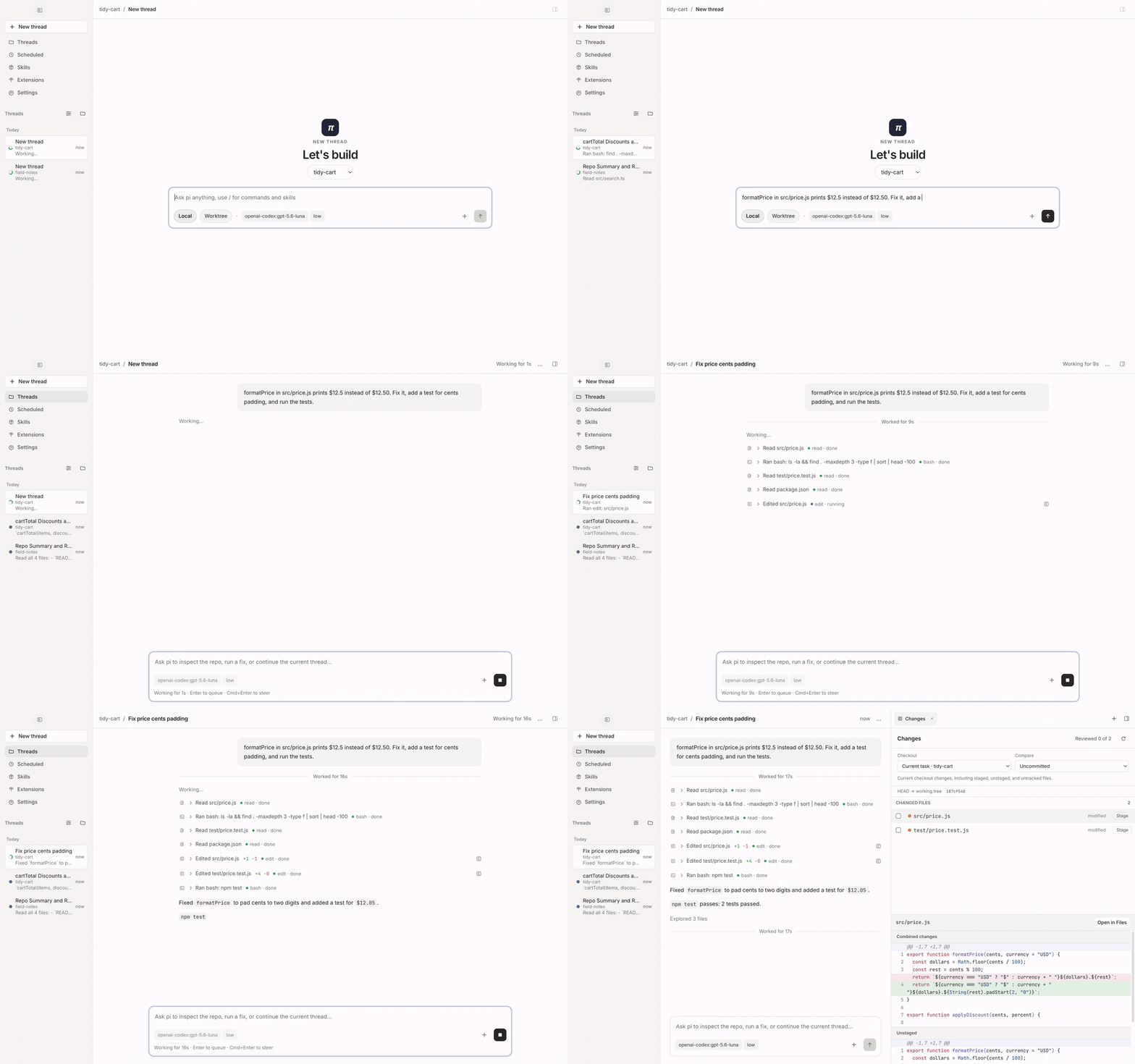
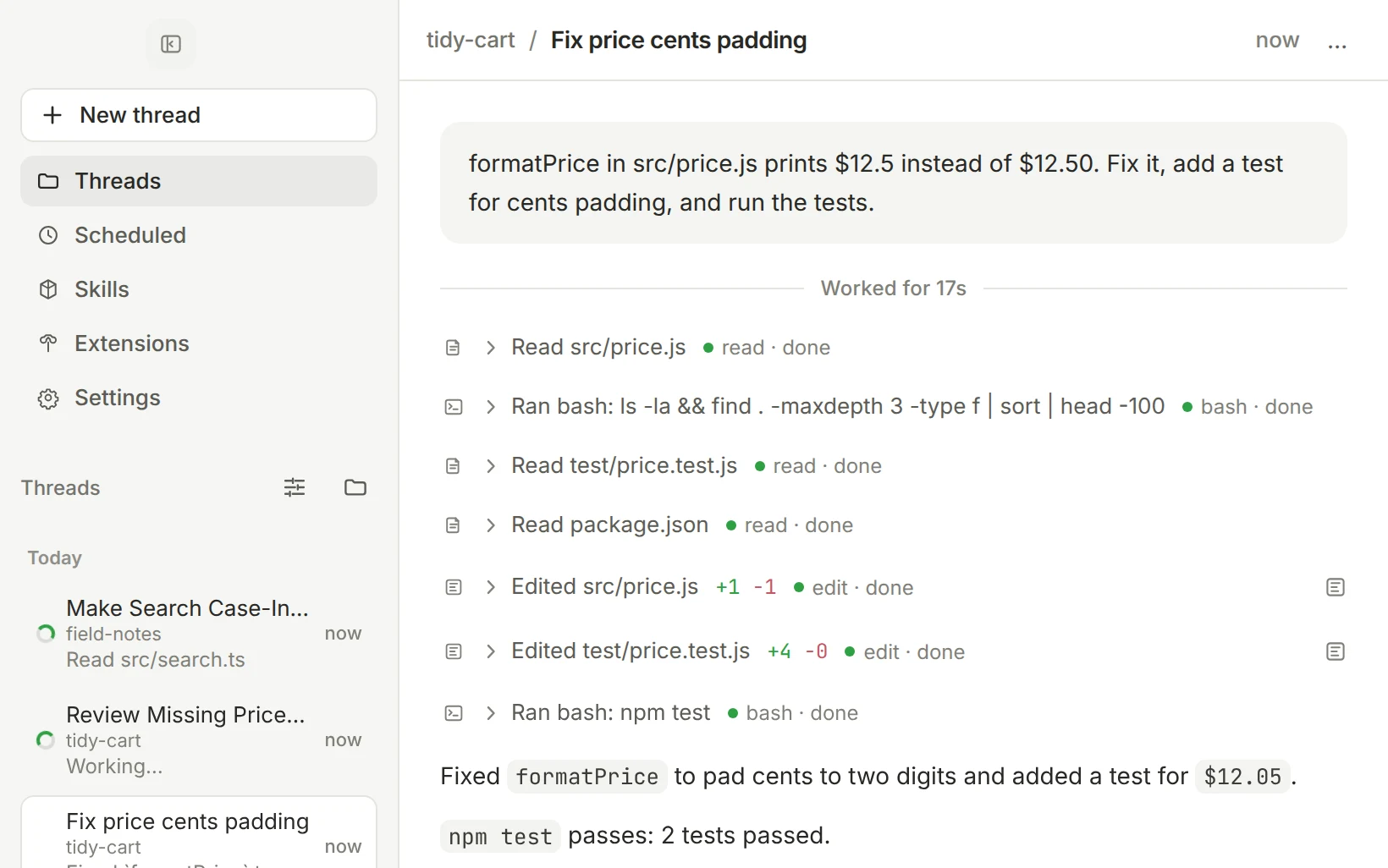
 pi-gui is a desktop app for the pi coding agent: you run coding agents in parallel threads, review every change they make, run tests in a real terminal, and ship without leaving the window.
pi-gui is a desktop app for the pi coding agent: you run coding agents in parallel threads, review every change they make, run tests in a real terminal, and ship without leaving the window.Is it its own agent, or a shell around something else?It is a desktop shell around the pi runtime (@earendil-works/pi-coding-agent), not a separate agent: sessions, models, auth and tools run through pi itself, so anything you set up with the pi CLI carries over.
It is a desktop shell around the pi runtime (@earendil-works/pi-coding-agent), not a separate agent: sessions, models, auth and tools run through pi itself, so anything you set up with the pi CLI carries over.Do I need an API key or an account to use it?You connect a model provider in the Providers settings: sign in with OAuth, paste an API key, or point at a custom endpoint. Model and thinking level are picked per thread.
You connect a model provider in the Providers settings: sign in with OAuth, paste an API key, or point at a custom endpoint. Model and thinking level are picked per thread.Any install gotchas to know about?Windows builds are not code-signed yet, so SmartScreen may ask you to confirm. macOS releases are signed and notarized, and a Homebrew upgrade may ask you to re-confirm macOS permissions or Dock placement.
Windows builds are not code-signed yet, so SmartScreen may ask you to confirm. macOS releases are signed and notarized, and a Homebrew upgrade may ask you to re-confirm macOS permissions or Dock placement.Which systems does it run on — will it work on an Intel Mac?It runs on macOS (Apple Silicon only), Linux (x64) and Windows (x64), so Intel Macs are not covered.
It runs on macOS (Apple Silicon only), Linux (x64) and Windows (x64), so Intel Macs are not covered.Where do my sessions and settings live?pi stores each session as a JSONL transcript on disk, and pi-gui reads those files instead of keeping its own copy, so threads, credentials and skills are shared with the pi CLI.
pi stores each session as a JSONL transcript on disk, and pi-gui reads those files instead of keeping its own copy, so threads, credentials and skills are shared with the pi CLI.How does running agents in parallel actually work?Every task gets its own thread: start it in your existing checkout or in a fresh git worktree, then start the next one while it works. The sidebar shows what is running, what finished and what needs you; threads can be pinned, grouped by time or workspace, and archived.
Every task gets its own thread: start it in your existing checkout or in a fresh git worktree, then start the next one while it works. The sidebar shows what is running, what finished and what needs you; threads can be pinned, grouped by time or workspace, and archived.How do I check what the agent actually changed?The Review tab shows exactly what the agent touched — uncommitted work, a branch against its base, or a single turn — and you stage or unstage it file by file. A real terminal, file explorer and editor sit in the workbench beside the conversation, with a per-task layout.
The Review tab shows exactly what the agent touched — uncommitted work, a branch against its base, or a single turn — and you stage or unstage it file by file. A real terminal, file explorer and editor sit in the workbench beside the conversation, with a per-task layout.Can an agent kick off other agents?Yes — a thread can start, read and message other threads, which show up in the sidebar like any other. You get notifications when a background thread finishes, fails or needs your attention, and you can fork a thread from any message or rewind with /tree.
Yes — a thread can start, read and message other threads, which show up in the sidebar like any other. You get notifications when a background thread finishes, fails or needs your attention, and you can fork a thread from any message or rewind with /tree.Can it rerun a prompt on a schedule?Yes, scheduled tasks let pi rerun a prompt on a schedule — a weekly dependency check, for example — while the app is open. It also supports turning pi skills and extensions on and off, and desktop extensions get their own workbench tabs.
Yes, scheduled tasks let pi rerun a prompt on a schedule — a weekly dependency check, for example — while the app is open. It also supports turning pi skills and extensions on and off, and desktop extensions get their own workbench tabs.What are similar projects?1code, CanvasTTY, ClawX, qwen-code, claudecodeui, MiMo-Code, ZCode, agent-router
1code, CanvasTTY, ClawX, qwen-code, claudecodeui, MiMo-Code, ZCode, agent-routerWhich topics is it in?ai-coding-agent, git-worktrees, electron-app, themes, code-review, oauth, homebrew, apple-silicon, electron, git, agentic-ai, agents
ai-coding-agent, git-worktrees, electron-app, themes, code-review, oauth, homebrew, apple-silicon, electron, git, agentic-ai, agents